
LimboAI - Behavior Trees & State Machines for Godot 4


Supported Godot Engine: 4.6
(see below for older versions)
LimboAI is an open-source C++ plugin for Godot Engine 4 providing a combination of
Behavior Trees and State Machines, which can be used together to create complex AI behaviors.
It comes with a behavior tree editor, built-in documentation, visual debugger, extensive demo project with a tutorial, and more!
While it is implemented in C++, it fully supports GDScript for creating your own tasks and states.
If you enjoy using LimboAI, please consider supporting my efforts with a donation on Ko-fi 😊 Your contribution will help me continue developing and improving it.


Behavior Trees are powerful hierarchical structures used to model and control the behavior of agents in a game (e.g., characters, enemies). They are designed to make it easier to create rich and highly modular behaviors for your games. To learn more about behavior trees, check out Introduction to Behavior Trees and our demo project, which includes a tutorial.
Demonstration

[!NOTE]
Demo project lives in the demo folder, and is available separately in Releases.
Run demo/scenes/showcase.tscn to get started.
It also includes a tutorial that introduces behavior trees through illustrative examples.
Videos
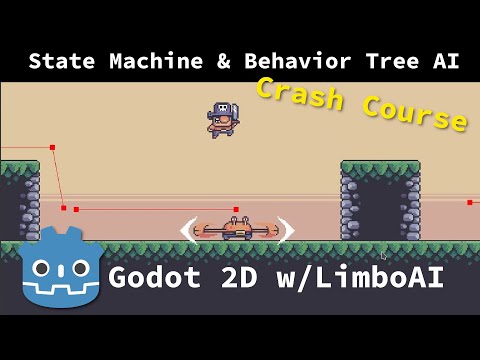
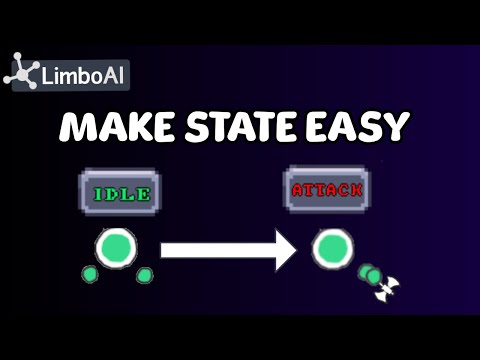
YouTube videos produced by various creators




Supported Godot versions
| Plugin Version |
GDExtension/AssetLib |
Module |
1.8.x releases |
Godot 4.6 or higher |
Godot 4.7 |
1.7.x releases |
Godot 4.6 or higher |
Godot 4.6 |
1.6.x releases |
Godot 4.4, 4.5, 4.6 |
Godot 4.6 |
1.5.x releases |
Godot 4.4, 4.5 |
Godot 4.5 |
1.4.x releases |
Godot 4.4, 4.5 |
Godot 4.4 |
1.2.0-1.3.x releases |
Godot 4.3 |
Godot 4.3 |
1.1.x releases |
Godot 4.2 |
Godot 4.2 |
Features
-
Behavior Trees (BT):
- Easily create, edit, and save
BehaviorTree resources in the editor.
- Execute
BehaviorTree resources using the BTPlayer node.
- Create complex behaviors by combining and nesting tasks in a hierarchy.
- Control execution flow using composite, decorator, and condition tasks.
- Create custom tasks by extending core classes:
BTAction, BTCondition, BTDecorator, and BTComposite.
- Built-in class documentation.
- Blackboard system: Share data seamlessly between tasks using the
Blackboard.
- Blackboard plans: Define variables in the BehaviorTree resource and override their values in the BTPlayer node.
- Plan editor: Manage variables, their data types and property hints.
- Blackboard scopes: Prevent name conflicts and enable advanced techniques like sharing data between several agents.
- Blackboard parameters: Export a BB parameter, for which user can provide a value or bind it to a blackboard variable (can be used in custom tasks).
- Inspector support for specifying blackboard variables (custom editor for exported
StringName properties ending with “_var”).
- Use the
BTSubtree task to execute a tree from a different resource file, promoting organization and reusability.
- Visual Debugger: Inspect the execution of any BT in a running scene to identify and troubleshoot issues.
- Visualize BT in-game using
BehaviorTreeView node (for custom in-game tools).
- Monitor tree performance with custom performance monitors.
-
Hierarchical State Machines (HSM):
- Extend the
LimboState class to implement state logic.
LimboHSM node serves as a state machine that manages LimboState instances and transitions.LimboHSM is a state itself and can be nested within other LimboHSM instances.- Event-based: Transitions are associated with events and are triggered by the state machine when the relevant event is dispatched, allowing for better decoupling of transitions from state logic.
- Combine state machines with behavior trees using
BTState for advanced reactive AI.
- Delegation Option: Using the vanilla
LimboState, delegate the implementation to your callback functions, making it perfect for rapid prototyping and game jams.
- Note: State machine setup and initialization require code; there is no GUI editor.
-
Tested: Behavior tree tasks and HSM are covered by unit tests.
-
GDExtension: LimboAI can be used as extension. Custom engine builds are not necessary.
-
Demo + Tutorial: Check out our extensive demo project, which includes an introduction to behavior trees using examples.
First steps
Follow the Getting started guide to learn how to get started with LimboAI and the demo project.
Getting LimboAI
LimboAI can be used as either a C++ module or as a GDExtension shared library. GDExtension version is more convenient to use but somewhat limited in features. Whichever you choose to use, your project will stay compatible with both and you can switch from one to the other any time. See Using GDExtension.
Precompiled builds
- For the most recent builds, navigate to Actions → All Builds, select a build from the list, and scroll down until you find the Artifacts section.
- For release builds, check Releases.
Compiling from source
- Download the Godot Engine source code and put this module source into the
modules/limboai directory.
- Consult the Godot Engine documentation for instructions on how to build from source code.
- If you plan to export a game utilizing the LimboAI module, you’ll also need to build export templates.
- To execute unit tests, compile the engine with
tests=yes and run it with --test --tc="*[LimboAI]*".
For GDExtension
- You’ll need SCons build tool and a C++ compiler. See also Compiling.
- Run
scons target=editor to build the plugin library for your current platform.
- SCons will automatically clone the godot-cpp/ repository if it doesn’t already exist in the
limboai/godot-cpp directory.
- By default, built targets are placed in the demo project:
demo/addons/limboai/bin/
- Check
scons -h for other options and targets.
Using the plugin
Contributing
Contributions are welcome! Please open issues for bug reports, feature requests, or code changes.
For detailed guidelines on contributing to code or documentation, check out our Contributing page.
If you have an idea for a behavior tree task or a feature that could be useful in a variety of projects, open an issue to discuss it.
Social
Need help? We have a Discord server: https://discord.gg/N5MGC95GpP
I write about LimboAI development on Mastodon: https://mastodon.gamedev.place/@limbo.
License
Use of this source code is governed by an MIT-style license that can be found in the LICENSE file or at https://opensource.org/licenses/MIT
LimboAI logo and demo project art assets are licensed under the Creative Commons Attribution 4.0 International license that can be found at https://creativecommons.org/licenses/by/4.0/


评论