


Tacent View
An image and texture viewer for tga, png, apng, exr, dds, pvr, ktx, ktx2, astc, pkm, qoi, gif, hdr, jpg, jxl, tiff, ico, webp, heic, avif, svg, and bmp files. Built on DearImGui and the Tacent library, the viewer has robust support for pixel-formats used during game/mobile development including BC1-7, ASTC and ETC. Editing functionality includes batch-resizing, rotations/flips, contact-sheet/flipbook generation, cropping, levels adjustments, etc. Tacent View can save tga, png, bmp, qoi, jpg, (animated) webp, (animated) gif, (animated) apng, and (animated) tiff files.
As a photo viewer it can handle large collections and generate/retrieve thumbnails very quickly. The slideshow mode can display photos in any order, including fields stored in the EXIF meta-data of jpeg files (like latitude, or aperture, etc).
Tacent View may also be used as a command-line tool for batch processing of images or integration into build-pipelines. All operations that can be done in the GUI are also available from the command-line – colour quantization, crop, rotate, frame-extraction, resize, etc.
Tacent View Homepage
GUI Overview
CLI Overview
Tacent View runs on Windows (10 or 11) and Linux (Kubuntu etc). Browse the releases to grab a zip (Windows) or deb (Linux) package – or install from the Snap Store.
Here is an example of adjusting levels using Tacent View. All frames of animated images can be adjusted at once, or each frame can be done individually. All operations support a per-image undo/redo stack.

And grabbling the exact pixel colour value to the clipboard.

Left/right direction keys show previous and next images, semi-transparent images are displayed with an optional checkerboard background, and images may be converted to different formats easily.

Use 'Save All As…" to batch convert all the images in a folder.

Viewing as thumbnails is supported by the ‘Thumbnail View’ window. Thumbnail generation and cache retrieval are extremely fast. Tacent View can easily handle thousands of photos in a single folder.

Contact sheet (AKA flipbook) textures may be generated. Images may be ‘played’ in succession to see what they look like animated. The alpha-channel is interpreted as opacity and is properly processed if the source images have semi-transparency.

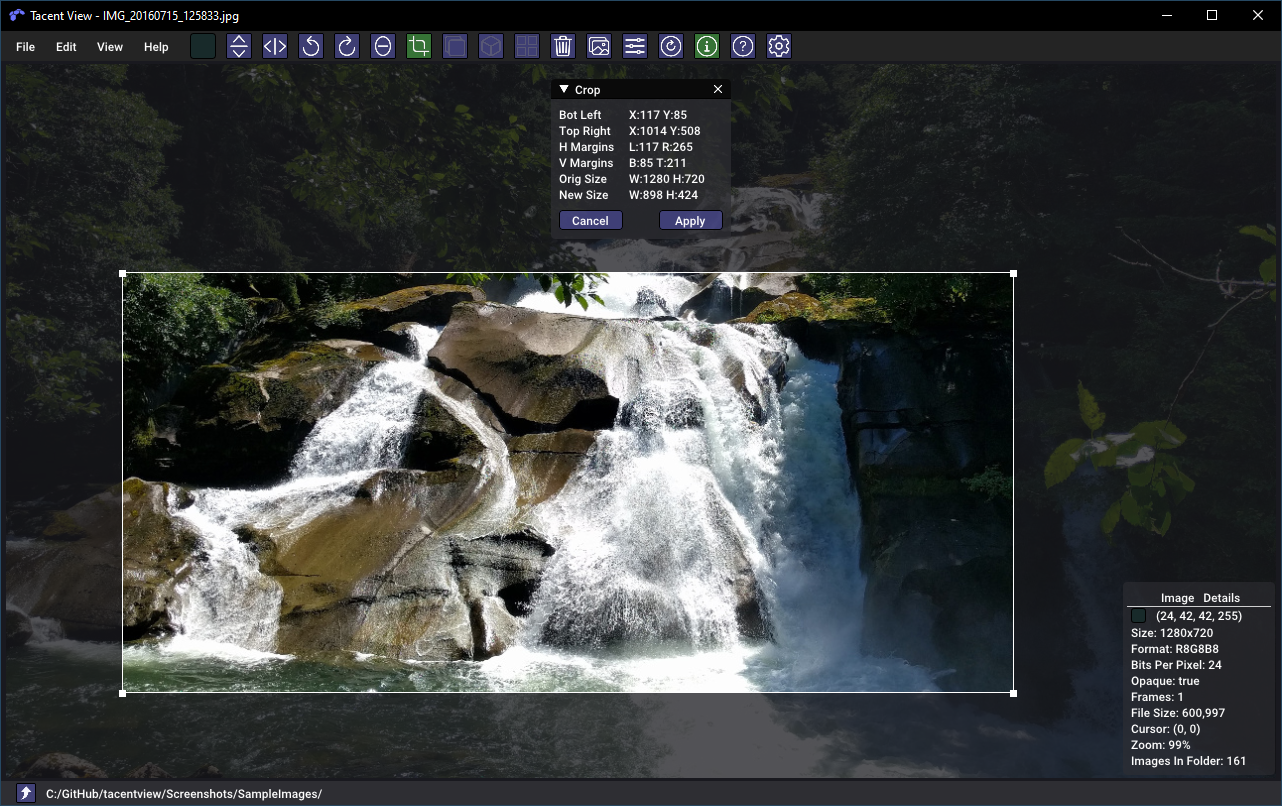
Flip, rotate-by-90-degrees, rotate-arbitrarily (with live preview), cropping, and viewing textures in tiled mode is supported. There are also some powerful tools to resize images either by resampling or adjusting the canvas size. The ‘aspect’ mode in resize-canvas is useful for changing a photo’s aspect ratio without any non-uniform scale. You get to set the anchor and choose whether you want the image letter-boxed or cropped. The border removal tool finds all matching pixels around the edges of an image and crops them. All edit operations are backed by a full undo (ctrl-z) and redo (ctrl-y) stack.

When viewing dds, ktx, or ktx2 files, you can view any present mipmaps and see cubemaps in a ‘T’ layout.


Users may zoom using Ctrl+/- and pan using the right mouse button. Several zoom modes are availabe in the view-menu including Fit, Downscale, and One-to-One pixel mapping. On extreme zooms the selected pixel is drawn with an outline.

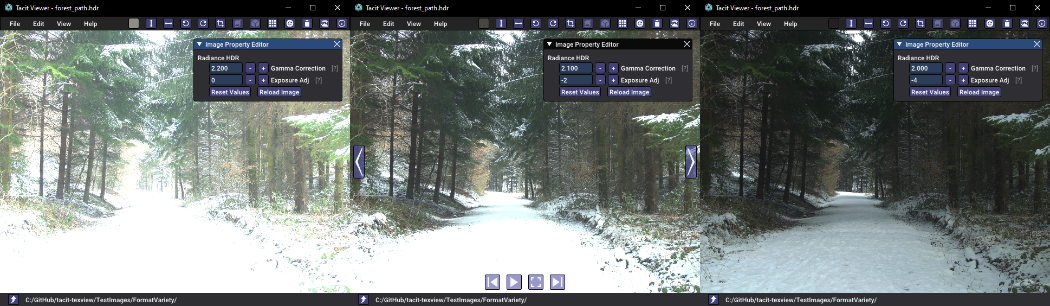
High Definition Image loading is supported for exr, hdr (rgbe), dds, ktx and ktx2 files. For hdr/rgbe files the loading code is based on, and is functionally equivalent to, the reference code from the Radiance imaging toolset. Adjustments to gamma correction and exposure are supported when loading any HDR file. The images below (Copyright Rafal Mantiuk under Creative Commons 3.0) show an image that loads over-exposed and is subsequentially adjusted to yield a more balanced result.
EXR support uses reference code from OpenEXR and should be able to load most exr files, including multi-frame (AKA multi-part) files. There is control for various exr parameters including the ability to de-fog. The screenshot below (‘desk’ image courtesy OpenEXR and under their licence) shows similar successive exposure adjustments.

Other formats store multiple images inside a single file. A dds or ktx may be a cubemap with 6 sides or a BC/ASTC compressed image with mipmaps. A tiff may also include multiple ‘pages’. Webp and png/apng files may be animated. For these formats the property-editor window allows you to display which frame you see. The hypercube below (courtesy Jason Hise under CC0) shows the options and play controls for a multi-frame animated gif. In Tacent View the duration of any individual frame may be edited and the file resaved. This works whether a gif, apng or webp is being edited.

Alt-Enter toggles fullscreen mode. In this mode the bottom navigation bar and top menu are invisible. If at any point you want to reset the UI or other settings like the default resample algorithm or preferred file save format, you may do so from the preferences dialog.

The ‘transparent work area’ option in the preferences allows you to see right through to your desktop – interpreting the alpha channel in the image, if present, as opacity. If you set the viewer to basic-mode (B-key, no UI widgets), and enter fullscreen mode (Alt-Enter), you can do things like play animated semitransparent webp file right over your desktop. The screenshot below shows transparent-work-area turned on while in windowed (non-fullscreen) mode. This works in both Linux and Windows. For Linux, the snap system disables this feature so you will need to install the deb file or build from source.

Download
For convenience pre-built binaries are available for Windows and Ubuntu/Debian in the Releases Page. Other Linuxes (Lini?) can use the Snap Store Release. If you want to build from source after cloning, the Build Instructions are in the Wiki. It uses CMAKE with modern configuration scripts.
Credit and Thanks
This project relies on myriad 3rd-party libraries. In the Assets folder you will find their licences. Some of the more notable dependencies are listed here:
- Dear ImGui
- GLAD
- GLFW
- Ico Load
- Ion Icons
- Roboto Font
- LibJPeg-Turbo
- LibTIFF
- OpenEXR
- ZLib
- GIF Load
- gifenc
- WebP Reference Library
- LibPNG
- LibKTX (KTX-Software)
- APNGDis and APNGAsm
- TinyXML2
- TinyEXIF
- BCDec from iOrange
- QOI from phoboslab
- ASTCDec from ARM
- DaCap Clip Library
- LibHEIF
- LibDav1d
- LibDE265
- LunaSVG
- PlutoVG
- LibJXL
- Highway
- Brotli
Various development tools available for open source projects bear mentioning:
- CMake
- Kubuntu
- VSCode
- Visual Studio Community
- GCC, Clang, and the MSVC Compiler
- Github
- Git and the SmartGit Client
- OpenGL, GLAD, and GLFW
- NVidia Texture Tools Exporter
Legal
- This software is based in part on the work of the Independent JPEG Group.
- This software includes Radiance software developed by the Lawrence Berkeley National Laboratory.
- We do not use the GPLv3-licenced work. However we do include a copy of the GPLv3 licence since it is referred to by LGPLv3. Look in the Assets folder for all licence copy.
- LibHEIF and LibDE265 are LGPLv3-licensed libraries included with the Tacent library, a dependency of TacentView. LibHEIF and LibDE265 are protected under LGPLv3. Their use is optional. Obligations when using LGPLv3 libraries in an ISC repository have been met – in particular supplying source code/linking instructions, this notice, and supplying license text (including the GPLv3). Details, including the exact Commit IDs of both libraries, may be found at LibHEIF Licence Readme. To optionally disable support for AVIF and HEIC files and not link with these two LGPLv3 libraries, comment the following out in CMakeLists.txt before configuring and building.
  # HEIC/AVIF loading support in Tacent (via LibHEIF).
  option(TACENT_ENABLE_HEIF "Build Tacent With LibHEIF Support (HEIC/AVIF)" On)


评论