
Hue is the all-in-one coloring utility that you’ll ever need.


Usage
Hex
 You can easily use hex colors with the
init(hex:) convenience initializer on UIColor. It supports the following hex formats #ffffff, ffffff, #fff, fff
let white = UIColor(hex: "#ffffff")
let black = UIColor(hex: "#000000")
let red = UIColor(hex: "#ff0000")
let blue = UIColor(hex: "#0000ff")
let green = UIColor(hex: "#00ff00")
let yellow = UIColor(hex: "#ffff00")
Computed color properties
let white = UIColor(hex: "#ffffff")
let black = UIColor(hex: "#000000")

if white.isDarkColor {} // return false
if white.isBlackOrWhite {} // return true
Alpha
.alpha is a sugar for colorWithAlphaComponent, internally it does the exact same thing, think of it as a
lipstick for your implementation.
let colorWithAlpha = myColor.alpha(0.75)
Gradients
You can easily create gradient layers using the gradient() method on arrays with UIColor.
As an extra bonus, you can also add a transform closure if you want to modify the CAGradientLayer.
let gradient = [UIColor.blackColor(), UIColor.orangeColor()].gradient()

let secondGradient = [UIColor.blackColor(), UIColor.orangeColor()].gradient { gradient in
  gradient.locations = [0.25, 1.0]
  return gradient
}
Image colors
let image = UIImage(named: "My Image")
let (background, primary, secondary, detail) = image.colors()
Components
You can get red, green, blue, and alpha components from any UIColor by using the (red|green|blue|alpha)Component property.
let myColor = UIColor(hex: "#ffafc2")
let myColorBlueComponent = myColor.blueComponent
let myColorGreenComponent = myColor.greenComponent
let myColorRedComponent = myColor.redComponent
let myColorAlphaComponent = myColor.alphaComponent
Blending
let red = UIColor.redColor()
let green = UIColor.greenColor()
let yellow = red.addRGB(green)

let desaturatedBlue = UIColor(hex: "#aaaacc")
let saturatedBlue = desaturatedBlue.addHue(0.0, saturation: 1.0, brightness: 0.0, alpha: 0.0)
Supporting the project
If you want to support the development of this framework, you can do so by becoming a sponsor. ❤️
Examples
Hex
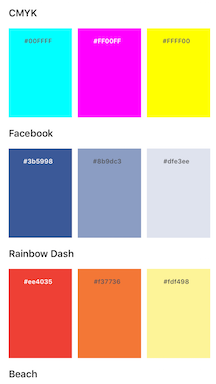
This super simple example that displays a bunch of color schemes in a Carousel view.
It uses hex to set the color for the schemes. It leverages from .isDarkColor to make the text color readable in all scenarios.
The demo also features Spots for rendering the Carousel view.
Example code:
let color = UIColor(hex: "#3b5998")
backgroundColor = color
label.textColor = color.isDark
  ? UIColor.whiteColor()
  : UIColor.darkGrayColor()
Gradients
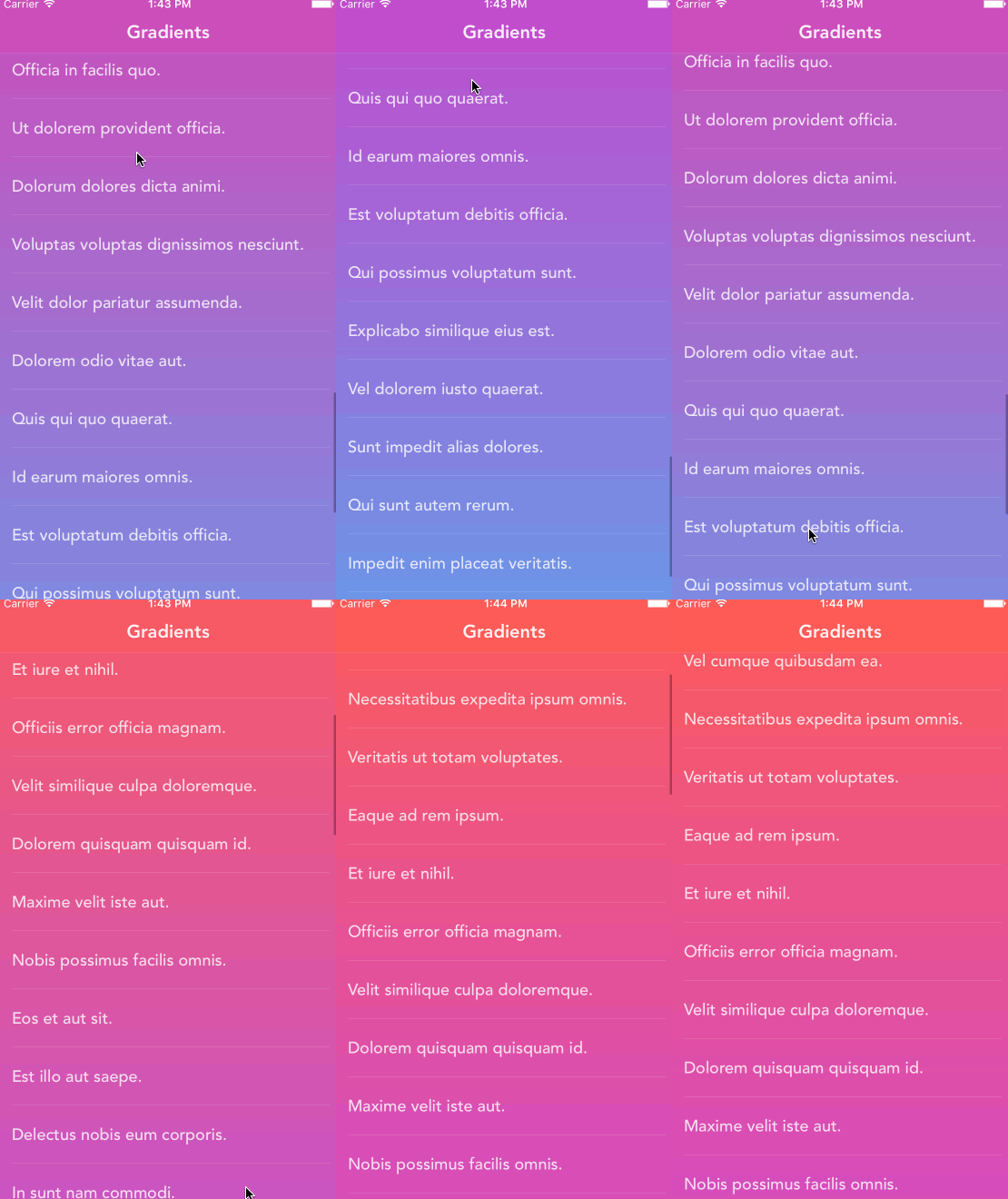
This examples shows how much fun you can have with combining CAGradientLayer with CABasicAnimation.
It uses .hex for getting the colors and .gradient() for transforming
a collection of UIColor’s into a CAGradientLayer.
The demo features Spots for rendering the list view and Fakery for generating random content strings.
Extract from the demo:
lazy var gradient: CAGradientLayer = [
  UIColor(hex: "#FD4340"),
  UIColor(hex: "#CE2BAE")
  ].gradient { gradient in
    gradient.speed = 0
    gradient.timeOffset = 0

    return gradient
  }
Installation
Hue is available through CocoaPods. To install
it, simply add the following line to your Podfile:
pod 'Hue'
Hue is also available through Carthage.
To install just write into your Cartfile:
github "hyperoslo/Hue"
To install Hue using Swift Package Manager with Xcode 11, just follow the instructions at https://developer.apple.com/documentation/swift_packages and import the platform specific library to the project:
import Hue
Author
Hyper made this with ❤️
Contribute
We would love you to contribute to Hue, check the CONTRIBUTING file for more info.
Credits
Credit goes out to Panic Inc who created ColorArt and @jathu for his work on UIImageColors which deeply inspired the functionality behind the image color analysis.
License
Hue is available under the MIT license. See the LICENSE file for more info.


评论