MIT License

项目介绍

valqelyan/karin 是一个托管在 GitHub 上的开源项目,主要使用 JavaScript 编写,采用 MIT License 许可证,目前获得 388 个 Star、6 次 Fork。

仓库全名
valqelyan/karin
开源许可证
MIT License
Star 数
388
Fork 数
6
未关闭 Issue
1

README 摘要

Karin About Template literals are very useful. A more advanced form of template literals are tagged templates. Karin works in all major browsers (Chrome, Firefox, IE, Edge, Safari, and Opera). Modern browsers and JavaScript engines support tag templates. It is also compatible with Node.js. The package uses the Fetch API, make sure you have a polyfill to support older browsers. Recommend to use github/fetch e.g…

完整内容见 GitHub 原始 README 或本页 。

常见问题

karin 用什么语言开发?

主要使用 JavaScript 编写,采用 MIT License 许可证,目前有 388 个 Star。

karin 可以免费商用吗?

仓库采用 MIT License 许可证,可免费使用与修改,商业使用请遵守许可证条款(例如保留版权声明与许可声明)。

如何获取 karin 的源码?

可以直接克隆仓库:git clone https://github.com/valqelyan/karin.git,默认分支为 master;安装与运行步骤见仓库 README。

karin 最近还在维护吗?

仓库最近一次更新为 2019年2月9日,当前有 1 个未关闭 Issue;Star 数为 388,可作为社区活跃度的参考。

关于

GitHub 原始描述(英文)

An elegant promise based HTTP client for the browser and node.js

描述取自 GitHub 官方 API,保持仓库作者书写的原文。

简要分析

热度分
401
价值分
234
活跃状态
归档

语言占比

JavaScript

README

Karin

About

Template literals are very useful. A more advanced form of template literals are tagged templates. Karin works in all major browsers (Chrome, Firefox, IE, Edge, Safari, and Opera). Modern browsers and JavaScript engines support tag templates. It is also compatible with Node.js. The package uses the Fetch API, make sure you have a polyfill to support older browsers. Recommend to use github/fetch

e.g.

import React from "react";
import { get } from "karin";

export default class Index extends React.Component {
  static async getInitialProps() {
    const { data, response } = await get`https://api.github.com/repos/zeit/next.js`;
    return { stars: data.stargazers_count };
  }

  render() {
    return (
      <div>
        <p> {this.props.stars} ⭐️</p>
      </div>
    );
  }
}

Installation

via NPM

npm i karin

via CDN (unpkg)

https://unpkg.com/karin@latest/build/browser/index.umd.js

UMD library exposed as Karin

const { get, post } = Karin;

Import paths

import { get, post } from "karin/build/node";
import { get, post } from "karin/build/browser/index.umd.js";

Make a get request

The response data - By default, if the response data type is Application/JSON, the response will be parsed into JSON

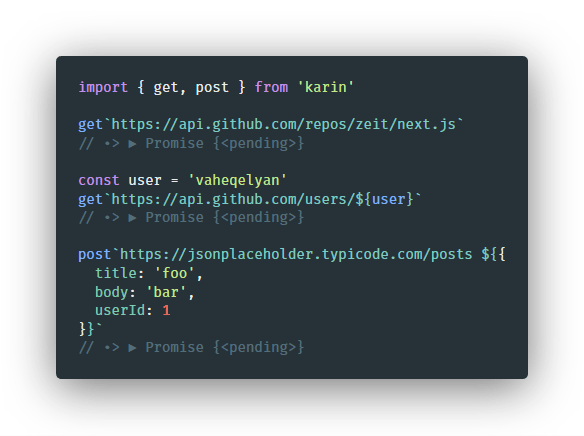
import { get } from "karin";

get`https://api.github.com/repos/vaheqelyan/karin`
  .then(result => console.log(result))
  .catch(err => console.error(err));

Make a post request

The post data - If the data is an object, it will be stringified

The response data - By default, if the response data type is application/json, the response will be parsed into JSON

Note that the data to be sent is the last item.

import { post } from "karin";

const user = {
  username: "vaheqelyan",
  password: "XXXX"
};

post`http://localhost:3000/register ${user}`
  .then(result => console.log(result))
  .catch(err => console.log(err));

Add Header in HTTP Request

post`https://example.com/api.createMsg?${{apiKey: config.apiKey}}
Content-Type: application/json
Accept: application/json
XXX: xxx

${{
  title: 'Test Message',
  body: 'This is a test of the messaging system.'
}}`

Thanks to Ken Bellows for the idea.

See Version 0.11.1 for old syntax

评论

暂无评论