GNU General Public License v3.0

项目介绍

trimstray/sandmap 是一个托管在 GitHub 上的开源项目,主要使用 Shell 编写,采用 GNU General Public License v3.0 许可证,目前获得 1.9k 个 Star、237 次 Fork。

仓库全名
trimstray/sandmap
开源许可证
GNU General Public License v3.0
Star 数
1.9k
Fork 数
237
未关闭 Issue
12

README 摘要

sandmap Description • How To Use • Command Line • Configuration • Requirements • Other • Contributing • License • Wiki Description sandmap is a tool supporting network and system reconnaissance using the massive Nmap engine. It provides a user-friendly interface, automates and speeds up scanning and allows you to easily use many advanced scanning techniques. Key Features simple CLI with the ability to run pure Nmap…

完整内容见 GitHub 原始 README 或本页 。

常见问题

sandmap 用什么语言开发?

主要使用 Shell 编写,采用 GNU General Public License v3.0 许可证,目前有 1.9k 个 Star。

sandmap 可以免费商用吗?

仓库标注的许可证为 GNU General Public License v3.0,商用前请先阅读仓库 LICENSE 文件确认授权范围。

如何获取 sandmap 的源码?

可以直接克隆仓库:git clone https://github.com/trimstray/sandmap.git,默认分支为 master;安装与运行步骤见仓库 README。

sandmap 最近还在维护吗?

仓库最近一次更新为 2024年11月19日,当前有 12 个未关闭 Issue;Star 数为 1.9k,可作为社区活跃度的参考。

关于

GitHub 原始描述(英文)

Nmap on steroids. Simple CLI with the ability to run pure Nmap engine, 31 modules with 459 scan profiles.

描述取自 GitHub 官方 API,保持仓库作者书写的原文。

语言占比

Roff
Shell

贡献者

README

sandmap

Travis-CI Version Rawsec's CyberSecurity Inventory BlackArch Repository License

Description • How To Use • Command Line • Configuration • Requirements • Other • Contributing • License • Wiki

Master


Description

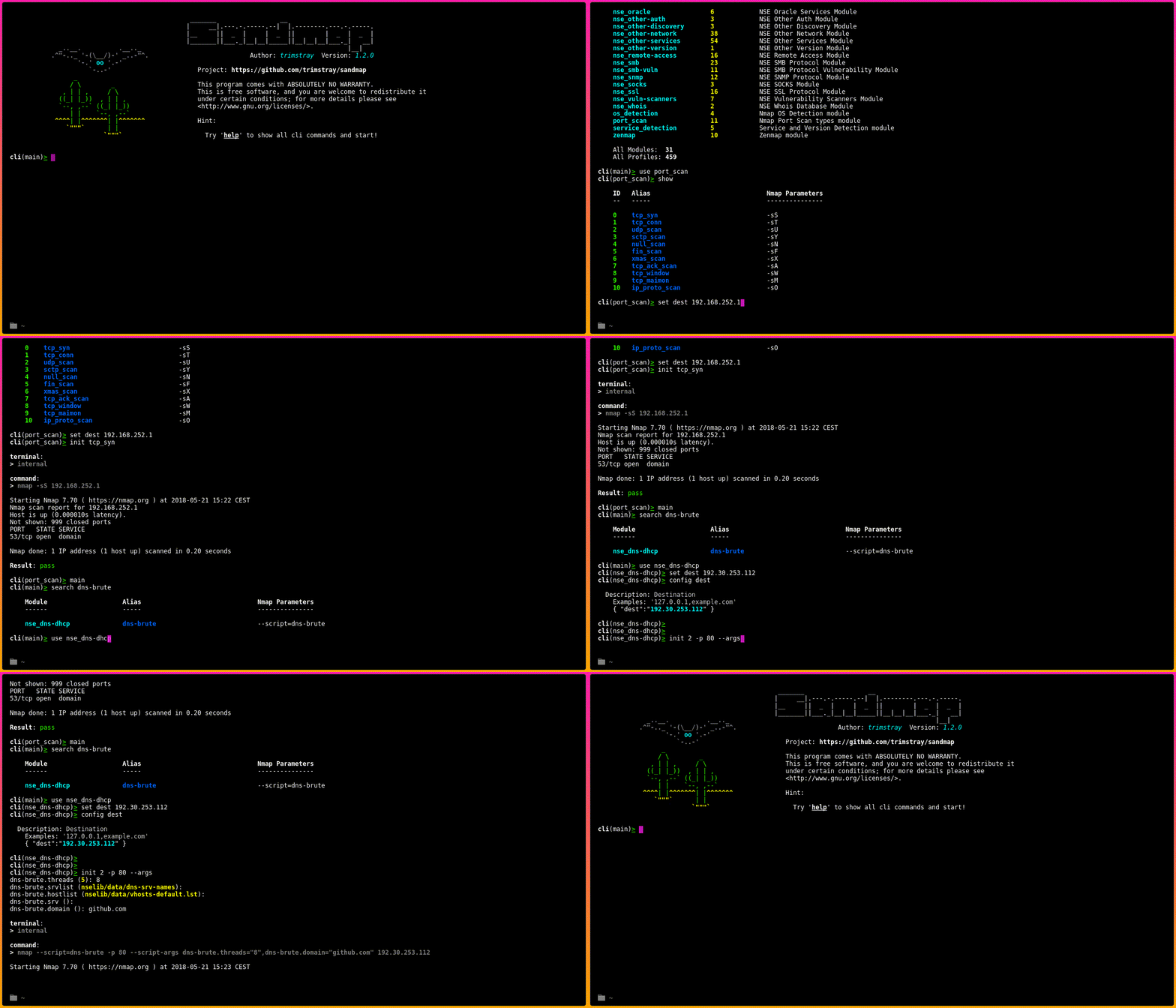
sandmap is a tool supporting network and system reconnaissance using the massive Nmap engine. It provides a user-friendly interface, automates and speeds up scanning and allows you to easily use many advanced scanning techniques.

Key Features

  • simple CLI with the ability to run pure Nmap engine
  • predefined scans included in the modules
  • support Nmap Scripting Engine (NSE) with scripts arguments
  • TOR support (with proxychains)
  • multiple scans at one time
  • at this point: 31 modules with 459 scan profiles

How To Use

It’s simple:

# Clone this repository
git clone --recursive https://github.com/trimstray/sandmap

# Go into the repository
cd sandmap

# Install
./setup.sh install

# Run the app
sandmap
  • symlink to bin/sandmap is placed in /usr/local/bin
  • man page is placed in /usr/local/man/man8

Command Line

Before using the sandmap read the Command Line introduction.

Configuration

The etc/main.cfg configuration file has the following structure:

# shellcheck shell=bash

# Specifies the default destination.
# Examples:
#   - dest="127.0.0.1,8.8.8.8"
dest="127.0.0.1"

# Specifies the extended Nmap parameters.
# Examples:
#   - params="--script ssl-ccs-injection -p 443"
params=""

# Specifies the default output type and path.
# Examples:
#   - report="xml"
report=""

# Specifies the TOR connection.
# Examples:
#   - tor="true"
tor=""

# Specifies the terminal type.
# Examples:
#   - terminal="internal"
terminal="internal"

Requirements

sandmap uses external utilities to be installed before running:

This tool working with:

  • GNU/Linux (testing on Debian and CentOS)
  • Bash (testing on 4.4.19)
  • Nmap (testing on 7.70)

Also you will need root access.

Other

Modules

Available modules: 31 Available scan profiles: 459

If you want to create your own modules, take a look this.

Project architecture

See this.

Contributing

See this.

License

GPLv3 : http://www.gnu.org/licenses/

Free software, Yeah!

评论

暂无评论