Apache License 2.0

项目介绍

tramyardg/hotel-mgmt-system 是一个托管在 GitHub 上的开源项目,主要使用 PHP 编写,采用 Apache License 2.0 许可证,目前获得 318 个 Star、140 次 Fork。

仓库全名
tramyardg/hotel-mgmt-system
开源许可证
Apache License 2.0
Star 数
318
Fork 数
140
未关闭 Issue
9

README 摘要

Hotel Management System This project was created as a learning exercise during my early days of exploring web programming. It is not intended for commercial use or enterprise-grade deployment. As a result, the code may contain vulnerabilities, as the focus was on simplicity and functionality rather than robustness or security. If you’d like to customize or improve the project, feel free to fork it and make your own…

完整内容见 GitHub 原始 README 或本页 。

常见问题

hotel-mgmt-system 用什么语言开发?

主要使用 PHP 编写,采用 Apache License 2.0 许可证,目前有 318 个 Star。

hotel-mgmt-system 可以免费商用吗?

仓库采用 Apache License 2.0 许可证,可免费使用与修改,商业使用请遵守许可证条款(例如保留版权声明与许可声明)。

如何获取 hotel-mgmt-system 的源码?

可以直接克隆仓库:git clone https://github.com/tramyardg/hotel-mgmt-system.git,默认分支为 master;安装与运行步骤见仓库 README。

hotel-mgmt-system 最近还在维护吗?

仓库最近一次更新为 2024年12月21日,当前有 9 个未关闭 Issue;Star 数为 318,可作为社区活跃度的参考。

关于

Hotel booking system for customers added with an admin feature to manage reservations.

描述取自 GitHub 官方 API,中文内容由 GitRead 中文社区 编辑团队整理。

简要分析

热度分
599
价值分
232
活跃状态
归档

语言占比

CSS
Hack
JavaScript
PHP

README

Hotel Management System

This project was created as a learning exercise during my early days of exploring web programming. It is not intended for commercial use or enterprise-grade deployment. As a result, the code may contain vulnerabilities, as the focus was on simplicity and functionality rather than robustness or security.

If you’d like to customize or improve the project, feel free to fork it and make your own changes. Please note that I am unable to dedicate time to refactoring or enhancing this project further.

Thank you for understanding!

Table of Contents

Setup

  1. Make sure you have MySQL and a web server to run/interpret PHP in your system.
  2. Clone or download the repo and put it to xampp/htdocs/ if you’re using windows, otherwise check tutorial(s) for your corresponding web server and OS.
  3. Install dependencies for JavaScript, npm install and PHP, composer install.
  4. Create a database named hotel and run the script hotel.sql to create tables and populate data. Make sure your configuration matches with app/DB.php, otherwise make the desired changes.
  5. Run the app.

Create an account

  1. Go to the registration page (register.php) i.e. http://hotel.local/register.php
  2. Enter your info.
  3. To make an admin account
    • 3.1 go to your hotel database
    • 3.2 select table customer
    • 3.3 select an account
    • 3.4 change the value of isadmin to 1

Screenshots

Customer

  • Room pricing room_pricing
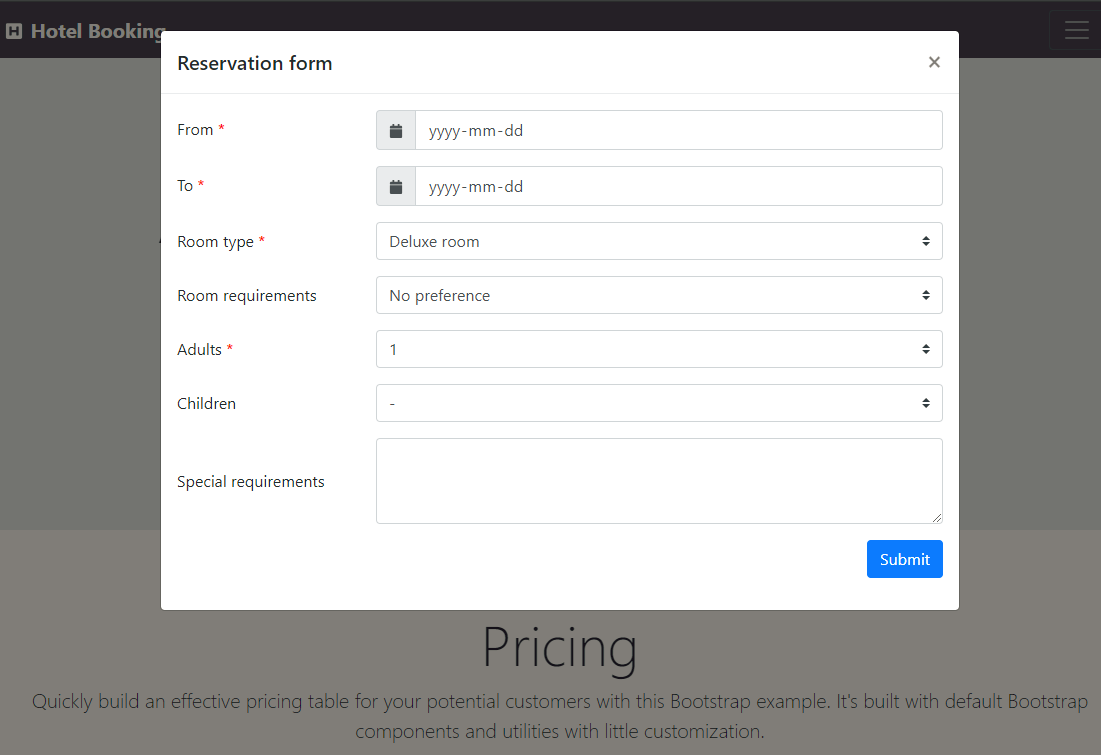
  • Reservation form reservation_form
  • View reservation(s) view_booking
  • About user about_user

Admin

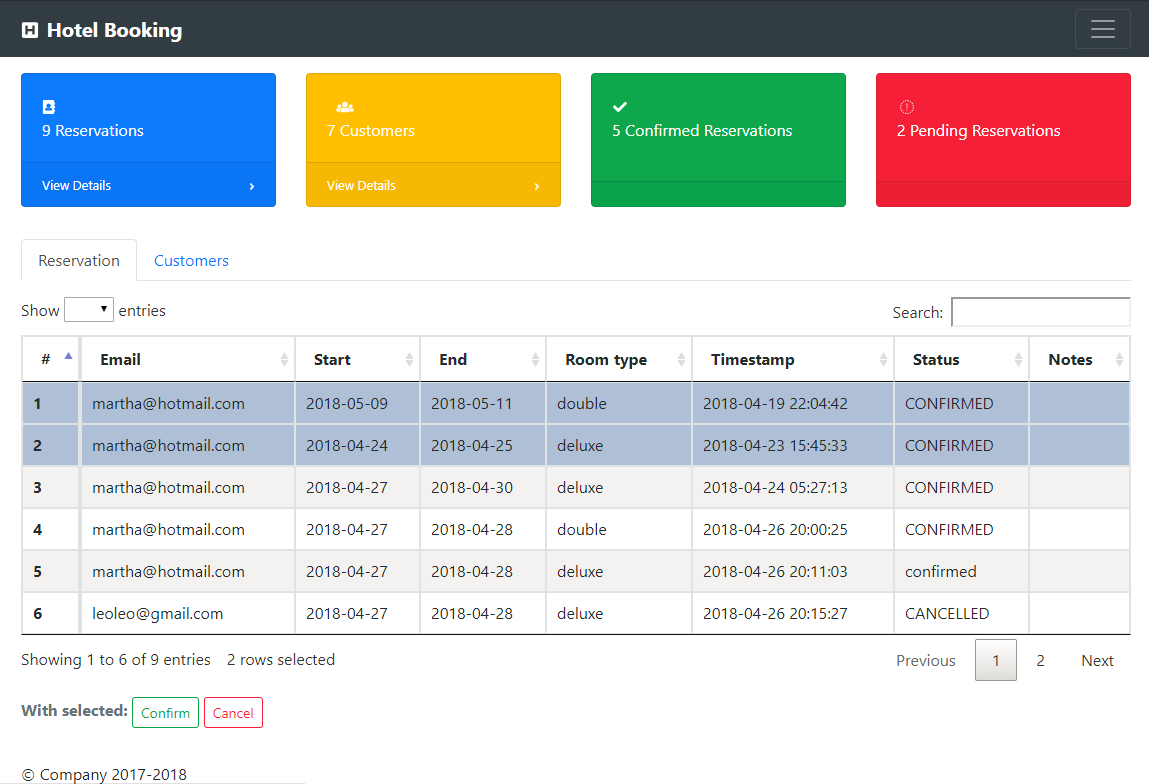
  • Manage reservations manage_booking

For developer

Run PHP unit tests

$ ./vendor/bin/phpunit tests
$ ./vendor/bin/phpunit tests/CustomerHandlerTest.php
$ ./vendor/bin/phpunit --filter testUpdateCustomer tests

Run PHP code beautifier and fixer

$ ./vendor/bin/phpcbf app/process_login.php --standard=ruleset.xml
$ ./vendor/bin/phpcbf app/*/*.php --standard=ruleset.xml

Run ESLint to format/fix JavaScript code

npm run eslint
npm run eslint -- --fix

评论

暂无评论