PaperShell — Write once, submit anywhere

One template to rule them all…
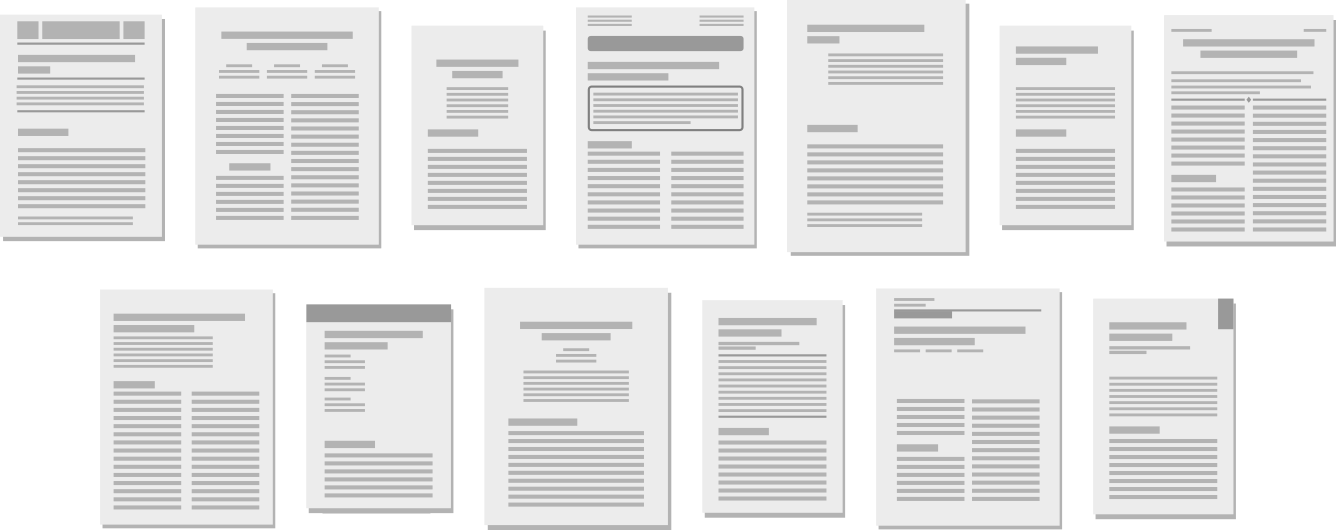
PaperShell is a LaTeX workflow for writing research papers that must be submitted
to different publishers (IEEE, ACM, Springer, Elsevier, AAAI, LIPIcs, etc.)
while keeping a single source document independent of the journal or conference
template.
It allows you to switch between LaTeX document classes (IEEEtran, acmart, llncs,
elsarticle, lipics, …) without rewriting the paper, and to export clean sources
suitable for journal or conference submission.
PaperShell works locally and in Overleaf, uses LuaLaTeX to generate the correct
preamble automatically, and produces final sources that compile with pdfLaTeX,
so editors do not need any special tools.
The project provides:
- Up-to-date class and bibliography files for many publishers
- A Lua-based template system that generates the proper preamble automatically
- Direct compatibility with Overleaf
- A build process based on
latexmk
- Scripts to export editor-ready sources
- Helper scripts for bibliography cleanup, diffs, and packaging
Why this exists
If you write research papers in Computer Science, you have probably had to use
several different LaTeX document classes:
aaai for AAAI conferencesacmart for ACM conferences and journalselsarticle for Elsevier journalsIEEEtran for IEEE conferences and journalslipics for LIPIcs proceedingsllncs for Springer’s Lecture Notes in Computer Sciencesvjour for Springer journalsusenix for USENIX publications- …and many others
Unfortunately, these classes are not compatible with each other.
Switching from one publisher to another often means rewriting parts of the
document that have nothing to do with the content: title, authors,
affiliations, bibliography settings, package options, and sometimes even
the way sections or figures are defined.
For example, declaring authors looks different in every class.
In llncs:
\author{Emmett Brown\inst{1} \and Marty McFly\inst{1} \and Biff Tannen\inst{2}}
\institute{%
Temporal Industries \\
Hill Valley, CA 90193 \\
\and
BiffCo inc. \\
Hill Valley, CA 90193 \\
}
In IEEEtran:
\author{%
\IEEEauthorblockN{Emmett Brown, Marty McFly}
\IEEEauthorblockA{%
Temporal Industries\\
Hill Valley, CA 90193\\
}
\IEEEauthorblockN{Biff Tannen}
\IEEEauthorblockA{%
BiffCo inc.\\
Hill Valley, CA 90193\\
}
}
In acmart:
\author{Emmett Brown}
\affiliation{
  \institution{Temporal Industries}
  \streetaddress{Hill Valley}
  \state{CA}
  \postcode{90193}
}
In elsarticle:
\author{Emmett Brown\fnref{label1}}
\author{Marty McFly\fnref{label1}}
\author{Biff Tannen\fnref{label2}}
\fntext{Temporal Industries, Hill Valley, CA 90193}
\fntext{BiffCo inc., Hill Valley, CA 90193}
Switching templates usually means editing a lot of boilerplate that should not
have to change.
PaperShell avoids this by separating:
- the content of the paper
- the publisher style
- the generated preamble
so the same source file can be compiled with different document classes.
What PaperShell provides
- Ready-to-use class files for many publishers
- Automatic preamble generation using LuaLaTeX
- Direct compatibility with Overleaf
- Build based on
latexmk
- Export of editor-ready sources
- Helper tools for bibliography and packaging
Supported publishers include:
- AAAI
- ACM
- Elsevier
- IEEE
- Springer
- LIPIcs
- EPTCS
- EasyChair / EPiC
- Wiley
- USENIX
- and others
What changed in version 3
Previous versions of PaperShell used PHP scripts to generate the preamble.
Version 3 uses LuaLaTeX instead.
Advantages:
- Styles can be switched directly from Overleaf
- No external script is required to compile
- Generated files are plain LaTeX
- Final sources compile with pdfLaTeX
- Simpler build process (
latexmk)
LuaLaTeX is only required to generate the preamble.
Once generated, the document is ordinary LaTeX.
Quick start
- Download the empty project:
https://github.com/sylvainhalle/PaperShell/releases/latest
-
Edit settings.tex and choose the publisher.
-
Compile once with LuaLaTeX:
latexmk -lualatex paper.tex
- After that, normal compilation works:
latexmk -pdf paper.tex
-
Write your paper in Source/paper.tex and your abstract in
Source/abstract.tex.
-
To switch publisher, change the setting and compile again with LuaLaTeX.
Overleaf usage
PaperShell works directly in Overleaf.
To switch style:
- change the publisher in
settings.tex
- compile once with LuaLaTeX
- compile again normally
After generation, the project can be compiled with pdfLaTeX,
which is useful for final submission to editors.
Exporting final sources
PaperShell can export a clean bundle suitable for editors.
The export step:
- merges all
\input files
- includes the bibliography
- resolves generated files
- produces sources that compile with pdfLaTeX
See MANUAL.md for details.
Theme manager
PaperShell comes with a small theme manager called psmod.lua.
A theme is a small ZIP archive containing additional style files and
templates, along with a manifest.lua file describing the package.
Themes are downloaded from the PaperShell theme repository and unpacked
directly into the project.
This makes it possible to install support for additional publisher styles
without manually copying files into the PaperShell tree.
Usage
Run the theme manager with texlua:
texlua psmod.lua <action> [theme]
Available actions are:
- list — list the themes currently installed
- install theme — download and install a theme
You can also display the help message with:
texlua psmod.lua -h
See the Manual for more details.
Dependencies
Required:
- LaTeX distribution (TeX Live / MikTeX)
- latexmk
- LuaLaTeX
Optional:
- PHP (for export / maintenance scripts)
- latexdiff
- aspell / textidote
Full documentation
See MANUAL.md for complete usage instructions,
helper scripts, export options, and design notes.
About the Author
This project is maintained by Sylvain Hallé,
Full Professor at Université du Québec à
Chicoutimi, Canada.


评论