 Organized App: Meeting scheduling and congregation management software for Jehovah’s Witnesses

A free scheduling software and congregation management app for Jehovah’s Witnesses, made to help with assignments and responsibilities, making things easier and freeing up time for other important things! Try Organized in the preview environment and experience the difference for yourself, no registration required!
In a nutshell, the Organized app is:
🔵 Cross-platform: All modern desktop and mobile operating systems: Windows, macOS, Linux, ChromeOS, iPadOS, iOS, Android, HarmonyOS and others
🔵 Secure: End-to-end encrypted, with 2FA and multiple security features for all users
🔵 Well designed: User-friendly with modern user interface
🔵 Open source: Enhanced transparency, security and collaboration
🔵 Easy to use: Consistent user experience, easy onboarding, fast performance
Who Organized is made for?


Organized takes an elder-first approach: once the body of elders approves and sets up your congregation in the app, they can invite other appointed brothers, publishers, pioneers and midweek students. Please note that without that approval and setup, others can’t use Organized on their own.
Before using the app, be sure to obtain approval from your body of elders and review the guidance from your local branch office, as local circumstances may vary.
Best Organized features
📃 Schedules: Automatic jw.org data fetch for scheduling midweek and weekend meetings, and more.
️📊 Reports: Instant field service, attendance and congregation reports with accurate calculations of monthly and annual congregation reports.
📅 Upcoming assignments: View your next student, public talk and meeting assignments.
⚡ Autofill: Automatically create assignments for any meeting in seconds. Organized takes into account a person’s previous assignments, past partners and creates balanced meeting assignments.
🖨️ Print templates: One-click export of schedules and forms (S-140, S-89, S-88, S-21, outgoing speakers schedule, upcoming events), even offline.
🗣️ Speakers catalog: Manage local and outgoing public talk speakers, songs and coordinate with other congregations.
🌐 Language group support: Full support for multilingual congregations with separate language groups, each with their own schedules and assignments.
🎨 Modern user-focused design: Well thought-out user experience, featuring dark and light modes, as well as four color themes.
🛜 Offline-use convenience: Use the app offline. Your data syncs automatically when you reconnect.
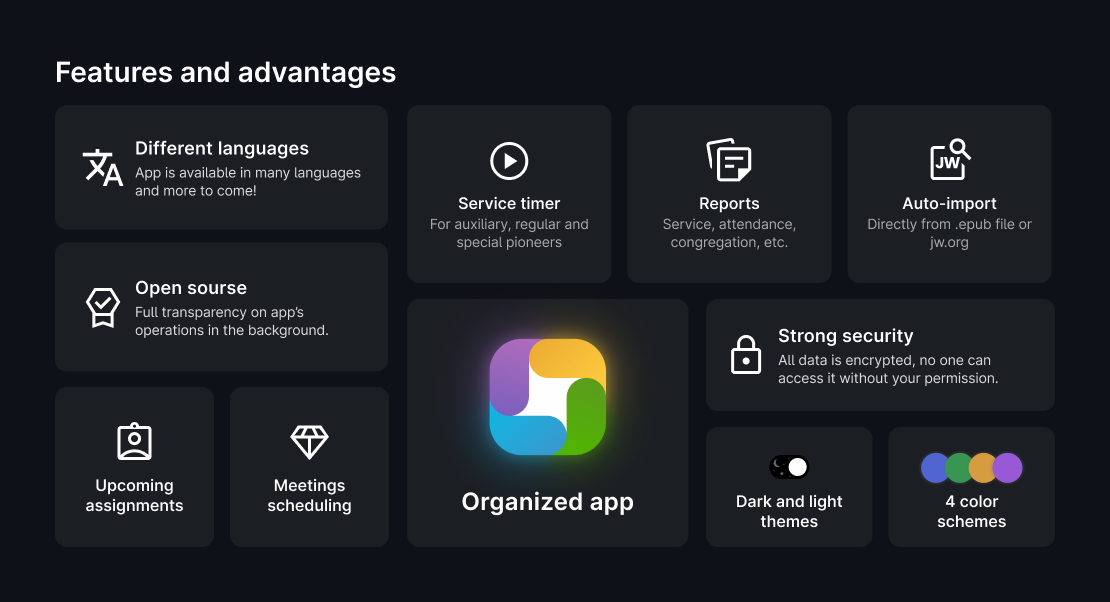
Learn even more about Organized features and benefits on the About Organized website.
Device compatibility
Organized is a Progressive Web App (PWA) that runs in any modern browser: smartphone, tablet or desktop. PWAs combine the best of both web and native apps, making them fast, reliable, and convenient across multiple devices and platforms, and even work on less-powerful or niche devices. No operating system lock-in – you get true full-app experience on any device, both at home and on-the-go.
No installation is required, but if you’d like a more native app-like experience (home-screen icon, no URL bar, etc.), just open Organized in your browser and accept the installation prompt (or tap More/Share button → Install).
Is Organized a cloud-based app?
In short, Organized is not a cloud-only app; it combines the flexibility of web access with the security and performance of a native app. You can access it in your browser or install it locally, but either way, all your data is stored on your device for offline use and better privacy. An internet connection is only needed to log in and securely sync shared data among your congregation users or your multiple devices; every transmission is end-to-end encrypted. Dive deeper into how the app works, its security, features, and other frequently asked questions on our User guide page.
Real-world benefits of using the app
😌 Less stress – Have quick access to your assignments, schedules and congregation events. The app helps appointed brothers complete their responsibilities better, easier, and with more joy.
⏳ Hundreds of saved hours – Automates reports, schedules and reminders. This saves you hundreds of hours of administrative/routine work and allows you to concentrate on what matters most.
🌳 Digitalization – Cut down on paper and ink waste. Instantly update information for the entire congregation, perform precise calculations on demand, and eliminate delays by reducing reliance on a presence of a specific brother.
📱️ Convenience – Enjoy full functionality seamlessly on any device – whether it’s mobile or desktop. Use Organized in your browser or install it locally on any smartphone, tablet or desktop. Enjoy the full app experience wherever you are.
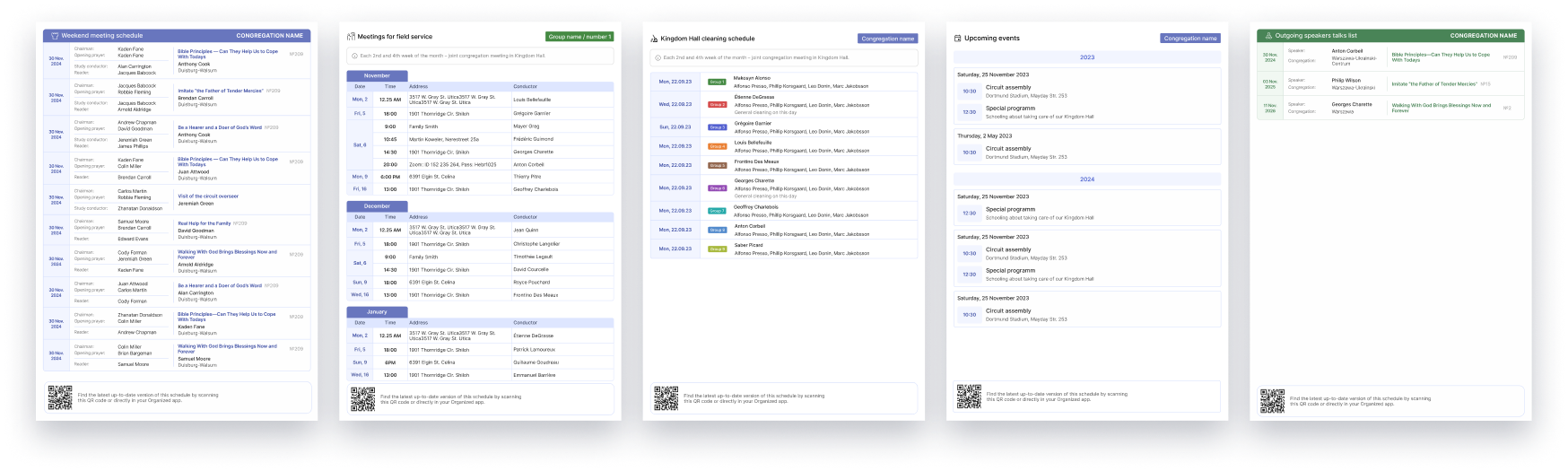 Example of printed schedules, generated in Organized within milliseconds
The app is open-source and secure





Organized is a secure, open-source solution built on a local-first model: all your data lives on your device until you choose to sync it across multiple devices or share schedules with your congregation. When you do sync, only end-to-end encrypted information passes through our secure servers – completely unreadable by anyone, including our team. Multiple layers of on-device encryption, two-factor authentication, one-time invitation codes and self-defined encryption keys protect your information at every step, while our publicly auditable codebase guarantees full transparency.
In compliance with GDPR, we collect only the bare essentials (name, email, device ID and IP address) with your clear consent, and you always have the right to access, correct or delete your data.
This project is tested with BrowserStack
Want to contribute?
We truly appreciate your volunteer spirit! Here are a few ways you can support the Organized app, starting from the easiest:
- ⭐️ Star this repository to help make the app more discoverable for other brothers;
- 💬 Tell others about the Organized app. Use the About Organized website as your go-to resource;
- 💰 Make a voluntary donation to support ongoing development and maintenance.;
- 🌐 Translate the app into your language;
- 👨💻 Collaborate on building the Organized ecosystem: whether it’s React Development, UI/UX design, Graphic design, Motion design, or User guide writing.
To get started with code contributing, visit our Contribution guide on GitHub, where you’ll find everything you need to know about submitting pull requests and coding standards. That guide also points you to our step-by-step Local environment setup step-by-step instructions to simplify setting up your local environment.
Contributors heatmap
We are a global community of enthusiastic volunteers. See where our contributors are coming from:

If your GitHub profile has a country in the profile location set, after contributing to the repo it will appear on the map.


Available in many languages


Organized is already fully or partially localized in many languages, including English, Spanish, Portuguese, French, German, Italian, Polish, Japanese, Korean, Russian, Swedish, Chinese, Ukrainian, Malagasy, Turkish, Tagalog and more are on the way. If you would like to help translate Organized into your language of choice, contributions are welcome and the entire app can typically be translated in just a few days.
To get started, visit our Crowdin project page and take a look at the Translation guide.
[!TIP]
You might want to contribute to our supplementary Crowdin projects:
• Meeting Schedules Parser parses meeting materials directly from jw.org in your language;
• Notifications and Release Notes project lets you translate in-app alerts and release notes.
If your language isn’t yet available on Crowdin, please create a new issue to request its inclusion and begin translation and proofreading.
New features in development
We’re working hard to help you manage your congregation tasks easily ❤️
Our goal is to create an app that supports every aspect of congregation life and ministry. You can follow our progress and see which features are complete, in progress or planned on our Development roadmap. See a feature you’re excited to develop? Let us know! Together, we can make Organized an even better app for our global brotherhood!
Useful links
Discover more about Organized ecosystem and how to make the most of the app with these helpful resources:
| Link |
Description |
| Organized app |
Start using the Organized app. |
| Test mode |
Preview environment with pre-filled data. Try out features without registration. |
| About Organized |
A go-to website for sharing Organized with others. A quick, visual overview of its goals and benefits. |
| Video tutorials |
YouTube channel with video tutorials . |
| User guide |
Text documentation + FAQ to learn how to get started with the app and discover its various features. |
| Our blog |
Blog with insightful articles with tips and tricks. |
| Translation |
Translate the Organized app to your language – easy and conveniently. |
| Contribution guide |
How to get started contributing to the Organized project. |
| Telegram channel |
The latest announcements, updates, and other useful info on Telegram messenger. |
| Uptime monitor |
Track real-time app uptime, stay informed about maintenance events, and review past outages. |
View this Readme in your language
Malagasy · Português (Brasil) · Español · Filipino · Italiano · Français · Deutsch · Українська · Русский


评论