photon
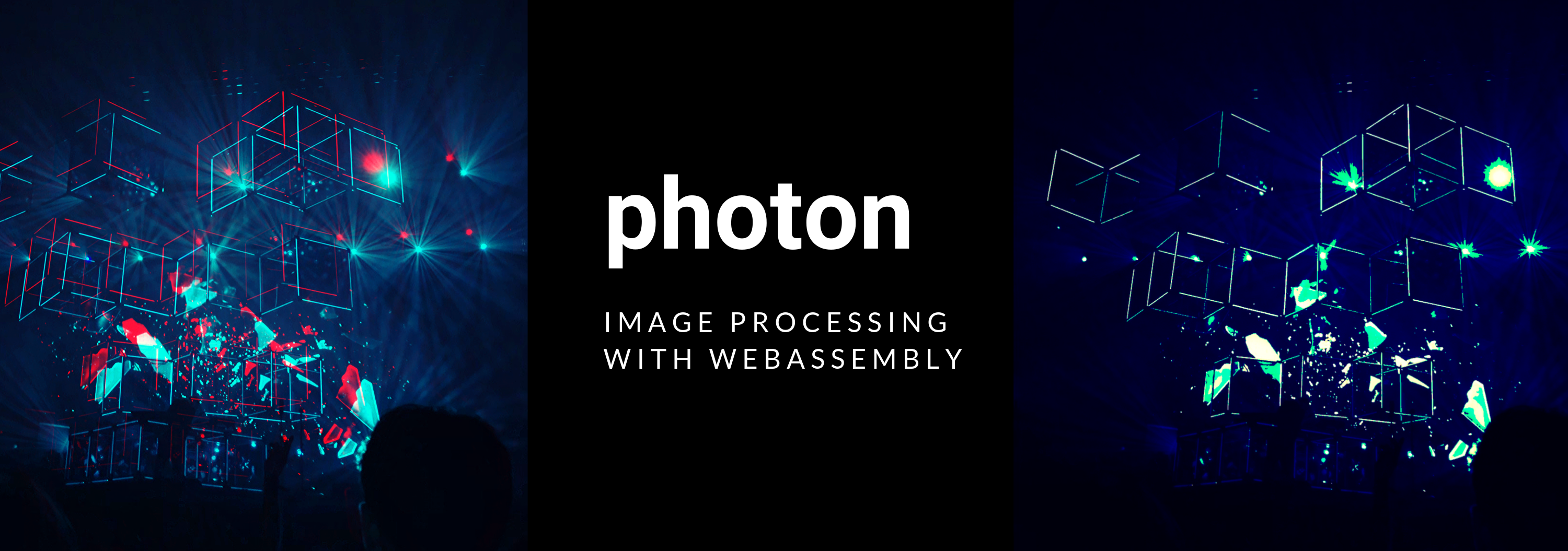
Photon
High-performance, cross-platform Rust/WebAssembly image processing library
📝 Table of Contents
Photon is a high-performance Rust image processing library, which compiles to WebAssembly, allowing for
safe, blazing-fast image processing both natively and on the web.
You can run Photon:
- natively
- in the browser with WebAssembly
- on Node with WebAssembly
Features
- Fast: On the web, Photon’s high-performance allows it to run at near-native speed. Benchmarks can be found here.
- Call with JS: Want to use Photon on the web or with Node? Using a simple npm package, you’re good to go. Get all the benefits of WebAssembly with zero-cost abstraction.
- Use Natively: For command-line apps, native photo editing apps, and so forth, Photon’s core codebase is in Rust, allowing for cross-platform
development.
- Pure Rust - Unlike other libraries, 100% of the library’s codebase is written in Rust, so security and safety is guaranteed.
Featured in
Photon is the image processing library used in the AI assistant OpenClaw
through Rastermill.
It is also the image processing library used in the Pi coding agent also.
Live Demo
View the official demo of WASM in action.
Photon In Action
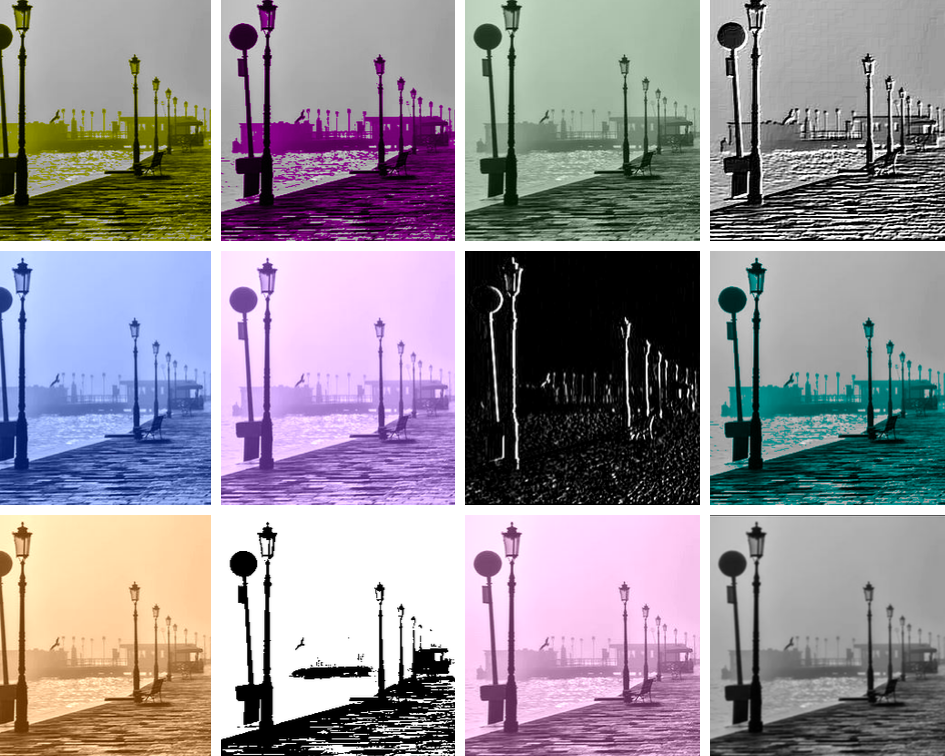
Version 0.3.2 Release
Version 0.3.2 has been released on Crates.io and NPM, with new features including:
- A duotone filter and preset duotone effects
- Image rotation
- Dithering filter
- Image cropping update (fixed in PR #100)
The following image formats are supported:
- PNG
- JPEG
- BMP
- ICO
- TIFF
- WEBP
Get Started
Getting Started Guide
Check out Photon’s getting started guide, complete with tutorials, installation instructions, and more
📚 Documentation
View the official documentation.
Functions
96 customisable functions are available, for varying image effects.
Functions include:
- Image correction: Hue rotation, sharpening, brightness adjustment, adjusting saturation, lightening/darkening all within various colour spaces.
- Resizing: Resize images both natively and on the web.
- Convolutions: Sobel filters, blurs, Laplace effects, edge detection, etc.,
- Channel manipulation: Increasing/decreasing RGB channel values, swapping channels, removing channels, etc.
- Transform: Resize, crop, rotate and flip images.
- Monochrome effects: Monochrome tints, greyscaling of various forms, thresholding, sepia, averaging RGB values
- Colour manipulation: Work with the image in various colour spaces such as HSL, LCh, and sRGB, and adjust the colours accordingly.
- Filters: Over 30 pre-set filters available, incorporating various effects and transformations.
- Watermarking: Watermark images in multiple formats.
- Blending: Blend images together using 10 different techniques, change image backgrounds.
- Special effects: Film grain, vignette, Bayer dither effects + many more (in repo, will be released through NPM/Crates.io in next library release in 2026)
Get Started Natively
Install
Add the following line to the dependencies section of your Rust project’s Cargo.toml:
Cargo.toml
[dependencies]
photon-rs = "0.3.2"
Using Photon Natively
The following code opens an image from the filesystem, applies an effect, and outputs it as a PNG.
Here is a code sample to get you started:
extern crate photon_rs;
use photon_rs::native::{open_image, save_image};

fn main() -> Result<(), Box<dyn std::error::Error>> {
    // Open the image (a PhotonImage is returned)
    let mut img = open_image("test_image.PNG")?;

    // Increment the red channel by 40
    photon_rs::channels::alter_red_channel(&mut img, 40);

    // Write file to filesystem.
    save_image(img, "raw_image.JPG")?;

    Ok(())
}
See More Examples
For more examples, check out the guide on how to get started with Photon natively.
Building WebAssembly package
In order to build the WebAssembly package you will need wasm-pack. Check the wasm-pack installation guide on how to install it. Then you can run the command:
wasm-pack build ./crate
Get Started With WebAssembly
Using a Bundler?
Installing Photon
If you’re using Webpack or a bundler to build your project, install Photon via npm:
npm install @silvia-odwyer/photon
You can run Photon directly in any web browser that supports WebAssembly, which includes Chrome, Firefox, Safari, and Edge.
Get Started with Photon on The Web
To get started, check out the guide.
Using NodeJS?
If you’re intending to use Photon with NodeJS, you can install the NodeJS version of the library:
npm install @silvia-odwyer/photon-node
See the NodeJS tutorial, which shows how to use Photon with NodeJS.
Using Cloudflare Workers?
If you’re using Cloudflare Workers, you can install the following library to use Photon with Cloudflare Workers:
npm install @cf-wasm/photon
The full usage steps are provided here.
Modules
Photon contains a series of modules, which include:
effects: Various image effects, including adding offsets, thresholding, duotoning, solarization, etc.channels: Functions related to increasing/decreasing the red, green, and blue channels of the image data.transform: Resize, crop, flip, and rotate images.filters: Preset filters, which alter the rgb channels of the image. Contains over 20.conv: Laplace, Sobel, emboss; image proc functions which require image convolution.noise: Noise generation of varying tints and hues.multiple: A module for dealing with multiple images, such as watermarking images, etc.,correction: Hue rotation, adjusting saturation, lightening/darkening: all techniques available in multiple colour spaces, which lead to varying effects.
Quick Start Example
Clone this repo:
git clone https://github.com/silvia-odwyer/photon
Run the binary, which will perform an image processing function on an image:
cargo run --release
Compare the original image with the outputted image, and you’ll see the desired effect has been applied.
Latest Updates
- Bayer dither, film grain and vignette effects - Added in PR #216
- 3 way color grading and functions for making adjustments/corrections to images - Added in PR #214
- Halftoning effect for WASM - Added in PR #184
Including Photon
If you’ve built a project with Photon and would like to be included in the list, just submit a PR!
Got Questions?
If you have further questions about this library, you can ask them on Gitter or Spectrum, and I’ll get back to you!
If there are any issues involving running/using the library, make sure to open an issue, it would be greatly appreciated,
and will help improve the library.
Additional Notes
Functions have been designed with flexibility in mind, so that full customization of effects and filters can be utilised; for every function, hundreds of differing image effects/tints/hues can be created, just by changing parameters slightly, so with every function comes the ability to fully experiment.
For developers who would like to work with high-level constructs can do so, such as applying effects to imagery (eg: Laplace or Sobel)
or filters; this library provides a complete suite of functions to do so, as well as in-built filters and presets.
photon can be thought of as a high-level wrapper to the Rust image crate, but conversely also includes functions which provide low-level access to pixel and channel manipulation, perfect for developers who wish to work with this data directly.
Contributing
Photon is always accepting new filters and functions. In that vein if you’d like to contribute to Photon please submit a Pull Request or add new issues for investigation. Our community is our lifeblood, and we appreciate all the support we get from individuals like you.
To Do
- Blend images using browser-specific functions for WASM version of library.
- Vintage images with light leaks, etc.
- Tests in a headless web browser for WebAssembly version of library
Contributors
This repository continually receives new filters and updates from fellow contributors, for which I’m very grateful for! Thanks to the generous contributions of others, there are even more cool effects available in this library.
I’d like to extend my gratitude to all of you!
Contributors include (be sure to add yourself to the list if you submitted a PR):
License
This project is licensed under the Apache 2.0 License - see the LICENSE.md file for details.





评论