hlchunk.nvim
English | 简体中文
What can this plugin do
Similar to indent-blankline, this plugin can highlight the indent line, and highlight the code chunk according to the current cursor position.
Using profile.nvim for performance analysis, all experiments were conducted on macOS with alacritty, Neovim window height was 66 lines, the code file was typescript.js, starting from the first line to the five hundredth line. The average rendering time per render was 0.7ms.
I did a lot of work to minimize rendering time as much as possible
-
Asynchronous rendering to reduce stuttering
-
Using C functions to speed up some function calls
-
Caching extmarks for each line as much as possible to reduce indentation calculations
-
Using throttle functions to batch the rendering process as much as possible
If you want to reduce the sudden stuttering when scrolling the window, maybe you will like hlchunk.nvim~
For detailed optimization work, you can see my blog (written in Chinese): https://www.shellraining.top/docs/tools/hlchunk/profile.html
Brief introduction
This plugin now have four parts
- chunk
- indent
- line_num
- blank
One picture to understand what these mods do
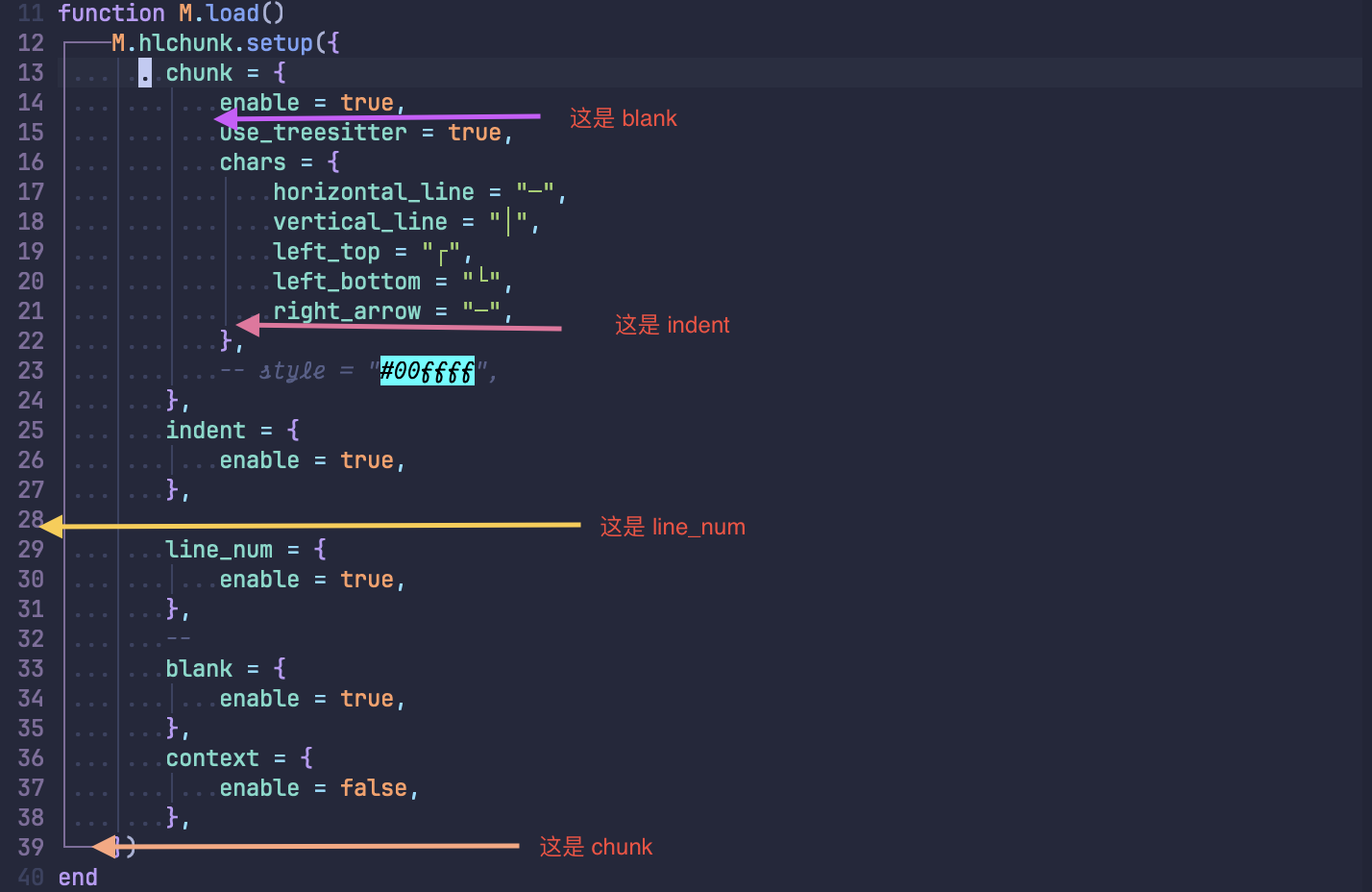
more details about each mod
NOTICE: you can click the picture to get more information about how to configure like this
chunk

indent


line_num

blank


Requirements
neovim version >= 0.10.0
Installation (with lazy.nvim)
{
  "shellRaining/hlchunk.nvim",
  event = { "BufReadPre", "BufNewFile" },
  config = function()
    require("hlchunk").setup({})
  end
},
Setup
This plugin is composed of multiple mods, so they have some common configuration items as follows:
local default_conf = {
    enable = false,
    style = {},
    notify = false,
    priority = 0,
    exclude_filetypes = {
        aerial = true,
        dashboard = true,
        -- some other filetypes
    }
}
- enable: control whether a certain mod is enabled
- style: used to control the style of the mod, different mods will have different style configuration methods, you can check their respective documentation for details
- notify: used to control whether a certain mod displays notification messages (through the notify function)
- priority: used to control the rendering priority of a certain mod, the higher the priority, the higher the priority of display, by default
chunk > indent > blank > line_num
- exclude_filetypes: used to control that a certain mod is not enabled for certain file types
The specific configuration methods for each mod can be found in their respective documentation, the links are as follows:
You can config the whole plugin by using setup function:
require('hlchunk').setup({
    chunk = {
        enable = true
        -- ...
    },
    indent = {
        enable = true
        -- ...
    }
})
Require the specific mod alone also work
local indent = require('hlchunk.mods.indent')
indent({
    style = {
        -- ...
    }
}):enable() -- don't forget call enable method
notice
Because this plugin use shiftwidth function to get the indent width, so for files that do not set the indent width manually, there may be inaccurate situations, you can set the indent width manually:
vim.bo.shiftwidth = xxx
If you feel boring to set the indent width manually, you can use autoindent.nvim or indent-o-matic to guess indent automatically.
command
Sometimes (e.g., for performance reasons), you may want to manually disable a certain mod, you can follow the rules below: enter DisableHLxxxx, replacing xxxx with the name of the mod you want to disable, for example, to disable chunk, you can enter DisableHLchunk.
Similarly, to enable a mod, enter EnableHLxxxx.
However, for mods with enable set to false, the plugin itself will not create a user command (because there is no need).
Contributing
Contributions are welcome. The repo ships a lightweight pre-commit hook that runs selene and stylua --check on staged Lua files. Enable it once per clone:
git config core.hooksPath .githooks
Before opening a PR, run make selene && make stylua && make test locally. See AGENTS.md for the project map and ARCHITECTURE.md for the module layout.


评论