wego is a weather client for the terminal.
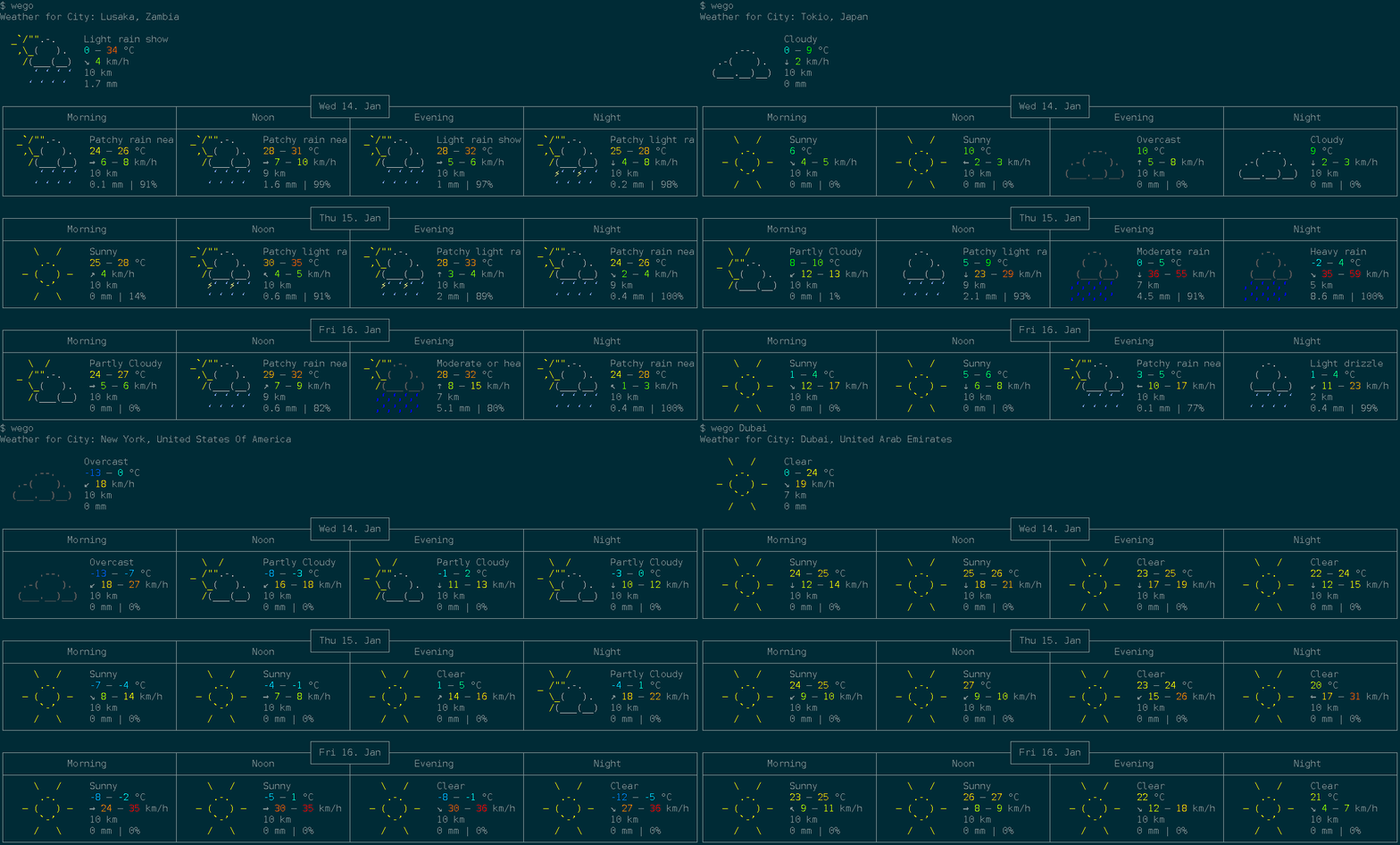
Features
- show forecast for 1 to 7 days
- multiple backends:
openweathermap, weatherapi, open-meteo, smhi, caiyun, worldweatheronline, pirateweather, and json
- multiple frontends:
ascii-art-table (default), emoji, markdown, and json
- displayed info:
- temperature range (felt and measured)
- windspeed and direction
- viewing distance
- precipitation amount and probability
- humidity
- unit systems:
metric, imperial, si, metric-ms
- disk caching of weather data with configurable TTL (
--cache-ttl)
- multi language support
- config file for default location which can be overridden by commandline
- automatic config management with ingo
- built-in man page (
wego --man)
- composable via JSON: pipe data between the
json backend and json frontend
Dependencies
- A working Go
1.20 environment
- utf-8 terminal with 256 colors (for
ascii-art-table and emoji frontends)
- A monospaced font containing all the required runes (e.g.
dejavu sans mono)
- An API key for most backends (see Setup below;
open-meteo and smhi are free and keyless)
Installation
Check your distribution for packaging:
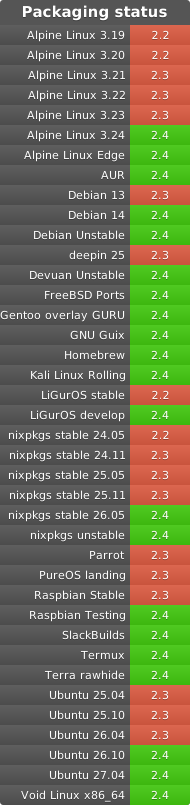
To directly install or update the wego binary from Github into your $GOPATH as usual, run:
go install github.com/schachmat/wego@latest
Setup
- Run
wego once. You will get an error message, but the wegorc config file
will be generated in your $XDG_CONFIG_HOME/wego/ directory (or the
OS-equivalent location returned by
os.UserConfigDir(), e.g.
~/.config/wego/wegorc on Linux).
- Choose a backend and configure it (see below). Then run
wego again.
- You may want to adjust other preferences like
days, units and …-lang as
well. Save the file.
- Run
wego once again and you should get the weather forecast for the current
and next few days for your chosen location.
- If you’re visiting someone in e.g. London over the weekend, just run
wego 4 London or wego London 4 (the ordering of arguments makes no difference) to
get the forecast for the current and the next 3 days.
The config file is resolved in the following order:
$WEGORC environment variable (highest precedence).$XDG_CONFIG_HOME/wego/wegorc (or OS equivalent via os.UserConfigDir()), if it exists.$HOME/.wegorc (legacy location, for backward compatibility), if it exists.- If none of the above exist, a new config file is created at
$XDG_CONFIG_HOME/wego/wegorc.
Backends
Open-Meteo — free, no API key required:
backend=openmeteo
location=New York
SMHI — free, no API key required (Sweden and surrounding areas):
backend=smhi
location=59.33,18.07
Openweathermap — free API key available:
backend=openweathermap
location=New York
owm-api-key=YOUR_OPENWEATHERMAP_API_KEY_HERE
WeatherAPI — free API key available:
backend=weatherapi
location=New York
weather-api-key=YOUR_WEATHERAPI_API_KEY_HERE
Caiyun — API key required (China-focused, supports Chinese):
backend=caiyun
location=121.47,31.23
caiyun-api-key=YOUR_CAIYUN_API_KEY_HERE
Worldweatheronline — no longer offers free API keys (#83):
backend=worldweatheronline
location=New York
wwo-api-key=YOUR_WORLDWEATHERONLINE_API_KEY_HERE
Pirateweather — free API key available (requires lat,lon location):
backend=pirateweather.net
location=40.71,-74.01
pirateweather-api-key=YOUR_PIRATEWEATHER_API_KEY_HERE
JSON file — read weather data from a local JSON file (useful for testing or offline use):
backend=json
location=/path/to/weather.json
Frontends
Select a frontend with the --frontend flag or by setting frontend=… in .wegorc.
| Frontend |
Description |
ascii-art-table |
Default. Classic colored ASCII art table. |
emoji |
Compact emoji-based display. |
markdown |
Markdown table output. |
json |
JSON output, suitable for piping to other tools. |
Example: wego --frontend emoji London
Color Configuration
Both ascii-art-table and emoji frontends display temperatures and wind
speeds in color by default. To disable colors:
- Pass
--monochrome as a flag, or add it to .wegorc to make it permanent:monochrome=true
- Set the
NO_COLOR environment variable (see no-color.org)
to disable colors without changing the config:NO_COLOR=1 wego


评论