
Modular Launcher for Linux devices and Single-Board Computers
An alternative, console-like, launcher for single-board computers. Made with Godot and GDNative.
The launcher is primarily made to run on the GameShell portable console but can also run on other sbcs thanks to modules.
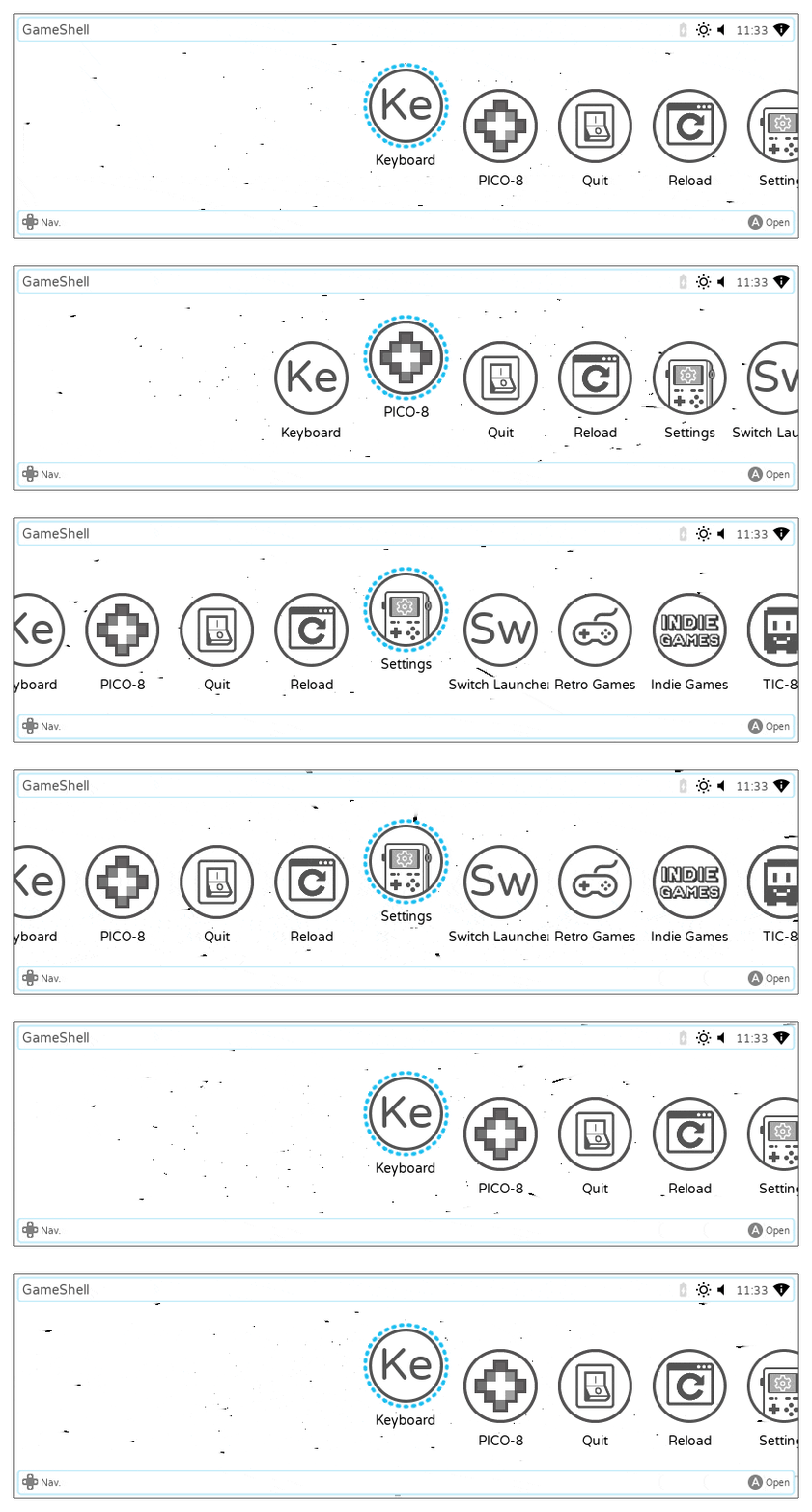
BETA VERSION
To explore the launcher code and tweak it as you wish, open the project.godot file with Godot 3.2.3.
Remember to reimport the launcher and to transfer the .import folder too to apply your changes.
Reimporting the project from the GameShell itself is not supported at the moment.
NOTE: the 512 MB or ram version of the GameShell is known to have issues with Godot using the lima driver.
Fbturbo should work ok but performances will be worse.
Why
The stock launcher found in the GameShell lacks a few fundamental features when it comes to window management, multitasking and tweakability.
This launcher aims to fix all those issues and to add other nice features.
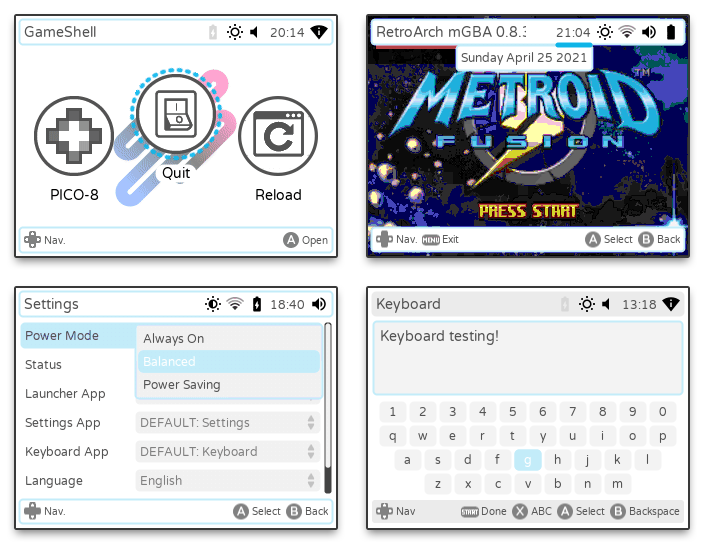
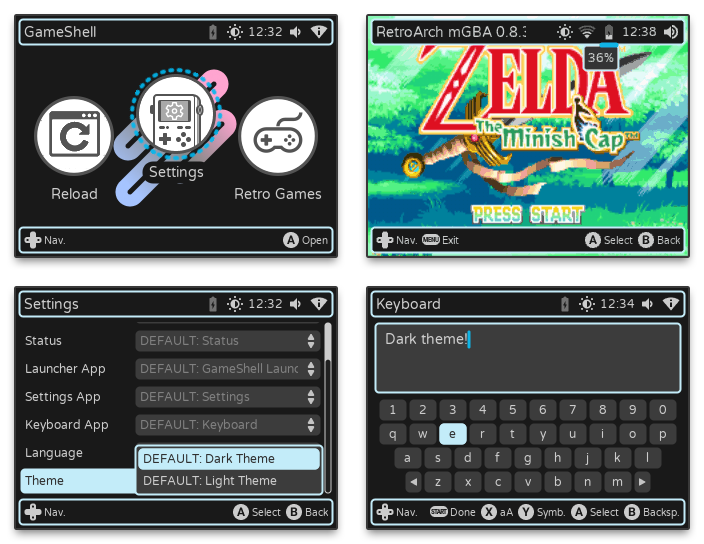
Installation
The precompiled binaries in the repository are for armv7 devices only.
Future releases may include prepackaged binaries for other architectures too.
GameShell
On the GameShell: ssh into the cpi home directory and run:
git clone https://github.com/samdze/godot-launcher.git
sed -i s/launcher/godot-launcher/g /home/cpi/.bashrc
Restart the GameShell and you should boot into the Godot launcher.
You can rollback to the stock launcher selecting “Switch Launcher” inside the Settings app.
Other Linux Devices
On other sbcs, start an X session executing the .xinitrc file.
Install the required shared libraries and clone the launcher in your home directory.
Run the launcher as a normal user, root access/privileges should not be necessary.
sudo apt install libconfig9 libxcursor1 libpulse-dev
git clone https://github.com/samdze/godot-launcher.git
startx /home/<user>/godot-launcher/.xinitrc -- -nocursor
The launcher is quite untested on devices other than the GameShell, and features like Wi-Fi settings, sound volume settings, brightness settings are not expected to work.
Testing and feedbacks are very welcome.
Please open an issue if you find bugs or non-functioning features.
Better documentation will be available in the future.
Troubleshooting
By default, the launcher generates a file called godot-launcher.log inside your /tmp folder if an execution attempt was successful but the launcher crashed for some reason.
If no file is to be found, check your files directories, the files execute permissions and to have the required shared libraries installed.
There could be other libraries currently not listed here that are necessary to run the launcher.
Be sure to have support for OpenGL ES2.
Documentation

The first time you open the launcher, the first boot setup will let you map your inputs and choose the language.
On the GameShell, press SELECT (or any other button you mapped) at any time when an app is open to show the launcher widgets.
In this state, you can then exit the app, go back to the app, see the time, the approximate remaining battery and the Wi-Fi connection status, tweak screen brightness and audio volume.
The default Settings app lets you change a few things about the launcher, including input mappings.
This launcher is made to be modular and custom settings can be added by other modules.
This is an early version of the launcher, some games and apps may not be shown and there’s no way to configure bluetooth, graphics drivers etc.
If your device isn’t a GameShell, the launcher isn’t quite ready to be fully usable, although it can run with a few tweaks.
E.g. the launcher expects to find apps and games in the /home/cpi/apps/Menu directory.
This can be changed modifying the menu_directory variable here:
https://github.com/samdze/godot-launcher/blob/main/modules/default/launcher/launcher.gd#L18
The default launcher application looks for apps and games the same way the GameShell stock launcher does.
Shell scripts will appear by default, binaries have to be placed inside a folder with the same name.
| A |
B |
X |
Y |
Right |
Up |
Left |
Down |
START |
MENU |
HOME |
| K |
J |
I |
U |
Right |
Up |
Left |
Down |
Enter |
Escape |
KP Add |
/home/cpi/
├── apps
│   ├── emulators
│   └── Menu
│
├── godot-launcher 		<- Here we are
│   ├── .import			Imported files, this needs to be generated and updated when you modify the launcher
│   ├── apps			Utilities and app launchers, you can tweak them or also add your own
│   ├── library			Native libreries used to create and handle the window manager of the launcher
│   ├── system			System files and base infrastructure to build the launcher
│   ├── modules			Folder containing modular parts of the launcher
│   │   ├── default		The stock module, implements the default widgets, apps, themes, etc.
│   │   └── ...			You can add your own modules here!
│   ├── project.godot		The launcher project file, open it to edit the launcher with the Godot editor
│   ├── godot			The Godot Engine executable, used to run the launcher
│   ├── compton			The compositor, this should run together with the launcher
│   ├── settings.conf		Launcher settings using a INI-style formatting
│   └── version.json		Version info, useful when checking for updates
│
├── games
│   ├── FreeDM
│   ├── MAME
│   ├── nxengine
│   └── ...
├── music
└── ...
Compiling native libraries
A SCons 3.5+ installation is needed.
The steps below are assumed to be performed on a GameShell (armv7) device.
Build the Godot GDNative bindings found in library/godot-cpp inside the repository:
https://github.com/godotengine/godot-cpp/tree/3.2#compiling-the-c-bindings-library
Then compile the native window manager library; inside the library directory:
scons -j4
To compile Godot itself, check out my repository, works on other arm devices too:
https://github.com/samdze/godot-gameshell
Compton is compiled directly from the repository:
https://github.com/chjj/compton


评论