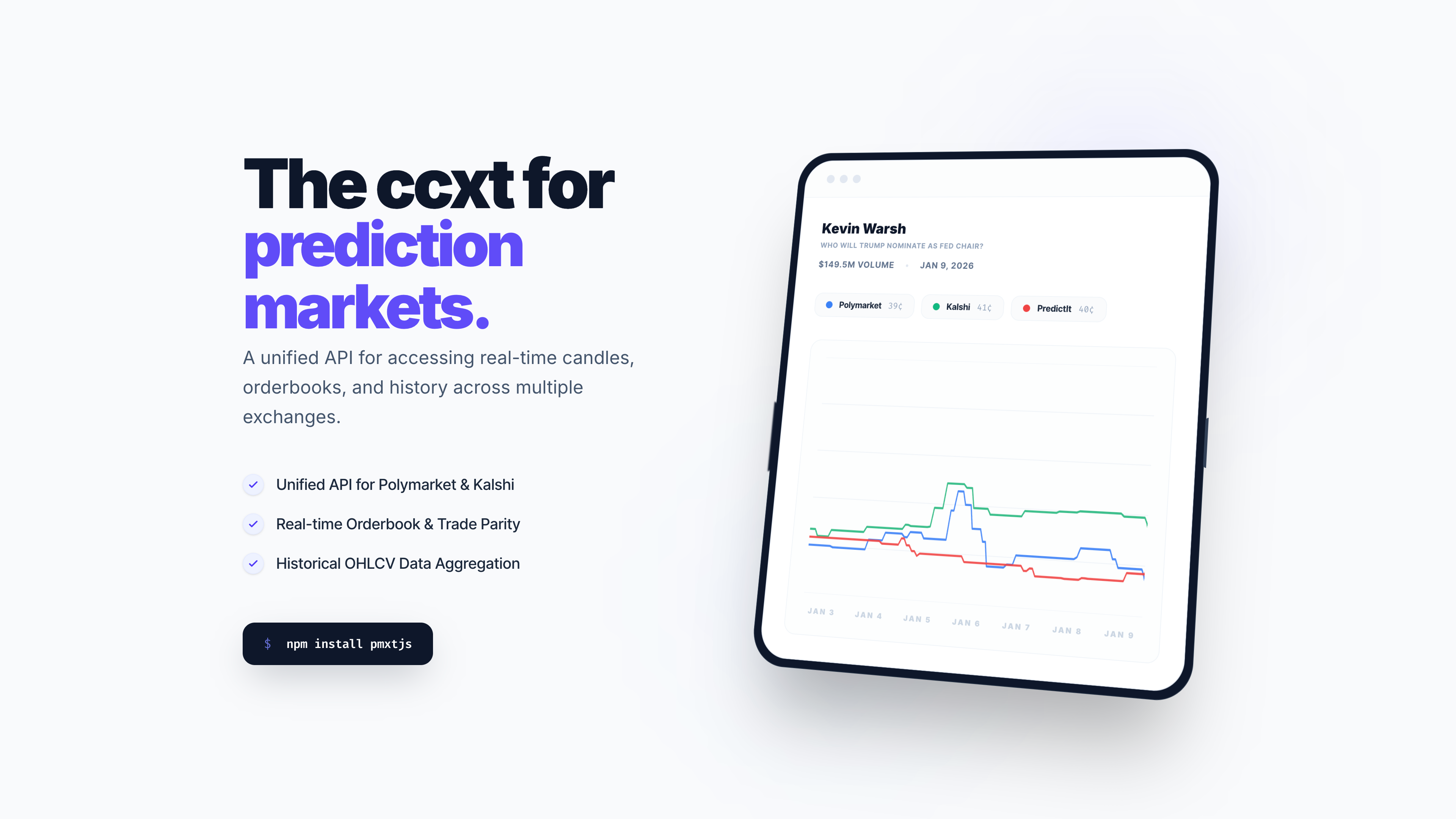
The ccxt for prediction markets. Hosted unified API for prediction-market data and supported hosted trading — Polymarket, Opinion, and Limitless writes today. Open-source SDKs and a self-host option for venue-native credentials included.

Supported Exchanges
 Polymarket
 Polymarket US 🇺🇸
 Kalshi
 Limitless

 Baozi
 Myriad
 Opinion
 Metaculus
 Smarkets
 Hyperliquid
 Gemini Titan
 SuiBets
 Rain
 Hunch
Feature Support & Compliance.
Why pmxt?
Different prediction market platforms have different APIs, data formats, and conventions. pmxt provides a single, consistent interface to work with all of them.
- Hosted API. Get a key at pmxt.dev/dashboard, construct a client, trade. PMXT handles custody, signing infrastructure, and on-chain settlement.
- Open source (MIT). Self-host the local server for full control — your keys, your machine, no PMXT in the loop. See Self-hosted.
- Language-agnostic. Python and TypeScript SDKs today, with HTTP access for any other language. No lock-in to a single ecosystem.
- Drop-in Dome API replacement. Automatic codemod (
dome-to-pmxt) for teams migrating after the Polymarket acquisition.
- Unified trading, not just data. Hosted writes cover Polymarket, Opinion, and Limitless today; self-host for venue-native writes such as Kalshi where supported.
- MCP-native. Use pmxt directly from Claude, Cursor, and other AI agents.
Installation
Ensure that Node.js (>= 18) is installed and the node command is available on your PATH. The Python SDK requires Python >= 3.8.
Python
pip install pmxt
Node.js
npm install pmxtjs
CLI
npm install -g @pmxt/cli
pmxt polymarket markets --query Trump --limit 5
pmxt polymarket fetchMarkets --query Trump --limit 5
pmxt auth status
Running from Source
git clone https://github.com/pmxt-dev/pmxt.git
cd pmxt
npm install
npm run dev
MCP (for AI agents)
npx -y @pmxt/mcp
See @pmxt/mcp for setup with Claude, Cursor, and other MCP-compatible clients.
Migrating from Dome API
If you’re currently using Dome API, pmxt is a drop-in replacement for DomeAPI’s Polymarket/Kalshi workflows and also exposes PMXT’s broader supported venue catalog where current capabilities exist.
Check out pmxt as a Dome API alternative for a detailed migration guide, API comparison, and automatic codemod tool (dome-to-pmxt) to help you transition your code.
# Automatically migrate your codebase
npx dome-to-pmxt ./src
Quickstart
Get your API key at pmxt.dev/dashboard. For reads, only pmxt_api_key and wallet_address are required. For trading, also pass private_key — the SDK auto-wraps it into an EIP-712 signer.
Python
import pmxt

# Reads — pmxt_api_key + wallet_address only
client = pmxt.Polymarket(
    pmxt_api_key="pmxt_live_...",
    wallet_address="0xYourWalletAddress",
)

positions = client.fetch_positions()
balance = client.fetch_balance()
markets = client.fetch_markets(query="nba")

# Trading — also pass private_key
trader = pmxt.Polymarket(
    pmxt_api_key="pmxt_live_...",
    wallet_address="0xYourWalletAddress",
    private_key="0xYourPrivateKey",
)
order = trader.create_order(
    market_id="market-uuid",
    outcome_id="outcome-uuid",
    side="buy",
    order_type="market",
    amount=5.0,
    denom="usdc",
    slippage_pct=30.0,
)
TypeScript
Import style: Use named imports such as import { Polymarket } from "pmxtjs" for direct classes, or import pmxt from "pmxtjs" for the namespaced form.
import { Polymarket } from "pmxtjs";

// Reads — pmxtApiKey + walletAddress only
const client = new Polymarket({
  pmxtApiKey: "pmxt_live_...",
  walletAddress: "0xYourWalletAddress",
});

const positions = await client.fetchPositions();
const balance = await client.fetchBalance();

// Trading — also pass privateKey
const trader = new Polymarket({
  pmxtApiKey: "pmxt_live_...",
  walletAddress: "0xYourWalletAddress",
  privateKey: "0xYourPrivateKey",
});
const order = await trader.createOrder({
  marketId: "market-uuid",
  outcomeId: "outcome-uuid",
  side: "buy",
  type: "market",
  amount: 5.0,
  denom: "usdc",
  slippage_pct: 30.0,
});
Prediction market hierarchy
Prediction markets are structured in a hierarchy to group related information.
- Event: The broad topic (e.g., “Who will Trump nominate as Fed Chair?”)
- Market: A specific tradeable question (e.g., “Will Trump nominate Kevin Warsh as the next Fed Chair?”)
- Outcome: The actual share you buy (e.g., “Yes” or “No”)
Trading
pmxt supports unified trading where venues expose writes. Hosted trading is the default for supported hosted venues; self-host when you need raw venue credentials or another venue’s write API.
Hosted trading (recommended)
With a PMXT API key, you only need your wallet address and a private key to sign orders. PMXT handles custody, signer infrastructure, and on-chain settlement.
import pmxt

trader = pmxt.Polymarket(
    pmxt_api_key="pmxt_live_...",
    wallet_address="0xYourWalletAddress",
    private_key="0xYourPrivateKey",
)

# 1. Check balance
balance = trader.fetch_balance()
print(f"Available balance: {balance[0].available}")

# 2. Fetch markets
markets = trader.fetch_markets(query='Trump')

# 3. Place an order
order = trader.create_order(
    market_id=markets[0].market_id,
    outcome_id=markets[0].yes.outcome_id,
    side='buy',
    order_type='market',
    amount=5.0,
    denom='usdc',
    slippage_pct=30.0,
)
print(f"Order status: {order.status}")
Self-hosted trading (advanced)
Use this when you self-host the local server. See Self-hosted for setup. You provide venue credentials directly — no pmxt_api_key required. For detailed credential setup instructions, see the exchange-specific guides: Polymarket, Kalshi, Limitless.
Polymarket
import os
import pmxt

exchange = pmxt.Polymarket(
    private_key=os.getenv('POLYMARKET_PRIVATE_KEY'),
    proxy_address=os.getenv('POLYMARKET_PROXY_ADDRESS'), # Optional: For proxy trading
    signature_type='gnosis-safe' # Default
)
Kalshi
import os
import pmxt

exchange = pmxt.Kalshi(
    api_key=os.getenv('KALSHI_API_KEY'),
    private_key=os.getenv('KALSHI_PRIVATE_KEY') # RSA Private Key
)
Limitless
import os
import pmxt

exchange = pmxt.Limitless(
    api_key=os.getenv('LIMITLESS_API_KEY'),
    private_key=os.getenv('LIMITLESS_PRIVATE_KEY') # For order signing (EIP-712)
)
Self-hosted
To self-host pmxt-core on your own machine: pip install pmxt-core (Python) or npm install pmxt-core (Node.js), then construct any venue client without pmxt_api_key. The SDK spawns a local PMXT service; you supply venue credentials directly. See the self-hosted guide for details.
Documentation
See the API Reference for detailed documentation and more examples.
Examples
Check out the directory for more use cases:
TypeScript Python







 OnDB.ai
评论