vim-monokai-tasty



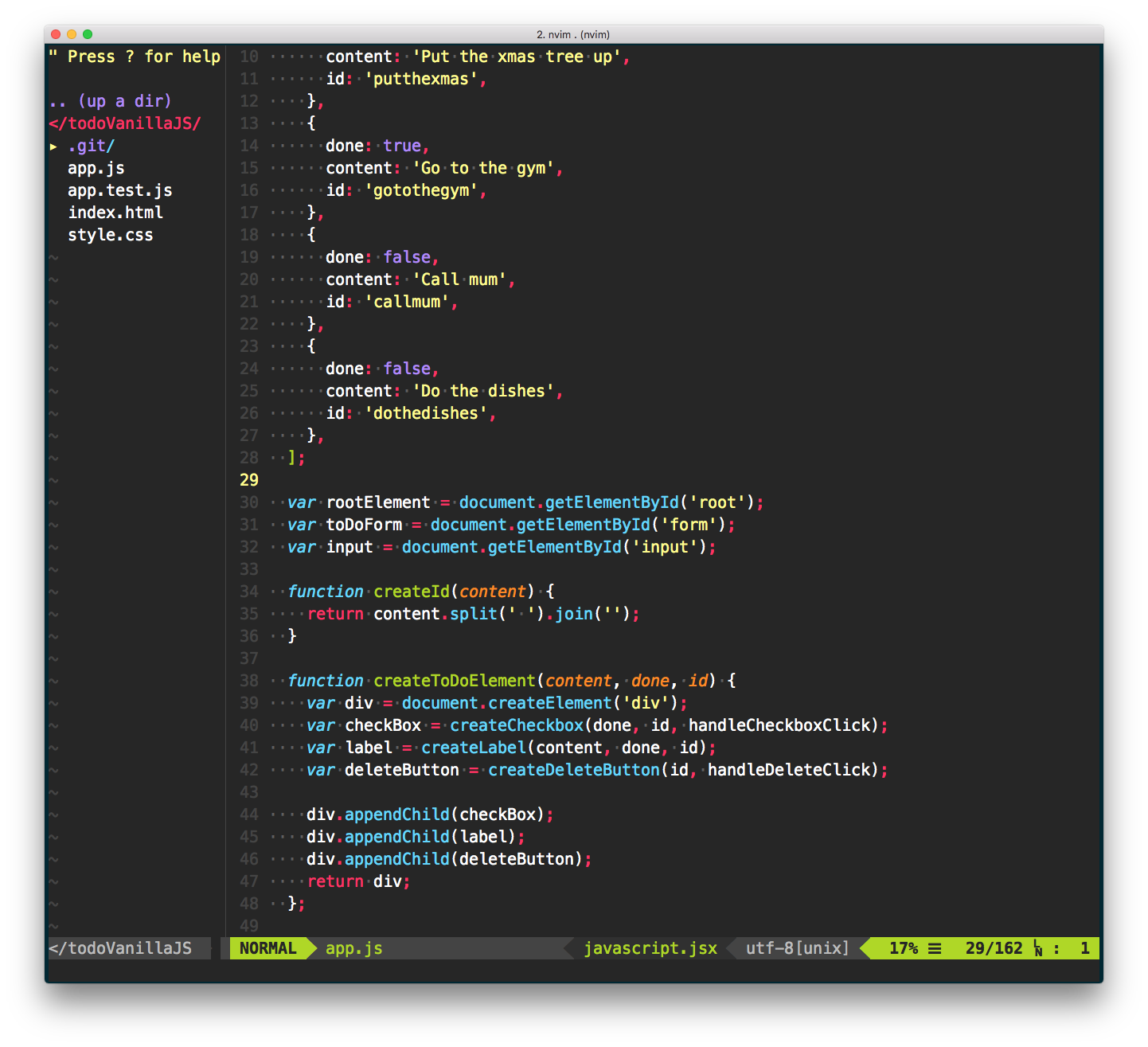
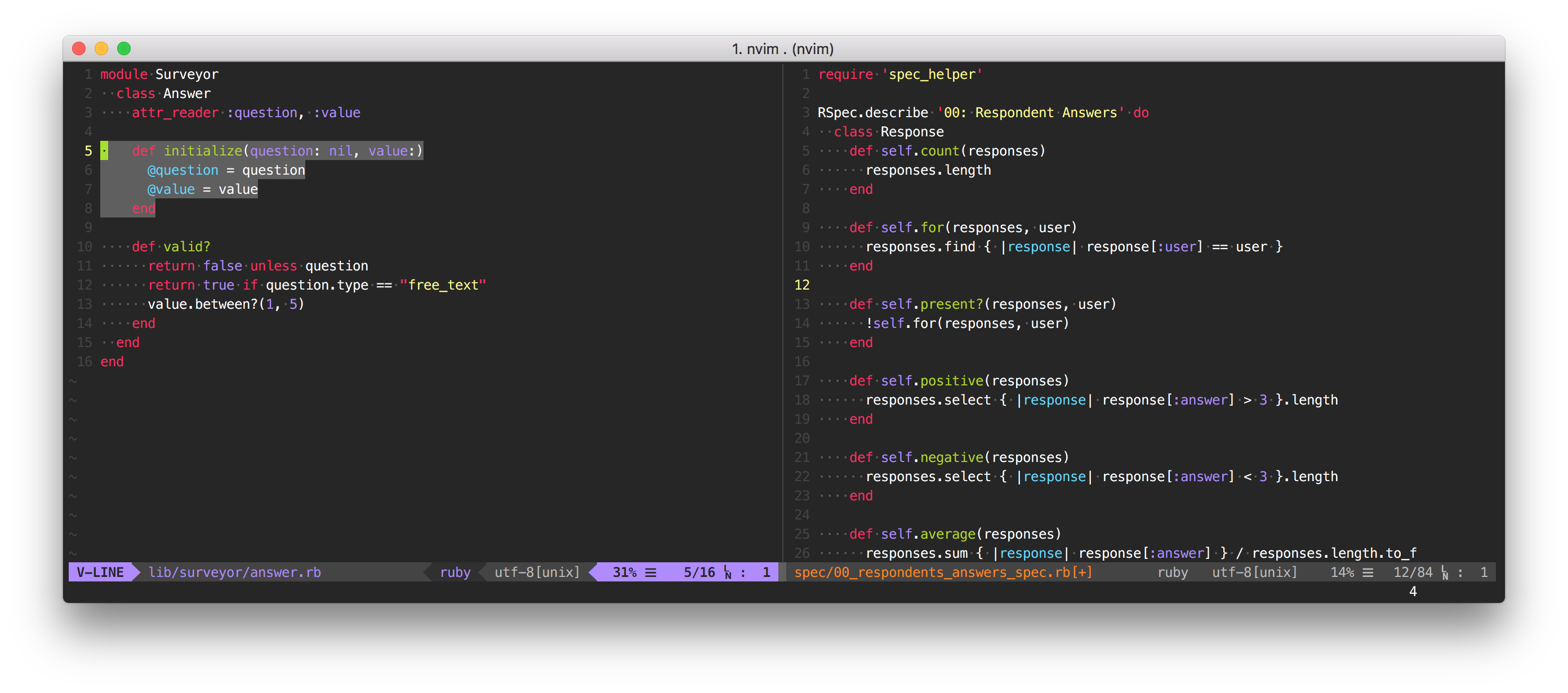
Monokai forever! 🎉 Inspired by Sublime Text’s interpretation of monokai, this colour is both gui- and cterm-supported.
It works for all languages, and is particularly good for JavaScript and TypeScript development ❤️
Unlike other monokai implementations, vim-monokai-tasty targets named syntax groups from a variety of plugins (listed below). 1This colorscheme is 74% tastier than competitors 🌮
1according to me
🔌 Installation
If you use pathogen
git clone https://github.com/patstockwell/vim-monokai-tasty.git ~/.vim/bundle/vim-monokai-tasty
If you use vim-plug, add the following and run :PlugInstall
Plug 'patstockwell/vim-monokai-tasty'
If you use Vundle, add the following and run :PluginInstall
Plugin 'patstockwell/vim-monokai-tasty'
If you use minpac, add the following and run :call minpac#update()
call minpac#add('vim-jp/syntax-vim-ex')
🐺 Use
Add the following to your .vimrc (after the Plug declaration):
colorscheme vim-monokai-tasty
If you use a terminal that supports italic text, add (before the colorscheme declaration):
let g:vim_monokai_tasty_italic = 1
colorscheme vim-monokai-tasty
If you want the slightly darker blue variant of monokai called “Machine”
let g:vim_monokai_tasty_machine_tint = 1
colorscheme vim-monokai-tasty
If you want to make the active window stand out, add
let g:vim_monokai_tasty_highlight_active_window = 1
colorscheme vim-monokai-tasty
To use the included lightline.vim theme:
let g:lightline = { 'colorscheme': 'monokai_tasty' }
To use the included vim-airline theme:
let g:airline_theme='monokai_tasty'
📚 Additional plugins with targeted syntax groups
For JavaScript, TypeScript, and React development, monokai-tasty supports definitions from all these plugins.
Add some of these for an even better look and feel:
Plug 'HerringtonDarkholme/yats.vim'
Plug 'pangloss/vim-javascript'
Plug 'MaxMEllon/vim-jsx-pretty'
Plug 'styled-components/vim-styled-components'
Plug 'elzr/vim-json'
Plug 'jparise/vim-graphql'
- If you use iterm2 (you should), there is an included monokai.itermcolors file.
- If you use GnuCoreutils there is a dircolors file (compliments the iterm colours)
📺 Screen shots


🌟 Example .vimrc
" put Plug declaration first
call plug#begin('~/.vim/plugged')
Plug 'patstockwell/vim-monokai-tasty'
Plug 'HerringtonDarkholme/yats.vim'
Plug 'pangloss/vim-javascript'
Plug 'MaxMEllon/vim-jsx-pretty'
Plug 'elzr/vim-json'
Plug 'styled-components/vim-styled-components'
Plug 'itchyny/lightline.vim'
Plug 'vim-airline/vim-airline'
call plug#end()

let g:vim_monokai_tasty_italic = 1                    " allow italics, set this before the colorscheme
let g:vim_monokai_tasty_machine_tint = 1              " use `mahcine` colour variant
let g:vim_monokai_tasty_highlight_active_window = 1   " make the active window stand out
colorscheme vim-monokai-tasty                         " set the colorscheme

" Optional themes for airline/lightline
let g:airline_theme='monokai_tasty'                   " airline theme
let g:lightline = { 'colorscheme': 'monokai_tasty' }  " lightline theme

" If you don't like a particular colour choice from `vim-monokai-tasty`, you can
" override it here. For example, to change the colour of the search hightlight:
hi Search guifg=#bada55 guibg=#000000 gui=bold ctermfg=green ctermbg=black cterm=bold

" If you want to know what the name of a particular hightlight is, you can use
" `:What`. It prints out the syntax group that the cursor is currently above.
" https://www.reddit.com/r/vim/comments/6z4aau/how_to_stop_vim_from_autohighlighting_italics_in/
command! What echomsg synIDattr(synID(line('.'), col('.'), 1), 'name')
🎨 Colour palette
| Colour name |
Colour Code |
Colour |
| Yellow |
#ffff87 |
 |
| Purple |
#af87ff |
 |
| Light Green |
#A4E400 |
 |
| Light Blue |
#62D8F1 |
 |
| Magenta |
#FC1A70 |
 |
| Orange |
#FF9700 |
 |
🏗 Support
If you like vim-monokai-tasty or find this plugin useful, you can support me by donating bitcoin to the following address.
1AddzniWjahrTidwC1QhBkcX7RYwn2JVoq



评论