Start using NetBird at netbird.io
See Documentation
Join our Slack channel
NetBird iOS & tvOS Client
The NetBird iOS/tvOS client allows connections from mobile devices running iOS 14.0+ and Apple TV running tvOS 17.0+ to private resources in the NetBird network.
Install
You can download and install the app from the App Store:

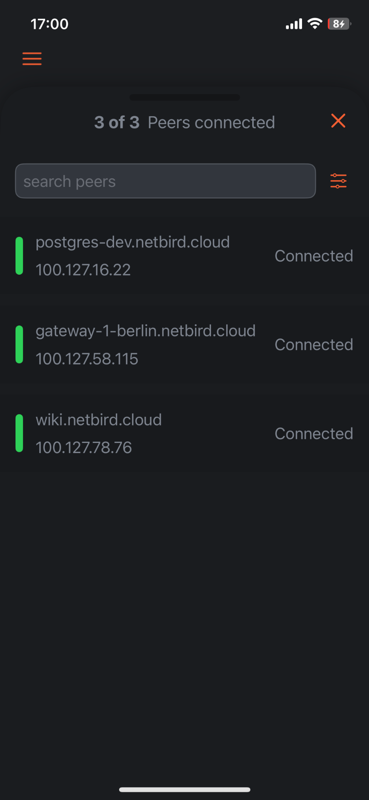
Screenshots


Reporting bugs and requesting features
NetBird uses a discussion-first workflow across all its repositories. Bug reports and
feature requests for the iOS and tvOS client start in
netbird Discussions, not as issues here.
Our team triages each discussion. Validated reports become issues in this repository,
linked back to the discussion. See
How to use Discussions, Issues, and Pull Requests
for the full workflow.
Code structure
The code is divided into 4 parts:
- The main netbird Go code, included as a git submodule at
/netbird-core from the NetBird repo, compiled into an xcframework. This contains most of the client logic.
- The network extension
/NetbirdNetworkExtension that is running in the background where the compiled Go code is executed.
- The UI and app code under
/NetBird
- The
/NetbirdKit/NetworkExtensionAdapter that controls the extension and builds the link between UI and extension
Requirements
- iOS 14.0+ / tvOS 17.0+
- Xcode 16.1+
- Go (version determined by the netbird submodule’s
go.mod)
- gomobile (for iOS builds)
- gomobile-netbird (for tvOS builds — NetBird’s fork with tvOS support)
gomobile
For iOS-only builds, install the standard gomobile:
go install golang.org/x/mobile/cmd/gomobile@latest
gomobile-netbird
For tvOS builds, install gomobile-netbird, NetBird’s fork of gomobile that adds tvOS support. See: https://github.com/netbirdio/gomobile-tvos-fork
go install github.com/netbirdio/gomobile-tvos-fork/cmd/gomobile-netbird@latest
Run locally
The main netbird Go code is included as a git submodule at netbird-core/.
git clone --recursive https://github.com/netbirdio/ios-client.git
cd ios-client
If you already cloned without --recursive:
git submodule update --init --recursive
Build the XCFramework for iOS:
./build-go-lib.sh
Or for tvOS (includes iOS, iOS Simulator, tvOS, and tvOS Simulator targets):
./build-go-lib.sh --tvos
You can also pass an explicit version:
./build-go-lib.sh 0.2.0
./build-go-lib.sh --tvos 0.2.0
Open the Xcode project, and we are ready to go.
Updating the netbird submodule
To update to a newer netbird version:
cd netbird-core
git fetch --tags
git checkout v0.x.y   # or any branch/commit
cd ..
git add netbird-core
git commit -m "update netbird submodule to v0.x.y"
Running on iOS Device
Note: The app cannot run in the iOS simulator. To test the app, a physical device needs to be connected to Xcode via cable and set as the run destination.
Verifying iOS network reconnection
Network changes are sent to the Go SDK’s network event manager, which suspends
retries while offline and refreshes stale connections after a handover. The iOS
extension observes physical interfaces, IPv4 addresses, IPv6 network prefixes,
gateways, IP-family availability
and the active data SIM;
a SIM switch can retain the same cellular interface. Paths marked
requiresConnection allow dialing so the connection can activate the network.
After initial connection, the SDK’s Connecting and NoNetwork states set iOS’s
reasserting status; SDK connection success clears it. Stopping the tunnel or
failing authentication also clears it. The app displays “No network” for the SDK’s
NoNetwork state and “Reconnecting…” while reconnecting, and keeps the disconnect
control available. Wake reconciles the current physical path without forcing a
refresh when it is unchanged. Healthy sockets stay open;
the core’s normal liveness checks recover connections that actually expired.
The existing core sweep refreshes management, signal and relay connections.
ICE/P2P cleanup and the sweep timing are unchanged; P2P is disabled by default
on mobile to limit battery usage.
Policy restarts interrupted by an outage resume when the physical network returns.
“Connected” reflects management/signal connectivity, not proof that every peer
or routed resource is reachable. Verify actual traffic in the checks below.
Run NetworkReconnectionStateTests for event deduplication, rapid SIM changes,
offline recovery, wake handling, path capabilities, app reassertion and shutdown behavior. End-to-end handovers require a physical
dual-SIM iPhone:
- Connect the VPN and continuously access a private peer or routed resource.
- With Wi-Fi disabled, switch Cellular Data from SIM A to SIM B and back. Repeat
with Allow Cellular Data Switching enabled and the app in the background.
Receive a regular voice call on the non-data SIM, keep traffic running, then
end the call and verify recovery as data returns to the original SIM. Repeat
with switching disabled: an outage during the call is expected, but recovery
after the call must not require toggling the VPN.
- Test Wi-Fi → cellular → Wi-Fi and airplane mode → recovery on the same SIM.
- Repeat with an exit node selected; verify both private and Internet traffic recover.
- Switch between two Wi-Fi networks, including networks with the same local
subnet; test IPv6-only/NAT64 and dual-stack networks.
- Lock the phone, let it sleep, then wake on the same and on a different network.
Repeated wakes on an unchanged path must not cause network-change sweeps.
- Verify that genuinely expired credentials still trigger login and remove
the tunnel routes. Offline startup authentication is a separate change.
- Disconnect the VPN during a handover and verify it stays disconnected with
On Demand disabled.
Check the extension log for Network event: and the core’s
network change: connections marked stale messages. Simulator tests cannot
validate carrier handovers or live VPN traffic.
Running on Apple TV
Note: The app cannot run in the tvOS simulator. To test the app, a physical device running tvOS 17.0 or later needs to be paired with Xcode.
Firebase Configuration (Optional)
The app supports Firebase for analytics and crash reporting. To enable it, add your GoogleService-Info.plist file to the project root. The app will work without Firebase configuration. For a local device build without Firebase, omit this file from the targets’ Copy Bundle Resources phases. The CI test placeholder is not a production Firebase configuration. Startup skips missing or invalid Firebase settings; unit tests also skip Firebase initialization.
Other project repositories
NetBird project is composed of multiple repositories:
Network events include their source (path, dataSIM, or wake) and whether
they were unchanged, initial, unavailable, recovered, or changed. AppLogger adds
timestamps; no SIM identifiers or address values are added to these diagnostics.







评论