GLaDOS Voice Assistant
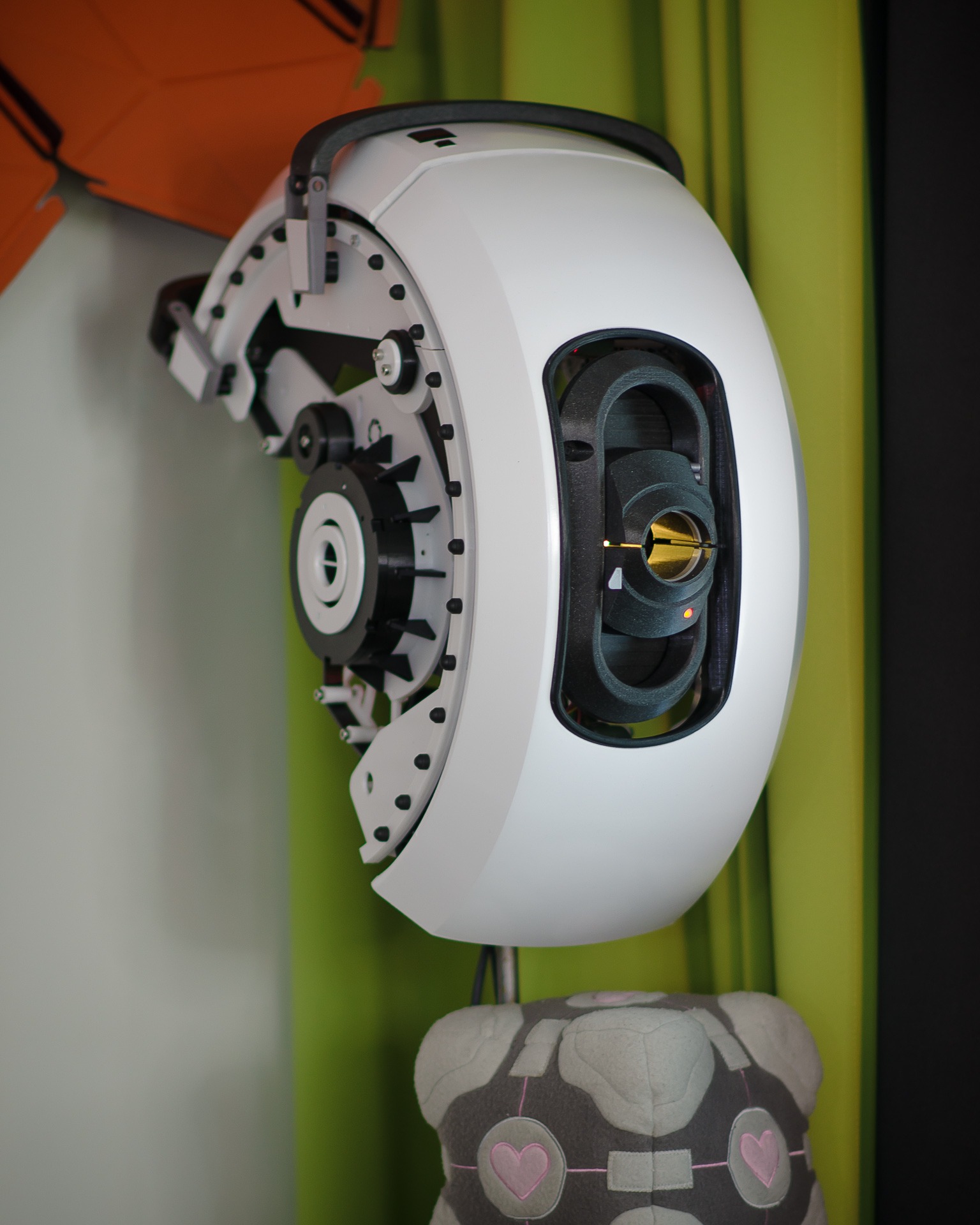 |
DIY Voice Assistant based on the GLaDOS character from Portal video game series.
Featured on:
🛠 Hackday - Tech blog
🛠 Tom’s Hardware - Technology news
🎮 PCGamer - Online magazine
🇫🇮 Ilta-Sanomat - The second largest newspaper in Finland
🇫🇮 Muropaketti - Finnish computing website
📺 YouTube - GLaDOS Voice Assistant playlist
|
Read project article first!
📄 GLaDOS Voice Assistant - henrirantanen.fi
Description
- Written mostly in Python
- Work in progress
❗ New versions of the voice assistant will not work on Raspberry Pi due to missing CPU instruction sets needed by some AI scripts. If you are looking to play along with the old version on your Raspberry Pi, check the raspberry branch.
Main features
- Local Trigger word detection using PocketSphinx
- Local GLaDOS Text-to-Speech engine using glados-tts model by R2D2FISH
- Speech-to-text processing using Google’s API (for now)
- Local TTS cache of generated common audio samples locally for instant answers in the future
- Animatronic eye control using servos
- Round LCD for an eye to display display textures
Tight integration with Home Assistant’s local API:
- Send commands to Home Assistant
- Read and speak sensor data
- Notification API, so Home Assistant can speak out notifications through GLaDOS
What it can do:
- Clock
- Control lights and devices
- Weather and forecast
- Add things to shopping list
- Read sensor information
- Random magic 8-ball answers
- Tell jokes
- Judge you and be mean
- Advanced fat-shaming
- Log stuff and gather training data locally
Note: The code is provided as reference only.
Voice Assistant pipeline overview

Requirements for Ubuntu
sudo apt-get update
sudo apt-get upgrade
sudo apt install python3-pip
Install PyAudio
PyAudio is needed to play audio files.
sudo apt-get install portaudio19-dev
Install PocketSphinx
Used for trigger word detection for now.
sudo apt-get install -y build-essential swig libpulse-dev libasound2-dev
Install SpeechRecognition
Used to turn audio into text for now.
sudo apt-get install flac
Install other libraries
Install python modules from requirements.txt file
cd ~/glados-voice-assistant
sudo pip3 install -r requirements.txt
Install pytorch
See here: https://pytorch.org/get-started/locally/#start-locally
Install GLaDOS Voice Assistant
1. Go to home folder
cd ~
2. Download the source from GitHub
This will download GLaDOS Voice Assistant and the TTS submodule.
git clone --recurse-submodules https://github.com/nerdaxic/glados-voice-assistant/
After this you can play around with the TTS, this works as stand-alone.
cd ~/glados-voice-assistant/glados_tts/
python3 glados.py
3. Edit the settings file
Find the sound card ID:
python3 -m sounddevice
Generate and edit the settings.env file:
cp ~/glados-voice-assistant/settings.env.sample ~/glados-voice-assistant/settings.env && nano ~/glados-voice-assistant/settings.env
4. To run:
Launch the voice assistant:
python3 ~/glados-voice-assistant/glados.py
You can add glados.py to your crontab file or run it manually.
crontab -e
@reboot python3 /home/username/glados-voice-assistant/glados.py
Integrate to Home Assistant
To make Home Assistant integration work, you need to enable the API in the home assistant configuration file and generate a long-lived access token.
Add access token and IP-address of the home assistant server into the settings.env file.
configuration.yaml
# This will enable rest api
api:

# This will add GLaDOS as a notification provider. Replace with correct IP of GLaDOS.
notify:
  - name: glados
    platform: rest
    resource: http://192.168.1.XXX:5000/notify
Hardware
List of reference hardware what nerdaxic is developing on, models might not need to be exact.
Not a full bill of materials.
Audio
Audio amp is powered from Raspberry GPIO 5V line and ReSpeaker board from USB to avoid ground loops and noise issues.
Mechanics
Mechanics are powered from their own power supply to allow more power for the servos and prevent brown-outs.


评论