English | 简体中文

Muleiwu URL Shortener (dwz-server)
Self-hosted link management platform for teams




Introduction
Muleiwu URL Shortener (dwz-server) combines short-link management, multi-domain support, access policies, A/B testing, marketing attribution, and click analytics in one self-hosted platform. The backend is written in Go; the Vue 3 + Ant Design Vue admin console ships inside the same binary or Docker image.
It runs standalone on SQLite with an in-memory cache and a local ID generator, or on MySQL/PostgreSQL plus Redis for production and multi-instance deployments.
Important: before creating production short links, configure your public short domain’s DNS, certificate, and reverse proxy. The app resolves links by the exact Host + short code it receives — if a proxy rewrites Host to an internal address, container name, or wrong port, the admin panel and health check stay green while public short links return 404. See the first-use guide and the aaPanel tutorial (both in Chinese).
License notice: this project uses a custom license, not a standard open-source one. Commercial and non-commercial use is free within the terms, but you must retain copyright notices and may not redistribute derivative versions. Read LICENSE before using, modifying, or deploying.
Features
- Short links — custom codes, expiry, enable/disable, 301/302/307/308 redirects, batch operations, duplicate-URL policies
- Multi-domain management — per-domain protocol and parameter passthrough, short-code generation strategies, WeChat/QQ anti-block interstitials, ICP filing info
- Advanced routing — route by country/province, device, browser, OS, language, Referer, and query params; priorities, condition groups, fallback URLs, rule testing
- Link security — access passwords, time windows, click caps, IP allow/blocklists, bot policy, URL rule scanning, security events and abuse reports
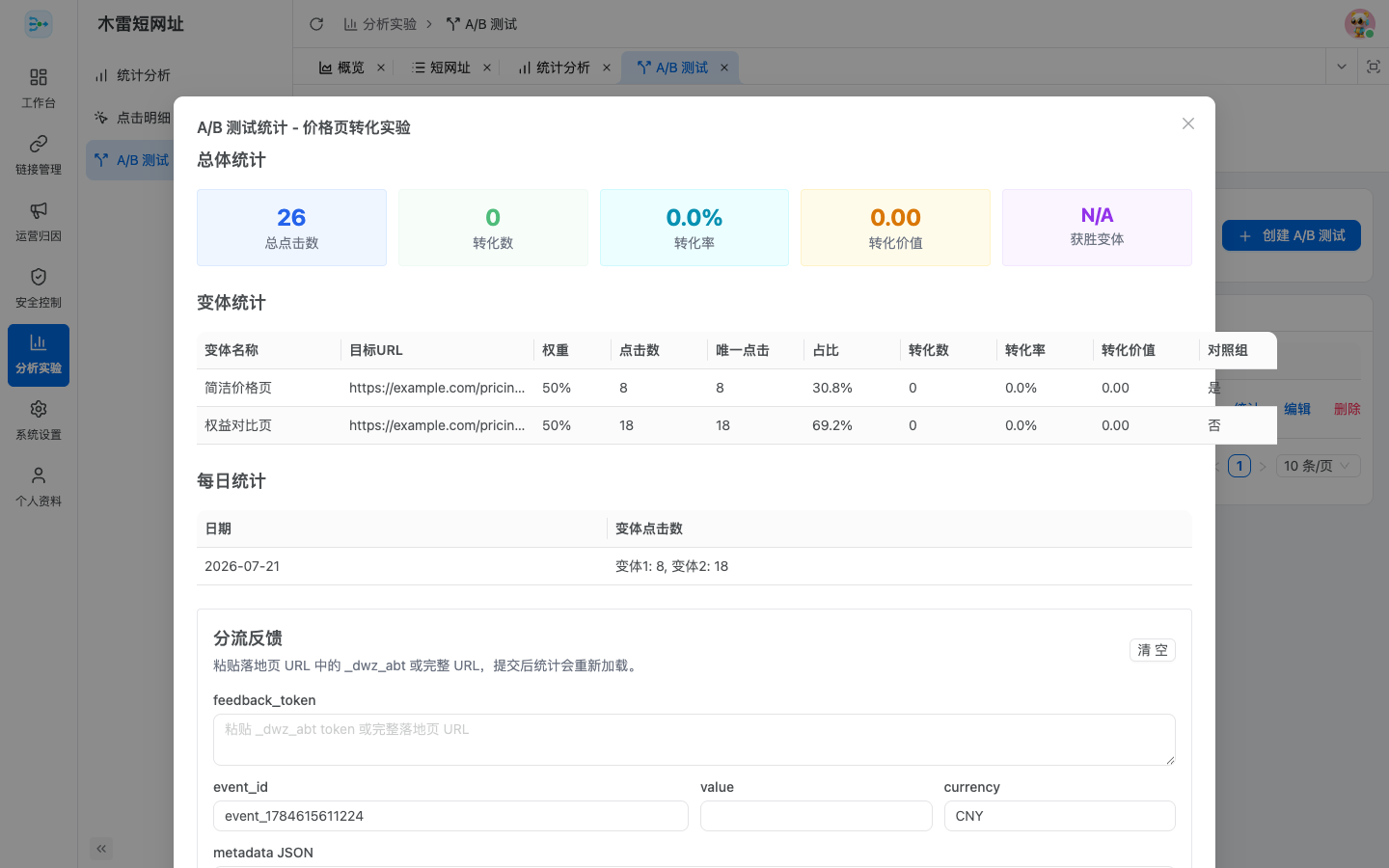
- A/B testing — multi-variant, even or weighted split with session consistency, click and conversion stats, signed feedback tokens with idempotent callbacks
- Analytics — per-click detail, unique IPs, geo, source, time, device, browser, OS, bot, UTM, and routing dimensions with CSV export
- Workspaces & auth — multi-workspace with owner/admin/member/viewer roles; JWT login, API bearer tokens, HMAC request signing, OIDC login and binding
- Ops & branding — install wizard, health checks, static assets and templates embedded in a single binary, brand name and logo, QR-code styling in the admin UI
See the feature matrix for the full capability list and the roadmap for what’s planned (QR codes are generated and downloaded client-side today, not persisted server-side).
Architecture

The request lifecycle of a short-code visit — dispatch, cache fallback, security gate, and A/B split, ending in the 302 redirect:

Four diagrams, grounded in the repository code, are provided as interactive HTML in both Chinese and English (theme toggle, zoom, search, export):
Screenshots
Expand to view admin UI screenshots (UI language: Chinese)
Dashboard with global access heatmap

Short-link management

Multi-dimensional analytics

A/B testing
Quick Start
| Scenario |
Database |
Cache |
ID generator |
| Lightweight standalone |
SQLite |
memory |
local |
| Standard production |
MySQL / PostgreSQL |
Redis |
Redis |
Docker
Create an empty directory with this compose.yaml:
services:
  dwz-server:
    image: docker.cnb.cool/mliev/dwz/dwz-server:latest
    container_name: dwz-server
    restart: unless-stopped
    ports:
      - "8080:8080"
    environment:
      TZ: Asia/Shanghai
    volumes:
      - ./config:/app/config
      - ./data:/app/data
      - ./logs:/app/logs
mkdir -p config data logs
docker compose up -d
docker compose logs -f dwz-server
Open http://localhost:8080 in a browser; a fresh install redirects to the setup wizard: (1) choose SQLite or enter an existing MySQL/PostgreSQL connection; (2) for standalone mode pick the memory cache and local ID generator (or enter Redis connection details); (3) create the first administrator. The wizard writes config/config.yaml and config/install.lock, runs migrations, and restarts the service. Keep all three mounted directories — data also stores uploaded brand logos.
# Health check
curl http://localhost:8080/health/simple

# Upgrade (back up config, data, and external databases first)
docker compose pull && docker compose up -d
Binary release
Download the archive for your platform from GitHub Releases, extract it into a writable directory, then:
chmod +x dwz-server
./dwz-server start              # run in foreground
./dwz-server start --daemon     # daemon mode
./dwz-server status | restart | stop
Open http://localhost:8080 after first start to complete installation; lightweight mode needs no database or Redis.
Build from source
Environment requirements and build steps for frontend, backend, and all platforms are in the build guide (includes local development and tests). The admin console lives in the admin-webui submodule — clone with --recurse-submodules.
After installation the main config lives at config/config.yaml; environment variables override YAML values — see the configuration reference (Chinese) for the full table.
Documentation
Contributing
Issues, documentation improvements, tests, and pull requests are welcome. Before submitting code, at minimum run:
gofmt -w <changed Go files>
go test ./...
Never modify published migrations — add same-named migration files in all three database dialect directories; see the migration guide (Chinese).
Links
License
Copyright © 2025 Hefei Muleiwu Information Technology Co., Ltd. The project permits commercial and non-commercial use within the license terms, requires retained copyright notices, and restricts re-licensing and redistribution of derivative versions. Full terms in LICENSE.
Thanks to contributor @bh1xaq for their help.


评论