GNU General Public License v3.0

技术解读

以下内容由 GitRead 中文社区 编辑团队基于项目 README 与官方资料整理, 结合中文开发者的常见使用场景补充技术选型建议。具体以项目官方文档为准。

深度解析 zshelf:重新定义电子书籍浏览与下载体验

项目背景与痛点

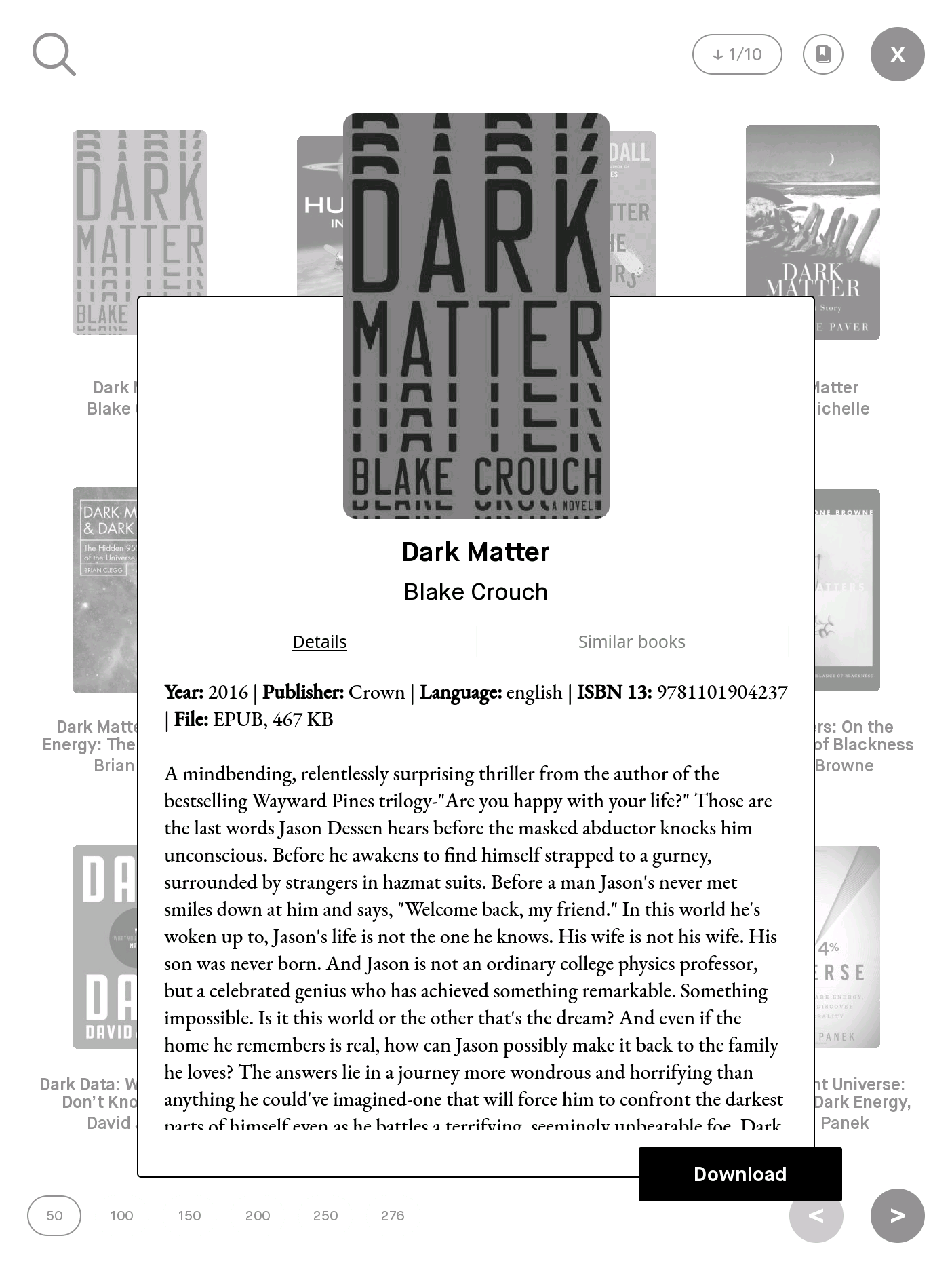
在数字阅读蓬勃发展的今天,获取高质量电子书的需求愈发高涨。然而,市面上大多数电子书资源平台仍然存在资源分散、格式不统一等固疾,导致获取电子书籍的用户面临诸多困难。khanhas/zshelf 项目通过集成了 Z-Library 的丰富资源,提供了便捷的书籍浏览与下载途径,有效缓解了资源分散的问题。其轻量级且高效的特性,非常适用于对电子书籍有高度需求的用户群体。

核心技术揭秘

zshelf 是一个基于 reMarkable 设备的应用,它不仅解决了第三方应用少的问题,还为用户提供了适合不同阅读场景的选择。众所周知,reMarkable 的操作系统是基于 Linux 的,因此该项目在设计和技术栈选择上具有一定的针对性。

技术栈与设计模式

zshelf 主要使用 Python 编写,这在某种程度上反映了项目的轻量级设计。Python 的跨平台特性使得 zshelf 在 reMarkable 设备上的表现优异,同时也为未来的跨设备兼容铺平了道路。

技术架构
  • 使用 requests 库进行网络请求,直接与 Z-Library 的 API 进行交互,实现高效的数据请求和处理。
  • 界面设计采用高度定制化的 QML/QWebKit 技术栈,以保证用户界面美观且操作流畅。
  • 本地数据缓存使用 SQLite 数据库,提升数据处理和加载速度。
graph TD A[用户发起请求] --> B[发起网络请求] B --> C[请求解析] C --> D[数据流处理] D --> E[结果展示] E --> F[缓存更新] F --> A

实现原理

zshelf 的实现基于图所示的数据流处理模式。首先,应用程序接收用户的浏览或下载请求,通过 requests 库发起与 Z-Library 数据库的通信。接下来,数据被解析并由此构建统一的 API 结果。最终,结果通过界面展示给用户,同时数据被存储至本地 SQLite 数据库中以加速之后的操作。

功能亮点与差异

相比其他类似竞品,zshelf 在算法上做了精细化设计:例如,界面响应速度和资源加载速度的优化处理,均采用了缓存机制,缩短了用户等待时间。在跨平台方面,采用 Python 开发,能让应用更轻松地迁移到不同设备上,且无需过多改动代码。此外,通过集成 Z-Library 的 API,确保了资源的全面性和更新速度的高度统一。

应用场景与落地建议

在生产环境中使用 zshelf 时,有几点需要注意:

  1. 性能优化:考虑到 reMarkable 设备性能有限,需定期更新代码以保持其高效性。
  2. 安全加密:由于涉及到网络请求和数据缓存,应加强对敏感信息的加密措施。
  3. 社区反馈:积极采纳社区反馈,及时修复 Bug。

适合的应用场景包括个人电子书籍爱好者、教育机构和个人学习者等。

综合评价

zshelf 项目直指电子书籍分散且获取不便的痛点,凭借良好的技术架构设计、高效的数据流处理能力和跨平台能力,成功提升用户体验。不过,由于依赖于 Z-Library 的 API,因此项目也面对着资源获取的持续性及 API 变更的风险。总体而言,zshelf 是一个优秀的项目,值得深耕和进一步扩展。

关于

GitHub 原始描述(英文)

reMarkable app: Browse and download books from Z-Library

描述取自 GitHub 官方 API,保持仓库作者书写的原文。

简要分析

热度分
375
价值分
208
活跃状态
活跃

语言占比

C
C++
JavaScript
QML
QMake
Shell

Release

README

title

Z-Library browser and downloader for reMarkable devices


Installation

  1. Know how to SSH to your device: https://remarkablewiki.com/tech/ssh
  2. Make sure package manager toltec is installed.
  3. Run following command to install zshelf:
opkg update
opkg install zshelf
  1. [reMarkable 2 only] You definitely need rm2fb package to run any app:
opkg install rm2fb

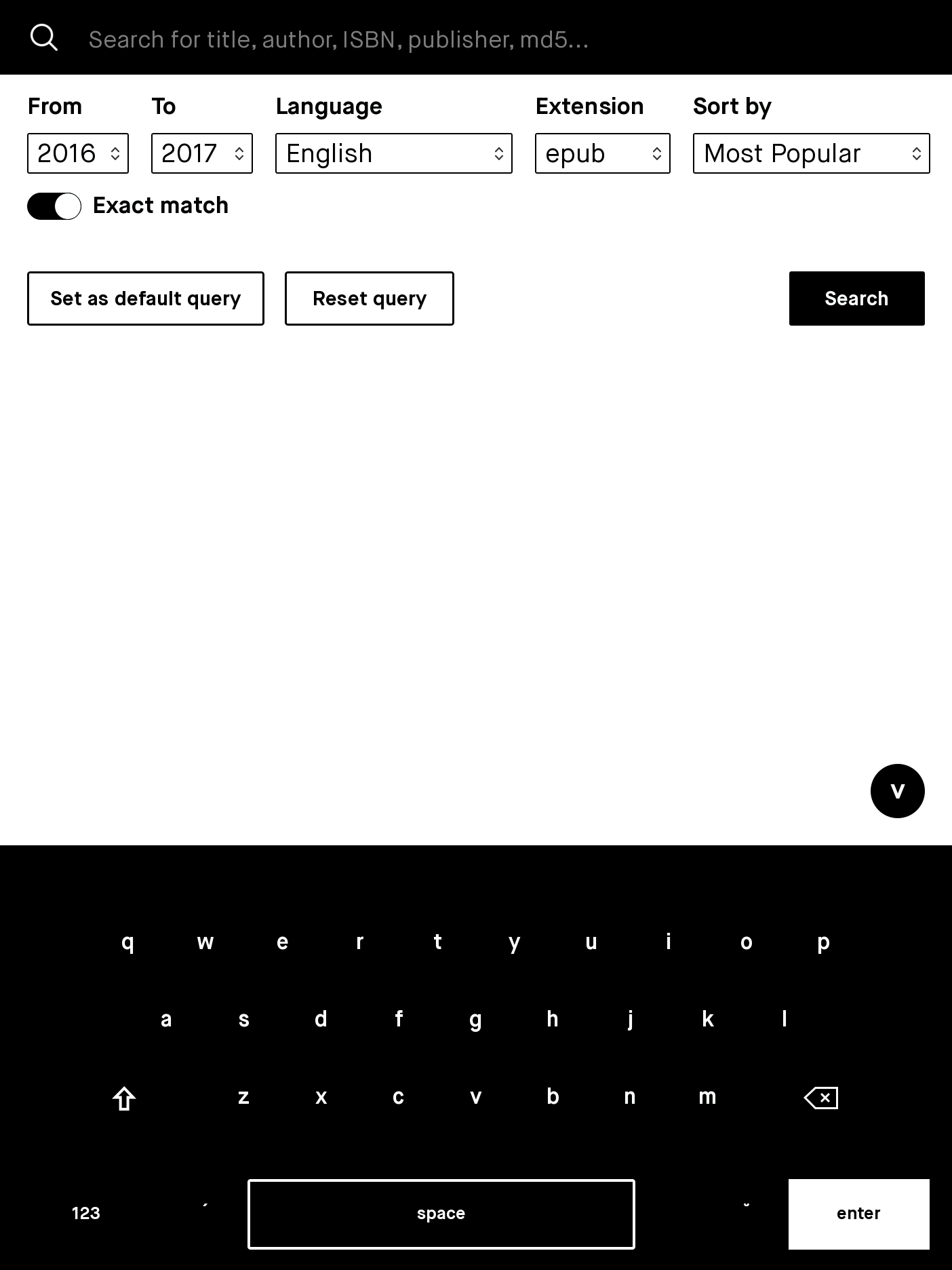
zshelf basically is a web crawler, which fetches and parses z-library web pages, gets the gist of them and natively displays book items on UI. Because it’s not web browser, user needs to manually configure domain and cookie so zshelf can download books on demand. Free user account is still limited at downloading 10 books a day.

  1. Open https://z-lib.org on your web browser
  2. Under “Books” link, you should notice domain part that is specifically available for your region/country. Note it down.

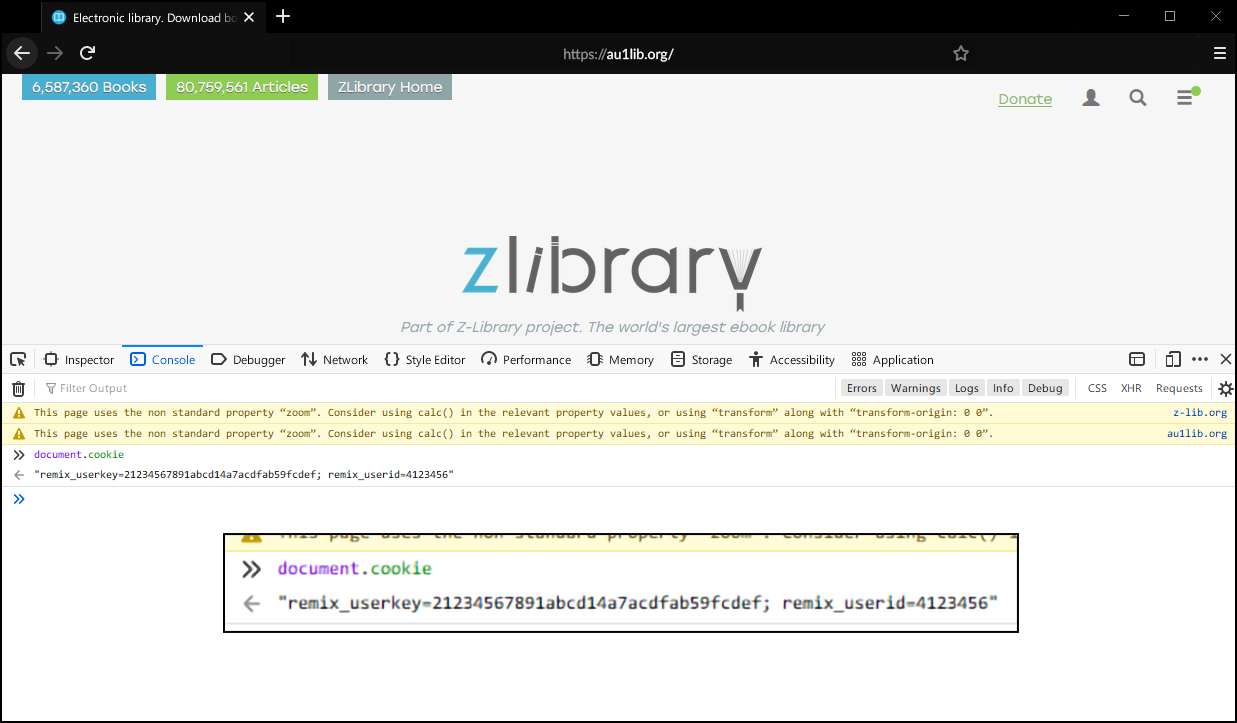
  1. Log in with your account.
  2. In any page, open up Console (hit F12 and switch to tab Console), run:
document.cookie

It will return a string contains your ids. Copy the parts have remix_userkey and remix_userid and ignore the rest:

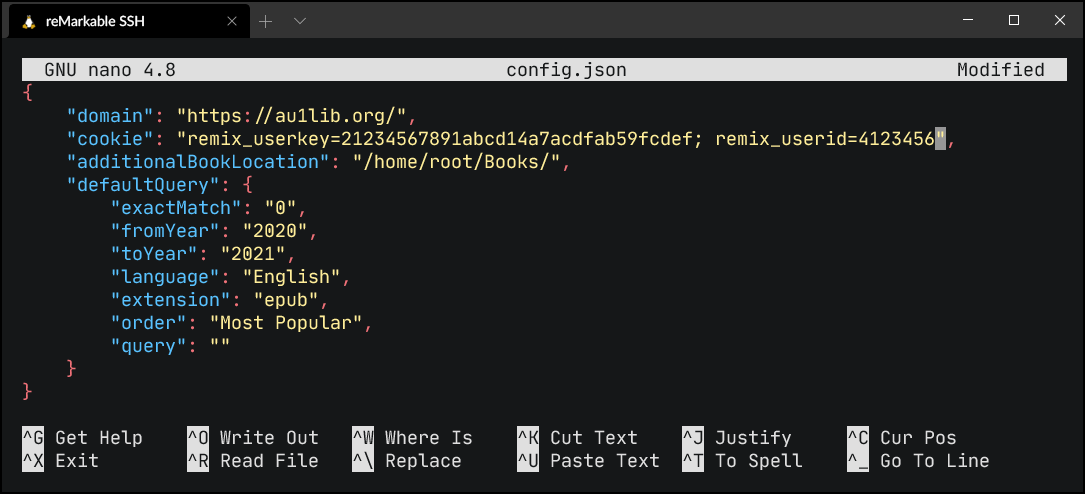
  1. SSH to your reMarkable device and open config file:
nano /opt/etc/zshelf/config.json
  1. Replace keys "domain" and "cookie"'s values with yours.

  1. Save file (In nano: Ctrl + X -> Y -> Enter)
  2. Start zshelf to test configuration:
zshelf

reMarkable 2 user, use this instead:

LD_PRELOAD=/opt/lib/librm2fb_client.so.1.0.0 zshelf

Downloaded EPUB and PDF books will be automatically available on your reMarkable app (if not, please restart the app or restart device). zshelf also makes a copy of the book to location configured in additionalBookLocation, so you can open it in other reader like KOReader, which has ten fold better reading experience, highly recommended and also available on toltec.

Also, install an app launcher so that you can open zshelf easier. Recommend oxide, draft or remux, all of them are available on toltec.

Development

  1. Set up reMarkable toolchain, NodeJS and npm
  2. git clone https://github.com/khanhas/zshelf
  3. qmake
  4. make
  5. cd backend
  6. node install

Credits

评论

暂无评论