跨平台技术 (Tauri 2.0):Tauri是一个现代桌面工具链,允许开发者使用 Web 技术(HTML,CSS,JavaScript)来创建桌面应用,核心使用 Electron 替代方法减少了启动时间和资源消耗。Tauri 对性能的极致追求使其成为一个极其强大的工具,增强了桌面应用的兼容性和进一步扩展性。
graph TD
A[用户请求] --> B[前端界面处理]
B --> C{"路由分析"}
C -->|"登录请求"| D[验证账号并获取额度]
C -->|"数据请求"| E[访问数据库]
C -->|"数据修改"| F[更新数据]
D --> H[进入系统]
E --> H
F --> H
A high-performance desktop application for managing skills across multiple AI coding assistants. Seamlessly organize, sync, and share skills for Claude Code、Codex、Opencode and other AI tools. Built with Tauri 2.0, React 19, and Rust.
A unified desktop application for managing AI coding assistant skills.
Seamlessly organize, sync, and share skills for Claude Code, Codex, Opencode and other AI tools.
Y-API provides a unified API for models from DeepSeek, Qwen, GLM, Kimi, OpenAI, and more.
Easy integration: OpenAI-compatible, so you can keep using your existing OpenAI SDK and access multiple models with one API key.
Flexible billing: Pay per token, with no monthly fee or minimum spend.
Easy to try: Signup credits let you get started without a credit card.
📖 Introduction
Skills Manager is a modern desktop application designed to solve the fragmentation of AI assistant skills configurations. Instead of managing skills and prompts separately for different tools, Skills Manager provides a central hub.
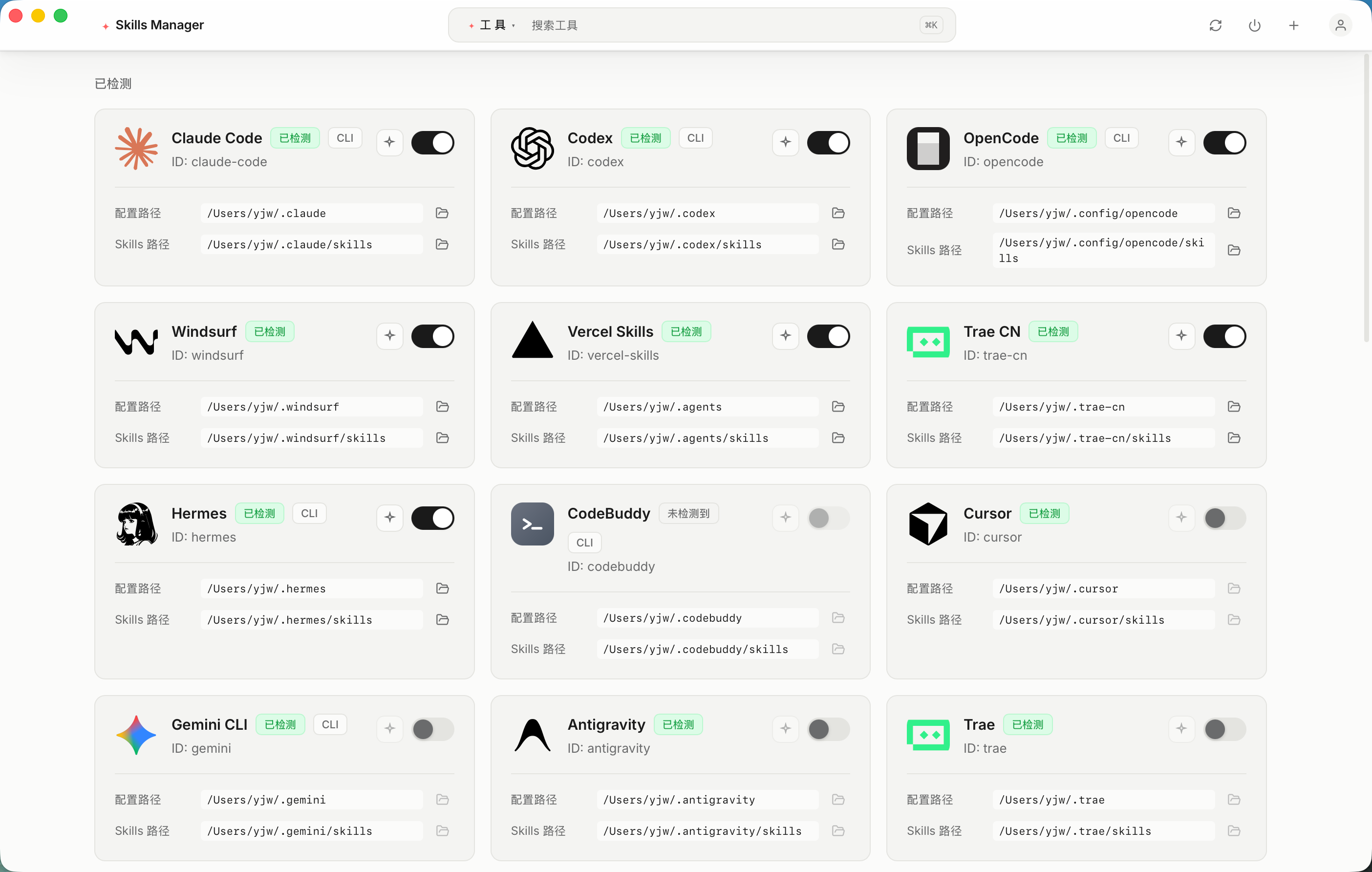
It uses a powerful symlink synchronization mechanism, allowing you to write a skill once and instantly use it across 32 supported AI tools including Claude Code, Codex, Cursor, Gemini CLI, Windsurf, Trae, and more.
✨ Key Features
🎯 Unified Management: Centralize all your AI skills in one secure location.
🔄 Smart Synchronization: Automatic symlink management ensures your tools always have the latest version of your skills without file duplication.
🎛️ Granular Control: Enable or disable specific skills for individual tools without deleting the original files.
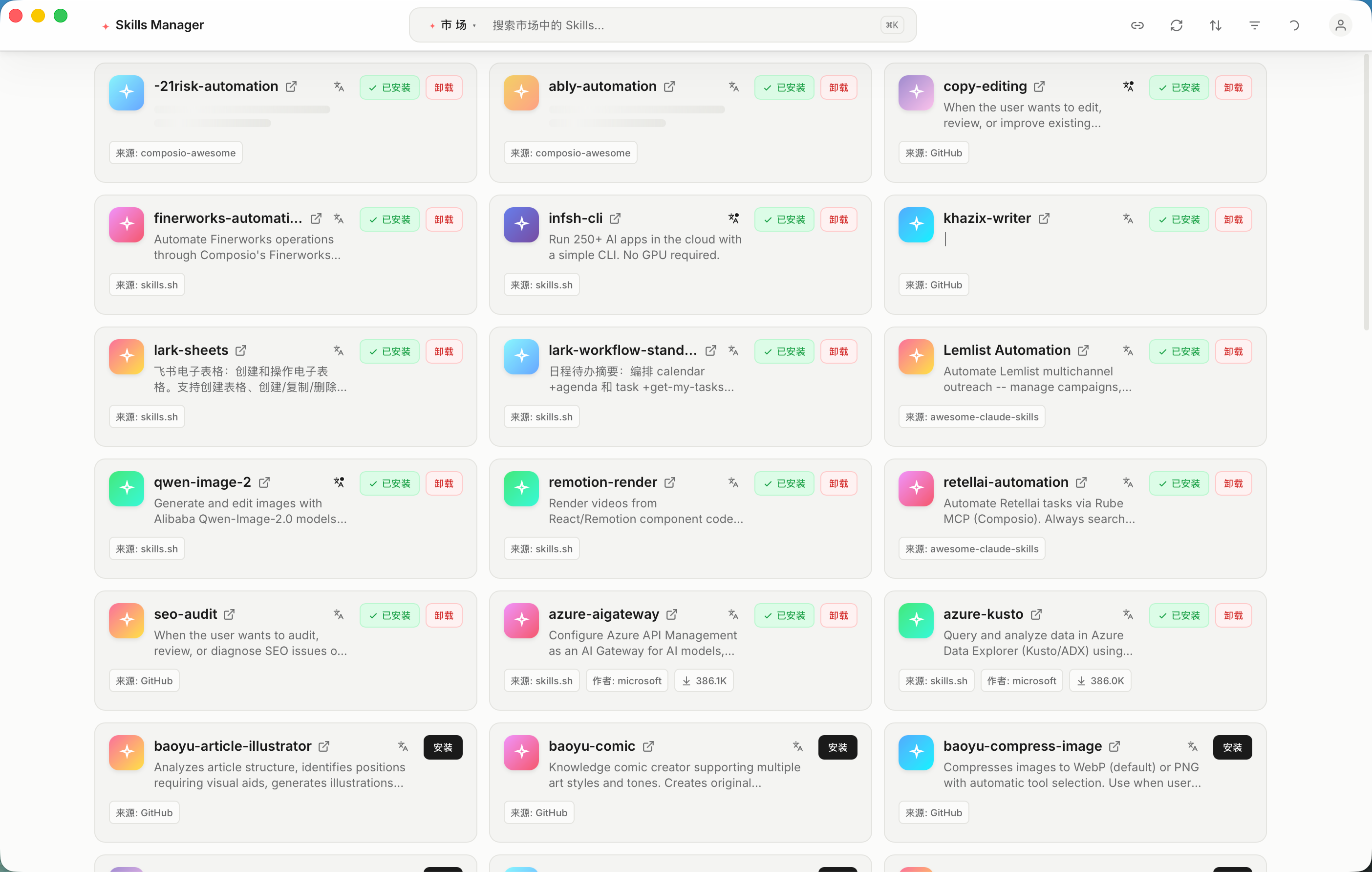
🛒 Marketplace: Browse, install, and share community-contributed skills directly within the app.
🌐 AI Translation: Translate skill names, descriptions, and content into your preferred language using LLM.
⌨️ Command Palette: Quick navigation and actions via ⌘K / Ctrl+K.
🌍 Bilingual UI: Full English and Chinese interface support.
⚡ High Performance: Built with Rust and Tauri 2.0 for a lightweight, blazing-fast experience.
🛡️ Cross-Platform: Native support for macOS, Windows, and Linux.
🔌 Multi-Tool Support: Out-of-the-box support for 32 AI tools (Claude Code, Codex, Cursor, Gemini CLI, Windsurf, Trae, Cline, Augment, Goose, and many more), extensible via custom tools.
🧩 Custom Tools: Add your own tools with custom paths and optional icons.
🎨 Modern UI: Beautiful Raycast-style interface built with React 19, Tailwind CSS v4, and Radix UI.
📸 Screenshots
📥 Download
Get the build for your platform from the official website, which detects your OS and architecture automatically, or pick a file yourself on the Releases Page.
OS
Installer Type
macOS
.dmg — separate builds for Apple Silicon (aarch64) and Intel (x64)
Windows
.msi / .exe
Linux
.deb / .AppImage / .rpm
Homebrew (macOS)
brew tap jiweiyeah/tap
brew install --cask jiweiyeah/tap/skills-manager
The cask picks the right build for your CPU automatically, and brew upgrade keeps it current.
Use the full jiweiyeah/tap/skills-manager path: Homebrew’s official cask repository contains an unrelated cask that happens to share the skills-manager token, and the official tap wins on a bare name.
The app is ad-hoc signed but not notarized by Apple, so the cask strips the quarantine attribute on install — see the tap README for what that means and how to opt out.
🪟 Windows Notes
You do not need Administrator rights. When a skill is enabled for a tool, Skills Manager tries three strategies in order:
Directory symlink — used when Developer Mode is enabled (or when the app happens to run elevated).
Directory junction (mklink /J) — the normal path on a standard account. It needs no special permission.
Tracked copy — if junctions are blocked as well, the folder is copied and its source path is recorded in .skills-manager-source.json, so the copy stays traceable and can still be disabled from the app.
A standard, non-elevated Windows account is enough for all three.
If a tool is not detected, elevation will not help either: the tool’s own config directory has to exist on this machine. Check the tool compatibility matrix for the exact path each tool reads, or add it manually as a custom tool.
🚀 Getting Started
Install: Run the installer for your platform.
Setup: On first launch, the app will guide you to select your skills storage directory.
Sync: The app automatically detects installed AI tools (like Claude Code) and links your skills.
⌨️ CLI (skm)
A companion command-line tool ships with every release for terminal-first workflows: SSH/headless machines, dotfiles setup scripts, and quick status checks. It reads and writes the same config and symlinks as the desktop app, so they can be used interchangeably.
Download skm-<target>.tar.gz (.zip on Windows) from the Releases Page, extract it, and put the binary on your PATH.
skm init                          # first-run setup without the GUI (writes config, detects tools)
skm adopt [--dry-run] [--yes]     # move skills already in tool dirs into the hub and relink them
skm list [--tool <id>] [--json]   # list skills and their per-tool link status
skm enable <skill> --for <tool>   # create the symlink (e.g. skm enable ab-testing --for claude)
skm disable <skill> --for <tool>  # remove the symlink
skm doctor [--json]               # detect installed tools + report sync issues
skm fix --yes                     # repair sync issues found by doctor
Both <skill> and <tool> accept a unique prefix (claude matches claude-code). Run skm <command> --help for details. The GUI is optional: skm init + skm adopt give a fully terminal-only workflow (e.g. on headless servers).
Installing the CLI (Settings → Command Line Tool, or skm init) also copies the skills-manager-cli companion skill into the hub and enables it for every currently detected tool, so other agents can drive skm without guessing flags. It covers --json contracts, dry-run vs apply, and which commands skm does not implement.
The same companion skill is published to ClawHub automatically on every version bump, so agents that pull skills from the marketplace instead of the app always get instructions matching the current skm. The release job runs npm run publish:skill; it queries ClawHub first and only uploads when the local version is strictly newer, so re-runs are no-ops. Use npm run publish:skill -- --dry-run to validate the file list and version gate without uploading.
❗ Linux Troubleshooting
If you encounter a blank white screen when launching the .AppImage on Linux (especially in virtual machines like VMware/VirtualBox), it is likely a WebKitGTK hardware acceleration issue.
Please run the application from the terminal with the following command:




评论