inoERP is an OneApp (Go back-end & Flutter front-end) based enterprise management system. The ERP systems contain all the required modules for running small to midsize businesses. The features are similar to Oracle R12/ Cloud Application and SAP ECC/Hana S/4.
The application uses MySQL database and OneApp JavaScript APIs to create business logic. All the database and javascript codes are available on GitHub.
The client is available for Andriod, iOS, macOS, Windows, and Web.
The server is available for Windows, macOS, and Linux.
Documentation: http://docs.inoerp.com
REST APIs http://api.inoerp.com
Web Demo:
Contact : [email protected], [email protected]
The web client is experimental and doesn’t have all functionalities of native clients (Windows/macOS/Andriod/iOS). The performance of the web is also not at the same level as a native client. So, try the application with a native client and use the above URL in your native client.
Server
MySQL
- Install MySQL Ver 8.0.+
- Change MySQL settings on the config.json file
{
      "dbConnName": "Inoerp",
      "dbType": "MySQL",
      "host": "localhost",
      "portNumber": 3306,
      "dbName": "inoerp",
      "userName": "YourDbUserName",
      "password": "YourDbPassword",
      "connPoll": 5,
      "maxConnPoll": 10,
      "defaultRowLimit": 5
    }
- Import the database
mysql -u root -p < /home/files/inoerp.sql
database file is available @ assets\db\mysql folder
The import process will create the required inoerp schema.
CREATE DATABASE  IF NOT EXISTS `inoerp` /*!40100 DEFAULT CHARACTER SET utf8mb4 COLLATE utf8mb4_0900_ai_ci */ /*!80016 DEFAULT ENCRYPTION='N' */;
USE `inoerp`;
SET GLOBAL log_bin_trust_function_creators = 1;
Ensure SET GLOBAL log_bin_trust_function_creators = 1;
Settings
- Enter server hostname and port on the config.json file
  "application": {
    "protocol": "http://",
    "hostName": "localhost",
    "portNumber": 8085,
    "certFile": "",
    "keyFile": ""
  },
- Change any other settings on the config.json file as per business requirement
Start/Stop
You can start the server like any other application. You can stop the server using OneApp Desktop/Mobile client. You can also send a REST request to Your host/stop to stop the application. To send a stop request, you must have admin authority.
./oneapp_win.exe
or in Linux
nohup ./oneapp_linux &
Client
Access the application using any client of your choice. The clients are available for
- Andriod
- Windows
- macOS
- iOS
- Web
Download Client
The console will show you a message stating the host and port when the server starts. Server start should not take more than 10-15 seconds.
Starting server @ localhost:8085
Open the application in a browser and test that you can login with the default username and password (admin/admin)
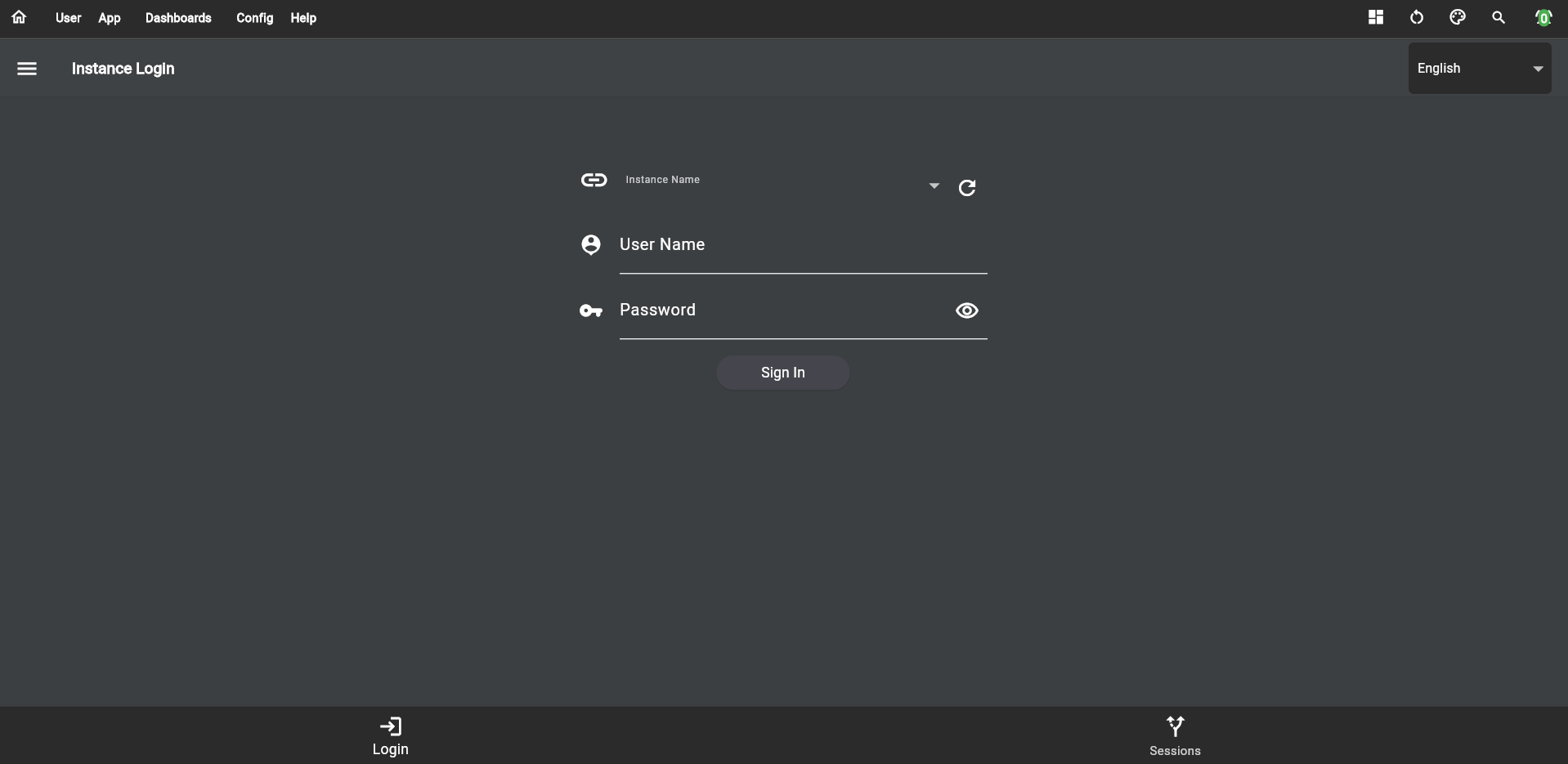
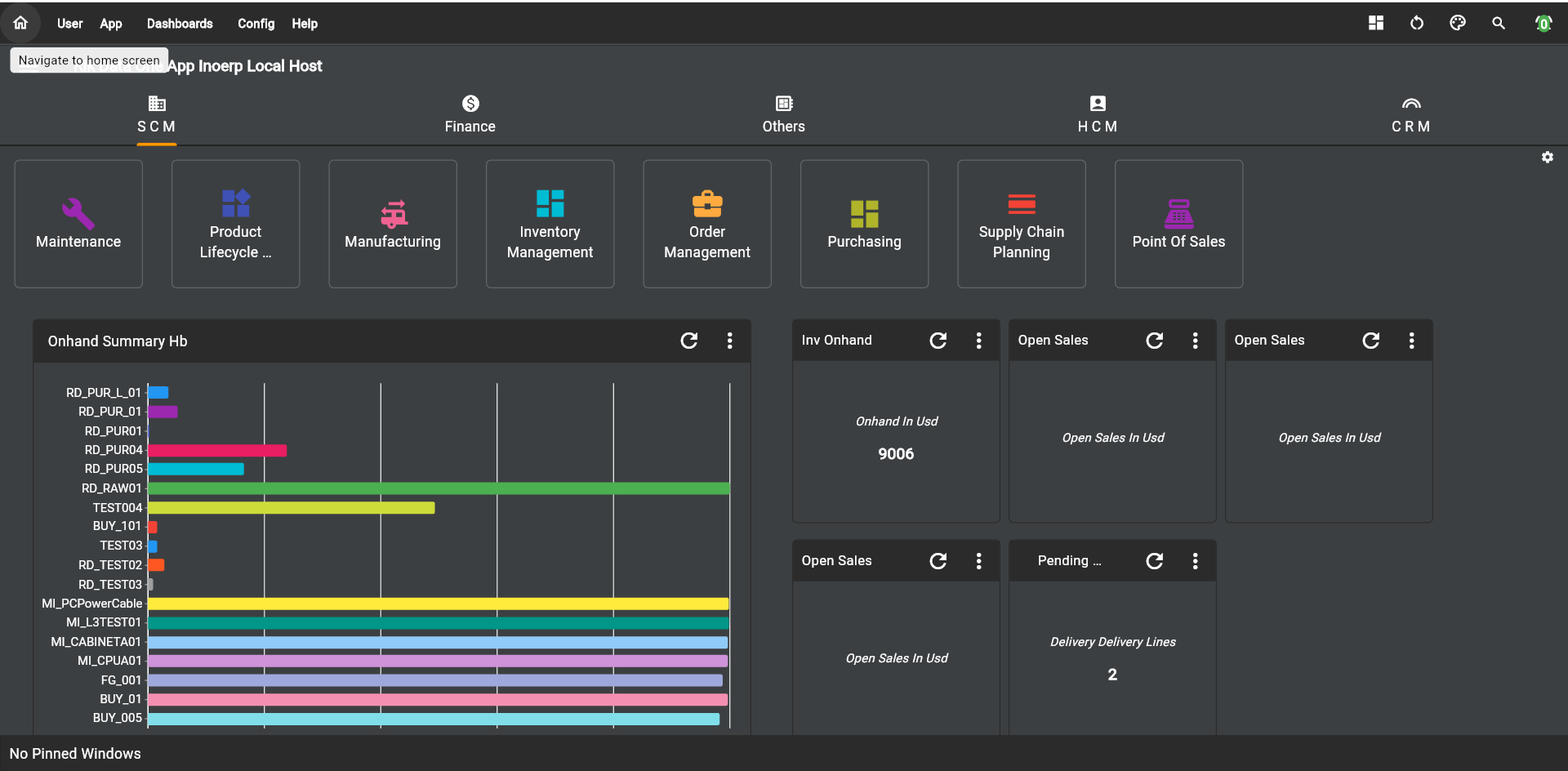
Click on the sign-in button, and the system will redirect you to the dashboard.
:::caution
The web client is experimental and doesn’t have all functionalities of native clients (Windows/macOS/Andriod/iOS). The performance of the web is also not at the same level as a native client. So, try the application with a native client and use the above URL in your native client.
:::
Read how to configure and use
any client @ OneApp
Modules
Below are the fully functional ERP Modules available in inoERP
General Ledger (GL)
Chart of Accounts
inoERP allows a multi-segment accounting structure that you can use to represent all segments of a business transaction.
Ex : 001-100-1020202-0100-100
Where 001 – Represents a specific company/business unit /legal entity
100 – Represents a cost center
1020202 – a Natural account such as Asset, Liability, Expense, Income, or Owners Equity
- Calendars
Define as many different financial calendars as required
Ex: One calendar INO_CORP for Corporate and INO_USA, INO_UK for specific countries
- Account Combinations
- Currency & Conversions
- Ledger: A set of a calendar, currency, and chart of accounts
- Banks
- Journal
Accounts Payable(AP)
- Suppliers
- AP Transactions
- 2.1 Invoices
- 2.2 Debit Memo
- 2.3 Credit Memo
- PO/Transaction Matching
- Multi select matching
- AP Payments
- 5.1 Single Invoice Payment
- 5.2 Multi select Payment
- Transfer Journals to GL
Accounts Receivable(AR)
- Customer
- AR Transactions
- 2.1 Invoices
- 2.2 Debit Memo
- 2.3 Credit Memo
- 2.4 Deposit
- 2.5 Guarantee
- 2.6 Charge Back
- AR Payments
- 3.1 Single Invoice Payment
- 3.2 Multi select Payment
- Transfer Journals to GL
Fixed Asset Accounting(FA)
- Asset
- Depreciation
- Transactions
- Configuration
Organizations(ORG)
- Enterprise Org
- Legal Org
- Business Org
- Inventory Org
5 Address
Inventory (INV)
- Item Master
- Unit of Measure
- Sub inventory
- Locator
- Inventory Transactions
- Material Receipts
- PO Receipt
- IR Receipt
- RMA Receipt
- Onhand Value
- Cycle Count
- Cycle Count Adjustment
- Cycle Count Approval
- ABC Analysis
Purchasing (PO)
-
Purchase Order
- Standard
- Blanket Agreement
- Planned PO
-
Requisitions
-
RFQ / Quote
-
Approval for PO, Requisition
Sales & Distributions (SD)
- Sales Order - Creation & Auto Booking
- Sales Picking
- Delivery & Shipment
- Auto AR Invoice
Bills Of Material (BOM)
- Departments
- Resources
- Routing
- BOM
- Super BOM
Costing (CST)
- Material Element
- Material OH
- Overhead
- Resources
- Standard Cost
- Cost Roll Up
- Cost Update
Work in Process (WIP)
- Work Order
- WIP Move Transactions
- WIP Resource Transactions
- WIP Material Transaction
- WO Completion/Return
Supply Chain Planning (SCP)
- Forecast
- MDS
- MRP
- Min-Max Planning
Human Resource (HR)
- Employee
- Education
- Experience
- Planned PO
- Job
- Position
- Compensation & Payroll
- Leave System
- Approval Hierarchy
Basic Features
- Options
- Value Groups
- Transaction Types
- Custom Reporting
- Search
- Multi Select
- Mass Upload
Admin
- User
- Roles and Role Base Access Control
- Notification
- Document Approval
Modules Under Development
- Project System
- Asset Maintenance
- HelpDesk
Dynamic pull System
The idea behind inoERP is to provide a dynamic pull-based system where the demand /supply changes frequently and traditional planning systems (such as MRP or Kanban) are incompetent to provide a good inventory turn.
A dynamic pull system is an advanced version of a pull system that encompasses the best feature of the traditional pull system & MRP. The major disadvantage of the conventional Kanban system is the fixed Kanban size and requirement of at least two bins for the entire operation. In a sudden demand decrease, the Kanban system can result in extra inventory, and the value of unused inventory can go up to 2 bin size. Similarly, In case of unexpected demand increases can result in a line down, and the issue will be severe if the lead times are not short.
The dynamic pull system overcomes this issue by recalculating the bucket size (Kanban size/lot size) before creating any supply (requisitions/purchase order/work order). Each time a new supply is created, the system automatically decides the best supply size per the actual demand.
The old PHP version of inoERP is available @ https://github.com/php-inoerp/inoERP


评论