Imgbot
Imgbot crawls all your image files in GitHub and submits pull requests after applying a loss less compression.
This will make the file size go down, but leave the dimensions and quality just as good.

Configuration
Imgbot supports optional configuration through a .imgbotconfig json file.
This is not a required step to using Imgbot and is only for more advanced scenarios.
This file should be placed in the root of the repository and set to your liking.
{
    "schedule": "daily", // daily|weekly|monthly
    "ignoredFiles": [
    	"*.jpg",                   // by extension
    	"image1.png",              // by filename
    	"public/special_images/*", // by folderpath
    ],
    "aggressiveCompression": "true", // true|false
    "compressWiki": "true", // true|false
    "minKBReduced": 500 // set reduction threshold (default to 10),
    "prTitle" : "Compressed images", // set pull request title
    // set the pull request body, supports any valid github markdown
    // {optimization_ratio} display a message containing the optimization ratio
    // {optimization_details} display the table containing the optimization details
    "prBody" : " Text before optimization ratio {optimization_ratio} Text after optimization ratio
                Text before optimization details {optimization_details} Text after optimization details",

}
The following are the currently supported parameters.
If there are any configuration settings you would like to see changed or supported,
please feel free to open an issue here in the repo or shoot an email over
to [email protected]
schedule
- Optional
- Accepts: daily|weekly|monthly
- Limits the PRs from Imgbot to once a day, once a week, or once a month respectively
- The default behavior is to receive Imgbot PRs as images require optimization
ignoredFiles
- Optional
- Accepts the syntax for searchPattern on Directory.EnumerateFiles()
- Limits the images optimized by Imgbot by essentially ignoring them
- When ignoring by file name no path is necessary, when ignoring by folder name full path from root is necessary
aggressiveCompression
- Optional
- Accepts: true|false
- Opt in to use lossy compression algorithms
- The default behaviour without this setting is loss less compression
compressWiki
- Optional
- Accepts: true|false
- Opt in to also compress wiki repo
- Example:
https://github.com/YOUR_USERNAME/YOUR_REPOSITORY.wiki.git
- The default behaviour is opt out
minKBReduced
- Optional
- Accepts only numbers as input (e.g.
"minKBReduced": 500 for a 500 KB threshold)
- Can be used to limit the frequency of PRs Imgbot will open over time
- The default setting is 10
prTitle
- Optional
- Available only for paid plans
- Accepts only strings as input (e.g.
"prTitle": "My title")
- Can be used to display any custom pull request title
- The default setting is “[ImgBot] Optimize images”
prBody
- Optional
- Available only for paid plans
- Accepts only strings as input
- (e.g.
"prBody": "Text before {optimization_ratio} Text after"
Text before {optimization_details} Text after")
- Can be used to display any custom pull request body, written using github markdown
- Supports two magic tags:
{optimization_ratio} //displays the mean optimization ratio for all images
{optimization_details} //display the optimization details for every images
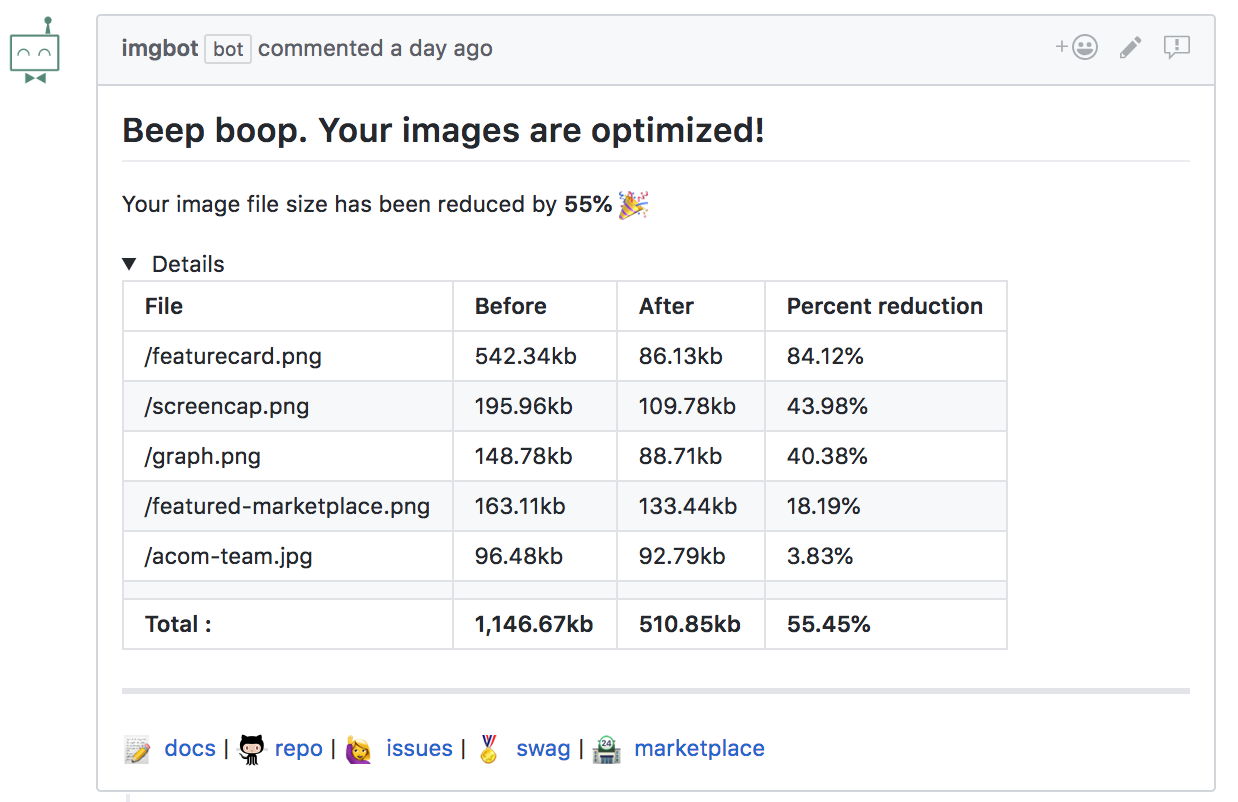
- The default setting generates the body displayed here
Find out more: https://imgbot.net/docs
Contributing
All the code for Imgbot is available on GitHub. We will gladly accept contributions for the service, the website, and the documentation. This is where you can find out how to get set up to run locally as well as detailed information on exactly how Imgbot works.
https://imgbot.net/docs#contributing








评论