@hirez_io/observer-spy 👀💪
This library makes RxJS Observables testing easy!






Table of Contents
Installation
yarn add -D @hirez_io/observer-spy
or
npm install -D @hirez_io/observer-spy
THE PROBLEM: Testing RxJS observables is hard! 😓
Especially when testing advanced use cases.
Until this library, the common way to test observables was to use Marble tests
What are the disadvantages of Marble Tests?
Marble tests are very powerful, but unfortunately for most tests they are conceptually very complicated to learn and to reason about…
You need to learn and understand cold and hot observables, schedulers and to learn a new syntax just to test a simple observable chain.
More complex observable chains tests get even harder to read and to maintain.
THE SOLUTION: Observer Spies! 👀💪
The Observer-Spy library was created to present a viable alternative to Marble Tests.
An alternative which we believe is:
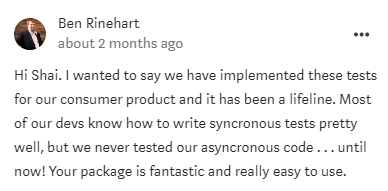
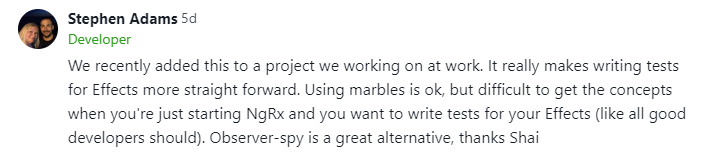
Here’s what people had to say:
Why Observer-Spy is easier?
😮 Marble test:
import { TestScheduler } from 'rxjs/testing';

let scheduler: TestScheduler;

beforeEach(()=>{
  scheduler = new TestScheduler((actual, expected) => {
    expect(actual).toEqual(expected)
  })
})

it('should filter even numbers and multiply each number by 10', () => {

  scheduler.run(({cold, expectObservable}) => {
    const sourceValues = { a: 1, b: 2, c: 3, d: 4, e: 5, f: 6, g: 7, h: 8, i: 9, j: 10};

    const source$ = cold('-a-b-c-d-e-f-g-h-i-j|', sourceValues);
    const expectedOrder = '-a---b---c---d---e--|';
    const expectedValues = { a: 10, b: 30, c: 50, d: 70, e: 90};

    const result$ = source$.pipe(
      filter(n => n % 2 !== 0),
      map(x => x * 10)
    );

    expectObservable(result$).toBe(expectedOrder, expectedValues);
  })
});
😎 Observer Spy Test:
import { subscribeSpyTo } from '@hirez_io/observer-spy';

it('should filter even numbers and multiply each number by 10', () => {

    const result$ = of(1, 2, 3, 4, 5, 6, 7, 8, 9, 10).pipe(
      filter(n => n % 2 !== 0),
      map(x => x * 10)
    );

    const observerSpy = subscribeSpyTo(result$);

    expect(observerSpy.getValues()).toEqual([10, 30, 50, 70, 90]);

  })
});
You generally want to test the outcome of your action instead of implementation details [like how many frames were between each value].
For most production app use cases, if enough (virtual) time passes testing the received values or their order should be sufficient.
This library gives you the tool to investigate your spy about the values it received and their order.
(The idea was inspired by Reactive Programming with RxJava)
Usage
const observerSpy = subscribeSpyTo(observable)
In order to test Observables you can use the subscribeSpyTo function:
import { subscribeSpyTo } from '@hirez_io/observer-spy';
it('should immediately subscribe and spy on Observable ', () => {
const fakeObservable = of('first', 'second', 'third');
const observerSpy = subscribeSpyTo(fakeObservable);
observerSpy.unsubscribe();
expect(observerSpy.getFirstValue()).toEqual('first');
expect(observerSpy.receivedNext()).toBe(true);
expect(observerSpy.getValues()).toEqual(fakeValues);
expect(observerSpy.getValuesLength()).toEqual(3);
expect(observerSpy.getFirstValue()).toEqual('first');
expect(observerSpy.getValueAt(1)).toEqual('second');
expect(observerSpy.getLastValue()).toEqual('third');
expect(observerSpy.receivedComplete()).toBe(true);
expect(subscribeSpyTo(fakeObservable).getFirstValue()).toEqual('first');
});
Wait for onComplete before expecting the result (using async + await)
it('should support async await for onComplete()', async () => {
const fakeObservable = of('first', 'second', 'third');
const observerSpy = subscribeSpyTo(fakeObservable);
await observerSpy.onComplete();
expect(observerSpy.receivedComplete()).toBe(true);
});
Spy on errors with receivedError and getError
This 👆 is to avoid swallowing unexpected errors (more details here)
it('should spy on Observable errors', () => {

  const fakeObservable = throwError('FAKE ERROR');

  const observerSpy = subscribeSpyTo(fakeObservable, {expectErrors: true});

  expect(observerSpy.receivedError()).toBe(true);

  expect(observerSpy.getError()).toEqual('FAKE ERROR');
});
Wait for onError before expecting the result (using async + await)
it('should support async await for onError()', async () => {
const fakeObservable = throwError('FAKE ERROR');
const observerSpy = subscribeSpyTo(fakeObservable, {expectErrors: true});
await observerSpy.onError();
expect(observerSpy.getError()).toEqual('FAKE ERROR');
});
Manually using new ObserverSpy()
You can create an ObserverSpy instance manually:
import { ObserverSpy } from '@hirez_io/observer-spy';
it('should spy on Observable values', () => {
const fakeValues = ['first', 'second', 'third'];
const fakeObservable = of(...fakeValues);
const observerSpy = new ObserverSpy();
const subscription = fakeObservable.subscribe(observerSpy);
subscription.unsubscribe();
expect(observerSpy.getValuesLength()).toEqual(3);
});
If you need to spy on errors, make sure to set the expectErrors property:
it('should spy on Observable errors', () => {
const fakeObservable = throwError('OOPS');
const observerSpy = new ObserverSpy({expectErrors: true});
const observerSpy = new ObserverSpy().expectErrors();
observerSpy.expectErrors();
fakeObservable.subscribe(observerSpy);
expect(observerSpy.receivedError()).toBe(true);
});
Auto Unsubscribing
In order to save you the trouble of calling unsubscribe in each test, you can configure the library to auto unsubscribe from every observer you create with subscribeSpyTo().
⚠ PAY ATTENTION:
-
You should only call autoUnsubscribe() once per environment (not manually after each test!). You do it in your testing environment setup files (like jest.config.js or test.ts in Angular).
-
This works only with subscriptions created using either subscribeSpyTo() or queueForAutoUnsubscribe().
-
Currently it only works with frameworks like Jasmine, Mocha and Jest (because they have a global afterEach function)
This library provide helper functions to help you configure this behavior -
⚒ Configuring Jest with setup-auto-unsubscribe.js
This requires Jest to be loaded and then calls autoUnsubscribe() which sets up a global / root afterEach function that unsubscribes from your observer spies.
Add this to your jest configuration (i.e jest.config.js):
{
  setupFilesAfterEnv: ['<rootDir>/node_modules/@hirez_io/observer-spy/dist/setup-auto-unsubscribe.js'],
}
⚒ Configuring Angular (Karma + Jasmine) with autoUnsubscribe
This will add a root level afterEach() once that auto unsubscribes observer spies.
Add this to your test.ts -
// test.ts
// ~~~~~~~

import { autoUnsubscribe } from '@hirez_io/observer-spy';

autoUnsubscribe();
⚒ Manually adding a subscription with queueForAutoUnsubscribe
If you configured your environment to “autoUnsubscribe” and want your manually created spies (via new ObserverSpy()) to be “auto unsubscribed” as well, you can use queueForAutoUnsubscribe(subscription).
It accepts any Unsubscribable object which has an unsubscribe() method -
import { queueForAutoUnsubscribe } from '@hirez_io/observer-spy';
it('should spy on Observable values', () => {
const fakeValues = ['first', 'second', 'third'];
const fakeObservable = of(...fakeValues);
const observerSpy = new ObserverSpy();
const subscription = fakeObservable.subscribe(observerSpy)
queueForAutoUnsubscribe(subscription);
});
This will ensure your manually created spies are auto unsubscribed at the end of each test.
Testing Sync Logic
▶ Synchronous RxJS
RxJS - without delaying operators or async execution contexts - will run synchronously. This is the simplest use case; where our it() does not need any special asynchronous plugins.
it('should run synchronously', () => {
  const observerSpy = subscribeSpyTo(from(['first', 'second', 'third']));
  expect(spy.getValuesLength()).toBe(3);
});
Testing Async Logic
If you’re not using Angular and have RxJS async operators like delay or timeout
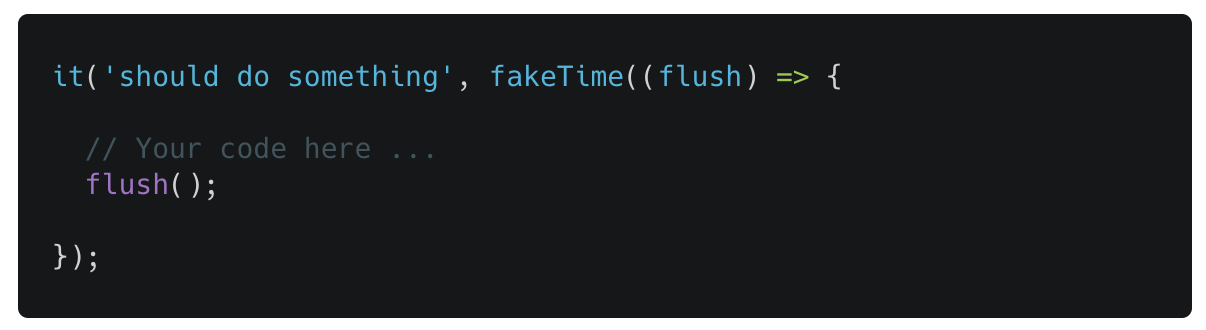
Use fakeTime with flush() to simulate the passage of time (detailed explanation) -
▶ RxJS + Angular: use fakeAsync
With Angular, you can control time in a much more versatile way.
Just use fakeAsync (and tick if you need it):
import { subscribeSpyTo } from '@hirez_io/observer-spy';
import { fakeAsync, tick } from '@angular/core/testing';
it('should test Angular code with delay', fakeAsync(() => {
const fakeObservable = of('fake value').pipe(delay(1000));
const observerSpy = subscribeSpyTo(fakeObservable);
tick(1000);
expect(observerSpy.getLastValue()).toEqual('fake value');
}));
▶ RxJS + Promises: use async + await
Since Promise(s) are MicroTasks, we should consider them to resolve asynchronously.
For code using Promise(s) without timeouts or intervals, just use async + await with the onComplete() method:
import { subscribeSpyTo } from '@hirez_io/observer-spy';
it('should work with promises', async () => {
const fakeService = {
getData() {
return Promise.resolve('fake data');
},
};
const fakeObservable = defer(() => fakeService.getData());
const observerSpy = subscribeSpyTo(fakeObservable);
await observerSpy.onComplete();
expect(observerSpy.getLastValue()).toEqual('fake data');
});
▶ RxJS Timers / Animations: use fakeTime
RxJS code that has time-based logic (e.g using timeouts / intervals / animations) will emit asynchronously.
fakeTime() is a custom utility function that wraps the test callback which is perfect for most of these use-cases.
It does the following things:
- Changes the RxJS
AsyncScheduler delegate to use VirtualTimeScheduler and use “virtual time”.
- Passes a
flush() function you can call whenever you want to virtually pass time forward.
- Works well with
done if you pass it as the second parameter (instead of the first)
Example:
import { subscribeSpyTo, fakeTime } from '@hirez_io/observer-spy';
it('should handle delays with a virtual scheduler', fakeTime((flush) => {
const VALUES = ['first', 'second', 'third'];
const delayedObservable: Observable<string> = of(...VALUES).pipe(delay(20000));
const observerSpy = subscribeSpyTo(delayedObservable);
flush();
expect(observerSpy.getValues()).toEqual(VALUES);
})
);
it('should handle done functionality as well', fakeTime((flush, done) => {
const VALUES = ['first', 'second', 'third'];
const delayedObservable: Observable<string> = of(...VALUES).pipe(delay(20000));
const observerSpy = subscribeSpyTo(delayedObservable);
flush();
observerSpy.onComplete(() => {
expect(observerSpy.getValues()).toEqual(VALUES);
done();
});
})
);
▶ RxJS + AJAX calls:
Asynchronous REST calls (using axios, http, fetch, etc.) should not be tested in a unit / micro test… Test those in an integration test! 😜
🧠 Wanna become a PRO Observables tester?
In Angular Class Testing In action course Shai Reznik goes over all the differences and show you how to use observer spies to test complex Observable chains with switchMap, interval etc…
Contributing
Want to contribute? Yayy! 🎉
Please read and follow our Contributing Guidelines to learn what are the right steps to take before contributing your time, effort and code.
Thanks 🙏
Code Of Conduct
Be kind to each other and please read our code of conduct.
Contributors ✨
Thanks goes to these wonderful people (emoji key):
This project follows the all-contributors specification. Contributions of any kind welcome!
License
MIT


评论