WTQ v2
Enable Quake-style dropdown for (almost) any application.
For Windows 10 & 11, and KDE Plasma 5 & 6 (Wayland only).
Installation - Configuration - Documentation


Showcase
Windows 11
With Windows Terminal, Q-Dir, Process Explorer and KeePassXC.
https://github.com/user-attachments/assets/2246539c-711b-44c4-b295-f019513240b1
KDE Plasma 6
With WezTerm, Dolphin System Monitor and KeePassXC.
https://github.com/user-attachments/assets/0bbdb71c-be6d-48e1-9df8-2c03f6b978cb
Installation
Also see the documentation
Scoop (Windows)
scoop bucket add extras
scoop install extras/wtq
A shortcut is then available named WTQ - Windows Terminal Quake, or you can just run wtq from a command line or Win+R.
WinGet (Windows)
winget install windows-terminal-quake
You can then call wtq from the command line.
After having done that at least once, a shortcut will appear in the start menu, called WTQ - Main Window.

Arch AUR (Linux)
Multiple versions are published to the Arch User Repository (AUR):
- Latest stable release, pre-built;
- Downloads from GitHub Releases;
- Quicker to install and minimal dependencies.
yay -S wtq-bin
or
paru -S wtq-bin
- Latest stable release, built from source;
- Purist open source, but takes a bit longer to install and has a bit more (build-time) dependencies.
yay -S wtq
or
paru -S wtq
Flatpak (Linux)
Since WTQ only supports KDE Plasma on Linux, it’s not a great fit for Flathub.
As an alternative, you can use the Flatpak remote hosted on the sister repository.
It uses the Flatter GitHub Action for building the Flatpak itself, and everything is hosted on GitHub Pages.
The app itself and the Flatpaks are built entirely from source, using GitHub Actions, in the open.
Per-User
flatpak --user remote-add flyingpie https://flatpak.flyingpie.nl/index.flatpakrepo
flatpak --user install nl.flyingpie.wtq
System-Wide
flatpak remote-add flyingpie https://flatpak.flyingpie.nl/index.flatpakrepo
flatpak install nl.flyingpie.wtq
Direct Download Script (Linux)
Requires webkit2gtk-4.1 to be installed
See the /linux/install-or-upgrade-wtq.sh script that downloads the latest version of WTQ, installs it to ~/.local/share/wtq, and creates a wtq.desktop file.
As a 1-liner:
bash <(curl -s https://raw.githubusercontent.com/flyingpie/windows-terminal-quake/refs/heads/master/pkg/linux/install-or-upgrade-wtq.sh)
And the /linux/uninstall-wtq.sh uninstall script.
bash <(curl -s https://raw.githubusercontent.com/flyingpie/windows-terminal-quake/refs/heads/master/pkg/linux/uninstall-wtq.sh)
The WTQ configuration is not removed by this script. These are usually located at ~/.config/wtq.
Direct Download (Windows/Linux)
[Linux Only] Requires webkit2gtk-4.1 to be installed
See the latest release, and pick a zip.
Build From Source (Windows/Linux)
[Linux Only] Requires webkit2gtk-4.1 to be installed
You can also clone the repo and run the “Install” build target, which will build and install WTQ:
- Windows: At
~/AppData/Local/wtq
- Linux: At
~/.local/share/wtq (respects XDG spec)
git clone https://github.com/flyingpie/windows-terminal-quake.git
cd windows-terminal-quake

./build.ps1 Install
# OR
./build.sh Install
Uninstall:
./build.ps1 Uninstall
# OR
./build.sh Uninstall
You can also take a look at the build options, do see more options for building, including without actually installing:
./build.ps1|sh --help

./build.ps1|sh BuildWindows
./build.ps1|sh BuildLinux
Configuration
Also see the documentation
After starting WTQ, an icon will appear in the tray, which has some useful buttons in the context menu:

From there, the settings file can quickly be opened using “Open Settings File”.
A JSON schema file should be generated next to the settings file, enabling intellisense-like features in supporting editors:
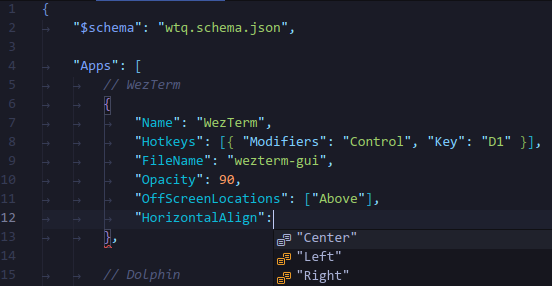
There’s also an GUI available to configure WTQ, through the same context menu - “Open Main Window”.
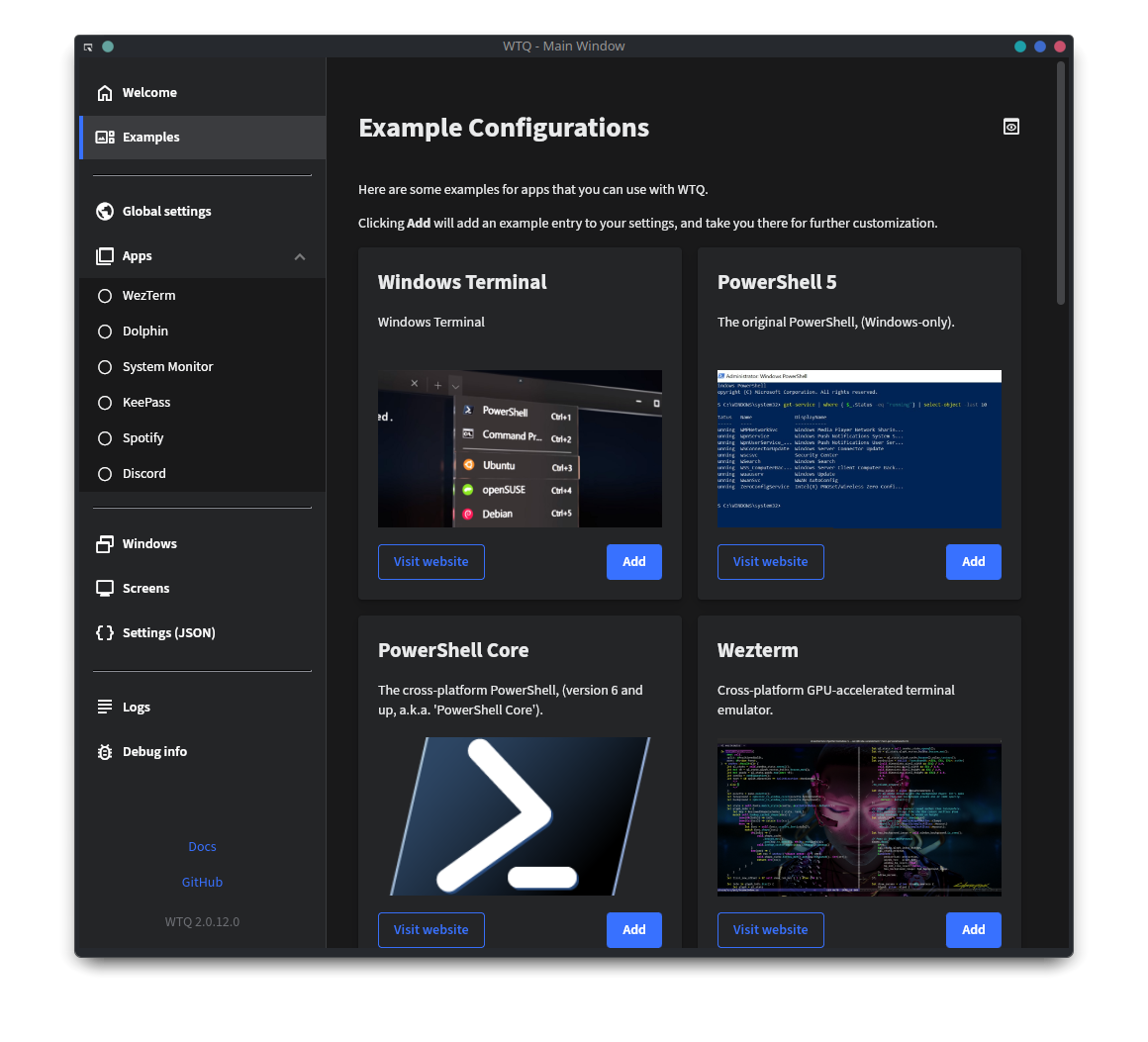
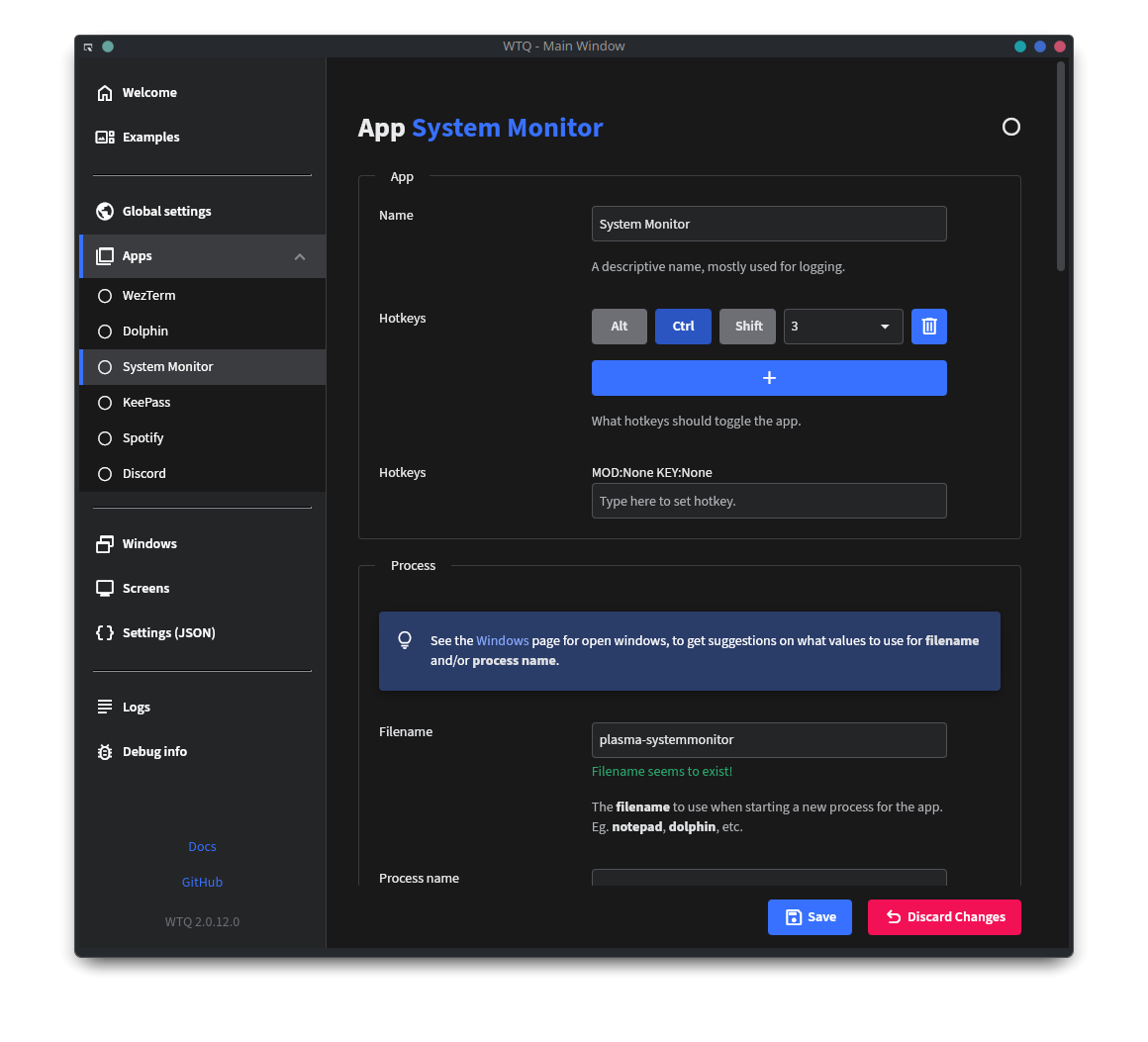
WTQ v1
WTQ started as a companion app to the new Microsoft’s Windows Terminal, before a rewrite to v2 that supported other apps as well.
If you’re missing a feature from v2, feel free to use v1 instead.
Companion program for the new Windows Terminal that enables Quake-style drop down.

- Runs alongside the new Windows Terminal
- Toggle using CTRL+~ or CTRL+Q (configurable, see below)
- Shows up on the screen where the mouse is (eg. multi-monitor and multi-workspace)
- Transparency
- Configurable as fullscreen, or partial screen
Usage
There are a couple of options:
- Download the latest release from the releases page.
- Clone/download the source and run build.ps1 (uses Cakebuild).
- Clone/download the source and build using Visual Studio.
- Via scoop:
scoop install https://raw.githubusercontent.com/flyingpie/windows-terminal-quake/master/scoop/windows-terminal-quake.json
See the documentation for more settings and information.


评论