description:
Gobel Power Battery Home Assistant Add-on (JK BMS, Pace BMS, TDT BMS)
Deutsch | 简体中文
Note: Looking for the ioBroker version? Check out the ioBroker Gobel BMS Monitor Adapter.
[!TIP]
Looking for a Native Home Assistant Integration?
We have launched a pre-release of the native Gobel Power Battery Home Assistant Integration!
It runs directly inside Home Assistant without requiring an MQTT broker, and supports multi-site monitoring (connecting to multiple batteries on different IPs, ports, or serial interfaces simultaneously). We welcome your testing and feedback!
The ultimate Home Assistant integration for smart energy storage monitoring. This add-on provides robust, real-time data logging and diagnostics for your LiFePO4 battery banks running Pace BMS, JK BMS, or TDT BMS hardware.
Seamlessly bridge your solar energy storage system (ESS) with your home automation network using standard protocols like MQTT to monitor battery health, individual cell voltages, state of charge (SoC), and system protections.
Key Features & Capabilities:
- Multi-BMS Compatibility: Native support for Pace BMS, JK BMS (55AA protocol), and TDT BMS (Note: TDT BMS may only be compatible with specific versions and support may be removed in future releases).
- Versatile Connectivity Options: Connect your hardware via RS232-USB, RS232-to-Ethernet, RS232-to-WiFi, RS485-to-Ethernet, or RS485-to-WiFi.
- Comprehensive Telemetry: Tracks state of charge (SoC), state of health (SoH), total voltage, current, individual cell balancing, temperatures, warnings, and fault protections.
- One Connection for All (Master-Slave): Simplify your wiring. Connect directly to the Master BMS to automatically discover and aggregate data from all parallel-connected slave battery packs.
- Plug-and-Play Home Assistant Setup: Quickly deploy and generate automated dashboards for real-time energy tracking.
Gobel Power Battery Home Assistant Addon Manual
Online Home Assistant Dashboard Generator
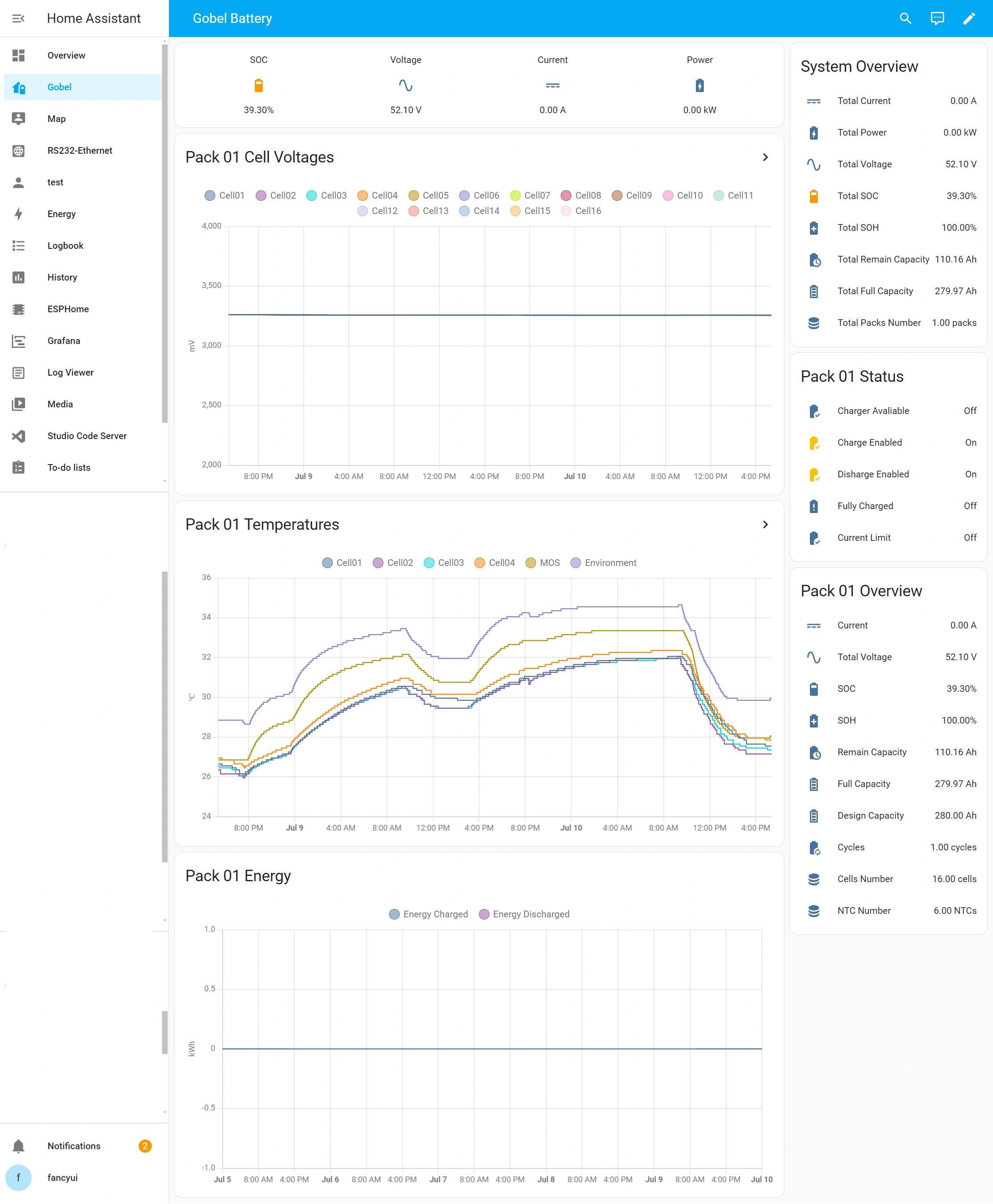
Dashboard Example:
Pace BMS Connection Instructions:
- RS232-WIFI/Ethernet modual or RS232-USB cable needed
- Connection Port: Connect Home Assistant to the RS232 or WIFI interface of the Pace BMS.
- Master BMS: The connection must be made to the Master BMS.
- DIP Switch Settings: Ensure the DIP switch (Dial) of master BMS is set to 1000.
JK BMS Connection Instructions:
- RS485-WIFI/Ethernet modual or RS485-USB cable needed
- Connection Port: Connect Home Assistant to the RS485B or RS485C interface of the JK BMS.
- Master BMS: The connection must be made to the Master BMS.
- DIP Switch Settings: Ensure the DIP switch (Dial) of master BMS is set to 0000.
Configuration Notes:
MQTT Discovery Prefix (host_name)
Correctly configure the MQTT Discovery Prefix (host_name) in the Add-on Options:
- Default:
homeassistant
- Must Match Home Assistant’s Discovery Prefix: This option sets the topic prefix under which MQTT discovery messages are published. It must exactly match the Discovery prefix set in your Home Assistant MQTT integration (navigate to Settings > Devices & services > MQTT > Configure > view options; default is
homeassistant).
- Do NOT Use Your Machine’s Hostname: Do NOT set this field to your computer’s OS hostname (e.g.
rpi5, homeassistant.local, etc.). If it does not match HA’s Discovery Prefix, the MQTT broker will receive the battery data, but Home Assistant will not automatically discover or create the battery devices and sensors (see Issue #79).
TDT BMS Compatibility Notice
TDT BMS Compatibility Notice: TDT BMS support may only be compatible with specific hardware/firmware versions. Please note that support for TDT BMS may be deprecated or removed in future releases.
Installation:
Click the button to add the addon to Home Assistant


评论