BSD 3-Clause "New" or "Revised" License

项目介绍

deckerst/aves 是一个托管在 GitHub 上的开源项目,主要使用 Dart 编写,采用 BSD 3-Clause "New" or "Revised" License 许可证,目前获得 5.5k 个 Star、258 次 Fork。

仓库全名
deckerst/aves
开源许可证
BSD 3-Clause "New" or "Revised" License
Star 数
5.5k
Fork 数
258
未关闭 Issue
172

README 摘要

Aves [ˈaː.ves] Aves is a gallery and metadata explorer app. It is built for Android, with Flutter. alt='Get it on Google Play' alt='Get it on Obtainium' height="80">](https://apps.obtainium.imranr.dev/redirect?r=obtainium://add/https://github.com/deckerst/aves) alt='Get it on F-Droid' height="80">](https://f-droid.org/packages/deckers.thibault.aves.libre) Compare versions Features Aves can handle all sorts of images…

完整内容见 GitHub 原始 README 或本页 。

常见问题

aves 用什么语言开发?

主要使用 Dart 编写,采用 BSD 3-Clause "New" or "Revised" License 许可证,目前有 5.5k 个 Star。

aves 可以免费商用吗?

仓库采用 BSD 3-Clause "New" or "Revised" License 许可证,可免费使用与修改,商业使用请遵守许可证条款(例如保留版权声明与许可声明)。

如何获取 aves 的源码?

可以直接克隆仓库:git clone https://github.com/deckerst/aves.git,默认分支为 develop;安装与运行步骤见仓库 README。

aves 最近还在维护吗?

仓库最近一次更新为 23 小时前,当前有 172 个未关闭 Issue;Star 数为 5.5k,可作为社区活跃度的参考。

关于

GitHub 原始描述(英文)

Aves is a gallery and metadata explorer app, built for Android with Flutter.

描述取自 GitHub 官方 API,保持仓库作者书写的原文。

简要分析

热度分
6043
价值分
3366
活跃状态
活跃

语言占比

Dart
Java
Kotlin
Shell

Release

README

Aves logo

Aves

[ˈaː.ves]

Version badge RB badge Build badge

Aves is a gallery and metadata explorer app. It is built for Android, with Flutter.

Get it on Google Play Get it on IzzyOnDroid Get it on Obtainium Get it on F-Droid Get it on GitHub

Compare versions

Features

Aves can handle all sorts of images and videos, including your typical JPEGs and MP4s, but also more exotic things like multi-page TIFFs, SVGs, old AVIs and more!

It scans your media collection to identify motion photos, panoramas (aka photo spheres), 360° videos, as well as GeoTIFF files.

Navigation and search is an important part of Aves. The goal is for users to easily flow from albums to photos to tags to maps, etc.

Aves integrates with Android (including Android TV) with features such as widgets, app shortcuts, screen saver and global search handling. It also works as a media viewer and picker.

Screenshots

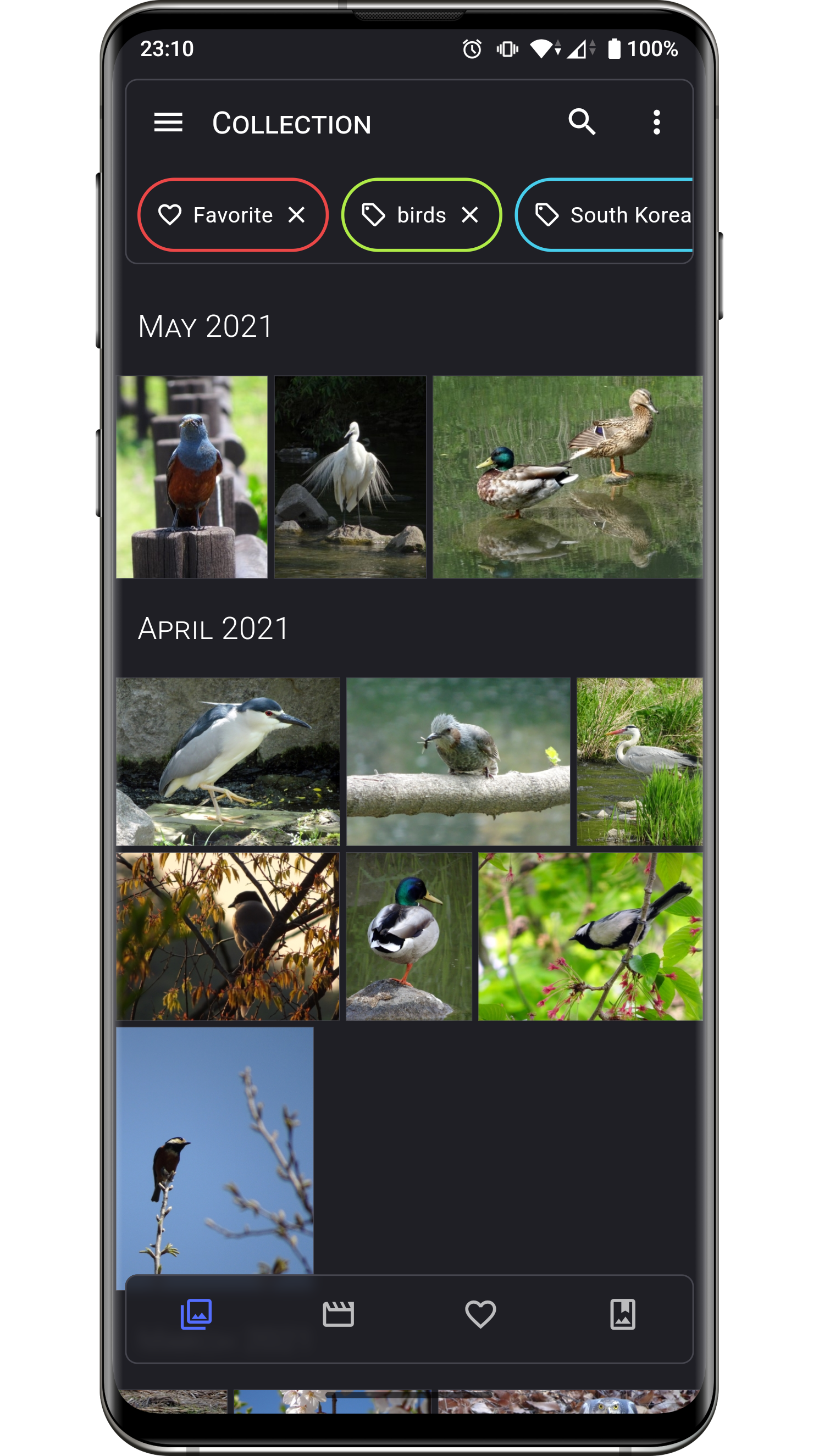
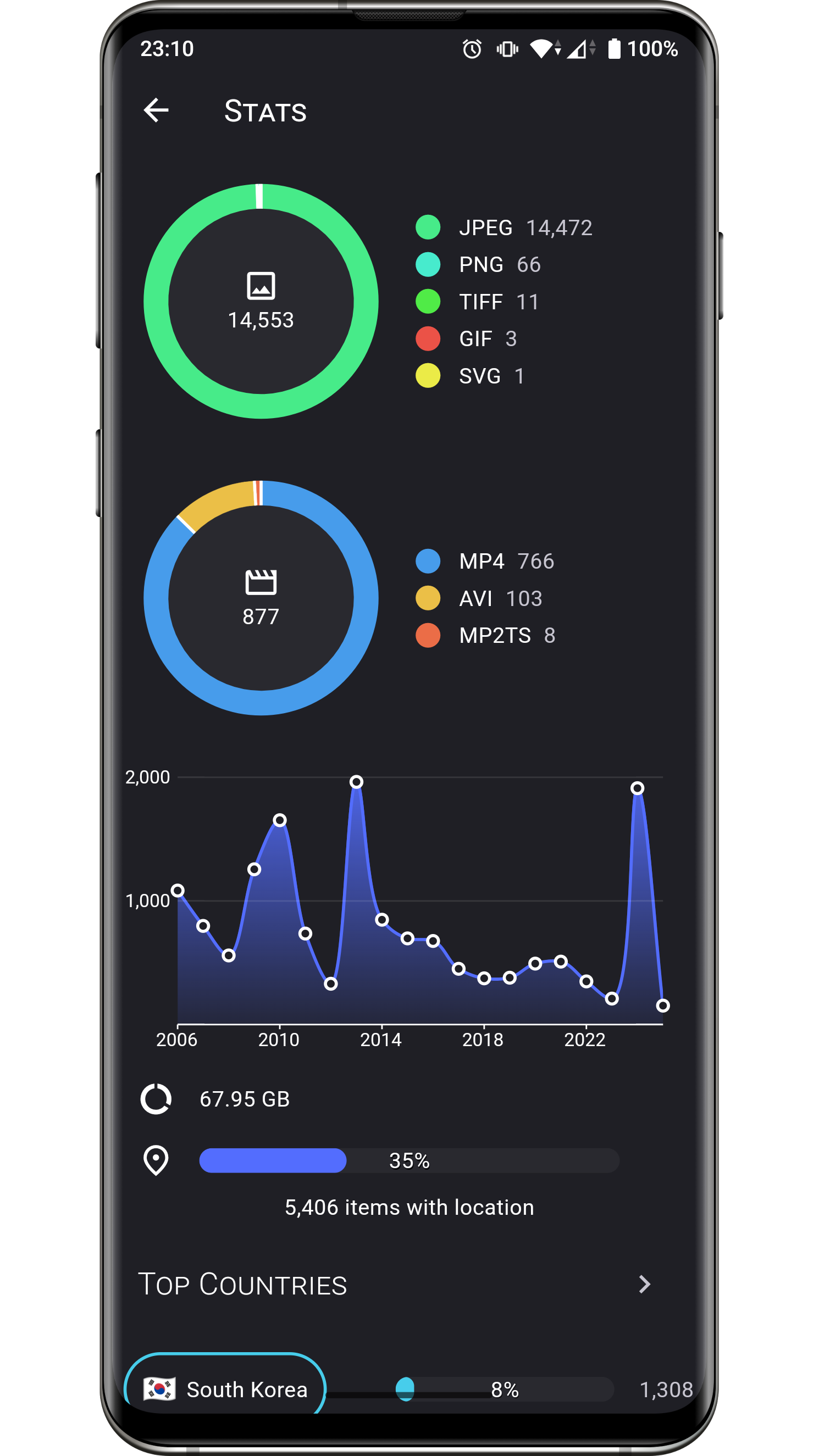
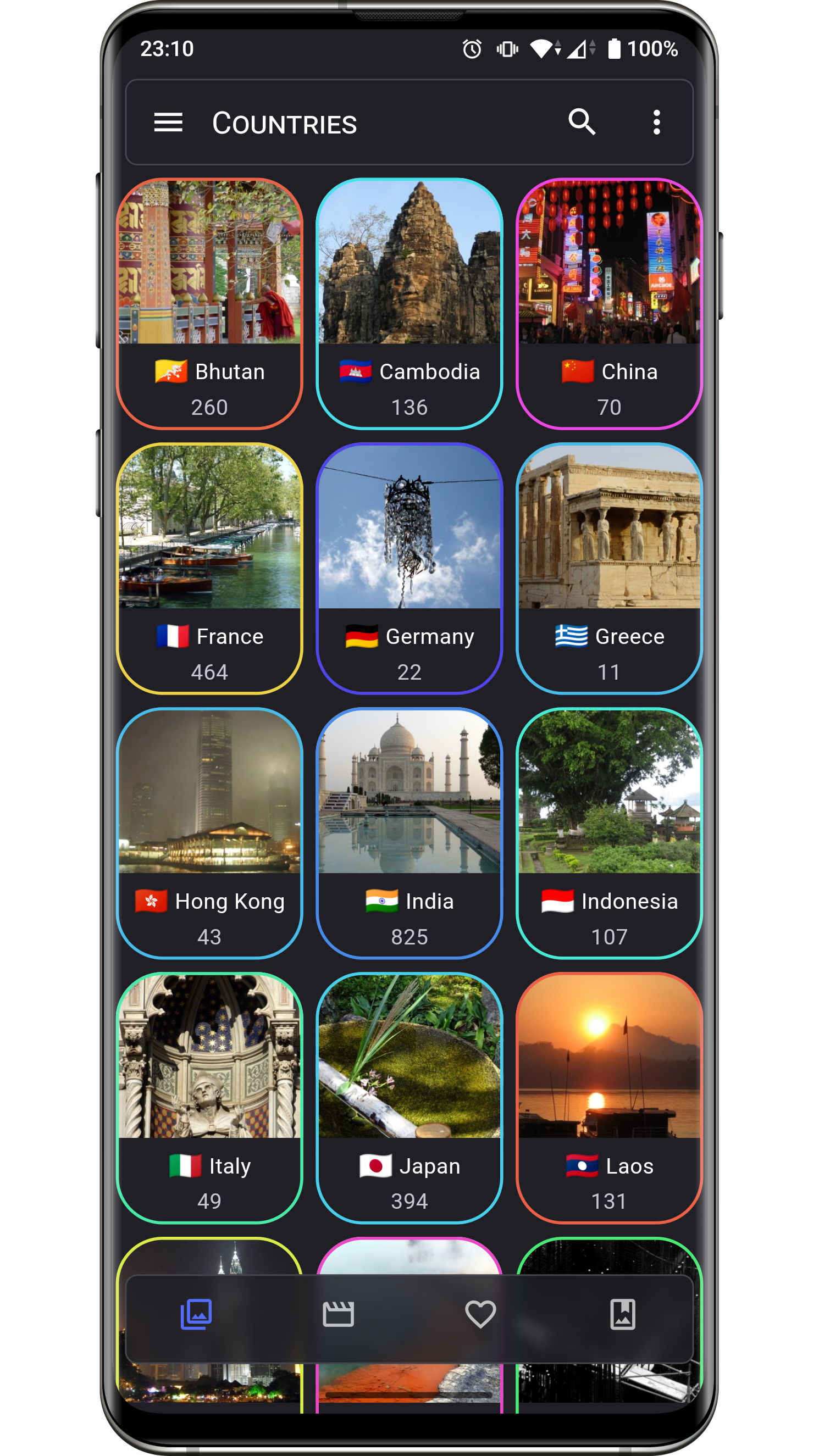
Collection screenshot Image screenshot Stats screenshot Info (basic) screenshot Info (metadata) screenshot Countries screenshot

Changelog

The list of changes for past and future releases is available here.

Permissions

Permission Purpose
READ_MEDIA_IMAGES
READ_MEDIA_VIDEO
READ_MEDIA_VISUAL_USER_SELECTED
ACCESS_MEDIA_LOCATION
Media collection read access
MANAGE_MEDIA Media collection write access
FOREGROUND_SERVICE
FOREGROUND_SERVICE_MEDIA_PROCESSING
POST_NOTIFICATIONS
ACCESS_NETWORK_STATE
ACCESS_WIFI_STATE
RECEIVE_BOOT_COMPLETED
Media scan service feedback
INTERNET Map view, reverse geocoding
SET_WALLPAPER Wallpaper setting
USE_BIOMETRIC
USE_FINGERPRINT
Vault lock
WAKE_LOCK Keeping screen on

Contributing

Issues

Bug reports and feature requests are welcome, but read the guidelines first. If you have questions, check out the discussions.

Code

At this stage this project does not accept PRs.

Translations

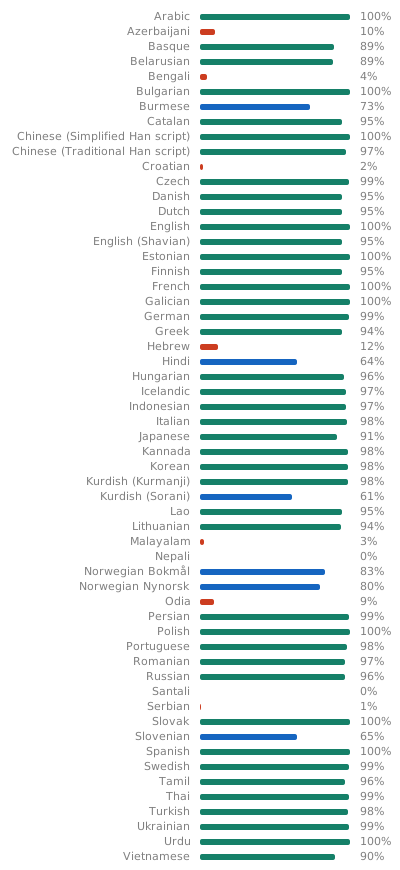
Translations are powered by Weblate and the effort of wonderfully generous volunteers. Translation status

If you want to translate this app in your language and share the result, there is a guide.

Donations

Some users have expressed the wish to financially support the project. Thanks! ❤️

Donate with PayPal Donate using Liberapay

Project Setup

Before running or building the app, update the dependencies for the desired flavor:

# scripts/apply_flavor_play.sh

To build the project, create a file named <app dir>/android/key.properties. It should contain a reference to a keystore for app signing, and other necessary credentials. See key_template.properties for the expected keys.

To run the app:

# ./flutterw run -t lib/main_play.dart --flavor play

To debug the app Kotlin code, if attaching the debugger from Android Studio fails:

  1. open android folder in Android Studio,
  2. Edit Configurations...,
  3. select configuration app,
  4. select tab Debugger
  5. select tab LLDB Post Attach Commands
  6. add:
process handle SIGSEGV --pass true --stop false --notify true

Certificate Fingerprint

Owner: CN=Thibault Deckers
Issuer: CN=Thibault Deckers
Serial number: 12957861
Valid from: Wed Dec 07 08:07:30 CET 2016 until: Sun Dec 01 08:07:30 CET 2041
Certificate fingerprints:
         SHA1: 59:A5:00:13:FA:7A:2F:97:91:1B:52:D6:81:CA:FA:EB:F8:35:05:E8
         SHA256: F4:79:47:27:E4:54:16:D8:7C:48:71:38:29:2B:70:9F:11:D1:CD:7D:AB:55:84:D8:C6:85:7D:92:E0:66:60:4B

SHA1:

59:A5:00:13:FA:7A:2F:97:91:1B:52:D6:81:CA:FA:EB:F8:35:05:E8

SHA256:

F4:79:47:27:E4:54:16:D8:7C:48:71:38:29:2B:70:9F:11:D1:CD:7D:AB:55:84:D8:C6:85:7D:92:E0:66:60:4B

评论

暂无评论