
Wiener Linien ESP32-S3 Public Transport Departure Monitor
Brief description: The ESP32-S3 Public Transport Departure Monitor project is a small device based on the ESP32-S3 platform. It allows you to track public transport departures in real time and receive a countdown to the next departures. The project is based on the use of open data from the City of Vienna provided by Wiener Linien. (Data source: City of Vienna - https://data.wien.gv.at)
https://github.com/coppermilk/wiener_linien_esp32_monitor/assets/25866713/15eaa64c-565c-4828-9e0d-c0c5b81a090a

Project components:
Key Features
- Real-time Countdown: Stay informed about the next public transport departure times.
- Timely Updates: Data is automatically refreshed every 30 seconds to ensure accuracy.
- Easy Startup: The device starts up automatically when the ESP32-S3 is booted.
- User-Friendly Interface: A thoughtfully designed, intuitive interface for ease of use.
- Data Source: Utilizes open data from the City of Vienna provided by Wiener Linien.
Installation
To set up the ESP32-S3 Public Transport Departure Monitor, follow these steps:
-
Hardware Installation:
- Begin by installing T-Display S3 in your Arduino. For a step-by-step guide, refer to this YouTube tutorial.
-
Repository Download:
- Clone or download this repository to your local machine.
-
Board configuration:
- In Arduino IDE, open the Tools menu, choose Board, and open the Boards manager
- Install esp32 which includes files for the ESP32-S3 too. (Note: this downloads a few 100 MB, and installs about 2.3 GB)
- Open the Tools menu once more, choose Board, pick ESP32 Arduino and choose LilyGo T-Display S3
-
Library Installation:
- Open the Arduino IDE and install the required libraries (TFT_eSPI, ArduinoJson, HttpClient, WiFiManager).
-
Device Connection:
- Connect your ESP32 device to your computer.
-
Flash the Code:
- Flash the code to your ESP32.
Configuration
Once the installation is complete, follow these steps to configure your device:
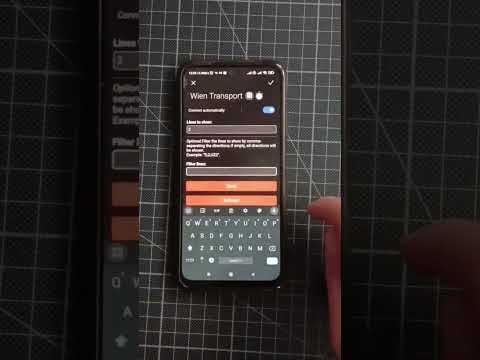
-
Connection:
- Connect to the device’s Wi-Fi network.
-
Settings:
- Press the button “Configure WIFI”.
- Enter your Wi-Fi SSID and password.
- Specify your RBL, which you can find here.
- Optionally, select the number of lines to display.
- Optionally, define your filter criteria.
- Press the save button to save your settings.
Resetting
 In case you need to reset your device, we offer two options:
-
Factory Reset:
- Perform a factory reset by keeping the reset button pressed for more than 30 seconds. This will erase all data on your device, including Wi-Fi settings, StopID/RBL, stop filters, and the count of lines displayed on the screen.
-
Soft Reset:
- A soft reset involves keeping the reset button pressed for 5 to 10 seconds and then releasing it. This will only erase your Wi-Fi settings.
When to Use Each Reset?
Use a Factory Reset if:
- You plan to give away your device.
- Your device is malfunctioning, and other troubleshooting steps have failed.
Use a Soft Reset if:
- You encounter Wi-Fi connectivity issues.
- You want to restore your Wi-Fi settings to their default values.
With the ESP32-S3 Public Transport Departure Monitor, we aim to make your daily commute more predictable and efficient, reducing the time spent waiting for public transport. Stay up-to-date with real-time departure information and plan your journeys with confidence.


评论