D2DX
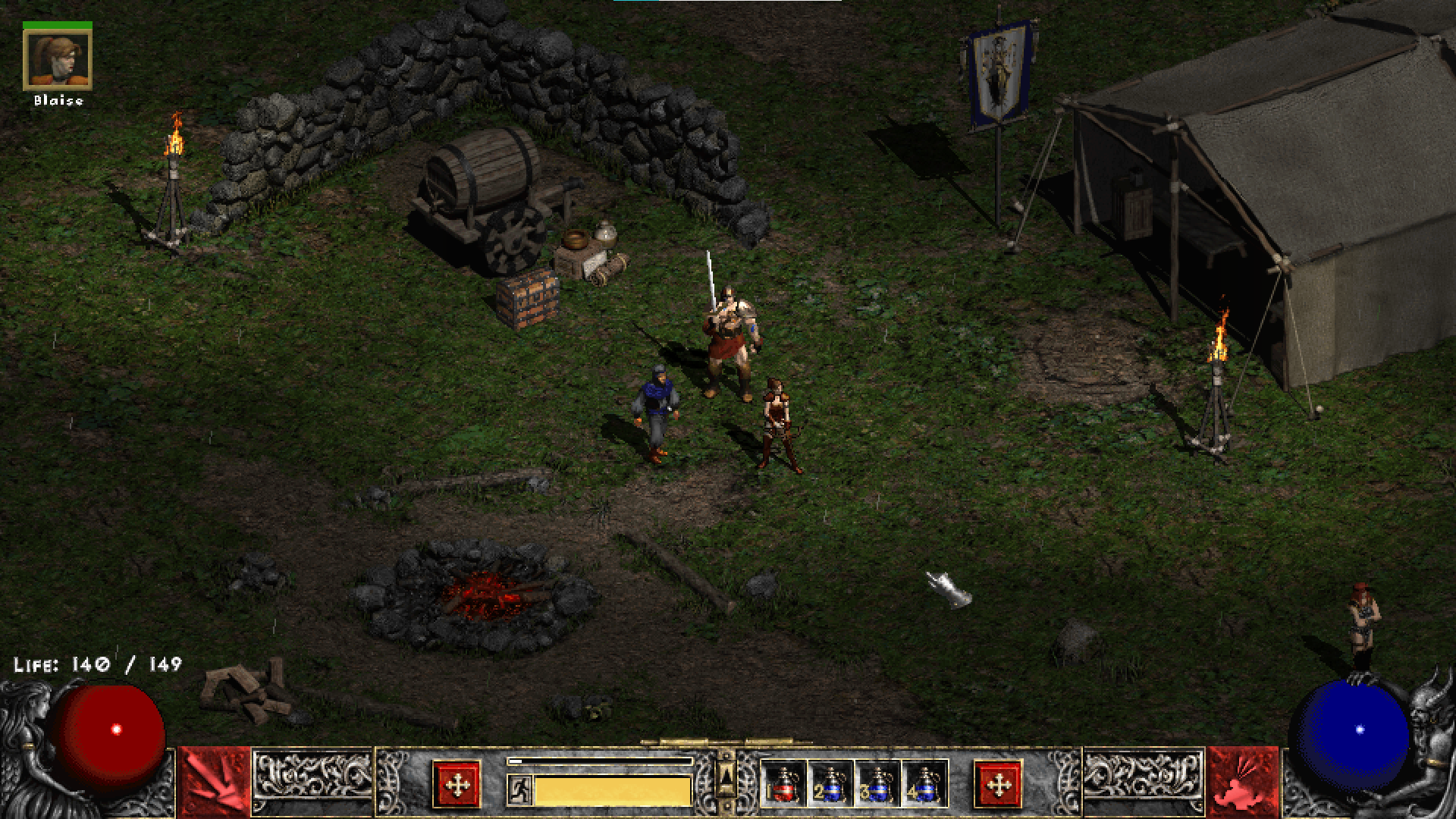
D2DX is a Glide-wrapper and mod that makes the classic Diablo II/LoD run well on modern PCs, while honoring the original look and feel of the game.
Play in a window or in fullscreen, glitch-free, with or without enhancements like widescreen, true high framerate and anti-aliasing.
Version 0.99.529
WANT TO HELP OUT? Take the one-question game version poll: https://strawpoll.com/w4y72p4f6
Update July 2021: I have been too busy to work on D2DX for a while, but hope to resume shortly.
Features
- Turns the game into a well behaved DirectX 11 title on Windows 10 (also 7, 8 and 8.1).
- High quality scaling to fit modern screen sizes, including widescreen aspect ratios.
- High FPS mod using motion prediction, bypassing the internal 25 fps limit. Play at 60 fps and higher! (video)
- Anti-aliasing of specific jagged edges in the game (sprites, walls, some floors).
- Seamless windowed/fullscreen switching with (ALT-Enter).
- Improved fullscreen: instant ALT-TAB and low latency.
- Improved windowed mode.
- Proper gamma/contrast.
- Fixes a few window-related glitches in Diablo II itself.
Video Showcasing Motion Prediction
FPS increase in menus, FPS increase for projectiles, monsters, +more
Upcoming
Requirements
- Diablo 2: LoD (see Compatibility section below).
- Windows 7 SP1 and above (10 recommended for latency improvements).
- A CPU with SSE2 support.
- Integrated graphics or discrete GPU with DirectX 10.1 support.
Compatibility
Game versions supported:
- All features: 1.09d, 1.13c, 1.13d and 1.14d.
- Without resolution switching: 1.10f, 1.12.
- Other versions are unsupported, will display a warning at startup and exhibit glitches.
For compatibility with mods, see the wiki.
Documentation
This readme contains basic information to get you started. See the D2DX wiki for more documentation.
Installation
Copy the included “glide3x.dll” into your Diablo II folder.
Note that in some cases you may have to also download and install the Visual C++ runtime library from Microsoft: https://aka.ms/vs/16/release/vc_redist.x86.exe
Usage
To start the game with D2DX enabled, just provide -3dfx, e.g.
Game.exe -3dfx
Windowed/fullscreen mode can be switched at any time by pressing ALT-Enter. The normal -w command-line option works too.
Many of the default settings of D2DX can be changed. For a full list of command-line options and how to use a configuration file, see the wiki.
Troubleshooting
I get a message box saying “Diablo II is unable to proceed. Unsupported graphics mode.”
You are running the download version of Diablo II from blizzard.com. This can be modified to work with D2DX (Wiki page about this to come).
It’s ugly/slow/buggy.
Let me know by filing an issue! I’d like to keep improving D2DX (within the scope of the project).
Credits
Main development/maintenance: bolrog
Patch contributions: Xenthalon
The research of many people in the Diablo II community over twenty years made this project possible.
Thanks to Mir Drualga for making the fantastic SGD2FreeRes mod!
Thanks also to everyone who contributes bug reports.
D2DX uses the following third party libraries:
- FNV1a hash reference implementation, which is in the public domain.
- Detours by Microsoft.
- SGD2FreeRes by Mir Drualga, licensed under Affero GPL v3.
- FXAA implementation by Timothy Lottes. (This software contains source code provided by NVIDIA Corporation.)
- stb_image by Sean Barrett
- pocketlzma by Robin Berg Pettersen
- 9-tap Catmull-Rom texture filtering by TheRealMJP.
Donations
D2DX is free software, but if you enjoy the project and want to buy me a coffee, click here.
Recent release history
0.99.529
- Add motion prediction for 1.09d, complete except for hovering text (it’s coming).
- Fix low fps in the menus for 1.09d.
0.99.527b
- Add ‘filtering’ option in cfg file, which allows using bilinear filtering or Catmull-Rom for scaling the game,
for those who prefer the softer look over the default integer-scale/sharp-bilinear.
- Fix artifacts when vsync is off.
0.99.526b
- Fix motion-predicted texts looking corrupted/being positioned wrong.
0.99.525
- Fix motion prediction of shadows not working for some units.
- Fix window size when window is scaled beyond the desktop dimensions.
- Fix some black text in old versions of MedianXL.
- Remove -dxtestsleepfix, this is now enabled by default (along with the fps fix).
0.99.521
- Fix low fps in menu for 1.13d with basemod.
- Fix low fps for 1.13c and 1.14 with basemod.
- Fix basemod compatibility so that “BypassFPS” can be enabled without ill effects.
0.99.519
- Unlock FPS in menus. (Known issue: char select screen animates too fast)
- Add experimental “sleep fix” to reduce microstutter in-game. Can be enabled with -dxtestsleepfix.
Let me know if you notice any improvements to overall smoothness in-game, or any problems!
0.99.518b
- Fix size of window being larger than desktop area with -dxscaleN.
0.99.517
- Fix in-game state detection, causing DX logo to show in-game and other issues.
0.99.516
- High FPS (motion prediction) is now default enabled on supported game versions (1.12, 1.13c, 1.13d and 1.14d).
- Fix crash when trying to host TCP/IP game.
0.99.512c
- Add “frameless” window option in cfg file, for hiding the window frame.
- Fix corrupt graphics in low lighting detail mode.
- Fix corrupt graphics in perspective mode.
- Fix distorted automap cross.
- Fix mouse sometimes getting stuck on the edge of the screen when setting a custom resolution in the cfg file.
0.99.511
- Change resolution mod from D2HD to the newer SGD2FreeRes (both by Mir Drualga).
Custom resolutions now work in 1.09 and 1.14d, but (at this time) there is no support for 1.12. Let me know if this is a problem!
- Some performance optimizations.
- Remove sizing handles on the window (this was never intended).
0.99.510
- Add the possibility to set a custom in-game resolution in d2dx.cfg. See the wiki for details.
- Remove special case for MedianXL Sigma (don’t limit to 1024x768).
0.99.508
- Fix motion prediction of water splashes e.g. in Kurast Docks.
0.99.507
- Add motion prediction to weather.
- Improve visual quality of weather a bit (currently only with -dxtestmop).
- Don’t block Project Diablo 2 when detected.
0.99.506
- Fix crash sometimes happening when using a town portal.
- Add motion prediction to missiles.
0.99.505b
- Fix bug causing crash when using config file.
- Add option to set window position in config file. (default is to center)
- Update: Fix tracking of belt items and auras.
- Update: Fix teleportation causing “drift” in motion prediction.
0.99.504
- Revamp configuration file support. NOTE that the old d2dx.cfg format has changed! See d2dx-defaults.cfg for instructions.
0.99.503
- Add -dxnotitlechange option to leave window title alone. [patch by Xenthalon]
- Fix -dxscale2/3 not being applied correctly. [patch by Xenthalon]
- Improve the WIP -dxtestmop mode. Now handles movement of all units, not just the player.
0.99.430b
0.99.429
- Fix AA being applied on merc portraits, and on text (again).
0.99.428
- Fix AA sometimes being applied to the interior of text.
0.99.423b
- Fix high CPU usage.
- Improve caching.
- Remove registry fix (no longer needed).
- Updated: Fix AA being applied to some UI elements (it should not).
- Updated: Fix d2dx logo.
0.99.422
- Fix missing stars in Arcane Sanctuary.
- Fix AA behind some transparent effects, e.g. character behind aura fx.
- Add -dxnocompatmodefix command line option (can be used in cases where other mods require XP compat mode).
0.99.419
- Fix issue where “tooltip” didn’t pop up immediately after placing an item in the inventory.
- Add support for cfg file (named d2dx.cfg, should contain cmdline args including ‘-’).
- Further limit where AA can possibly be applied (only on relevant edges in-game and exclude UI surfaces).
- Performance optimizations.
0.99.415
- Add fps fix that greatly smoothes out frame pacing and mouse cursor movement. Can be disabled with -dxnofpsfix.
- Improve color precision a bit on devices that support 10 bits per channel (this is not HDR, just reduces precision loss from in-game lighting/gamma).
- To improve bug reports, a log file (d2dx_log.txt) will be written to the Diablo II folder.
0.99.414
- The mouse cursor is now confined to the game window by default. Disable with -dxnoclipcursor.
- Finish AA implementation, giving improved quality.
- Reverted behavior: the mouse cursor will now “jump” when opening inventory like in the unmodded game. This avoids the character suddenly changing movement direction if holding LMB while opening the inventory.
- Fix issue where D2DX was not able to turn off XP (etc) compatibility mode.
- Fix issue where D2DX used the DX 10.1 feature level by default even on better GPUs.
- Fix misc bugs.
0.99.413
- Turn off XP compatibility mode for the game executables. It is not necessary with D2DX and causes issues like graphics corruption.
- Fix initial window size erroneously being 640x480 during intro FMVs.
0.99.412
- Added (tasteful) FXAA, which is enabled by default since it looked so nice. (It doesn’t destroy any detail.)
0.99.411
- D2DX should now work on DirectX 10/10.1 graphics cards.
0.99.410
- Improved non-integer scaling quality, using “anti-aliased nearest” sampling (similar to sharp-bilinear).
- Specifying -dxnowide will now select a custom screen mode that gives integer scaling, but with ~4:3 aspect ratio.
- Added -dxnoresmod option, which turns off the built-in SlashDiablo-HD (no custom resolutions).
- (For res mod authors) Tuned configurator API to disable the built-in SlashDiablo-HD automatically when used.
- Other internal improvements.
0.99.408
- Fix window size being squashed vertically after alt-entering from fullscreen mode.
- Fix crash when running on Windows 7.
A full release history can be found on the Wiki.



评论