
Argilla
Build high quality datasets for your AI models


Argilla is a collaboration tool for AI engineers and domain experts who need to build high-quality datasets for their projects.
If you just want to get started, deploy Argilla on Hugging Face Spaces. Curious, and want to know more? Read our documentation.
Or, play with the Argilla UI by signing in with your Hugging Face account:
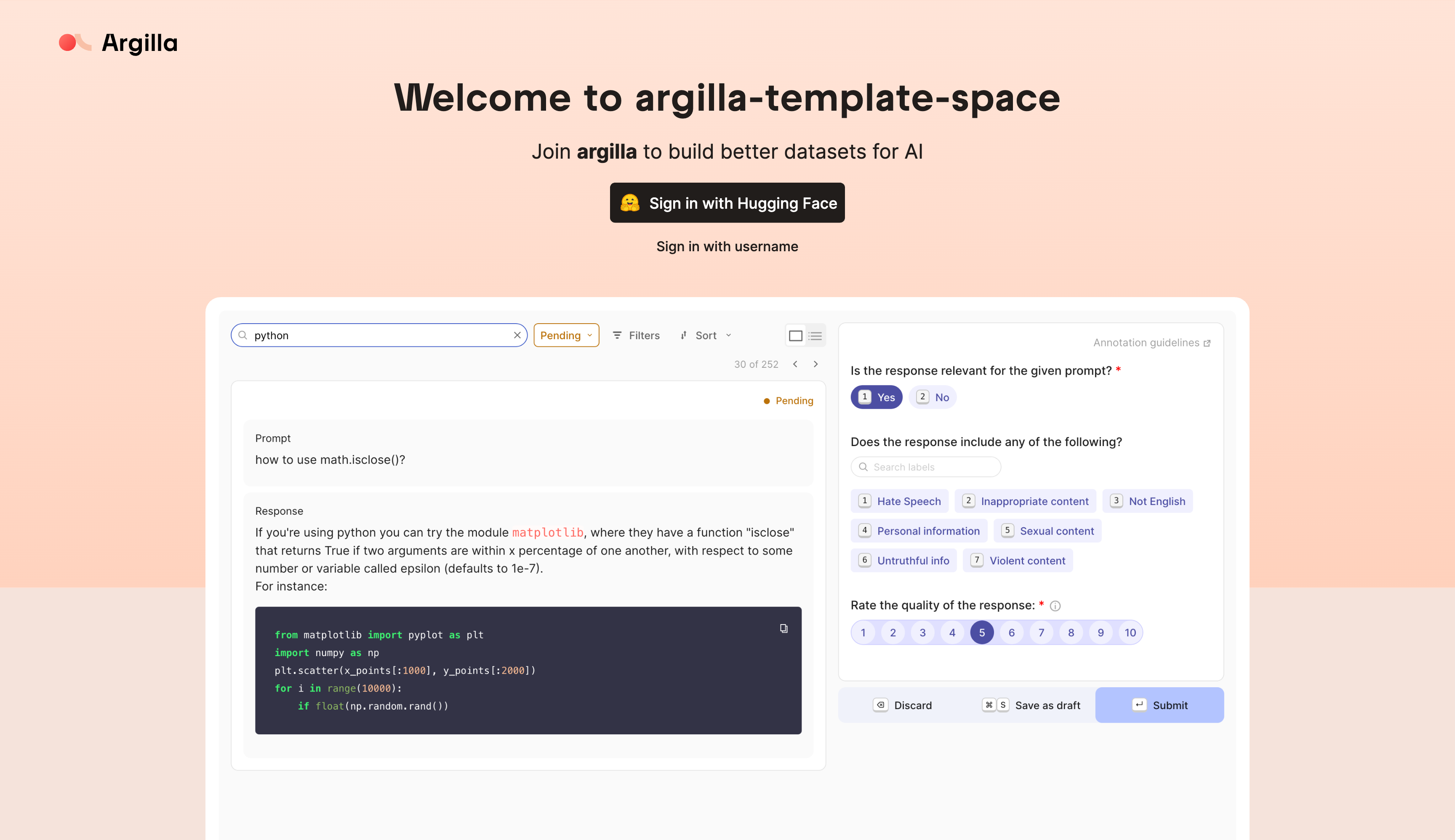
Why use Argilla?
Argilla can be used for collecting human feedback for a wide variety of AI projects like traditional NLP (text classification, NER, etc.), LLMs (RAG, preference tuning, etc.), or multimodal models (text to image, etc.). Argilla’s programmatic approach lets you build workflows for continuous evaluation and model improvement. The goal of Argilla is to ensure your data work pays off by quickly iterating on the right data and models.
Improve your AI output quality through data quality
Compute is expensive and output quality is important. We help you focus on data, which tackles the root cause of both of these problems at once. Argilla helps you to achieve and keep high-quality standards for your data. This means you can improve the quality of your AI output.
Take control of your data and models
Most AI tools are black boxes. Argilla is different. We believe that you should be the owner of both your data and your models. That’s why we provide you with all the tools your team needs to manage your data and models in a way that suits you best.
Improve efficiency by quickly iterating on the right data and models
Gathering data is a time-consuming process. Argilla helps by providing a tool that allows you to interact with your data in a more engaging way. This means you can quickly and easily label your data with filters, AI feedback suggestions and semantic search. So you can focus on training your models and monitoring their performance.
We are an open-source community-driven project and we love to hear from you. Here are some ways to get involved:
-
Community Meetup: listen in or present during one of our bi-weekly events.
-
Discord: get direct support from the community in #argilla-distilabel-general and #argilla-distilabel-help.
-
Roadmap: plans change but we love to discuss those with our community so feel encouraged to participate.
What do people build with Argilla?
Open-source datasets and models
The community uses Argilla to create amazing open-source datasets and models.
- Cleaned UltraFeedback dataset used to fine-tune the Notus and Notux models. The original UltraFeedback dataset was curated using Argilla UI filters to find and report a bug in the original data generation code. Based on this data curation process, Argilla built this new version of the UltraFeedback dataset and fine-tuned Notus, outperforming Zephyr on several benchmarks.
- distilabel Intel Orca DPO dataset used to fine-tune the improved OpenHermes model. This dataset was built by combining human curation in Argilla with AI feedback from distilabel, leading to an improved version of the Intel Orca dataset and outperforming models fine-tuned on the original dataset.
Examples Use cases
AI teams from organizations such as the Red Cross, Loris.ai and Prolific use Argilla to improve the quality and efficiency of AI projects. They shared their experiences in our AI community meetup.
- AI for good: the Red Cross presentation showcases how the Red Cross domain experts and AI team collaborated by classifying and redirecting requests from refugees of the Ukrainian crisis to streamline the support processes of the Red Cross.
- Customer support: during the Loris meetup they showed how their AI team uses unsupervised and few-shot contrastive learning to help them quickly validate and gain labeled samples for a huge amount of multi-label classifiers.
- Research studies: the showcase from Prolific announced their integration with our platform. They use it to actively distribute data collection projects among their annotating workforce. This allows Prolific to quickly and efficiently collect high-quality data for research studies.
👨💻 Getting started
Installation
First things first! You can install the SDK with pip as follows:
pip install argilla
After that, you will need to deploy Argilla Server. The easiest way to do this is through our free Hugging Face Spaces deployment integration.
To use the client, you need to import the Argilla class and instantiate it with the API URL and API key.
import argilla as rg

client = rg.Argilla(api_url="https://[your-owner-name]-[your_space_name].hf.space", api_key="owner.apikey")
Create your first dataset
We can now create a dataset with a simple text classification task. First, you need to define the dataset settings.
settings = rg.Settings(
    guidelines="Classify the reviews as positive or negative.",
    fields=[
        rg.TextField(
            name="review",
            title="Text from the review",
            use_markdown=False,
        ),
    ],
    questions=[
        rg.LabelQuestion(
            name="my_label",
            title="In which category does this article fit?",
            labels=["positive", "negative"],
        )
    ],
)
dataset = rg.Dataset(
    name=f"my_first_dataset",
    settings=settings,
    client=client,
)
dataset.create()
Next, we can add records to the dataset.
pip install datasets
from datasets import load_dataset

data = load_dataset("imdb", split="train[:100]").to_list()
dataset.records.log(records=data, mapping={"text": "review"})
🎉 You have successfully created your first dataset with Argilla. You can now access it in the Argilla UI and start annotating the records.
Need more info, check out our docs.
🥇 Contributors
To help our community with the creation of contributions, we have created our community docs. Additionally, you can always schedule a meeting with our Developer Advocacy team so they can get you up to speed.


评论