

Invoify
Invoify is a free, web-based invoice generator built with Next.js, TypeScript, React and the shadcn/ui library. Fill in a form, pick a template, and get a real PDF. No account, no subscription, and nothing about your customers stored on a server.
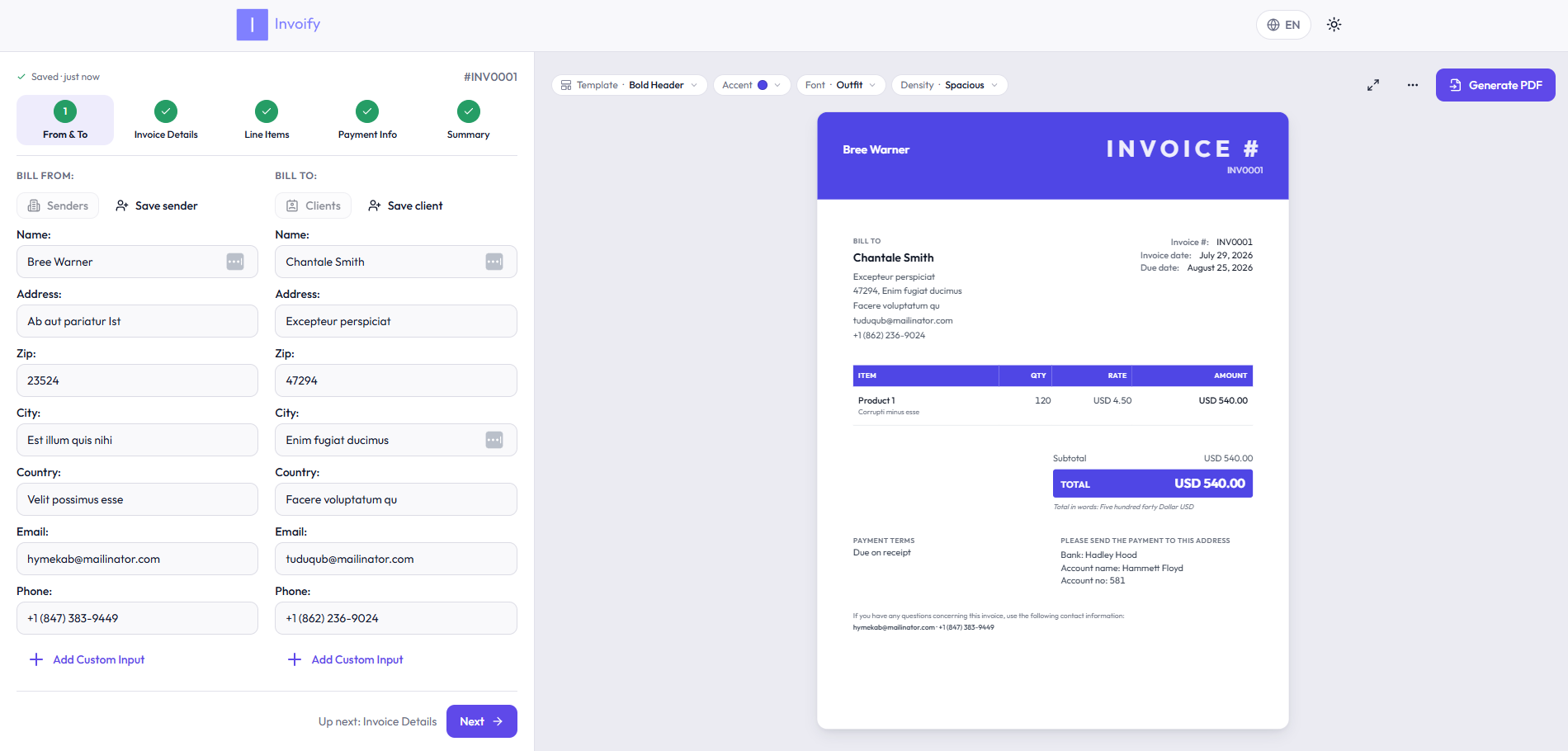
Table of Contents
Features
- 13 invoice templates: Classic, Modern, Sidebar, Bold Header, Minimal, Letterhead, Compact, Two-Tone, Bordered, Left Rail, Statement, Corner and Column.
- Live preview: edit the form and watch the invoice update as you type.
- Real PDFs: rendered with headless Chromium, not a screenshot of the page.
- Email delivery: send the finished PDF straight to your client.
- Save and reload: keep invoices in your browser and load them back later.
- Address book: save senders and clients once, reuse them on every invoice.
- Export: download the invoice data as JSON, CSV or XML.
- Signatures, logos and custom line items, including per-invoice tax, discount and shipping.
- 18 languages, for both the interface and the generated PDF.
- Responsive: works on a phone as well as a desktop.
A walkthrough of what each part does lives on the guide page.
Your data stays in your browser
Invoify has no accounts and no database. Everything you enter (the address book, the autosave draft and your saved invoices) is stored locally, and it is encrypted at rest with AES-GCM 256 under a key the browser generates as non-extractable, so the key cannot be copied out of the origin.
Two things worth being clear about:
- This protects you against someone reading the browser profile off disk: a shared or stolen machine, a filesystem backup, a synced profile, another OS account.
- It does not protect against a script injected into the page, which holds the same key handle the app does. Defending against that would need a passphrase the app never stores.
The only time invoice data leaves your machine is when you generate a PDF or send one by email, and it is not retained afterwards.
Languages
Arabic, Azerbaijani, Catalan, Chinese (Simplified), English, French, German, Hebrew, Indonesian, Italian, Japanese, Norwegian (Bokmål), Norwegian (Nynorsk), Polish, Portuguese (Brazil), Serbian, Spanish and Turkish.
Right-to-left layouts are supported for Arabic and Hebrew. Some PDF translations are still incomplete and fall back to English.
Technologies
Core Technologies
- Next.js 15: React framework for SSR and client-side navigation.
- TypeScript: JavaScript superset with static typing.
- Shadcn-UI: UI library for enhanced visuals.
- Tailwind: Utility-first CSS framework.
- React Hook Form: Form management for React.
- Zod: TypeScript-first schema validation.
- Puppeteer: PDF generation with headless browsers.
- next-intl: Internationalized routing and messages.
Additional Dependencies
- Nodemailer: Node.js module for sending emails.
- Lucide Icons: Collection of customizable SVG icons.
- Playwright: End-to-end tests.
Demo
Issue #11 reports PDF generation problems in Mozilla Firefox and is still open. The automated tests run against Chromium only, so the current state in Firefox is untested.
Visit the live demo to see Invoify in action.
Getting Started
Follow these instructions to get Invoify up and running on your local machine.
Prerequisites
- Node.js 20 or later, and npm.
Installation
-
Clone the repository:
git clone https://github.com/al1abb/invoify.git
cd invoify
-
Install dependencies
npm install
-
Create an .env.local file. See Environment variables below. You can skip this if you do not need the “send PDF by email” feature.
-
Start development server
npm run dev
-
Open your web browser and access the application at http://localhost:3000
Environment variables
All of these are optional; the app runs without them, minus the features they enable.
| Variable |
Required for |
Notes |
NODEMAILER_EMAIL |
Sending invoices by email |
The Gmail address that sends the mail. |
NODEMAILER_PW |
Sending invoices by email |
A Gmail App Password, not your account password. Requires 2-Step Verification. |
Development
Scripts
| Command |
What it does |
npm run dev |
Development server. |
npm run build |
Production build. |
npm run start |
Serve the production build. |
npm run lint |
ESLint. |
npm run format |
Prettier, writing in place. |
npm run test:e2e |
Playwright end-to-end tests. |
npm run test:e2e:ui |
The same tests in Playwright’s UI mode. |
npm run analyze |
Production build with the bundle analyzer. |
npx tsc --noEmit |
Typecheck. |
predev and prebuild run scripts/build-pdf-css.mjs, which compiles the stylesheet the PDF renderer inlines. It runs automatically, so you only need npm run build:pdf-css if you change PDF styling and want to rebuild it on its own.
Tests
npx playwright install --with-deps chromium
npm run test:e2e
The suite builds and serves the production bundle, then runs against it in a desktop and a mobile viewport. CI runs the same typecheck, lint and test steps on every push and pull request. See .github/workflows/ci.yml.
License
Distributed under the MIT License. See LICENSE for more information.
Discord
Join the Discord server here


评论