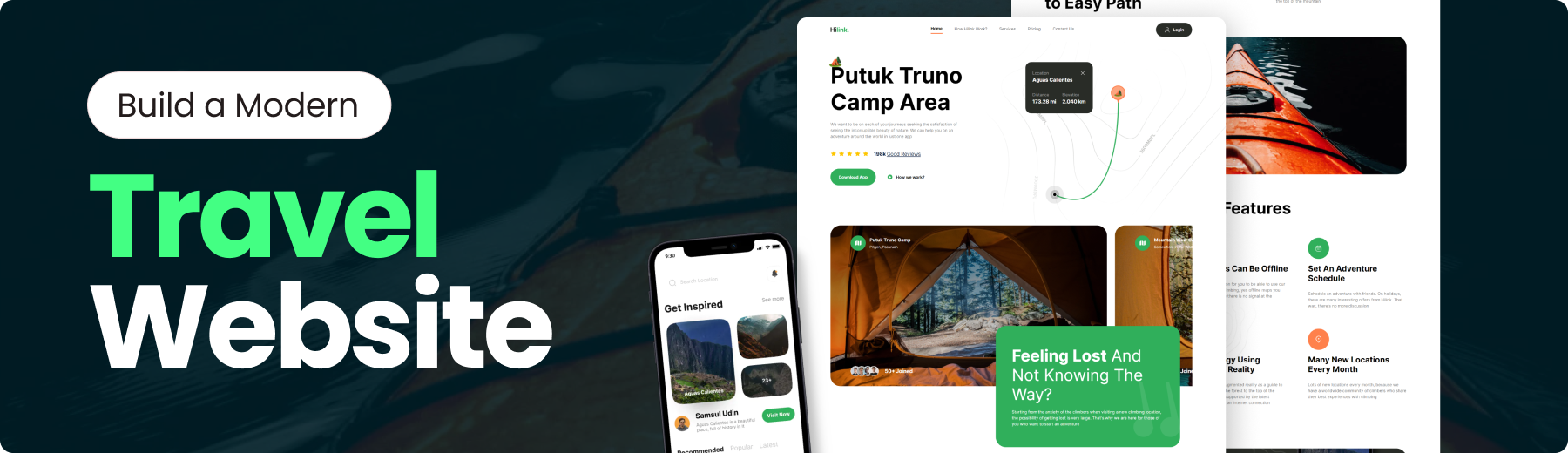
Travel Website
Build this project step by step with our detailed tutorial on
JavaScript Mastery YouTube. Join the JSM family!
- 🤖 Introduction
- ⚙️ Tech Stack
- 🔋 Features
- 🤸 Quick Start
- 🕸️ Snippets
- 🔗 Links
- 🚀 More
🚨 Tutorial
This repository contains the code corresponding to an in-depth tutorial available on our YouTube channel, JavaScript Mastery.
If you prefer visual learning, this is the perfect resource for you. Follow our tutorial to learn how to build projects like these step-by-step in a beginner-friendly manner!

Built with Next.js, TailwindCSS, and TypeScript, this landing page not only looks great but also serves as a hands-on project to reinforce one’s understanding of these technologies.
If you’re getting started and need assistance or face any bugs, join our active Discord community with over 27k+ members. It’s a place where people help each other out.

👉 Appealing Hero Section: Visually striking hero section that captures attention and sets the tone for the website
👉 Camp Exploration Section: Showcase various camps in a dedicated section, allowing users to explore different options.
👉 Engaging Travel Guide Section: A compelling travel guide section with informative content and captivating visuals.
👉 Feature-Rich Section: A complex and feature-rich section offering advanced functionalities or in-depth information.
👉 Call to Action for Mobile Apps: A call-to-action section encouraging users to explore the mobile app version, complete with download links.
👉 Footer: Comprehensive footer section containing site and social media links for easy navigation and connectivity.
and many more, including code architecture and reusability
Follow these steps to set up the project locally on your machine.
Prerequisites
Make sure you have the following installed on your machine:
Cloning the Repository
git clone https://github.com/adrianhajdin/travel_ui_ux.git
cd travel_ui_ux
Installation
Install the project dependencies using npm:
npm install
Running the Project
npm run dev
Open http://localhost:3000 in your browser to view the project.
constants.index.ts
// NAVIGATION
export const NAV_LINKS = [
  { href: '/', key: 'home', label: 'Home' },
  { href: '/', key: 'how_hilink_work', label: 'How Hilink Work?' },
  { href: '/', key: 'services', label: 'Services' },
  { href: '/', key: 'pricing ', label: 'Pricing ' },
  { href: '/', key: 'contact_us', label: 'Contact Us' },
];

// CAMP SECTION
export const PEOPLE_URL = [
  '/person-1.png',
  '/person-2.png',
  '/person-3.png',
  '/person-4.png',
];

// FEATURES SECTION
export const FEATURES = [
  {
    title: 'Real maps can be offline',
    icon: '/map.svg',
    variant: 'green',
    description:
      'We provide a solution for you to be able to use our application when climbing, yes offline maps you can use at any time there is no signal at the location',
  },
  {
    title: 'Set an adventure schedule',
    icon: '/calendar.svg',
    variant: 'green',
    description:
      "Schedule an adventure with friends. On holidays, there are many interesting offers from Hilink. That way, there's no more discussion",
  },
  {
    title: 'Technology using augment reality',
    icon: '/tech.svg',
    variant: 'green',
    description:
      'Technology uses augmented reality as a guide to your hiking trail in the forest to the top of the mountain. Already supported by the latest technology without an internet connection',
  },
  {
    title: 'Many new locations every month',
    icon: '/location.svg',
    variant: 'orange',
    description:
      'Lots of new locations every month, because we have a worldwide community of climbers who share their best experiences with climbing',
  },
];

// FOOTER SECTION
export const FOOTER_LINKS = [
  {
    title: 'Learn More',
    links: [
      'About Hilink',
      'Press Releases',
      'Environment',
      'Jobs',
      'Privacy Policy',
      'Contact Us',
    ],
  },
  {
    title: 'Our Community',
    links: ['Climbing xixixi', 'Hiking hilink', 'Hilink kinthill'],
  },
];

export const FOOTER_CONTACT_INFO = {
  title: 'Contact Us',
  links: [
    { label: 'Admin Officer', value: '123-456-7890' },
    { label: 'Email Officer', value: '[email protected]' },
  ],
};

export const SOCIALS = {
  title: 'Social',
  links: [
    '/facebook.svg',
    '/instagram.svg',
    '/twitter.svg',
    '/youtube.svg',
    '/wordpress.svg',
  ],
};
globals.css
@import url('https://fonts.googleapis.com/css2?family=Inter:wght@400;500;600;700;800&display=swap');

@tailwind base;
@tailwind components;
@tailwind utilities;

* {
  margin: 0;
  padding: 0;
  box-sizing: border-box;
}

body {
  font-family: Inter;
}

@layer utilities {
  .btn_white {
    @apply  border-white bg-white px-8 py-3 text-green-50
  }
  .btn_white_text  {
    @apply  border-white bg-white px-8 py-3 text-gray-90
  }
  .btn_green  {
    @apply  border-green-50 bg-green-50 px-8 py-5 text-white
  }
  .btn_dark_green {
    @apply  bg-green-90 px-8 py-4 text-white transition-all hover:bg-black
  }
  .btn_dark_green_outline  {
    @apply border-gray-20 bg-green-90 px-8 py-5 text-white
  }

  .max-container {
    @apply mx-auto max-w-[1440px];
  }

  .padding-container {
    @apply px-6 lg:px-20 3xl:px-0;
  }

  .flexCenter {
    @apply flex items-center justify-center;
  }

  .flexBetween {
    @apply flex items-center justify-between;
  }

  .flexStart {
    @apply flex items-center justify-start;
  }

  .flexEnd {
    @apply flex items-center justify-end;
  }

  /* FONTS */
  .regular-64 {
    @apply text-[64px] font-[400] leading-[120%];
  }

  .regular-40 {
    @apply text-[40px] font-[400] leading-[120%];
  }

  .regular-32 {
    @apply text-[32px] font-[400];
  }

  .regular-24 {
    @apply text-[24px] font-[400];
  }

  .regular-20 {
    @apply text-[20px] font-[400];
  }

  .regular-18 {
    @apply text-[18px] font-[400];
  }

  .regular-16 {
    @apply text-[16px] font-[400];
  }

  .regular-14 {
    @apply text-[14px] font-[400];
  }

  .medium-14 {
    @apply text-[14px] font-[600];
  }

  .bold-88 {
    @apply text-[88px] font-[700] leading-[120%];
  }

  .bold-64 {
    @apply text-[64px] font-[700] leading-[120%];
  }

  .bold-52 {
    @apply text-[52px] font-[700] leading-[120%];
  }

  .bold-40 {
    @apply text-[40px] font-[700] leading-[120%];
  }

  .bold-32 {
    @apply text-[32px] font-[700] leading-[120%];
  }

  .bold-20 {
    @apply text-[20px] font-[700];
  }

  .bold-18 {
    @apply text-[18px] font-[700];
  }

  .bold-16 {
    @apply text-[16px] font-[700];
  }

  /* Hero */
  .hero-map {
    @apply absolute right-0 top-0 h-screen w-screen bg-pattern-2 bg-cover bg-center md:-right-28 xl:-top-60;
  }

  /* Camp */
  .camp-quote {
    @apply absolute -right-6 bottom-4 w-[140px] lg:bottom-10 xl:-right-8 xl:w-[186px] 3xl:right-0;
  }

  /* Feature */
  .feature-phone {
    @apply absolute top-[13%] z-10 hidden max-w-[1500px] rotate-[15deg] md:-left-16 lg:flex  3xl:left-20;
  }

  /* Get App */
  .get-app {
    @apply max-container relative flex w-full  flex-col justify-between gap-32 overflow-hidden bg-green-90 bg-pattern bg-cover bg-center bg-no-repeat px-6 py-12 text-white sm:flex-row sm:gap-12 sm:py-24 lg:px-20 xl:max-h-[598px] 2xl:rounded-5xl;
  }
}

/* Hide scrollbar for Chrome, Safari and Opera */
.hide-scrollbar::-webkit-scrollbar {
  display: none;
}

/* Hide scrollbar for IE, Edge and Firefox */
.hide-scrollbar {
  -ms-overflow-style: none; /* IE and Edge */
  scrollbar-width: none; /* Firefox */
}
tailwind.config.ts
/** @type {import('tailwindcss').Config} */
module.exports = {
  content: [
    './pages/**/*.{js,ts,jsx,tsx,mdx}',
    './components/**/*.{js,ts,jsx,tsx,mdx}',
    './app/**/*.{js,ts,jsx,tsx,mdx}',
  ],
  theme: {
    extend: {
      colors: {
        green: {
          50: '#30AF5B',
          90: '#292C27',
        },
        gray: {
          10: '#EEEEEE',
          20: '#A2A2A2',
          30: '#7B7B7B',
          50: '#585858',
          90: '#141414',
        },
        orange: {
          50: '#FF814C',
        },
        blue: {
          70: '#021639',
        },
        yellow: {
          50: '#FEC601',
        },
      },
      backgroundImage: {
        'bg-img-1': "url('/img-1.png')",
        'bg-img-2': "url('/img-2.png')",
        'feature-bg': "url('/feature-bg.png')",
        pattern: "url('/pattern.png')",
        'pattern-2': "url('/pattern-bg.png')",
      },
      screens: {
        xs: '400px',
        '3xl': '1680px',
        '4xl': '2200px',
      },
      maxWidth: {
        '10xl': '1512px',
      },
      borderRadius: {
        '5xl': '40px',
      },
    },
  },
  plugins: [],
};
Assets used in the project are here here
Advance your skills with Next.js 14 Pro Course
Enjoyed creating this project? Dive deeper into our PRO courses for a richer learning adventure. They’re packed with detailed explanations, cool features, and exercises to boost your skills. Give it a go!

Accelerate your professional journey with the Expert Training program
And if you’re hungry for more than just a course and want to understand how we learn and tackle tech challenges, hop into our personalized masterclass. We cover best practices, different web skills, and offer mentorship to boost your confidence. Let’s learn and grow together!


评论