


A huge collection of Rofi based custom Applets, Launchers & Powermenus.
Launchers
| Type 1 |
Type 2 |
Type 3 |
Type 4 |
 |
 |
 |
 |
Applets
| Type 4 |
Type 5 |
 |
 |
Powermenus
What is Rofi?
Rofi is A window switcher, Application launcher and dmenu replacement. Rofi started as a clone of simpleswitcher and It has been extended with extra features, like an application launcher and ssh-launcher, and can act as a drop-in dmenu replacement, making it a very versatile tool. Rofi, like dmenu, will provide the user with a textual list of options where one or more can be selected. This can either be running an application, selecting a window, or options provided by an external script.
Installation
Everything here is created on rofi version : 1.7.4
- First, Make sure you have the same (stable) version of rofi installed.
- On Arch / Arch-based :
sudo pacman -S rofi
- On Debian / Ubuntu :
sudo apt-get install rofi
- On Fedora :
sudo dnf install rofi
- Then, Clone this repository -
$ git clone --depth=1 https://github.com/adi1090x/rofi.git
- Change to cloned directory and make
setup.sh executable -
$ cd rofi
$ chmod +x setup.sh
- Run
setup.sh to install the configs -
$ ./setup.sh

[*] Installing fonts...
[*] Updating font cache...

[*] Creating a backup of your rofi configs...
[*] Installing rofi configs...
[*] Successfully Installed.
- That’s it, These themes are now installed on your system.
Note : These themes are like an ecosystem, everything here is connected with each other in some way. So… before modifying anything by your own, make sure you know what you doing.

Special thanks to all the Sponsors. Maintenance of this project is made possible by you guys. If you'd like to sponsor this project and have your avatar appear below, click here 💖

Launchers
Change Style : Edit ~/.config/rofi/launchers/type-X/launcher.sh script and edit the following line to use the style you like.
theme='style-1'
Change Colors : Edit ~/.config/rofi/launchers/type-X/shared/colors.rasi file and edit the following line to use the color-scheme you like.
@import "~/.config/rofi/colors/onedark.rasi"
Colors in type-5, type-6 and type-7 are hard-coded (based on image colors) and can be changed by editing the respective style-X.rasi file.
Previews
Type 1
| Style 1 |
Style 2 |
Style 3 |
Style 4 |
Style 5 |
 |
 |
 |
 |
 |
| Style 6 |
Style 7 |
Style 8 |
Style 9 |
Style 10 |
 |
 |
 |
 |
 |
| Style 11 |
Style 12 |
Style 13 |
Style 14 |
Style 15 |
 |
 |
 |
 |
 |
Type 2
| Style 1 |
Style 2 |
Style 3 |
Style 4 |
Style 5 |
 |
 |
 |
 |
 |
| Style 6 |
Style 7 |
Style 8 |
Style 9 |
Style 10 |
 |
 |
 |
 |
 |
| Style 11 |
Style 12 |
Style 13 |
Style 14 |
Style 15 |
 |
 |
 |
 |
 |
Type 3
| Style 1 |
Style 2 |
Style 3 |
Style 4 |
Style 5 |
 |
 |
 |
 |
 |
| Style 6 |
Style 7 |
Style 8 |
Style 9 |
Style 10 |
 |
 |
 |
 |
 |
Type 4
| Style 1 |
Style 2 |
Style 3 |
Style 4 |
Style 5 |
 |
 |
 |
 |
 |
| Style 6 |
Style 7 |
Style 8 |
Style 9 |
Style 10 |
 |
 |
 |
 |
 |
Type 5
| Style 1 |
Style 2 |
Style 3 |
Style 4 |
Style 5 |
 |
 |
 |
 |
 |
Type 6
| Style 1 |
Style 2 |
Style 3 |
Style 4 |
Style 5 |
 |
 |
 |
 |
 |
| Style 6 |
Style 7 |
Style 8 |
Style 9 |
Style 10 |
 |
 |
 |
 |
 |
Type 7
| Style 1 |
Style 2 |
Style 3 |
Style 4 |
Style 5 |
 |
 |
 |
 |
 |
| Style 6 |
Style 7 |
Style 8 |
Style 9 |
Style 10 |
 |
 |
 |
 |
 |
Color Schemes
| Adapta |
Arc |
Black |
Catppuccin |
Cyberpunk |
 |
 |
 |
 |
 |
| Dracula |
Everforest |
Gruvbox |
Lovelace |
Navy |
 |
 |
 |
 |
 |
| Nord |
Onedark |
Paper |
Solarized |
Yousai |
 |
 |
 |
 |
 |
Applets
| Applets |
Description |
Required Applications |
Apps As Root |
Open Applications as root |
pkexec : alacritty, thunar, geany, ranger, vim |
Apps |
Favorite or most used Applications |
alacritty, thunar, geany, firefox, ncmpcpp, xfce4-settings-manager |
Battery |
Display battery percentage & charging status with dynamic icons |
pkexec, acpi, powertop xfce4-power-manager-settings |
Brightness |
Display and adjust screen brightness |
light, xfce4-power-manager-settings |
MPD |
Control the song play through mpd |
mpd, mpc |
Powermenu |
A classic power menu, with Uptime |
systemd, betterlockscreen |
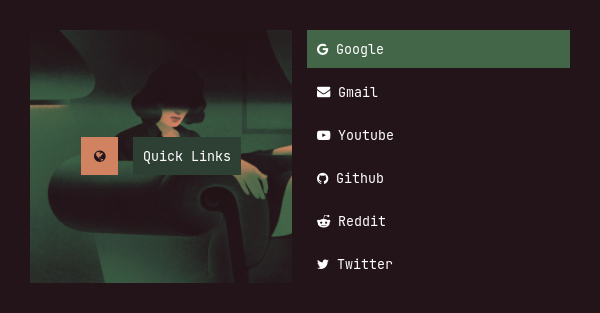
Quicklinks |
Bookmarks for most used websites |
firefox or chromium or any other browser |
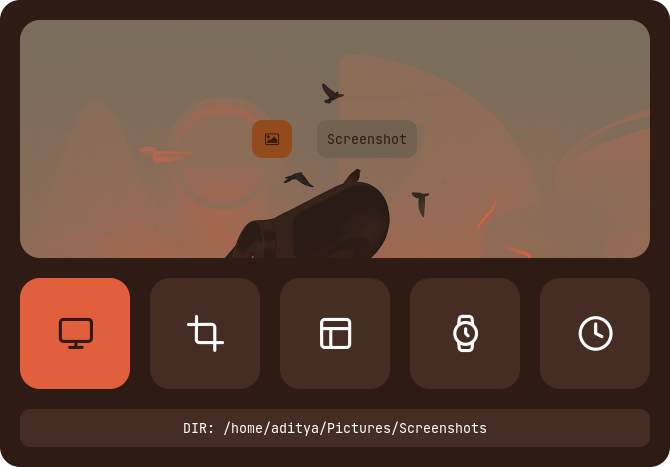
Screenshot |
Take screenshots using maim |
maim, xrandr, dunst, xclip |
Volume |
Display and control volume with dynamic icons and mute status |
amixer and pavucontrol |
To use your programs with these applets, Edit the scripts in ~/.config/rofi/applets/bin directory.
Change Theme : Edit ~/.config/rofi/applets/shared/theme.bash script and edit the following line to use the type and style you like.
type="$HOME/.config/rofi/applets/type-1"
style='style-1.rasi'
Change Colors : Edit ~/.config/rofi/applets/shared/colors.rasi file and edit the following line to use the color-scheme you like.
@import "~/.config/rofi/colors/onedark.rasi"
Colors in type-4 and type-5 are hard-coded (based on image colors) and can be changed by editing the respective style-X.rasi file.
Previews
Apps as root
| Type 1 |
Type 2 |
Type 3 |
Type 4 |
Type 5 |
 |
 |
 |
 |
 |
Apps
| Type 1 |
Type 2 |
Type 3 |
Type 4 |
Type 5 |
 |
 |
 |
 |
 |
Battery
| Type 1 |
Type 2 |
Type 3 |
Type 4 |
Type 5 |
 |
 |
 |
 |
 |
Brightness
| Type 1 |
Type 2 |
Type 3 |
Type 4 |
Type 5 |
 |
 |
 |
 |
 |
MPD
| Type 1 |
Type 2 |
Type 3 |
Type 4 |
Type 5 |
 |
 |
 |
 |
 |
Powermenu
| Type 1 |
Type 2 |
Type 3 |
Type 4 |
Type 5 |
 |
 |
 |
 |
 |
Quicklinks
| Type 1 |
Type 2 |
Type 3 |
Type 4 |
Type 5 |
 |
 |
 |
 |
 |
Screenshot
| Type 1 |
Type 2 |
Type 3 |
Type 4 |
Type 5 |
 |
 |
 |
 |
 |
Volume
| Type 1 |
Type 2 |
Type 3 |
Type 4 |
Type 5 |
 |
 |
 |
 |
 |
Change Style : Edit ~/.config/rofi/powermenu/type-X/powermenu.sh script and edit the following line to use the style you like.
theme='style-1'
Change Colors : Edit ~/.config/rofi/powermenu/type-X/shared/colors.rasi file and edit the following line to use the color-scheme you like.
@import "~/.config/rofi/colors/onedark.rasi"
Colors in type-5 and type-6 are hard-coded (based on image colors) and can be changed by editing the respective style-X.rasi file.
Previews
Type 1
| Style 1 |
Style 2 |
Style 3 |
Style 4 |
Style 5 |
 |
 |
 |
 |
 |
Type 2
| Style 1 |
Style 2 |
Style 3 |
Style 4 |
Style 5 |
 |
 |
 |
 |
 |
| Style 6 |
Style 7 |
Style 8 |
Style 9 |
Style 10 |
 |
 |
 |
 |
 |
Type 3
| Style 1 |
Style 2 |
Style 3 |
Style 4 |
Style 5 |
 |
 |
 |
 |
 |
Type 4
| Style 1 |
Style 2 |
Style 3 |
Style 4 |
Style 5 |
 |
 |
 |
 |
 |
Type 5
| Style 1 |
Style 2 |
Style 3 |
Style 4 |
Style 5 |
 |
 |
 |
 |
 |
Type 6
| Style 1 |
Style 2 |
Style 3 |
Style 4 |
Style 5 |
 |
 |
 |
 |
 |
Tips
Simple way to execute scripts
There’s a $HOME/.config/rofi/scripts directory, which contains links to each script. you can execute these links to open any type of Launcher, Applet or Powermenu.
You can add $HOME/.config/rofi/scripts directory to your $PATH variable so that entering t7_launcher in the terminal (or executing this command) will summon the type-7 launcher. you can do it by -
# Add directory to the $PATH variable
echo "PATH=$PATH:~/.config/rofi/scripts" >> ~/.profile
# Edit .zshrc and add this line
export PATH=$HOME/.config/rofi/scripts:$PATH
Warning: After changing the shell files, Logout and Login back again to update the $PATH environment variable.
Usage
with polybar
You can use these launchers, powermenus or applets with polybar by simply adding a module like that:
;; Application Launcher Module
[module/launcher]
type = custom/text

content = 異
content-background = black
content-foreground = green

click-left = ~/.config/rofi/launchers/type-1/launcher.sh
click-right = launcher_t1

;; Power Menu Module
[module/powermenu]
type = custom/text

content = 襤
content-background = black
content-foreground = red

click-left = ~/.config/rofi/powermenu/type-1/powermenu.sh
click-right = powermenu_t1
with i3wm
You can also use them with the keybindings on your window manager, For example:
set $mod Mod4

bindsym $mod+p exec --no-startup-id ~/.config/rofi/launchers/type-2/launcher.sh
bindsym $mod+x exec --no-startup-id powermenu_t2
with Openbox
Same thing can be done with openbox by adding these lines to rc.xml file:
  <keyboard>
    <keybind key="W-p">
      <action name="Execute">
        <command>launcher_t3</command>
      </action>
    </keybind>
    <keybind key="W-x">
      <action name="Execute">
        <command>~/.config/rofi/powermenu/type-3/powermenu.sh</command>
      </action>
    </keybind>
  </keyboard>
FYI
- For previous versions, check the respective branch, 1.7.0 is the most recent branch.
- These themes are created on a display with 1920x1080 resolution. Everything should work fine on your display as well, except fullscreen themes. So Adjust the
margin and padding by yourself.
- The purpose of this repository is to provide you a complete (almost) reference. So by using the files as reference, You can theme rofi by yourself.


评论