MIDI++ is an advanced MIDI Autoplayer and MIDI-to-QWERTY conversion tool designed specifically for virtual piano applications, providing seamless integration for both live play and automated performances.
Key Features
- Zero Latency: Precise MIDI-to-QWERTY conversion with less than 0.5ms latency.
- Custom Velocity Mapping: 32-step velocity mapping system for fine control.
- Advanced Track Management: Real-time mute and solo capabilities.
- Remappable Keys: Easily adapt controls for different games or applications.
- Handles up to 128 simultaneous notes.
- Extremely low memory and CPU usage.
- Accurate timing even under heavy load.
Interface & Demonstrations
Main UI Components
UI Interface
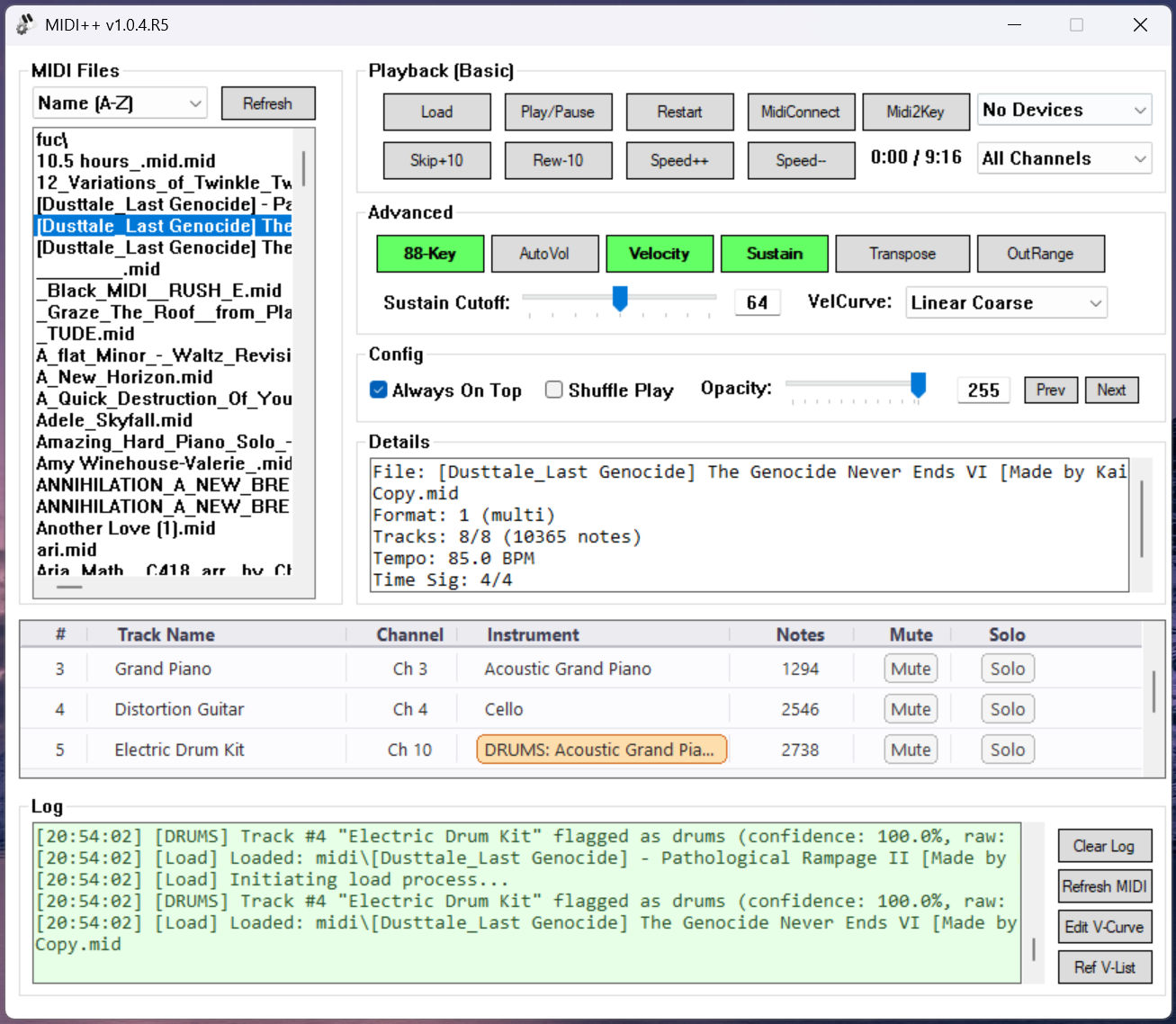
Real-time track muting, soloing, and visualization
Velocity Curve Editor
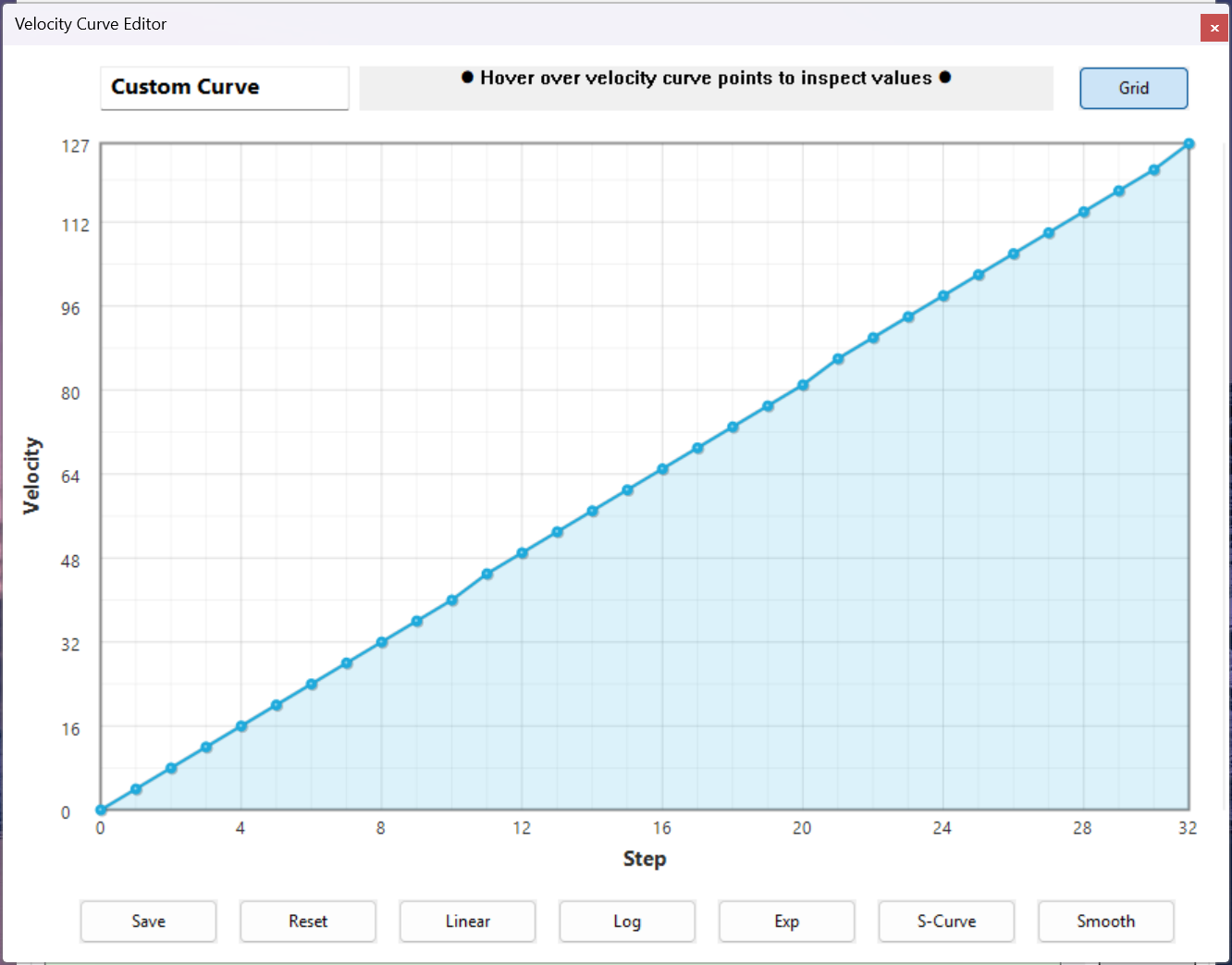
32-step precision velocity mapping for perfect expression control
Video Demonstrations
| Feature |
Description |
Demo |
| Zero Latency |
Experience input-to-output latency of less than 0.5ms |
Watch Video |
| Remappable Keys |
Customize key assignments for any virtual piano interface |
Watch Video |
System Requirements
- Windows 10/11 (64-bit)
- Visual C++ Redistributable 2022
Build Instructions
Prerequisites
- Visual Studio 2022 (Community, Professional, or Enterprise)
- Windows 10/11 SDK
- C++ Desktop Development Workload
Building with Visual Studio 2022
-
Clone the repository:
git clone https://github.com/Zephkek/MIDIPlusPlus.git
cd MIDIPlusPlus
-
Open the solution file:
- Navigate to the
MIDI++ folder
- Open
MIDI++.sln with Visual Studio 2022
-
Select the build configuration:
- For normal use:
Release x64
- For debugging:
Debug x64
-
Build the solution:
- Press
Ctrl+Shift+B or
- Select
Build > Build Solution from the menu
-
Run the application:
- Press
F5 or
- Navigate to
bin/x64/Release/ and run MIDI++.exe
Common Build Issues
- If you encounter missing dependencies, ensure you have the Visual C++ Desktop Development workload installed via the Visual Studio Installer
- For Windows SDK related errors, install the latest Windows 10/11 SDK via the Visual Studio Installer
Quick Commands
Load    - MIDI loading
Play    - Start playback
Stop    - Stop playback
Restart - Reset playback
Skip    - Navigate through tracks
Speed   - Adjust playback speed
Acknowledgements
Special thanks to Gene and the MIDI++ community for invaluable feedback and support.
License
Please see the LICENSE file for details.


评论