PDF-Viewer
Warning: This project is currently not being actively maintained. When I initially developed this project, I had only about a week available. PySimpleGUI was also in its early stages, and there may have been updates that could simplify certain sections of the code. I am working on finding some time to update the code to the latest Python and PySimpleGUI versions. However, please note that this project should still fulfill your requirements.
A
Pure Python PDFViewer, which provides almost all the functionalities you want from a PDF reader. Following are the some of main features of this application
- Searching through a PDF document
- Table of contents
- Take notes and save them automatically
- Night mode for taking care of your eyes
- Zooming feature
- Developed in pure Python (python-3.7.4)
Why bother creating a new PDF Viewer?
I wanted to create an application that requires me to have a PDF Viewer with access to the source code, in Python. I searched the internet for a PDF Viewer written in Python, but all in vain. I couldn’t find any good results.
Hence, I decided to create my own PDF Viewer, that uses pure Python packages.
How to run?
Make sure you have installed these packages:
You can simply run this command to install all packages. First make sure you are in the same directory as requirements.txt, then type:
pip install -r requirements.txt
This will install all the packages, then you have to simply run this command:
python pdfviewer.py
The given command will generate this screen:

Now, you can open any book and enjoy reading.

Searching
We all want to search through a document and get things done quickly, well I got your back. Keep searching using this advanced user-friendly search feature.

Night Mode
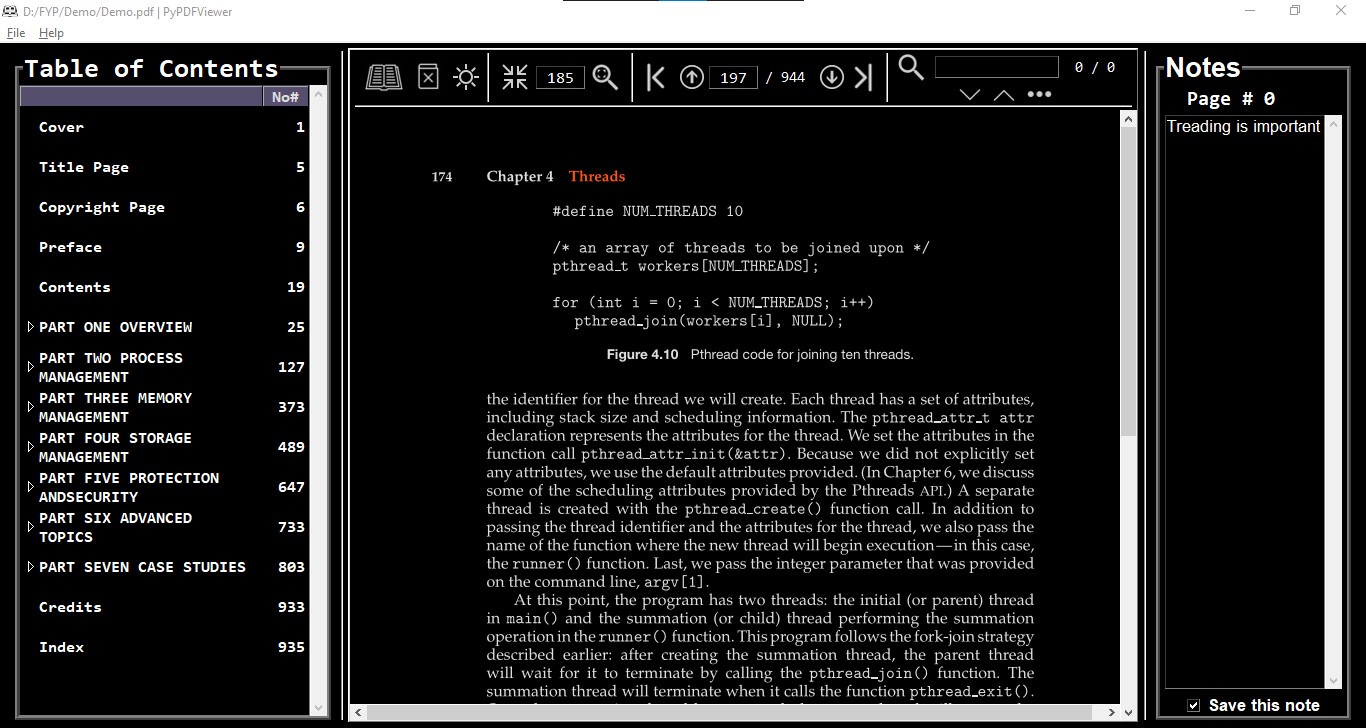
If you want to read more but your eyes can’t see the white screen anymore, switch to night mode. This not only updates the application’s theme but converts the PDF to black background and white text so that your eyes can relax.
Notes
Well, you can take notes as you go through the book. On the right side, there is a space for writing anything you want. There is a “Check Box” at the right-hand corner make sure that box is checked, only then will the note be saved.
A file name like “%PDF Filename%_notes.txt” will appear once you close the document. This file will look something like this:

You can see how easy it is to navigate through this text file and see all the notes.
What’s so special about it?
Once you have taken the notes, then, whenever you open the same file again, all the notes will appear again concerning their page number. If you take the example of the above-given screenshot of the notes.txt, when I open the same file again you can see the notes:

Make sure you don’t delete the text file that is created automatically by the PDFViewer.
Buy me a coffee
If you like my effort and want this project to move forward, you can support this project by using the Sponsor button above. I appreciate your generous help.
Pythonic Code
This code is not as Pythonic as I want it to be, but I had just enough time and resources to get this done, so this is what it is. I might take 1-2 days out of my schedule to refactor this code base.
Special Thanks
I want to thank PySimpleGUI for developing such a great GUI-Framework in Python.


评论