instagram-feed

PHP library to retrieve an Instagram profile feed, embed the feed of your authorized Instagram accounts on your website. The library uses the Instagram API with auto-refreshing access token support.
(Live Demo)

Limitations
Requeriments
- PHP Hosting (with
composer, file_get_contents(), file_put_contents() support)
- Meta Developer App [Guide]
- Instagram API [Guide]
Installation
To install the library, make sure you have Composer installed and using your command terminal run the following:
composer require yizack/instagram-feed
Use
Installing this library will allow you to use the InstagramFeed class by simply importing the composer autoload.
Import the composer autoload, use the namespace Yizack\InstagramFeed and initialize the InstagramFeed object.
require "vendor/autoload.php";
use Yizack\InstagramFeed;

$feed = new InstagramFeed(
  "long-lived-access-token" // Paste your long-lived-access-token here
);
To retrieve your Instagram feed array use the getFeed() function.
$array = $feed->getFeed();
Or loop it directly in a foreach method wherever you need it.
foreach ($feed->getFeed() as $value) {
    // your code
}
The getFeed() function also accepts an array of fields to be returned.
$array = $feed->getFeed(["username", "permalink", "timestamp", "caption", "media_url"]);
For a list of all available fields see: https://developers.facebook.com/docs/instagram-platform/reference/instagram-media#fields
About the code
InstagramFeed constructor arguments
| Argument |
Type |
Description |
Optional |
Default value |
token |
string |
Your Instagram long-lived-access-token. |
No |
|
path |
string |
The path where the updated file will be saved on your server. |
Yes |
ig_token |
filename |
string |
The name of the file in which the date of the last token update will be stored. |
Yes |
updated.json |
getFeed() function
Updates the date of the last token update and requests feed data from an Instagram account.
Returns an array with the data of the last 25 posts with the following data for each one:
| Key |
Description |
username |
Instagram username. |
permalink |
Instagram post permalink. |
timestamp |
Instagram post timestamp. |
caption |
Instagram post caption. |
id |
Instagram post identifier. |
Long-Lived Access token
This approach uses Long-Lived Access Tokens obtained by authorizing your Instagram account with your Meta App.
Since Long-lived tokens are valid for 60 days and can be refreshed as long as they are at least 24 hours old and not expired, the getFeed() method will refresh your token everytime it is been called if 24 hours have passed.
Tokens that have not been refreshed in 60 days will expire and can no longer be refreshed, so be sure to visit often the site where you placed the feed.
Example of use
Check the example folder for details.
Requeriments Guide
PHP Hosting
You can use any PHP Hosting unless it does not support file_get_contents() and file_put_contents().
In order to use the Instagram API, we must first create a Meta App. Follow the steps below to create a Meta App.
-
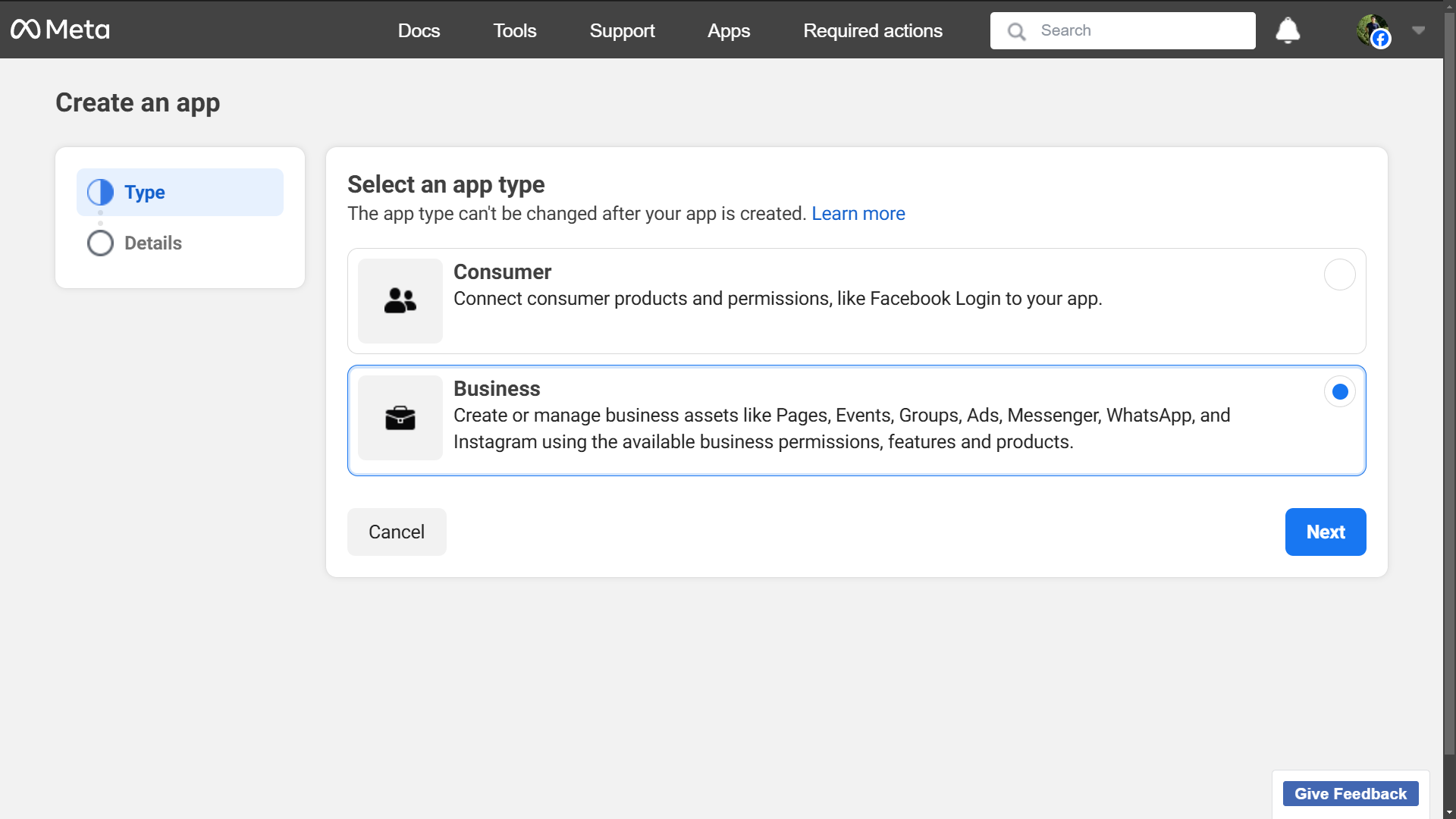
Go to Meta for Developers site, login and create App. Select the app type as Business.
-
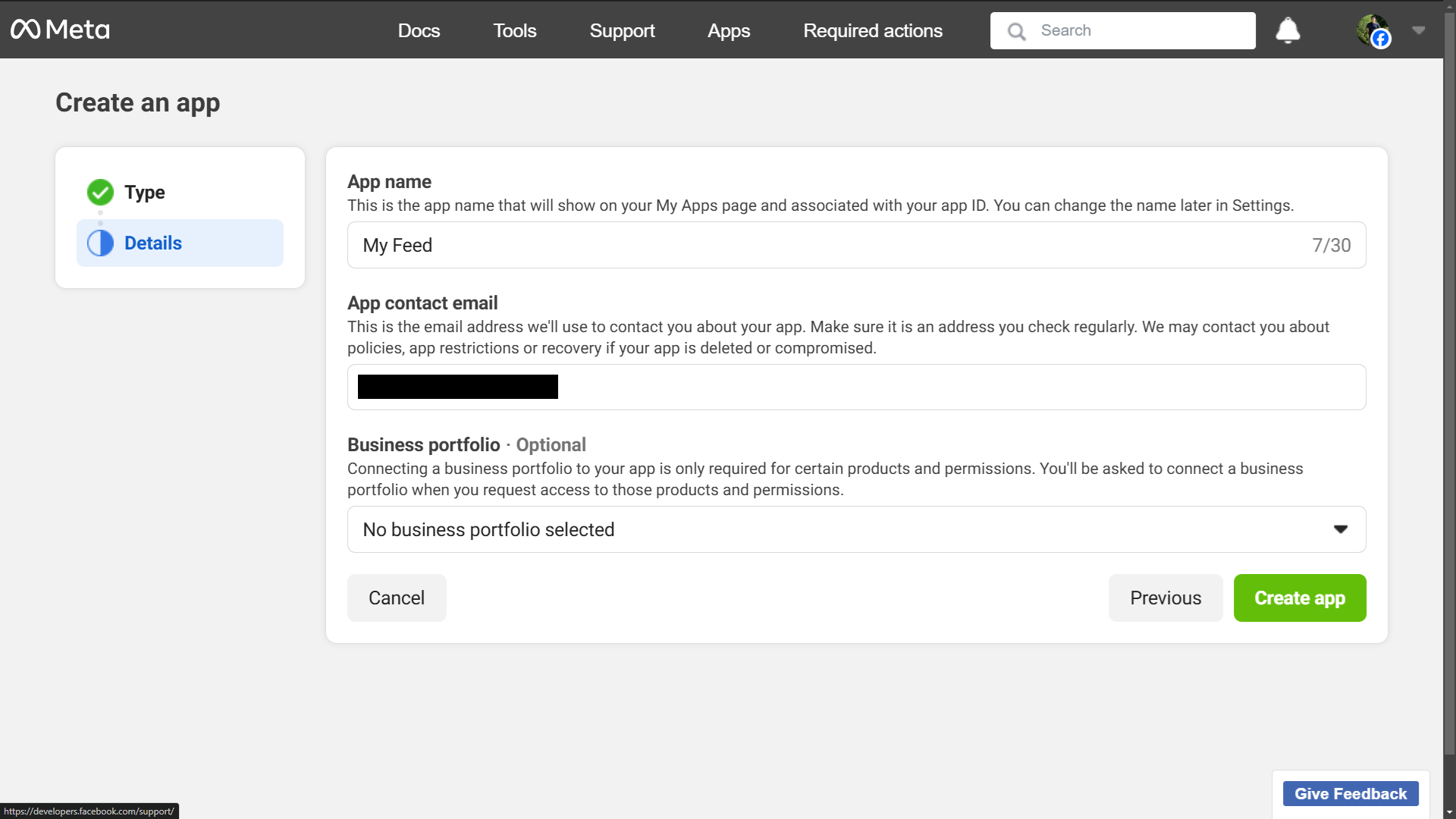
Provide your App details.
Instagram API
Now it is time to authorize your Instagram Business or Creator account.
-
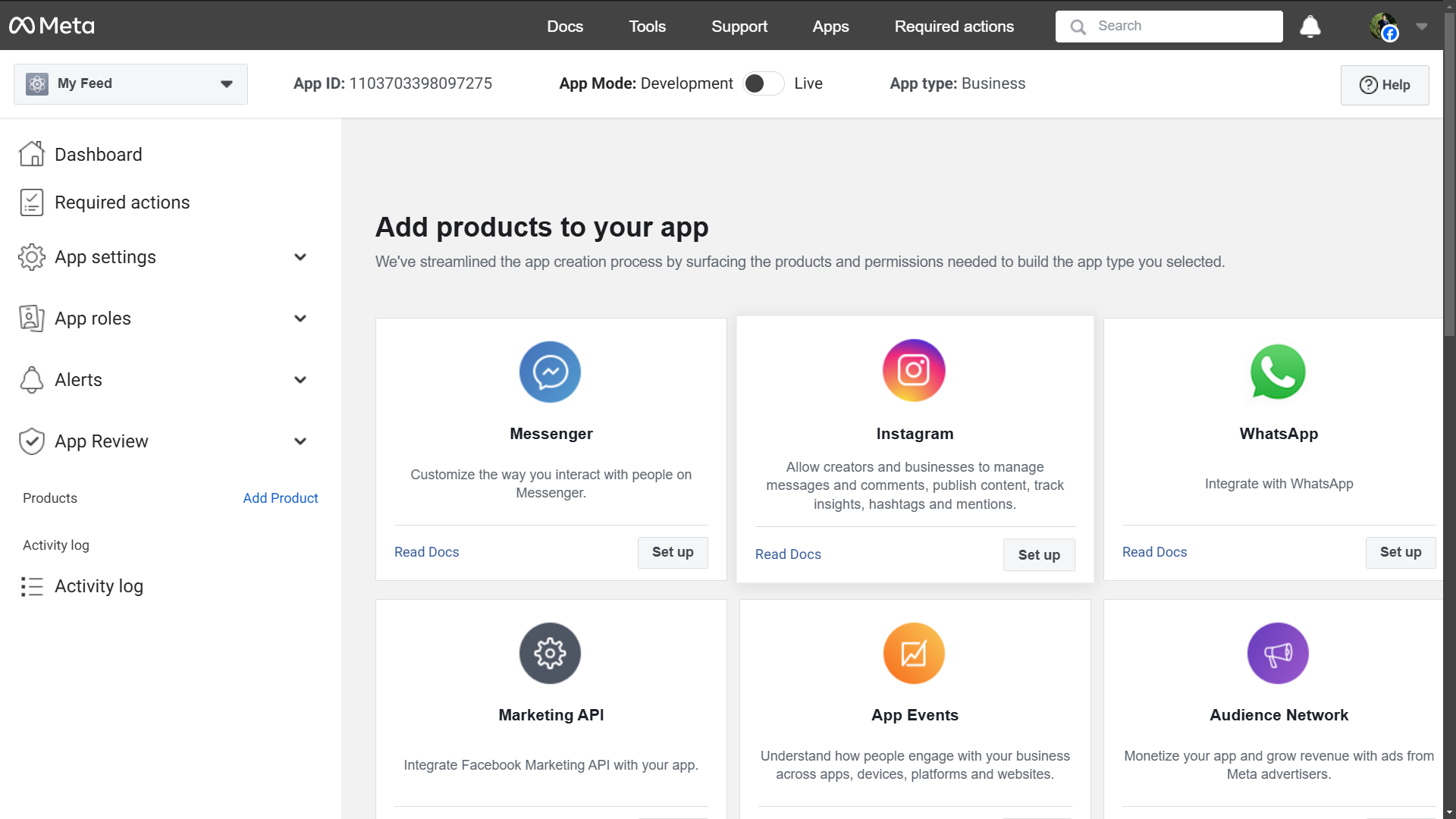
Look for Instagram product, and click on Set up to use the Instagram API.
-
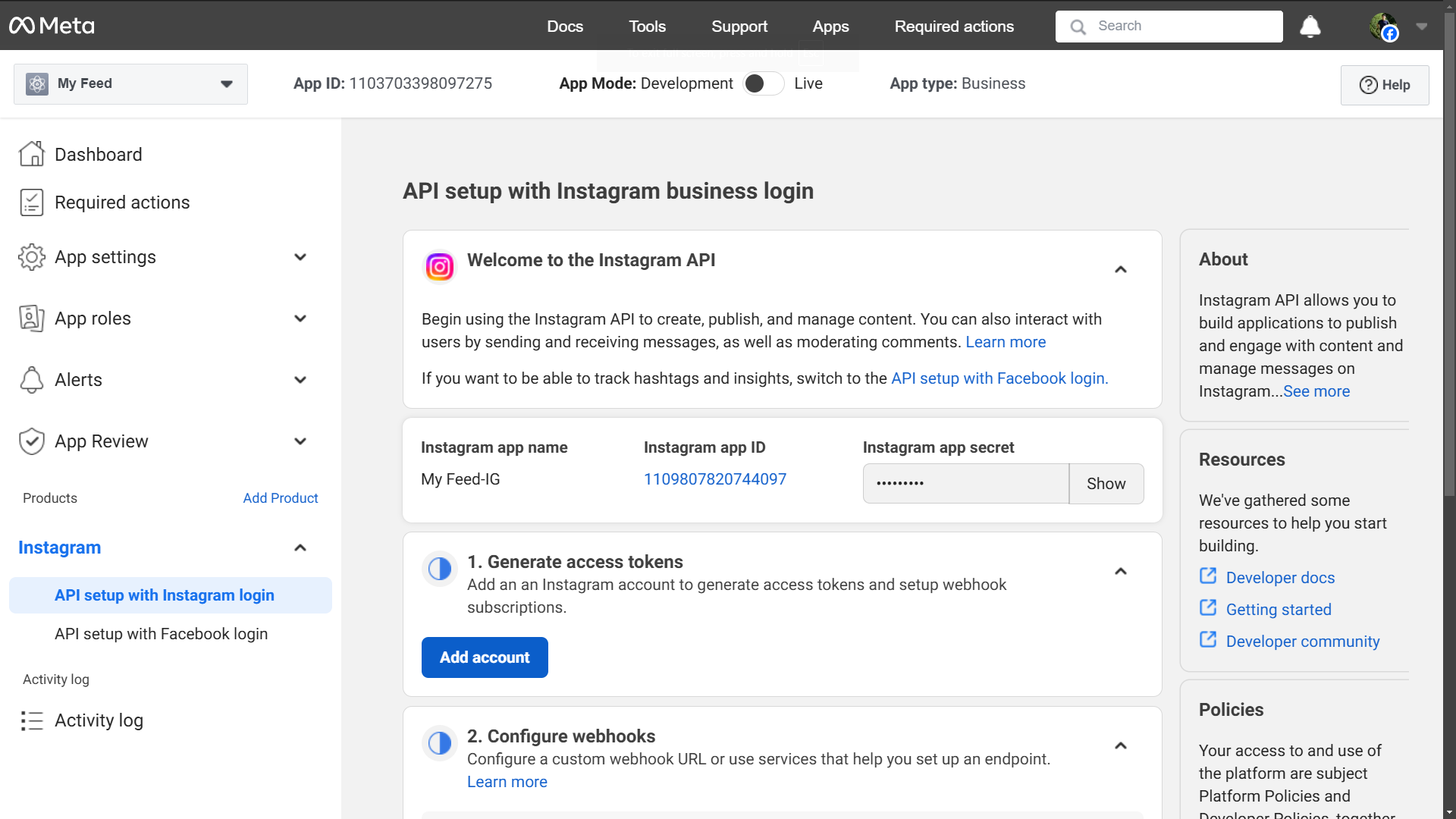
In the Generate access tokens section, Click on the Add account button.
-
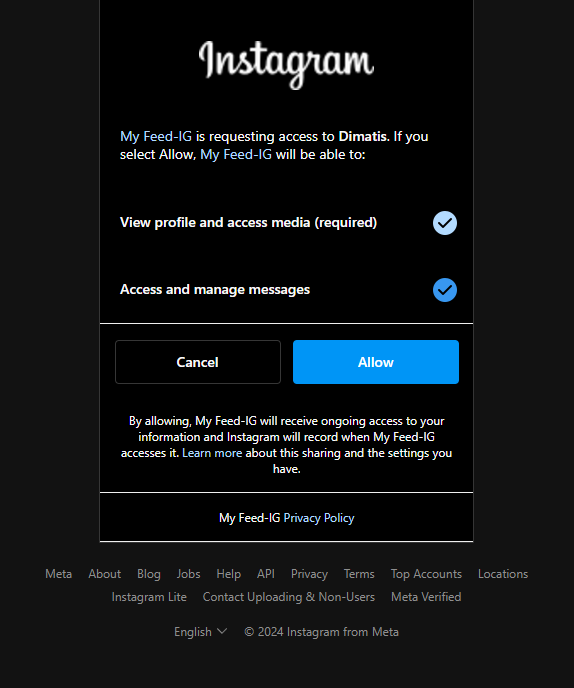
Login using your Instagram Business or Creator account and allow the permissions.
-
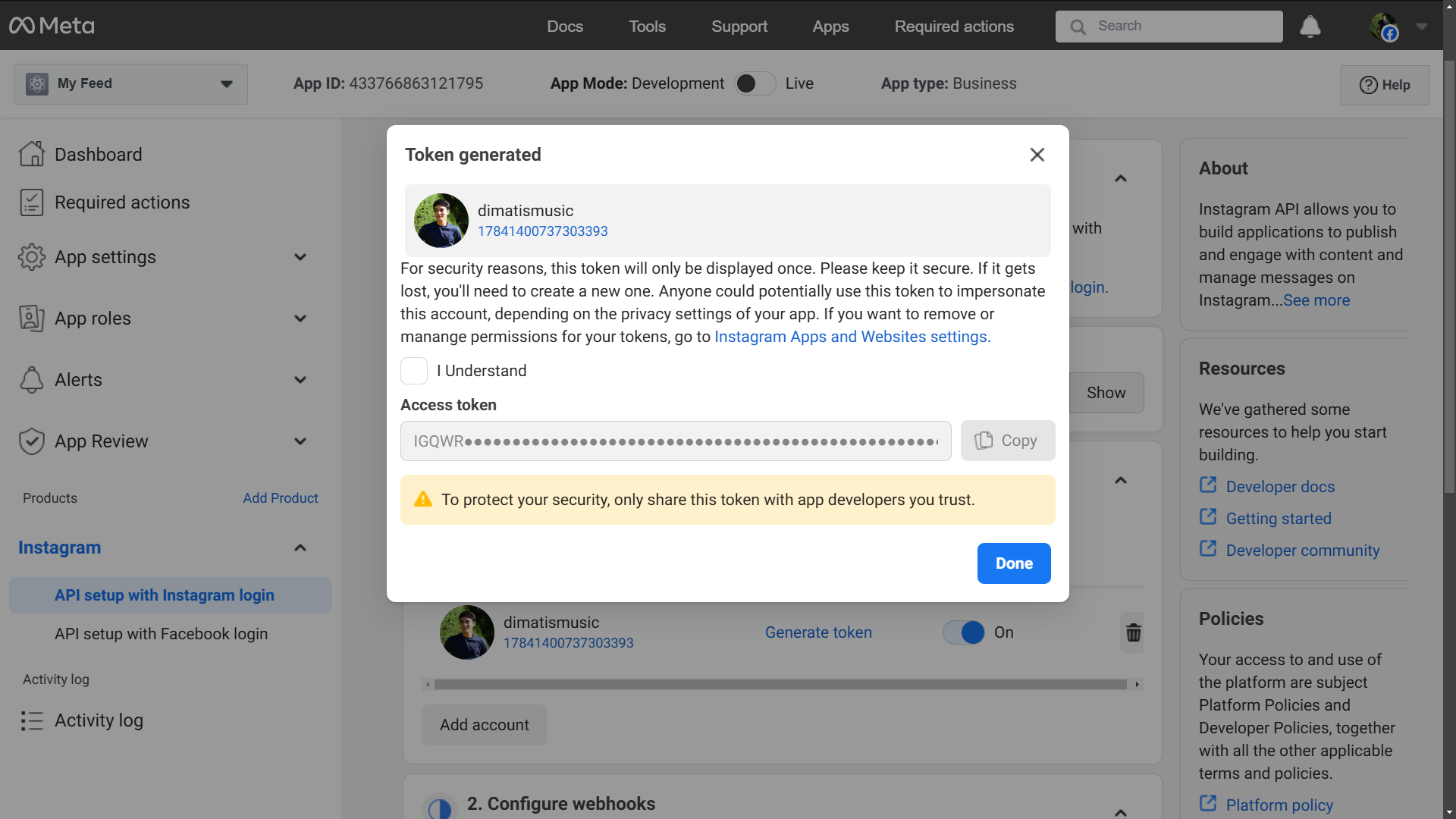
Click on Generate token, allow the permissions, and copy the generated token inside the code.
-
Paste your token in your code.
Repository
Yizack/instagram-feed on GitHub.


评论