MIT License

项目介绍

VHSgunzo/lux-wine 是一个托管在 GitHub 上的开源项目,主要使用 Shell 编写,采用 MIT License 许可证,目前获得 175 个 Star、5 次 Fork。

仓库全名
VHSgunzo/lux-wine
开源许可证
MIT License
Star 数
175
Fork 数
5

README 摘要

Lux Wine This project allows you to easily run your favorite applications and games for Windows on almost any Linux x8664 distribution using a specially configured Wine/Proton and RunImage container. Lux Wine also comes with a native Steam, which allows you not to think about installing a large number of libraries into your system (especially 32-bit ones) for its work. Requirements: Supported architectures x8664 The…

完整内容见 GitHub 原始 README 或本页 。

常见问题

lux-wine 用什么语言开发?

主要使用 Shell 编写,采用 MIT License 许可证,目前有 175 个 Star。

lux-wine 可以免费商用吗?

仓库采用 MIT License 许可证,可免费使用与修改,商业使用请遵守许可证条款(例如保留版权声明与许可声明)。

如何获取 lux-wine 的源码?

可以直接克隆仓库:git clone https://github.com/VHSgunzo/lux-wine.git,默认分支为 main;安装与运行步骤见仓库 README。

lux-wine 最近还在维护吗?

仓库最近一次更新为 2月17日,当前没有未关闭的 Issue;Star 数为 175,可作为社区活跃度的参考。

关于

GitHub 原始描述(英文)

Easy launch of your Windows applications and games with Wine/Proton

描述取自 GitHub 官方 API,保持仓库作者书写的原文。

简要分析

热度分
192
价值分
107
活跃状态
活跃

语言占比

Shell

Release

README

Lux Wine

This project allows you to easily run your favorite applications and games for Windows on almost any Linux x86_64 distribution using a specially configured Wine/Proton and RunImage container. Lux Wine also comes with a native Steam, which allows you not to think about installing a large number of libraries into your system (especially 32-bit ones) for its work.

Requirements:

  • Supported architectures x86_64
  • The minimum recommended Linux kernel version is 4.18+ with support for user namespaces, but 5.0+ would be better
  • FUSE (but not necessarily, because it is possible to work in unpacked form without FUSE mounting)
  • The driver for the video card in your system
  • Some kind of desktop environment

Installation:

curl -sL lwrap.github.io|bash
Alternative mirrors and installation commands
  • YC mirror:
curl -sL lwrap.website.yandexcloud.net|bash
  • HF mirror:
curl -sL lux-wine-git.static.hf.space|sed 1d|bash
  • or with wget:
wget -qO - lwrap.github.io|bash
  • YC mirror:
wget -qO - lwrap.website.yandexcloud.net|bash
  • HF mirror:
wget -qO - lux-wine-git.static.hf.space|sed 1d|bash

Video of the installation process:
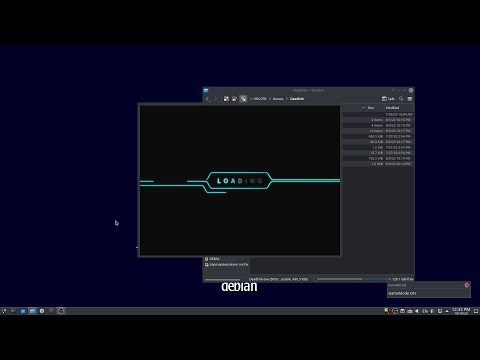
Installation video

Offline installation:

  1. Download latest lwrun release from the releases page (HF mirror)
  2. Make it executable before run
  3. For Nvidia users with a proprietary driver, it is also necessary to download or manually create an image of the driver of the corresponding version and put it next to the lwrun container
  4. Launch the lwrun container, the installation will be completely automatic

Terminal usage:

┌──[user@linux]─[~]
└──╼ $ lwrun {lwrun arg} blabla.exe {exe args}

      -explorer                   Wine explorer
      -cmd                        Open CMD or open file in CMD
      -shell                      Open SHELL or open file in SHELL
      -config                     Settings
      -regedit                    Registry editor
      -control                    Control panel
      -winecfg                    Wine settings
      -winemgr {delonly}          Wine manager
      -taskmgr                    Task manager
      -uninstaller                Wine uninstaller
      -winetricks {arguments}     Winetricks
      -openpfx                    Open drive C:\
      -killwine                   Kill Wine processes
      -killtray                   Kill tray
      -killexe                    Kill running EXE
      -killshell                  Kill SHELL
      -exit                       Force exit
      -clearpfx                   Clear prefix
      -shortcut                   Create shortcut
      -debug                      DEBUG
      -help                       Show this usage info
      -version                    Show version info
      -tray {noclose}             Tray
      -init                       Forced initialization
      -pfxbackup {xz}             Create prefix backup
      -pfxrestore                 Restore prefix from backup
      -backupmnt                  Mount prefix backup
      -backupunmnt                Unmount prefix backup
      -lsapp                      Show a list of applications
      -runapp {num|name}          Launch the application
      -rmapp {num|name|all}       Remove application shortcut
      -appcfg {num|name|resetall} Applications settings
      -update {all}               Runtime updater
      {dx|dxvk} {vkd|vkd3d} {d3d|d3d_extras|d3d-extras} {eac|eac_runtime}
      {nvml|wine_nvml} {dxnv|dxvk-nvapi|dxvk_nvapi} {wtrx|winetricks}
      {bat|battleye|battleye_runtime} {dg|dgvoodoo2}

Forced re/install Lux Wine:

lwrun --install

Forced check for updates:

lwrun --update

Removing:

lwrun --uninstall

Keyboard shortcuts:

MangoHud:

  • Show/Hide: R_Shift + F12
  • Disable/Enable FPS limit: L_Shift + F1
  • Change postion: R_Shift + F11

VkBasalt:

  • Disable/Enable: HOME

Install apps from container repositories:

Here is an example of installing an application (discord) from the container repositories. You do not need root rights to install it. During installation, the application shortcut will also appear in the system applications menu. You can read more about container application integration here. ArchLinux and Chaotic-AUR repositories are connected in the container.

RIM_DINTEG=1 runimage-lw pac -Sy discord

You can also run the installed application from the terminal:

runimage-lw discord

Features:

  • Easy installation without root rights and dependencies
  • The ability to install completely offline
  • Own portable lwrun container with isolation from the host system
  • Ability to install apps from container repositories without root permissions
  • Automatic rolling update system
  • Quick initialization and launch
  • Ability to specify EXE arguments and save them in settings
  • Tray mode
  • Automatic creation/removal of shortcuts for installed programs and games
  • Automatic creation of shortcuts from game launchers
  • Ability to create separate configuration files for different EXEs
  • Automatic enable WineD3D (OpenGL) mode if Vulkan API is not available
  • DXVK with Wine DXGI mode
  • Supports running on virtual machines with GL acceleration
  • Debug mode
  • Terminal launch mode
  • Logging mode
  • SHELL mode or open file in SHELL (with access to all lux-wine functions)
  • CMD mode or open file in CMD
  • Built-in Wine-staging
  • Built-in proton-cachyos
  • Wine Manager (Lutris, Proton GE, Wine GE, Kron4ek)
  • Manage and install multiple wine/proton/dxvk/dxvk-nvapi/vkd3d/d3d_extras/dgvoodoo2 versions and on-the-fly change
  • DXR/RTX (Ray Tracing) (if the video adapter support and depends on VKD3D)
  • DLSS (if the video adapter and game support and depends on DXVK-NVAPI + WINE-NVML)
  • Custom VKD3D config
  • MangoHud settings (with custom config support)
  • VkBasalt settings
  • Reshade Shaders settings (VkBasalt Effects, depends on VkBasalt)
  • Vulkan ICD loader automatic and manual settings
  • AMD FidelityFX Contrast Adaptive Sharpening settings (depends on VkBasalt)
  • Gstreamer (if Wine support)
  • GameMode
  • Gamescope
  • controllermap
  • Esync
  • Fsync (if linux kernel support)
  • NTsync (if linux kernel support)
  • Vsync settings
  • AMD FidelityFX Super Resolution settings (if Wine support)
  • BattleEye runtime (if Wine support)
  • EasyAntiCheat runtime (if Wine support)
  • NVIDIA Prime Render Offload
  • US keyboard layout switcher
  • Reset PulseAudio (+PulseEffects)
  • Reduce PulseAudio latency
  • Restore gamma
  • CPU limitation mode
  • Show Crash Dialog (WINEDBG)
  • FPS limit settings (with MangoHud or libstrangle)
  • Custom Wine themes
  • Automatic add/remove shortcuts for wine applications
  • Quick access to Wine stuff:
      * Wine explorer
      * Control panel
      * Wine settings
      * Task manager
      * Wine uninstaller
      * Registry editor
  • Built-in Winetricks
  • Quick open drive C:\
  • Killer stuff:
      * Kill Wine processes
      * Kill tray
      * Kill Lux Wine running EXE
      * Kill SHELL
      * Force exit (kill all)
  • Ability to clear a prefix without completely recreating it
  • Mouse context menu for Dolphin
  • Window compositing management (KDE, MATE, XFCE, Deepin)
  • Wine prefix management
  • Wine architecture management
  • Windows Version management
  • Wine DLL overrides
  • Wine MONO overrides
  • Disabling MONO (.NET Core)
  • Various optimizations for better gaming performance
  • Custom EXE DB launch helper scripts
  • Custom loading bar animation
  • Wine virtual desktop
  • Disable no primary displays (only on x11)
  • Restore resolution (only on x11)
  • Wayland supports (experimental)
  • Wine prefix sandbox
  • Downloader selection (aria2c or wget, aria2c in priority)
  • Ability to use the built-in Proton D3D DLLs (DXVK, DXVK-NVAPI and VKD3D)
  • Custom Environment (globally and separately for EXE)
  • pre_launch and post_launch functions
  • Checking and usage anticheat libraries and Protons from native Steam (selected automatically if no other versions of Wine and anticheats are installed)
  • WINE-NVML (automatic download if it does not exist in DXVK-NVAPI
  • LatencyFleX (depends on DXVK-NVAPI >=0.5.3)
  • Nvidia Resizable BAR (if your system support)
  • Сreating/restoring backups of Wine prefixes
  • Mounting/unmounting backups of Wine prefixes
  • OBS-VkCapture supports
  • Redefining Wine options in settings GUI:
      * WINE_HIDE_NVIDIA_GPU
      * WINE_HEAP_DELAY_FREE
      * STAGING_SHARED_MEMORY
      * WINE_ALLOW_XIM
      * DISABLE_LAYER_AMD_SWITCHABLE_GRAPHICS_1
      * DXVK_ASYNC
      * WINE_LARGE_ADDRESS_AWARE
      * WINE_DISABLE_WRITE_WATCH

评论

暂无评论