Switchdeck: Steam ARM64 for Switch (L4T)

Installation
- Download
install-steam.sh from this repo and run it in your terminal.
- Use the shortcut or
launch-steam.sh in your Steam folder to launch Steam.
- In Steam go to Settings -> Library and turn on: Low Bandwidth, Low Performance and Disable Community Content.
- Go to Settings -> Compatibility and select Proton Experimental or Proton 11.0-2e Armv8.0 (FEX). FEX does not support 32-bit games because of severe graphical bugs.
- Go to Settings -> Controller: -> Show Advanced Settings: Enable “Combine Joycon Pairs” and Enable Steam Input for Pro and Generic Controller. (Capture Button below D-Pad switches from Desktop Mode to Controller)
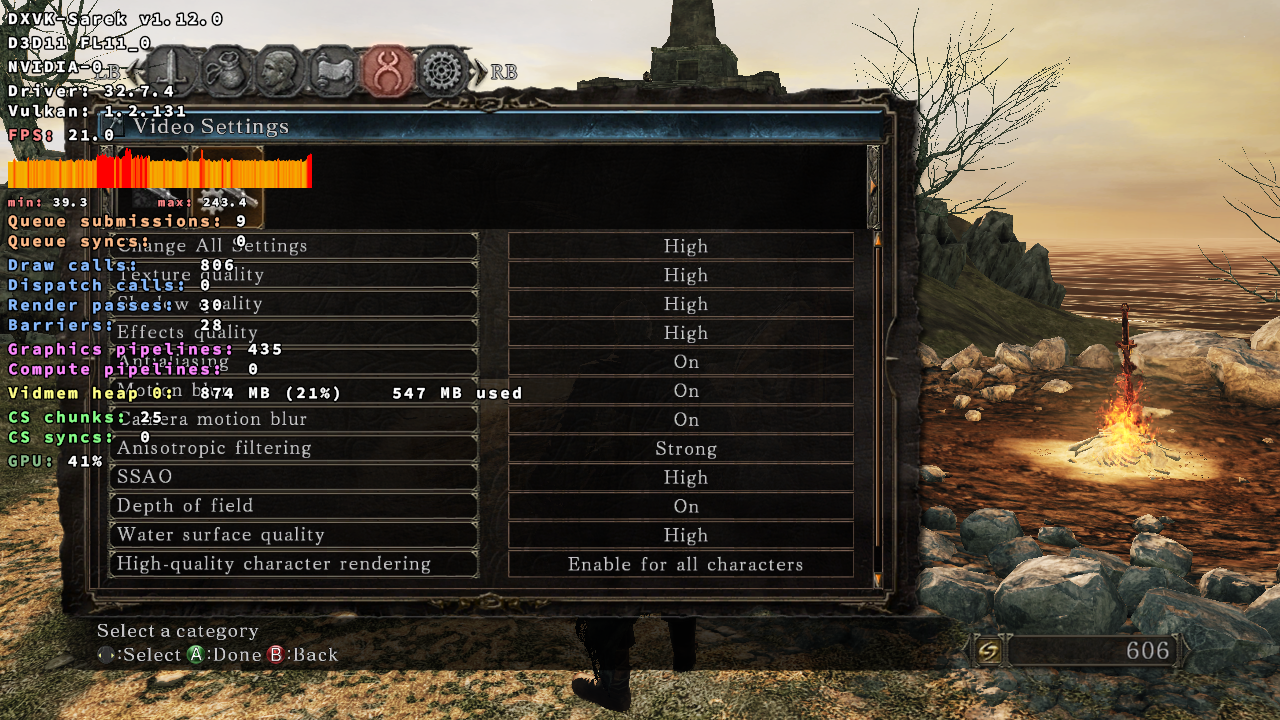
- Restart Steam to apply the DXVK-Sarek, VKD3D and Vertex Explosion patch to Proton.
Note: If Steam updates your Proton version you have to relaunch it to reapply the DXVK-Sarek, VKD3D and Vertex Explosion patch. It’s applied on launch.
Requirements
- Linux for Switch: Kubuntu Noble or Fedora 44. Make sure to install all the latest system updates.
- Box64 to run games. Switchdeck installs it for you on Ubuntu and Fedora.
- Vulkan 1.2 Support: Fedora ships with the latest GPU driver. Switchdeck updates it for you on Ubuntu.
- RAM OC: Nintendo Switch has 4GB shared between CPU and GPU so overclocking RAM helps a lot.
Features
SD_GAMEMODE=1 or 2 %command% Games launched with this command unload the steamwebhelper to free up over 1GB of RAM. In mode 2 it also unloads KDE services including Network services. Restoring Steam or KDE after game exit is gonna take a few seconds.SD_SWAP=1 %command% Adds 4GB of Swap for the current game and disables it on exit. Required for some games that run out of RAM.SD_ZRAM=1 or 2 %command% Adds 1GB or 2GB of extra ZRAM for the current game and disables it on exit. Provides better stability for games close to the RAM limit.- DXVK-Sarek Patch for Steam Proton and GE-Proton.
- VKD3D v2.3.1 Patch for Steam Proton and GE-Proton.
- Vulkan extension patch for Proton and GE-Proton to fix Vertex explosions in 32-bit games. (Caused by broken Nvidia Drivers.)
- KDE Context Menu: Add to Steam, to easily import non-Steam games.
- Game compatibility list. Not every title is supported or fully playable.
- Use the square taskbar icon to change your OC Profile. OC CPU should be enough for most games.
- Several launch commands are defined in
launch-steam.sh. Feel free to tweak them to fit your needs. Changing STEAMDECK_MODE="false" to true at the top enables steamdeck / big picture mode.
wineesync causes crashes with DXVK and is disabled in launch-steam.sh. FSync is currently only supported on Fedora 44.- Proton-CachyOS, GE-Proton and Luxtorpeda are supported. Some games may only work with GE-Proton.
- ProtonPlus can be used to install custom Proton versions. Just download and run the latest aarch64 appimage.
- FEX currently does not support 32-bit games because of severe graphical bugs. Use non-FEX Proton versions like Experimental for 32-bit games.
Explanation
This script automates the download and installation of Steam ARM64. Because Steam client builds newer than April 15th, 2026, cause “illegal instruction” crashes on the Nintendo Switch, the script automatically downgrades specific parts of Steam to that version. The L4T kernel (4.9) is technically too old to support FEX-Emu but a WIP Proton FEX build for Armv8.0 is available here. This setup also establishes an alternative x86_64 environment powered by Box64 to run x86_64 Proton builds. It applies custom compatibility patches to both native Proton and GE-Proton to ensure Vulkan 1.2 support and to disable a broken Vulkan extension, directly resolving vertex explosion bugs in 32-bit games on the Tegra X1.
Credits to Ivy for the original steam-arm64 download script
Legal Notice
The bash scripts (launch-steam.sh, etc.) in this repository are provided under the GNU General Public License v3.0 (GPL-3.0).
The Steam binaries, libraries, and resources located in /files/downgrade/ are the proprietary property of Valve Corporation. These files are NOT covered by any open-source license and are subject to the Steam Subscriber Agreement (SSA).
This project is not affiliated with, maintained by, or endorsed by Valve Corporation. It is provided “as-is” for the sole purpose of maintaining ARM64 compatibility for the Nintendo Switch (L4T) community.



评论