MagicaVoxel-VOX-importer
Blender import add-on for MagicaVoxel .vox format.

MagicaVoxel and other voxel editing software are great to quickly create voxel models, though it’s not always desirable to stay within that ecosystem. This add-on imports each voxel of the original model as an individual cube primitive. This opens up the use of voxel models for projects such as physics simulations.

Getting Started
Installation
This add-on needs to be installed into Blender in order to be used.
Directions for this process can be found here directly from the Blender Documentation.
Only io_scene_vox.py need be installed, other files in this repository are not functionally required.
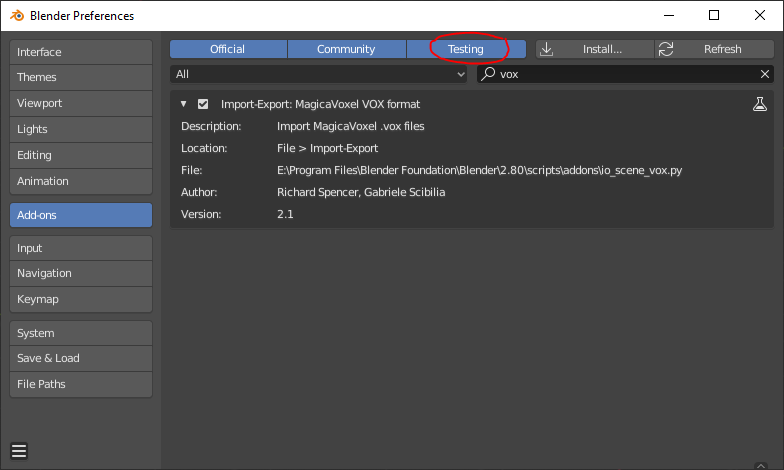
Note: in order to enable the add-on, you will need to have Testing add-ons visible within the Blender Preferences menu.
Usage
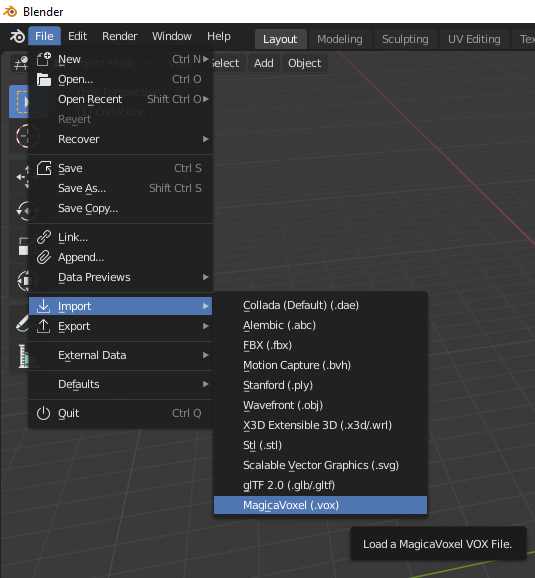
With the add-on installed and enabled, the importer can be accessed from File > Import > MagicaVoxel (.vox)
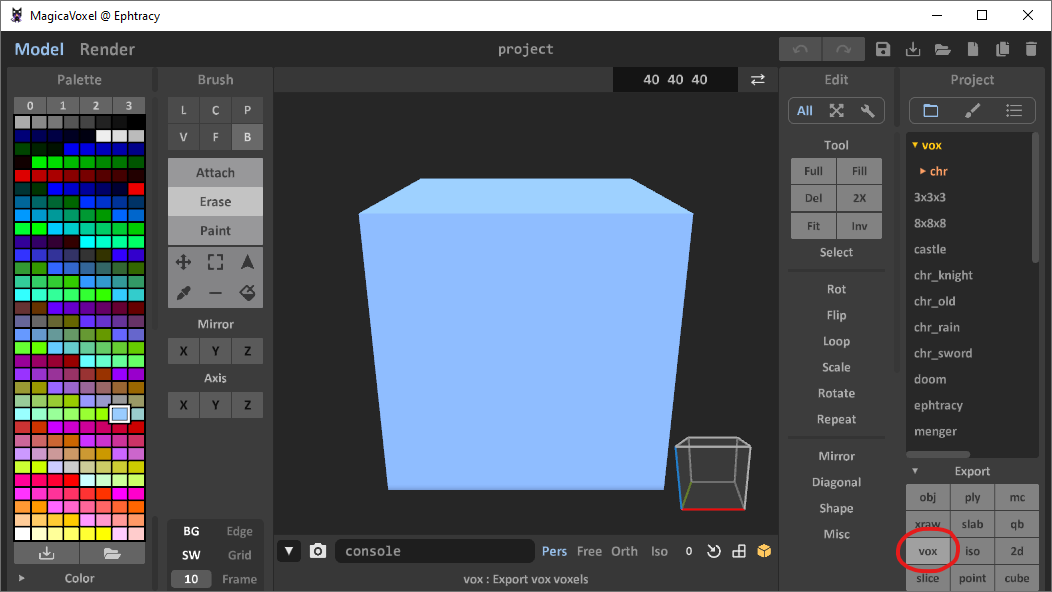
Note: currently this add-on does not support all the features of .vox files created with MagicaVoxel 0.99 and above. If this is the version of MagicaVoxel you are using, you will need to export your file to the older 0.98 format before import.
This export is destructive, it will remove layer information and other features that were added in 0.99. It is therefore recommended you export as a separate filename so as to not lose work.
Import options
This add-on offers several import options, seen on the file select menu of the import.
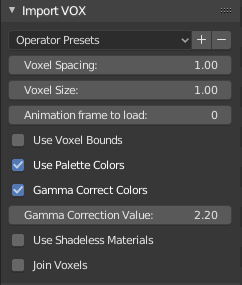
- Voxel Spacing: controls distance center to center of neighbouring voxels.
- Voxel Size: how large each voxel should be, in Blender Units.
- Animation frame to load: for
.vox files that contain animation frames, only 1 frame may be imported at a time, this option selects that value. If a value is given that exceeds the final frame, the final frame is used instead.
- Use Voxel Bounds: import only a sub-set of the model, potentially useful for loading larger models.
- Start Voxel / End Voxel: define which voxels to import.
- Use Palette Colors: should the colors present in the
.vox file be imported as materials?
- Gamma Correct Colors: in order to reproduce colors in the render, colors in the palette are gamma corrected. Disabling this will likely cause discoloration compared to the model when viewed in MagicaVoxel.
- Gamma Correction Value: value of color correction, default of 2.2, see here for more information.
- Use Shadeless Materials: makes materials ‘shadeless’ by changing the material type to emissive.
- Join Voxels: currently naïve option to perform a join operation on the voxels after import. This will make manipulating the model much more performant, though is not suitable in all cases, i.e. physics simulations.
Questions and Concerns
If in using this add-on you encounter difficulties, be sure to check the issues, in case a solution has been outlined there. If not, then issues are welcomed.
Changelog and Versioning
The changes made to this repository are documented in the CHANGELOG.
This repository uses SemVer for versioning.
For the versions available, see the tags on this repository.
License
This project is licensed under the MIT License - see the LICENSE file for details


评论