项目介绍

Phlow/simplicity 是一个托管在 GitHub 上的开源项目,主要使用 SCSS 编写,目前获得 78 个 Star、31 次 Fork。

仓库全名
Phlow/simplicity
Star 数
78
Fork 数
31

README 摘要

Support Theme Development [Simplicity][1] [Simplicity][1] is a Jekyll Theme for minimalists focused on essentials avoiding unnecessary clutter. But still giving you all you need to build wonderful pages for your content. What's special about Simplicity? Simplicity… …works with GitHub Pages. Free webspace for you. …delivers your site fast. No Javascript/jQuery needed. …offers flexible styling of your content. …helps…

完整内容见 GitHub 原始 README 或本页 。

常见问题

simplicity 用什么语言开发?

主要使用 SCSS 编写,目前有 78 个 Star。

如何获取 simplicity 的源码?

可以直接克隆仓库:git clone https://github.com/Phlow/simplicity.git,默认分支为 gh-pages;安装与运行步骤见仓库 README。

simplicity 最近还在维护吗?

仓库最近一次更新为 2025年1月1日,当前没有未关闭的 Issue;Star 数为 78,可作为社区活跃度的参考。

关于

A free, flexible, superfast and easily customizable Jekyll Theme with no Javascript but beautiful typography.

描述取自 GitHub 官方 API,中文内容由 GitRead 中文社区 编辑团队整理。

简要分析

热度分
146
价值分
56
活跃状态
活跃

README

Support Theme Development

Simplicity

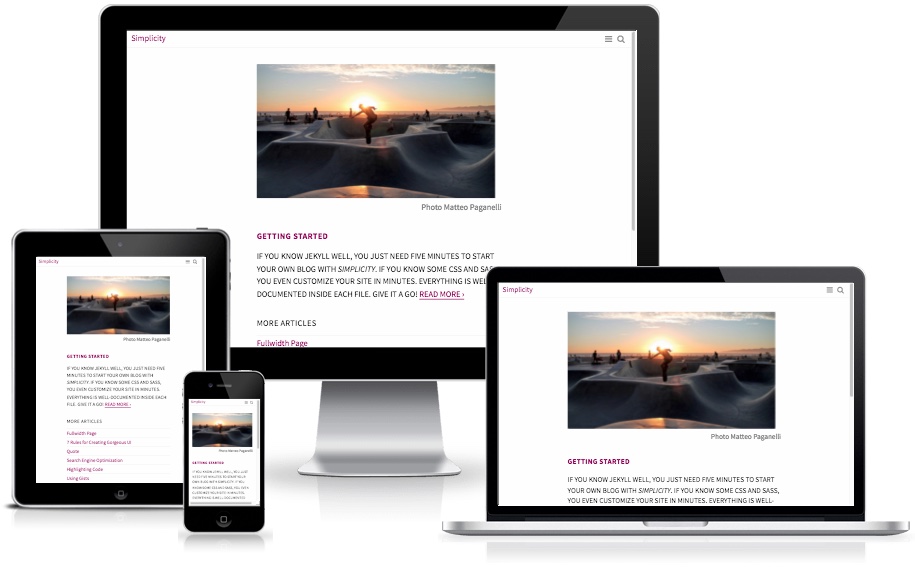
Simplicity is a Jekyll Theme for minimalists focused on essentials avoiding unnecessary clutter. But still giving you all you need to build wonderful pages for your content.

What’s special about Simplicity?

Simplicity…
…works with GitHub Pages. Free webspace for you.
…delivers your site fast. No Javascript/jQuery needed.
…offers flexible styling of your content.
…helps you and is well-documented inside.
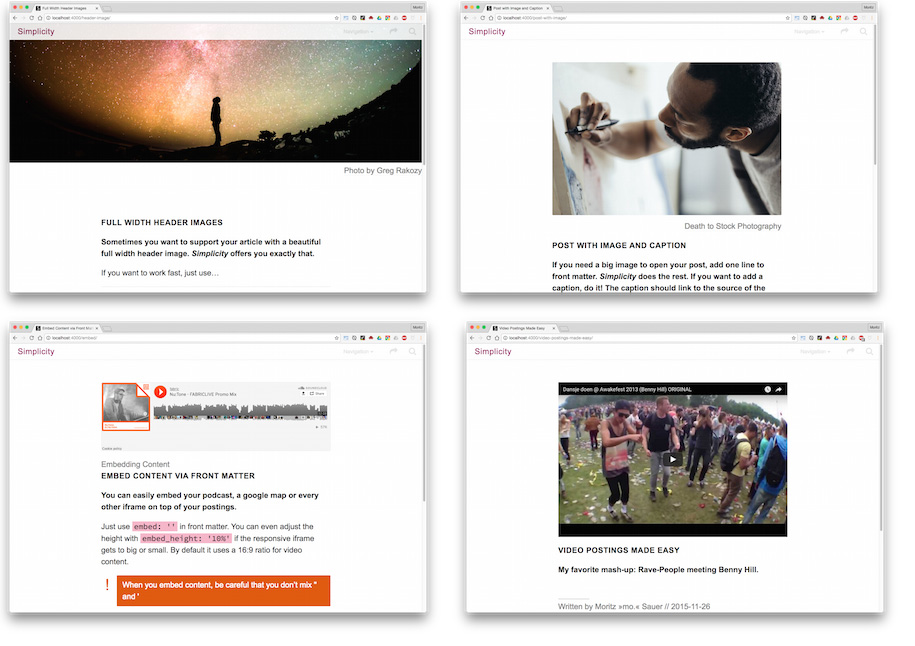
…is highly customizable and offers you Tumblr-like postings.
…is minimalistic and has no clutter.

Screenshots

How to get started?

  1. Download Simplicity
  2. Unzip the archive.
  3. Open the Simplicity-folder in your Terminal.
  4. Type bundle install
  5. Type bundle exec jekyll serve --config _config.yml,_config_dev.yml
  6. Visit http://localhost:4000/ in your browser.
  7. Start customizing Simplicity to your liking :)

What does this do? Bundler is a tool to help you install all the needed Gems (programs, modules) needed to use Simplicity. The second command starts Jekyll with bundler and overwrites with the second configuration file _config_dev.yml some settings in _config.yml like the URL with the development URL http://localhost:4000/.

Newsletter: Stay in Touch for Future Updates

If you are a webdesigner interested in Jekyll, the static website generator, this little newsletter is for you. I share tutorials, clever code snippets and information about my own Jekyll Themes called Feeling Responsive and Simplicity. Please don’t expect weekly emails :)

Subscribe to Jekyll Newsletter

评论

暂无评论