MIT License

项目介绍

EthanDev001/YouTube-Report 是一个托管在 GitHub 上的开源项目,主要使用 Python 编写,采用 MIT License 许可证,目前获得 644 个 Star、57 次 Fork。

仓库全名
EthanDev001/YouTube-Report
开源许可证
MIT License
Star 数
644
Fork 数
57
未关闭 Issue
16

README 摘要

Generate Your Personal YouTube Report Getting Started 1. Install Python 3+ If you don't already have Python 3+ installed on your computer, download it from https://www.python.org/downloads/. 2. Get Your YouTube Data Here you can find out how to download your Google data: https://support.google.com/accounts/answer/3024190?hl=en Here you can download all of the data that Google has stored on you…

完整内容见 GitHub 原始 README 或本页 。

常见问题

YouTube-Report 用什么语言开发?

主要使用 Python 编写,采用 MIT License 许可证,目前有 644 个 Star。

YouTube-Report 可以免费商用吗?

仓库采用 MIT License 许可证,可免费使用与修改,商业使用请遵守许可证条款(例如保留版权声明与许可声明)。

如何获取 YouTube-Report 的源码?

可以直接克隆仓库:git clone https://github.com/EthanDev001/YouTube-Report.git,默认分支为 master;安装与运行步骤见仓库 README。

YouTube-Report 最近还在维护吗?

仓库最近一次更新为 2023年7月23日,当前有 16 个未关闭 Issue;Star 数为 644,可作为社区活跃度的参考。

关于

GitHub 原始描述(英文)

:bar_chart: Generate a personal YouTube report from your Google Takeout data

描述取自 GitHub 官方 API,保持仓库作者书写的原文。

简要分析

热度分
773
价值分
404
活跃状态
活跃

语言占比

Python

README

Generate Your Personal YouTube Report

avatar

Getting Started

1. Install Python 3+

If you don’t already have Python 3+ installed on your computer, download it from https://www.python.org/downloads/.

2. Get Your YouTube Data

Here you can find out how to download your Google data: https://support.google.com/accounts/answer/3024190?hl=en Here you can download all of the data that Google has stored on you: https://takeout.google.com/

To use this script, you only need to select and download “YouTube”, which Google will provide to you as a Zip file by default.

avatar

3. Clone This Repository

On https://github.com/A3M4/Personal-YouTube-Report-Generator, click the green “Clone or Download” button at the top right of the page. Then, click the “Download ZIP” button, and extract the ZIP somewhere on your computer.

NOTE: Make sure to set your Google Account language to English before downloading

4. Extract the Takeout File

Extract the Takeout File(from step 2) and move it to the repository folder(from step 3). Now the files in Repository folder look like below.

avatar

5. Install Dependencies

Open command prompt or Terminal window in this repository folder, type the following and press enter:

pip install -r requirements.txt

6. Run the Script

In the same command prompt or Terminal window, type the following and press enter:

python report.py

7. Results

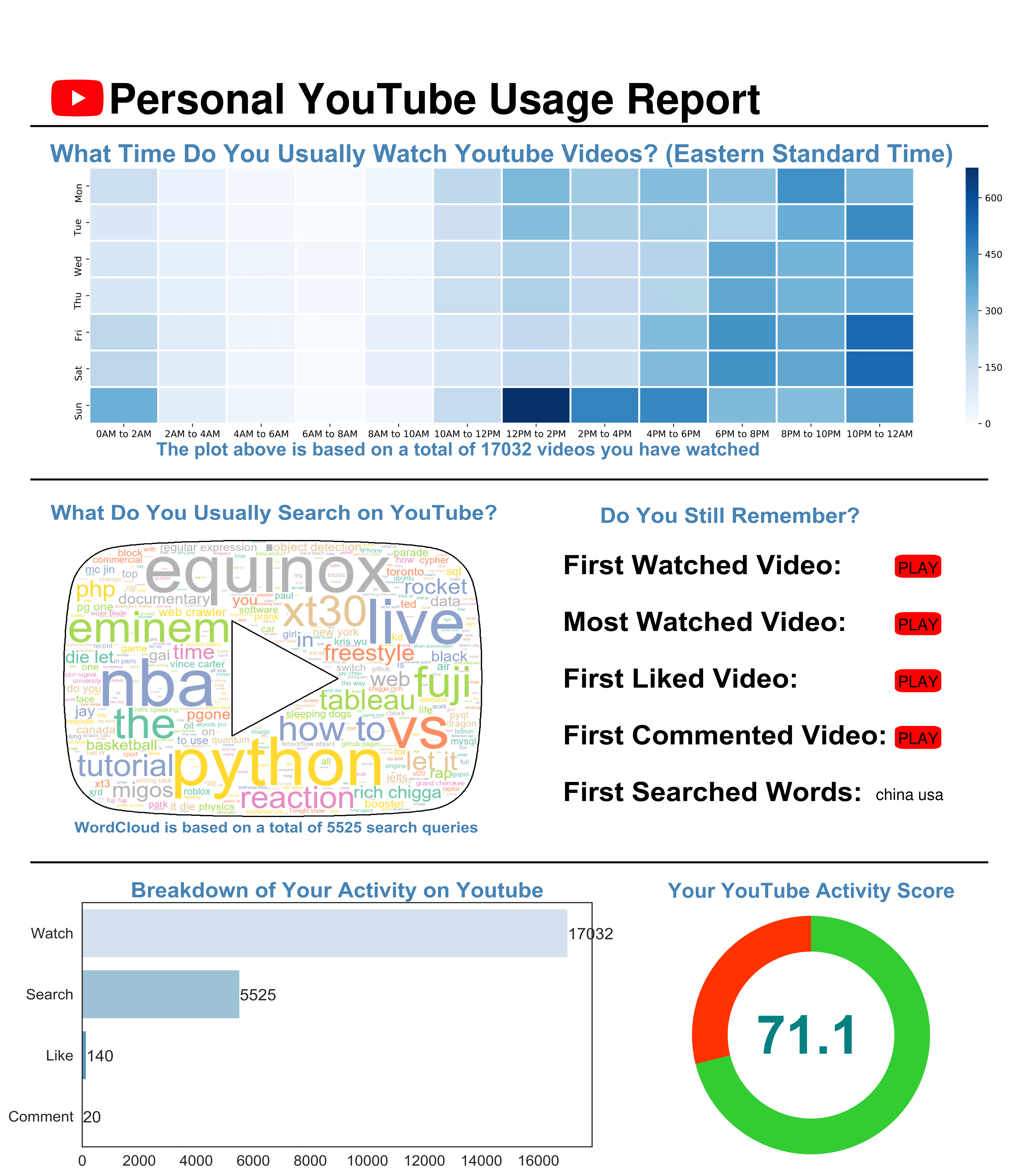
The script will generate a file named YouTube_Report.pdf. This file will automatically open in your browser once the script completes. Besides, you can find all the images that make up this report in Images folder.

评论

暂无评论