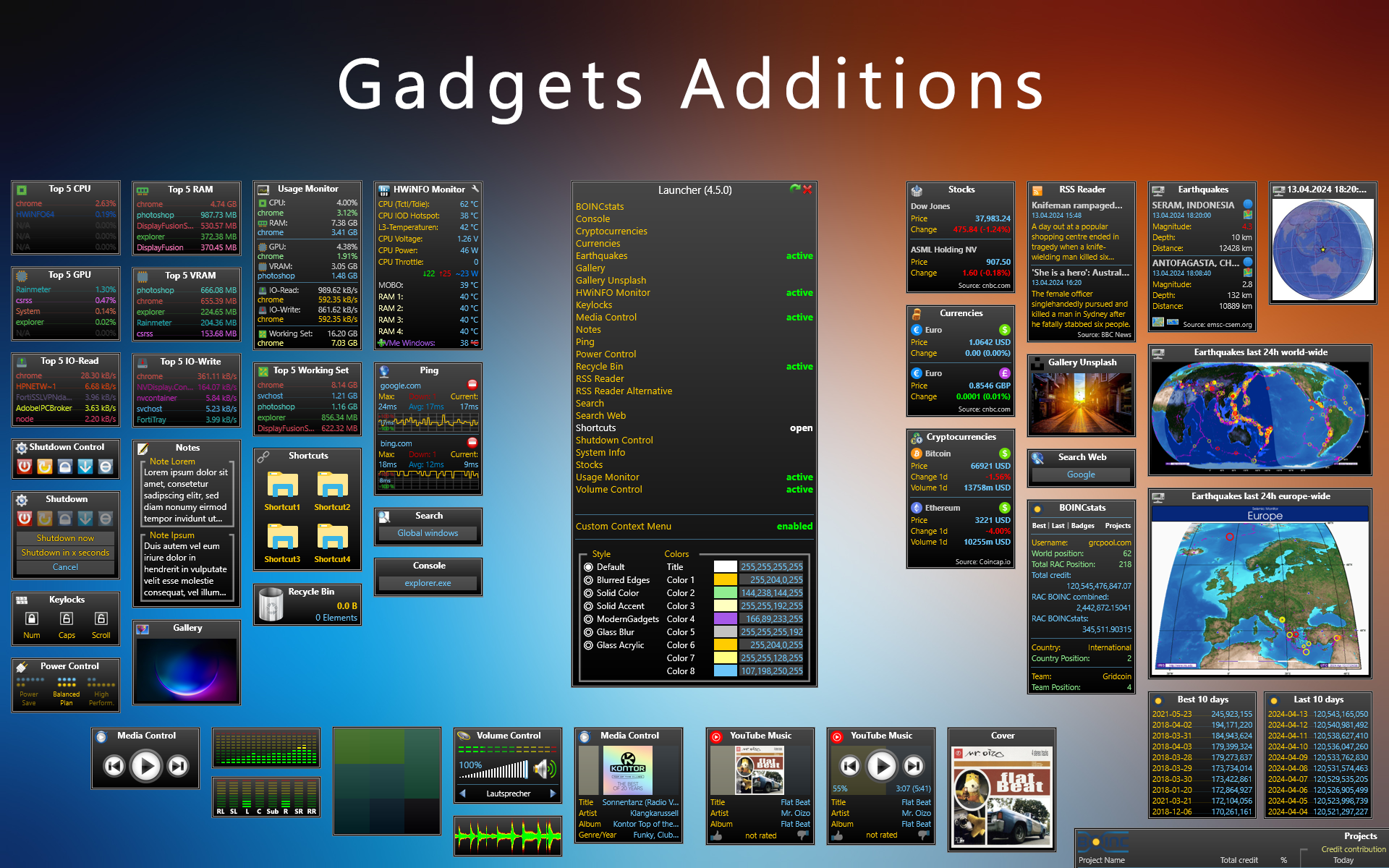
Gadgets Additions
Additional gadgets inspired by the well-known AddGadgets.com Windows Sidebar gadgets and Orbmu2k’s gadgets.
This suite was created as addition to SilverAzide’s suite to complete the move of our beloved Addgadgets.com collection from Windows Sidebar-Gadgets to Rainmeter.
Since many things like power control or volume control were never covered by Addgadgets, Orbmu2k’s gadgets were a great addition at the time, so some gadgets were also redone for the suite.
Over time, many more gadgets have been added to the suite which none of both awesome collections ever had.

Get help on the Rainmeter forums

Styling
You can choose between several different styles through the launcher skin to set it globally and customize some of the used colors:
- Default: Typical gradient styled background we know and love
- Blurred Edges: Colored Background (changeable) with blurred edges
- Solid Color: Colored Background (changeable)
- Solid Accent: Colored background, uses the defined windows accent color
- Modern Gadgets: Matches mostly the Modern Gadgets style by raiguard
- Glass Blur: Windows 7 styled blurred background (Aero)
- Glass Acrylic: Windows 10 styled blurred background
Both glass variations require Win8/10/11
Each skin has a settings skin and can be scaled individually for any resolution.
Detailed descriptions for each setting can be found via tooltips, easily accessible by hovering the setting text with your cursor.
Language
The suite has multi language support, English and German is included.
You can create your own languages by copying the existing files in an own folder and translate them.
You can send me your files or create a pull-request on GitHub so the files will be added to the next version.
Media Control


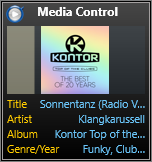

- All in one Media Control with 3 different skins changeable via the context menu
- Simple Media Control:
- Uses media-key-strokes to control the current local media player (works out of the box with more or less all local players)
- Local Media Control:
- Shows metadata from a local media player and the cover-image if available, hover the skin to reveal the controls
- The used player has to be set in the settings skin! (AIMP, CAD, iTunes, MediaMonkey, Spotify, Winamp, WMP, WLM)
- Not all features work with all players (more: Rainmeter Documentation)
- Web Media Control:
- Shows metadata from a web media player and the cover-image if available, hover the skin to reveal the controls
- A browser extension has to be installed! Chrome Firefox
- Supported sites: Amazon Music, Deezer, Google Play Music, Pandora, Plex (Music), PocketCasts, Soundcloud, Spotify, Tidal, Twitch, Youtube, …
- Additionally the skin supports the Spotify Desktop App (including the cover what does not work with the Local Media Control)
- Shows Title progression in percent, time and background-bar
- The cover image can be undocked to an independent skin with a click on the icon located top left or with the context menu
- Volume control via mouse wheel
Volume Control with multiple sound analyzers
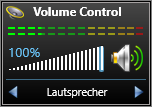

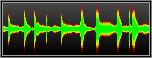
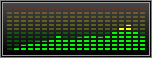
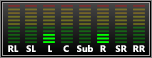
- Shows the audio output of the default audio device
- The audio device name can be shown/hidden with the context menu
- Shows the Volume level in percent, volume bar and speaker-icon-change
- The volume can be controlled via dragging or double-clicking the volume-bar or using the mouse wheel
- Sound analyzers/visualizers are available in the context menu:
- Block Analyzer in multiple sizes (3x3, 5x5, 7x7, 9x9, 11x11, 15x15, 25x25)
- Histogram Analyzer with stereo support
- Spectrum Analyzer with 20 bars
- Surround Analyzer with 7.1 channel support
- Many settings for fine-tuning the analyzers
System Skins
Console

Gallery
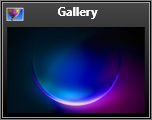
- Shows a random image out of a local folder
HWiNFO Monitor

- Shows an infinite amount of HWiNFO sensors (HWiNFO required!)
- HowTo configure your sensors: Rainmeter Documentation
- The displayed name can be customized for each sensor individually or leave the name-variable blank to use the sensor-name returned by HWiNFO
- All colors can be customized
- Hover the sensor to show the minimum, maximum and average values
Keylocks

- Shows the lock status of Numlock, Capslock and Scrollock
Launcher

- Lists all of my skins with their states (active/inactive)
- Easy way to open/close each skin
- Enable/Disable custom context menu suite wide
- Language selection
- Select the style suite wide
- Change the used colors via RGBA values or ColorPicker
- If there’s a skin-suite update available a message will appear
Notes

- Shows up to 5 notes with titles
Ping

- Shows a ping monitor for an infinite amount destinations which works with any address/IP
- Downtime counter, average measuring and max latency values
- Logs timeouts to file (double-click the graph to open the file)
- Additional skin accessible via the context menu for Ping with DNSlookup (but doesn’t work with local stuff)
- Uses the API from hackertarget.com (~100 requests per day)
- Tries to parse the A-Record from the DNSlookup and uses this IP as destination
- Hover the address to see the pinged IP
Power Control
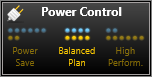
- Shows the current power plan
Recycle Bin

- Shows the recycle bin in elements, size and trash-icon-change
Search

- Shows a windows search bar
- As default the search is globally but can be changed to only indexed files
Shortcuts

- Shows up to 6 shortcuts for files
- You can use any file and combine it with any icon
- The Settings skin contains [Gen.]-Buttons with which you’ll automatically create and use the icon out of the entered filepath\filename (ex.: C:\Windows\explorer.exe)
Shutdown Control


- Shows a shutdown control for
- Shutdown
- Restart
- Lock
- Log off
- Suspend (sleep)
- A click on each button resizes the skin and shows the options
- Do it now,
- Do it in x seconds,
- Cancel
System Info

- Shows information about the computer, logged-in user and OS:
- Computer name
- Domain-name/Workgroup-name and username
- OS version, architecture (32/64bit) and build number
Usage Monitor

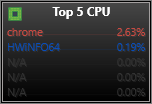
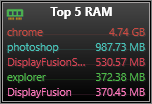


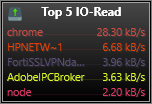
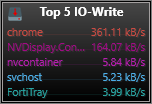

- Shows the current system-resource usage by the following categories (perfmon.exe counters):
- CPU
- RAM
- GPU (works only with Win 10/11!)
- VRAM (works only with Win 10/11!)
- IO-READ
- IO-WRITE
- Custom
- The GPU/VRAM entries can be hidden via the context menu, useful for Win7/8 users
- Each category can be clicked to open another skin which shows the top processes (infinite amount)
- Features:
- Blacklist (ignore these processes)
- Whitelist (monitor only these processes)
- Enable/Disable grouping of process-instances
- Process entries to show individually for each category
- Enable/Disable colorizing the entries through all opened instances based on the process-name
- Enable/Disable custom perfmon.exe counter
- Settings for custom perfmon.exe counter (Name, Category, Counter, Percent, Append)
Web Skins
Earthquakes


- Shows an infinite amount of earthquakes fetched from EMSC-CSEM
- As default there will be shown all earthquakes world-wide but this can be changed to a regional feed too!
- Use their configurator and copy the resulting Feed URL into the settings skin: Configurator
- IMPORTANT: use json as format in the configurator!
- Each earthquake entry:
- Distance calculation to a given position
- Show specific magnitude and distance values in red color
- Globe-Button to open another skin which shows an image of this earthquake which is zoom-able in/out 3 stages (globe, regional, local)
- Maps-Button to open a browser with google maps on this position
- Europe/World-Buttons to open links
- Miles/Kilometers can be set
Gallery Unsplash

- Shows a random image from Unsplash
RSS Reader

- Shows an infinite amount of entries of a RSS-feed (Default: BBC)
RSS Reader Alternative
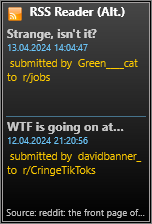
- Shows an infinite amount of entries of a RSS-feed (Default: reddit)
- Mainly created for reddit but can be used for other atom or uncommon feeds
- Difference to RSS Reader:
- The date format on each feed-entry has to be “yyyy-mm-ddTh:i:s” instead of the long datetime
- The link has to be in a href instead of inside the tags
Search Web

- Shows a web search bar
- As default the search is set to use google but can be changed to any other search engine
Market Skins
Cryptocurrencies

- Shows an infinite amount of cryptocurrencies fetched from CoinCap.io
- Use the coin-name out of the the URL from CoinCap.io
- Only USD as target is possible!
- Requires API-Key!
- Shows icons for From-/To-Currency
- Color-change on rise/fall
Currencies

- Shows an infinite amount of currencies fetched from CNBC
- Use the symbol string out of the given URL from CNBC
- Shows icons for From-/To-Currency
- Color-change on rise/fall
Stocks
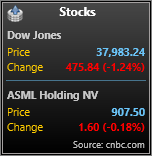
- Shows an infinite amount of stocks fetched from CNBC
- Use the symbol string out of the given URL from CNBC
- Shows icons for the currency
- Color-change on rise/fall
- Shown names can be overridden in the skin variables file
BOINC Skins
BOINCstats

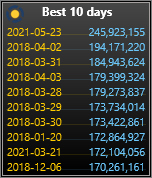
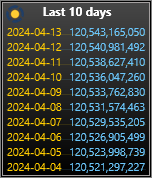

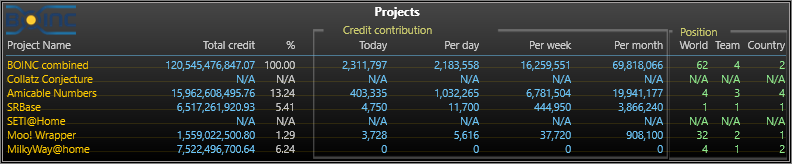
- Shows data fetched from BOINCstats for a given CPID
- Switch between User/Team/Host CPIDs
- Show/hide stats including shares with the context menu
- Additional skins for the selected type (User/Team/Host):
- Show up to 10 projects (use project name from “Project list” table out of your boincstats.com profile site in the settings skin)
- Show the best ten days
- Show the last ten days
- Show the BOINC badges fetched from stats.free-dc.org
Requirements
Honorable mentions
License
Creative Commons Attribution-Noncommercial-Share Alike 4.0 License


评论