
项目介绍
CodeSwine/GTA5Online-Private_Public_Lobby 是一个托管在 GitHub 上的开源项目,主要使用 C# 编写,采用 GNU General Public License v3.0 许可证,目前获得 292 个 Star、54 次 Fork。
- 仓库全名
- CodeSwine/GTA5Online-Private_Public_Lobby
- 开源许可证
- GNU General Public License v3.0
- Star 数
- 292
- Fork 数
- 54
- 未关闭 Issue
- 21
README 摘要
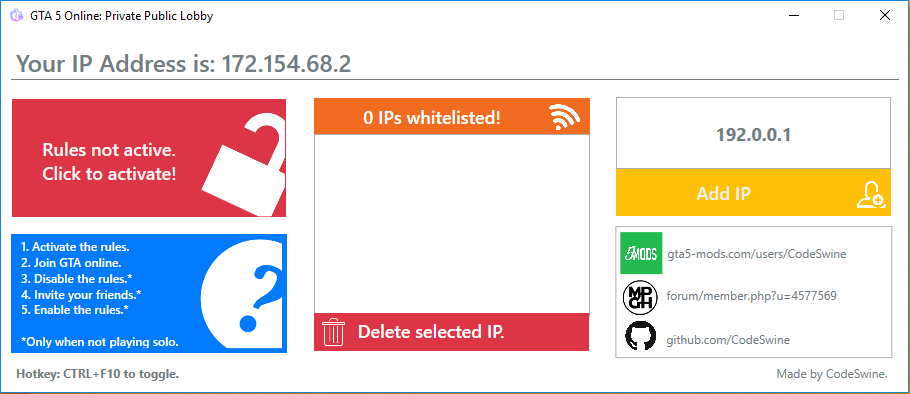
Unfortunately, R's changes have broken this program It no longer works with changing Windows firewall rules. It might be possible via processing packets realtime, but I don't have time to investigate. So here's the notice that this doesn't work and I have no plans to try and fix it, sorry. GTA5Online-PrivatePublicLobby A tool to setup your GTA5 firewall rules easily. Adding IPs to your whitelist enables your friends…
完整内容见 GitHub 原始 README 或本页 。
常见问题
GTA5Online-Private_Public_Lobby 用什么语言开发?
主要使用 C# 编写,采用 GNU General Public License v3.0 许可证,目前有 292 个 Star。
GTA5Online-Private_Public_Lobby 可以免费商用吗?
仓库标注的许可证为 GNU General Public License v3.0,商用前请先阅读仓库 LICENSE 文件确认授权范围。
如何获取 GTA5Online-Private_Public_Lobby 的源码?
可以直接克隆仓库:git clone https://github.com/CodeSwine/GTA5Online-Private_Public_Lobby.git,默认分支为 master;安装与运行步骤见仓库 README。
GTA5Online-Private_Public_Lobby 最近还在维护吗?
仓库最近一次更新为 2022年12月8日,当前有 21 个未关闭 Issue;Star 数为 292,可作为社区活跃度的参考。
相关仓库


ShareX 是一款免费开源应用,用户只需按一次键即可捕获或录制屏幕任意区域。它还支持将图像、文本及多种文件类型上传至多种目标位置。

用于微信/QQ/TIM 的十六进制编辑器 - PC版微信/QQ/TIM防撤回补丁(我已经看到了,撤回也没用了)

ASP.NET Core 是一个跨平台的 .NET 框架,用于在 Windows、Mac 或 Linux 上构建现代基于云的 Web 应用程序。


评论