Molecular Nodes 🧬🍝💻








Molecular Nodes imports structural biology data into Blender and styles, animates and renders it. It reads static structures from the PDB, AlphaFold and local files, molecular dynamics topologies and trajectories, oxDNA simulations, electron microscopy density maps, and .star and CellPack ensembles. Styles are Geometry Nodes trees, so every part of a style can be edited, combined and animated with the rest of Blender.
Molecular Nodes works as a Blender extension through the GUI, and as a Python package that scripts Blender for notebooks and pipelines.
| Procedural animations |
Styles |
MD trajectories |
EM density maps |
 |
 |
 |
 |
Installation
Blender extension
In Blender 5.2, open Edit > Preferences > Get Extensions, search for Molecular Nodes and click Install. The extension is also on the Blender Extensions platform and on GitHub releases, to install from disk. The installation page has step-by-step instructions.
Python package
pip install "molecularnodes[bpy]"
molecularnodes requires Python 3.13, the version Blender 5.2 uses. bpy (Blender as a Python module) is an optional dependency, so installing inside Blender doesn’t install a second copy of Blender; the [bpy] extra installs it for use outside Blender.
Supported Blender versions
The version number follows Blender: Molecular Nodes 520.x is built for Blender 5.2. Each Blender version below runs the test suite on Linux, macOS and Windows, both with the bpy module and inside an installed Blender. Unreleased Blender versions are tested with their daily builds.
| Blender |
Molecular Nodes |
Tests |
| 5.2 |
520.x |
 |
| 5.3 (beta) |
tested on main |
 |
| 5.4 (alpha) |
tested on main |
 |
Each night,  installs the built extension into the latest Blender daily build and runs the tests there.
Releases for earlier Blender versions remain on GitHub releases and the Blender Extensions platform.
Using the GUI
After installing the extension, add structures from the 3D Viewport’s Add > Molecular Nodes menu: fetch from the PDB or AlphaFold, or import a local file, an MD trajectory, an oxDNA simulation, a density map, a .star file or a CellPack model. The Molecular Nodes tab of the 3D Viewport sidebar (N) lists the imported entities and their styles, and holds the trajectory, DSSP and annotation settings.
Each style is a node group in the object’s Geometry Nodes tree. The node documentation describes every node, and the tutorials walk through importing, selections, trajectories and cryo-EM data.
Using the Python API
The Python API creates the same objects and node trees as the GUI. Create a Canvas first, which sets up the scene, then load, style and render molecules:
import molecularnodes as mn

canvas = mn.Canvas(mn.scene.Cycles(samples=32), resolution=(720, 480))

mol = mn.Molecule.fetch("4ozs")
mol.add_style("cartoon", material=mn.material.AmbientOcclusion())
mol.add_style("ball_and_stick", selection="resname ARG")
canvas.look_at(mol)
canvas.snapshot("4ozs.png")
Selections are MDAnalysis selection strings. MD topologies and trajectories load into the same Molecule, either from files or from an existing MDAnalysis.Universe, and the scene frame steps through the trajectory:
import MDAnalysis as mda

u = mda.Universe("topology.psf", "trajectory.dcd")
traj = mn.Molecule(u)  # or mn.Molecule.load("topology.psf", "trajectory.dcd")
traj.add_style("cartoon")
canvas.look_at(traj)
canvas.animation("trajectory.mp4", frame_start=1, frame_end=50)
The Python API documentation covers the canvas, styles, materials, trajectories and rendering, with rendered examples. The API is experimental and may change between versions.
Examples
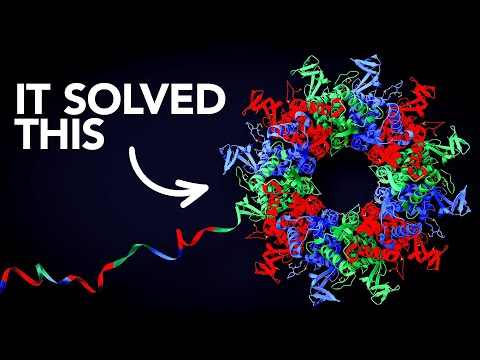
The examples page collects videos and projects made with Molecular Nodes, and the citations page lists academic papers that use it.
| Clockwork |
Veritasium |
BCON22 talk |
 |
 |
 |
Contributing
Open an issue to discuss a new feature, or comment on an existing issue to help fix it. CONTRIBUTING.md explains how the project is structured and how to build, test and document changes, and AI_POLICY.md sets out how AI tools may be used in contributions.
Citation
There is no paper on Molecular Nodes yet. To cite it in academic work, use the Zenodo record.
Thanks
Thanks to the Blender Foundation, which develops Blender as free and open source software, and to the developers of the Python packages Molecular Nodes builds on, in particular Biotite and MDAnalysis.



评论