Checkpoint 
A fast and simple homebrew save management framework for 3DS and Switch, written in C++.
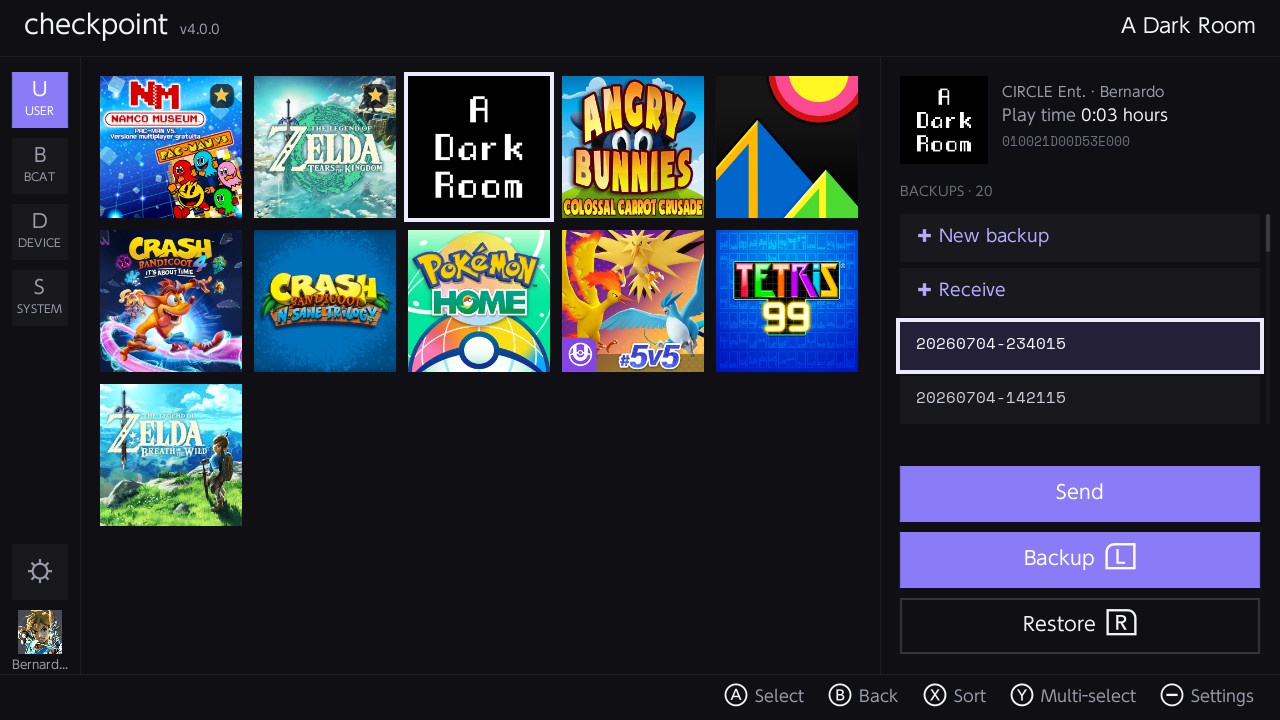
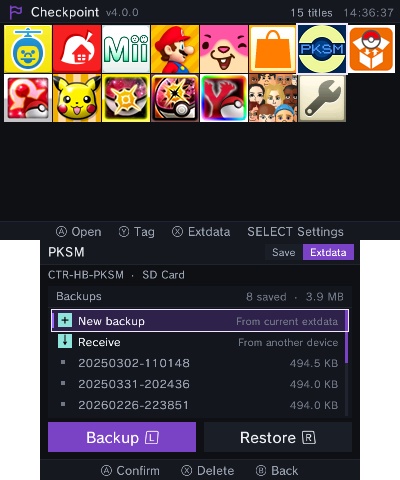
Why use Checkpoint?
Checkpoint is created following ideas of simplicity and efficiency. The UI has been designed to condense as many options as possible, while keeping it simple to work with.
Moreover, Checkpoint is extremely lightweight - while being packaged with a nice graphic user interface - and is built using the most recent libraries available.
Checkpoint doesn’t rely on external title lists or filters to work: titles are detected and filtered automatically, so it doesn’t need constant user maintenance to retain full functionality.
Checkpoint is a framework, not just an app: everything it can do to a save is also reachable from scripts you can write yourself and drop on the SD card, so the console can do things no release ever shipped with. See Scripting.
Features
Checkpoint backs up and restores save data for:
- 3DS: 3DS cartridges and digital titles (including demos), extdata, DS cartridges, DSiWare and GBA Virtual Console titles
- Switch: saves for the titles you have played, with title information loaded automatically
Both versions share the same core feature set:
- A completely redesigned user interface, with light and dark mode theming
- A Settings section to configure everything directly from the console: favorites, filters, additional save folders and more, with no manual file editing required
- Internationalization support: English, Italian, French, German, Portuguese, Spanish, Dutch, Japanese and Chinese
- Fast, responsive file operations: backups and restores run on a worker thread, and backups can be cancelled while in progress
- Additional save folders, configurable per title through a built-in folder browser
- A background FTP server, to access your save backups directly from your PC
- Wireless save transfer between consoles
- A scripting engine, with bundled scripts for cheat management and Google Drive save sync, and a documented API for writing your own
- An HTTP log server, to view Checkpoint’s logs in real time from any browser on your network
On Switch, Checkpoint also provides:
- A rendering backend built on deko3d, which makes the application ~70% smaller than before
- 1080p docked mode support, alongside 720p in handheld
- A USB MTP server, which makes the console show up as a portable device on your PC so you can drag backups off over the charging cable, with no network involved
- File-by-file verification after restore, and safer handling of large save restores
Scripting
Checkpoint runs scripts written in C, interpreted on the console. A script is a single .c file on the SD card: no compiler, no rebuild, no reflash. Put it in the right folder and it shows up in the Scripts menu (SELECT on 3DS, Minus on Switch) the next time you launch the app.
Scripts get a native API — #include <checkpoint.h> — that reaches the same machinery the app itself uses:
- Titles: the whole catalog, ids, names, product codes, cart/save/extdata flags, backup folders
- Save data: open a title’s save (or 3DS extdata, or console-wide shared extdata), then read, write, delete, list and commit files inside it, and create, rename or remove its folders
- SD card: directory listings,
mkdir -p, existence checks, plus ordinary C file I/O
- Zip: pack or unpack a folder with the same store-only framing the wireless transfer and chlink use
- Network: HTTP GET, full requests with methods, headers and bodies, and streamed file uploads
- JSON: parse and walk documents
- UI: messages, confirmations, single and multiple choice pickers, keyboard and numeric keypad, a status line and nested progress bars, all rendered by Checkpoint itself
- Plus picoc’s C standard library:
stdio, stdlib, string, unistd, ctype, math, time
A running script owns the screen: its output streams into a scrollable log pane while its dialogs and progress bars take the other screen (3DS) or a card over the transcript (Switch). Holding B aborts any script, even one stuck in an infinite loop, without rebooting the console.
A few scripts ship with the app already:
- browser — file browser for the SD card and for a title’s live save archive: copy, move, rename, delete, make folders, read properties, zip and unzip, one item or a batch at a time, with either side of a transfer on the card or inside a save
- sharkive — cheat manager: downloads the Sharkive database, lets you tick cheats per title, and writes the cheat files Luma3DS (3DS) or Atmosphere (Switch) expect
- googledrive — backs up your save backups to your own Google Drive, with a device-code sign-in and per-backup zips (setup guide)
- webdav — the same for any WebDAV server you already have (Nextcloud, Synology,
rclone serve webdav, …): uploads only what isn’t there yet, and can download a backup back onto the console (setup guide)
- playcoins — sets the console’s Play Coins (3DS)
- extdata — creates the extdata archive a title has never written, so an extdata backup has somewhere to restore into (3DS)
- notifications — backs up and restores everything behind the Notifications applet, the SpotPass content and the notification list alike, none of which belongs to a title (3DS)
Writing your own is documented in full in scripts/README.md: the API reference, the interpreter’s limits, recipes, and a checklist for both human and AI authors. scripts/examples/example.c is a runnable guided tour, one menu entry per API area. Before copying a script to the SD card, parse-check it on your PC with tools/scriptlint.sh.
chlink
Checkpoint comes with chlink, a companion command line app for your PC that talks to Checkpoint’s wireless save transfer feature. With chlink you can send save backups from your PC to the console and receive backups from the console to your PC, over your local network - no cables and no SD card swapping required.
Transfers are protected by a 4-digit PIN displayed on the console, and chlink automatically recognizes backups coming from a Checkpoint SD card layout, so title and backup information are filled in for you.
chlink is a single, dependency-free executable available for Windows, macOS and Linux. You can download it from the releases page, or build it yourself from the tools/chlink folder.
Usage
You can use Checkpoint for 3DS with both cfw and Rosalina-based Homebrew Launchers. *hax-based Homebrew Launchers are not supported by Checkpoint.
Checkpoint for Switch runs on homebrew launcher. Make sure you’re running up-to-date payloads.
The first launch will take longer than usual, due to the working directories being created - Checkpoint will be significantly faster upon launch from then on.
Working path
Checkpoint relies on the following folders to store the files it generates. Note that all the working directories are automatically generated on first launch (or when Checkpoint finds a new title that doesn’t have a working directory yet).
3DS
sdmc:/3ds/Checkpoint: root pathsdmc:/3ds/Checkpoint/config.json: configuration filesdmc:/3ds/Checkpoint/logs: log filessdmc:/3ds/Checkpoint/saves/<unique id> <game title>: root path for all the save backups for a generic gamesdmc:/3ds/Checkpoint/extdata/<unique id> <game title>: root path for all the extdata backups for a generic gamesdmc:/3ds/Checkpoint/scripts/universal: your own scripts, offered for every titlesdmc:/3ds/Checkpoint/scripts/<title id>: your own scripts, offered for that title only
Switch
sdmc:/switch/Checkpoint: root pathsdmc:/switch/Checkpoint/config.json: configuration filesdmc:/switch/Checkpoint/logs: log filessdmc:/switch/Checkpoint/saves/<title id> <game title>: root path for all the save backups for a generic gamesdmc:/switch/Checkpoint/scripts/universal: your own scripts, offered for every titlesdmc:/switch/Checkpoint/scripts/<title id>: your own scripts, offered for that title only
Configuration
All the options that used to require manual edits to the configuration file can now be managed from the Settings section, directly on the console. The config.json file is still stored in Checkpoint’s working directory, but you’re not required to touch it anymore.
Troubleshooting
Checkpoint displays error codes when something weird happens or operations fail. If you have any issues, please ensure they haven’t already been addressed, and report the error code and a summary of your operations to reproduce it.
Additionally, you can receive real-time support by joining FlagBrew’s Discord server (link below).
Building
devkitARM and devkitA64 are required to compile Checkpoint for 3DS and Switch, respectively. Learn more at devkitpro.org. Install or update dependencies as follows.
The scripting engine lives in a submodule, so a fresh clone needs:
git submodule update --init --recursive
3DS version
dkp-pacman -S libctru citro3d citro2d tex3ds 3ds-curl 3ds-mbedtls
Switch version
dkp-pacman -S libnx switch-pkg-config deko3d switch-harfbuzz switch-freetype switch-libjpeg-turbo switch-curl switch-mbedtls
Build from the repository root with make 3ds or make switch.
License
This project is licensed under the GNU GPLv3. Additional Terms 7.b and 7.c of GPLv3 apply to this. See LICENSE.md for details.
Credits
- Bernardo for creating Checkpoint.
- J-D-K for the original JKSM version.
- TuxSH for TWLSaveTool, from which SPI code has been taken.
- LiquidFenrir for the GBA Virtual Console save support.
- SNBeast for the DSiWare save support proof of concept.
- mtheall for ftpd’s code used as reference for our FTP implementation.
- edu1010 for the wireless save transfer feature.
- piepie62 and all other PKSM contributors for some code that has been ported to Checkpoint.
- zsaleeba for being the original contributor to picoc, the C interpreter Checkpoint’s scripting engine is built on, and all the contributors to FlagBrew’s flavor of picoc, which is the fork this project relies on.
- WinterMute, fincs and devkitPro contributors for devkitARM, devkitA64 and dkp-pacman.
- Yellows8 and all the mantainers for switch-examples.
- rakujira for the awesome Checkpoint logo.
- achinech for helping to debug the infamous 3.8.x crash issue.
- Fellow testers and troubleshooters for their help.
- The huge amount of supporters that this project has gained over the years.
Without you, this project wouldn’t have existed. Thank you.


评论