






SoundSwitch offers you the opportunity to switch your playback and recording devices using simple hotkeys.
No more navigating througth several menus and screens. Just configure SoundSwitch once and you are able to switch between your devices faster than ever before!
✨ Preview

Requirements
- ⚠ Operating System: Windows 10 or newer (x64 or ARM64)
Donations
If you’d like to support development, we would love to see you here ❤.
Configuration
Right click the SoundSwitch icon in your system tray and choose Settings. Now select the devices between which you want to toggle. Optionally, you can also change the keyboard combination. If you want the application to start automatically when your PC boots up, check the box Start automatically with Windows.
Usage
First set up your devices you want to cycle through, using right click on the System Tray Icon of SoundSwitch.
After you configured SoundSwitch you can use the following hotkeys:
-
🔊 To cycle through the playback devices press:
Ctrl + Alt + F11 (default) or- Double click on the
System Tray Icon of SoundSwitch.
-
🎙 To cycle through the recording devices press:
Ctrl + Alt + F7 (default)
-
🔇 To mute the default microphone press:
When a microphone is muted, a persistent banner will appear on your screen to remind you that your microphone is muted. The banner will remain visible until you unmute the microphone or click on the banner to unmute it directly.
🖱️ System Tray Icon Actions
The system tray icon supports configurable double-click actions. You can choose what happens when you double-click the SoundSwitch icon:
- 🔊 Switch Device (default): Cycles through your configured playback devices
- 📋 Switch Profile: Cycles through your configured audio profiles
- ⚙️ Open Settings: Opens the SoundSwitch settings window
This behavior can be customized in the SoundSwitch settings to match your preferred workflow.
Command Line Interface
SoundSwitch includes a powerful CLI that allows you to control the application through command line:
- Switch between playback/recording devices
- Control microphone mute state
- Manage audio profiles
- Access settings
See the CLI documentation for more details about available commands and usage.
Switched Notification
SoundSwitch provides four types of notification when a device is changed:
-
🎟 Banner Notification
Uses a custom always-on-top frame, useful for in-game usage. This is the recommended default display style.
-
🗨 Windows Notification
Uses the balloon tip of Windows. In the case of Windows 7, it’s the little balloon that opens next to the systray icon. For Windows 10, it’s the notification system that slides from the right corner of the screen.
-
🎵 Sound Notification
This notification is a sound played on the switched device. This way when you are switching devices, the new device will ‘chime’ to tell you it’s selected.
Profiles
Using profiles, you can automatically switch to specific audio devices when certain conditions are met. Profiles support multiple trigger types and advanced device management:
🎯 Profile Triggers
-
⌨️ Hotkey Triggers: Switch devices using custom key combinations. Multiple profiles can share the same hotkey and cycle through them automatically.
-
💫 Application Triggers: Automatically switch devices when specific applications gain focus. For example, route Spotify to speakers while games use your headset.
-
🪟 Window Triggers: Switch devices based on window titles. Useful for applications that change their window names dynamically.
-
🎮 Steam Big Picture: Special profile that activates automatically when Steam Big Picture mode is launched.
-
📱 UWP App Triggers: Support for Universal Windows Platform applications with automatic device switching.
-
🚀 Startup Triggers: Profiles that activate automatically when SoundSwitch starts.
-
🔄 Device Changed Triggers: Force profiles that maintain specific device configurations even when Windows tries to change them.
-
📋 Tray Menu Triggers: Profiles accessible directly from the system tray context menu.
🎚️ Advanced Profile Features
- Multi-Device Support: Configure separate devices for playback, communication, recording, and recording communication
- Smart Device Restoration: Automatically restore previous audio settings when a profile deactivates
- Foreground App Switching: Option to switch only the focused application’s audio instead of system-wide
- Default Device Control: Choose whether to change Windows default devices or only application-specific routing
- Notification Control: Enable/disable notifications when profiles activate
- Device Validation: Automatic checking for device availability with fallback handling
🔄 Hotkey Cycling
When multiple profiles share the same hotkey, SoundSwitch automatically cycles through them. If Quick Menu is enabled, a visual selector appears allowing you to choose the specific profile to activate.
Advanced
🎙 Communications
SoundSwitch can also change the Default Communication Device when asked in the Settings. Windows differentiates between Multimedia and Communication; it means if an application asks to have access to communications audio device, it will receive the Default Communication Device. By default SoundSwitch only changes the multimedia device and not the communication device. Now if the checkbox is checked in the settings, it will also change the Communication Device.
📥 Auto-Updater
Every 24 hours SoundSwitch checks the GitHub repository (thanks to the GitHub API) for a new release. If a new one is available you will get a notification and the ‘No update available’ in the context menu will change to ‘Update Available’. The new version gets automatically downloaded and installed, depeding on your Update Mode. We also provide a changelog with the latest improvements of SoundSwitch.
🚥 Update Modes
There are three different options available on how updates are installed:
- Silent, means the program updates itself in the background without any prompts.
- Notify, you will be notified when there’s an update available.
- Never, well this is self-explained.
🌎 Multi-Language Support
SoundSwitch is available in more than 20 languages including English, French, German, Spanish, Italian, Portuguese (Brazilian), Russian, Chinese, and many more.
Want to improve an existing language or add another one? Translations are online editable right here!
Contributors
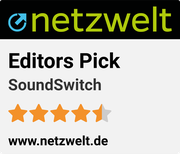
Awards



Thanks
🐱💻 Credits
🤝 JetBrains

Thanks for their Open-Source licence to their amazing IDEs and addons like ReSharper for Visual Studio.
License: GPLv3

Copyright © 2015 Jeroen Pelgrims
Copyright © 2015-2025 Antoine Aflalo
This program is free software; you can redistribute it and/or
modify it under the terms of the GNU General Public License
as published by the Free Software Foundation; either version 3
of the License, or (at your option) any later version.
This program is distributed in the hope that it will be useful,
but WITHOUT ANY WARRANTY; without even the implied warranty of
MERCHANTABILITY or FITNESS FOR A PARTICULAR PURPOSE. See the
GNU General Public License for more details.
The complete GPLv3 license file is located here.





评论