NSprites - Unity DOTS Sprite Rendering Package
This framework provides sprite rendering system compatible with Entities package (unity ECS). Changelog
Basically it sync whatever entity component you want with GPU data to perform instanced rendering. As a result all entities with same Material can be rendered with single drawcall.

Features
- Using power of :boom:DOTS:boom: + instancing to render numerous of sprites
- Using any public to you per-entity blittable component as shader instanced property
- Data update strategies to avoid unnecessary CPU load
- Edit-time rendering (subscene only)
Basic API
For more detailed information please read project’s wiki :blue_book:
// registrate components as properties at assembly level anywhere in project
[assembly: InstancedPropertyComponent(typeof(WorldPosition2D), "_pos2D")]
[assembly: InstancedPropertyComponent(typeof(SpriteColor), "_color")]
// registrate render with ID, Material, capacity data and set of properties
if (!SystemAPI.ManagedAPI.TryGetSingleton<RenderArchetypeStorage>(out var renderArchetypeStorage))
    return;
// don't registrate same renderID
renderArchetypeStorage.RegisterRender
(
    renderID,
    material,   // material with [Enable GPU Instancing] enabled and shader supporting instancing
    bounds      // bounds in which sprites will be visible. For example new Bounds(Vector3.zero, Vector3.one * float.MaxValue)
    null,       // override for MaterialPropertyBlock if needed
    128,        // initial ComputeBuffers capacity
    128,        // minimal capacity step for ComputeBuffers
    "_pos2D",   // world 2D position property
    "_color"    // color property
);
// initialize sprite entity with all needed components for rendering
entityManager.AddSpriteRenderComponents(spriteEntity, renderID);
// WorldPosition2D and SpriteColor are example client's components
entityManager.AddComponentData(spriteEntity, new WorldPosition2D { Value = /*your value here*/ });
entityManager.AddComponentData(spriteEntity, new SpriteColor { Value = Color.White });

// or from baker
private class Baker : Baker<SpriteAuthoring>
{
    public override void Bake(SpriteAuthoring authoring)
    {
        AddComponent(new WorldPosition2D { Value = new float2(authoring.transform.position.x, authoring.transform.position.y) });
        AddComponent(new SpriteColor { Value = Color.White });
        this.AddSpriteComponents(authoring.RenderID); // Render ID is client defined unique per-render archetype int. You can define it manually or for example use Material's instance ID or whatever else.
    }
}
Also shader you’re using should be compatible with instancing. Check my example shader gist. The main idea is to use StructuredBuffer<T> _propertyName. Though it is possible to use instanced properties with ShaderGraph, so you may try your option. For local example shader main part can look like:
// ...
#if defined(UNITY_PROCEDURAL_INSTANCING_ENABLED)
StructuredBuffer<int> _propertyPointers;
StructuredBuffer<float4> _color;
#endif
// ...
Varyings UnlitVertex(Attributes attributes, uint instanceID : SV_InstanceID)
{
    // ...
#if defined(UNITY_PROCEDURAL_INSTANCING_ENABLED)
    int propPointer = _propertyPointers[instanceID]; // this is internal package property to point right data during component sync
    float4 color = _color[propPointer];
#else
    //fallback if somehow instancing failed
    float4 color = float4(1,1,1,1);
#endif
    // ...
}
How it works
SpriteRenderingSystem sync registered entity components with ComputeBuffers to send data to GPU and then renders entities with Graphics.DrawMeshInstancedProcedural. System also controls how ComputeBuffers reallocates if capacity exceeds. Sprites are simple entities with no limits of what components you use.
NSprites doesn’t provide anything except rendering and managing data for it. Though you can implement anything you want on top of it. Also I want to share some foundation project where you can find examples and maybe even useful tools to work with this package. Foundation provides such things as sorting / culling / animation / 2D transforms / basic data authoring and registration.
This sample project covers basics of rendering with NSprites. Use it to get a main idea of how stuff can be implemented but not as production-ready solutions.

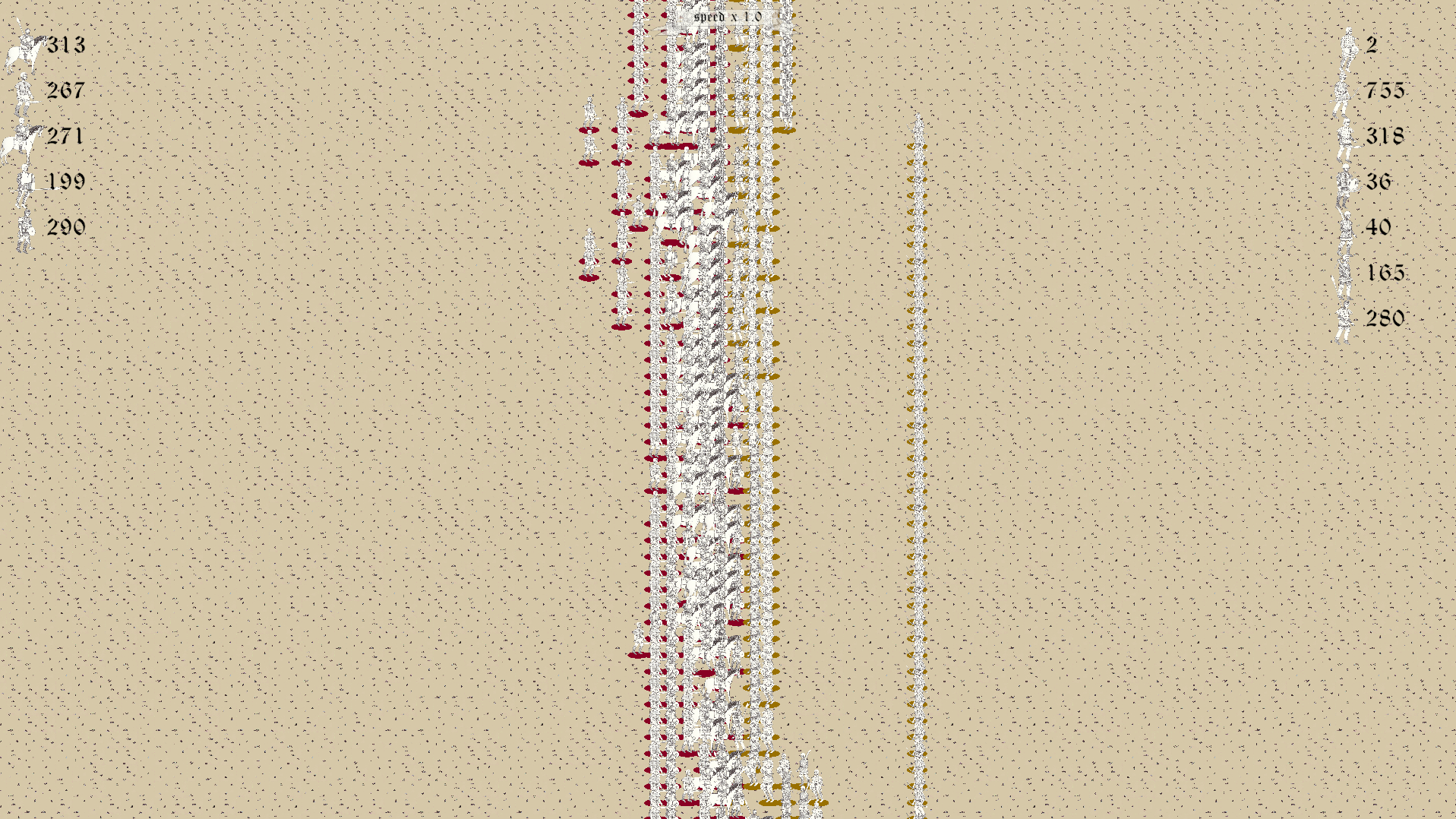
Games created with NSprites

Installation
Requirements
- Unity 2022.2+
- Entities v1.0.0-pre.65+
There is few things we should care when talking about using NSprites in real projects. Since this package uses GPU instancing
and ComputeBuffer on CPU side with StructuredBuffer<T> on GPU side (in shader) to send sprites data, we need platform and Graphics API support
this two.
| Graphics API |
Description |
| Direct3D11 |
:warning: partially supported |
| Direct3D12 |
:white_check_mark: supported |
| Vulkan |
:white_check_mark: supported |
| OpenGLCore |
:warning: partially supported |
| OpenGLES3 |
:warning: partially supported |
| Platform |
Description |
| PC |
:white_check_mark: supported |
| WebGL |
:no_entry: unsupported |
| Android |
:grey_question: not fully checked |
| iOS |
:question: not checked |
- Window -> Package Manager -> + button -> Add package from git url
- Paste
https://github.com/Antoshidza/NSprites.git
Install via git submodule
I wish this project will be helpful for any ECS early adopters! So feel free to send bug reports / pull requests, start discussions / critique, those all are highly appreciated!
You can contact with my discord account / join discord server!
Also there is a thread on unity dots forum!
Preferred way to send support: BOOSTY


评论